
1. Introduction
This manual provides essential information for the proper setup, operation, and maintenance of your Linsoul Xenns Mangird Tea PRO In-Ear Monitors (IEMs). Please read this guide thoroughly before use to ensure optimal performance and longevity of your device.

Image: The Linsoul Xenns Mangird Tea PRO In-Ear Monitors with their distinctive faceplates and braided cable.
2. Package Contents
Verify that all items are present in your package:
- Xenns Mangird Tea Pro IEMs (Left and Right)
- Xenns Custom Audio Cable (0.78mm 2-pin connector)
- Replaceable 4.4mm Cable Jack (optional, depending on package)
- 6 Pairs Silicone Eartips (S/M/L)
- 2 Pairs Memory Foam Eartips
- Xenns Storage Box
- Earphone/Cable Pouch
- Cable Clamp
- Cleaning Brush
- User Manual (this document)

Image: An overview of the complete accessory kit included with the Xenns Mangird Tea PRO, showing the IEMs, various ear tips, cables, and storage options.
3. Setup
3.1 Attaching the Cable
- Identify the left (L) and right (R) IEM units and cable connectors. The IEMs are marked with 'L' and 'R' on their bodies.
- Align the 0.78mm 2-pin connectors on the cable with the corresponding sockets on the IEMs. Ensure the pins are correctly oriented.
- Gently push the connectors firmly into the IEM sockets until they are secure. Avoid excessive force to prevent damage to the pins.
3.2 Selecting and Installing Ear Tips
Proper ear tip selection is crucial for sound quality and comfort. Experiment with the included silicone and memory foam ear tips to find the best fit for your ears.
- Choose a size that creates a good seal in your ear canal without causing discomfort.
- Gently twist and push the chosen ear tip onto the IEM nozzle until it is securely attached.

Image: The Xenns Mangird Tea PRO IEMs displayed alongside a selection of silicone and memory foam ear tips in different sizes.
3.3 Wearing the IEMs
- Insert the IEMs into your ear canals, ensuring a snug and comfortable fit. The cable should loop over the top of your ear.
- Adjust the cable behind your ear for stability. The ergonomic design is intended for a secure fit during use.
Video: An overview of the Xenns Mangird Tea PRO, demonstrating the unboxing and components, which can assist with initial setup.
4. Operating Instructions
4.1 Connecting to an Audio Source
Connect the 3.5mm or 4.4mm (if using the optional jack) audio plug of the cable to your audio source (e.g., smartphone, digital audio player, computer, amplifier). Ensure the connection is secure.
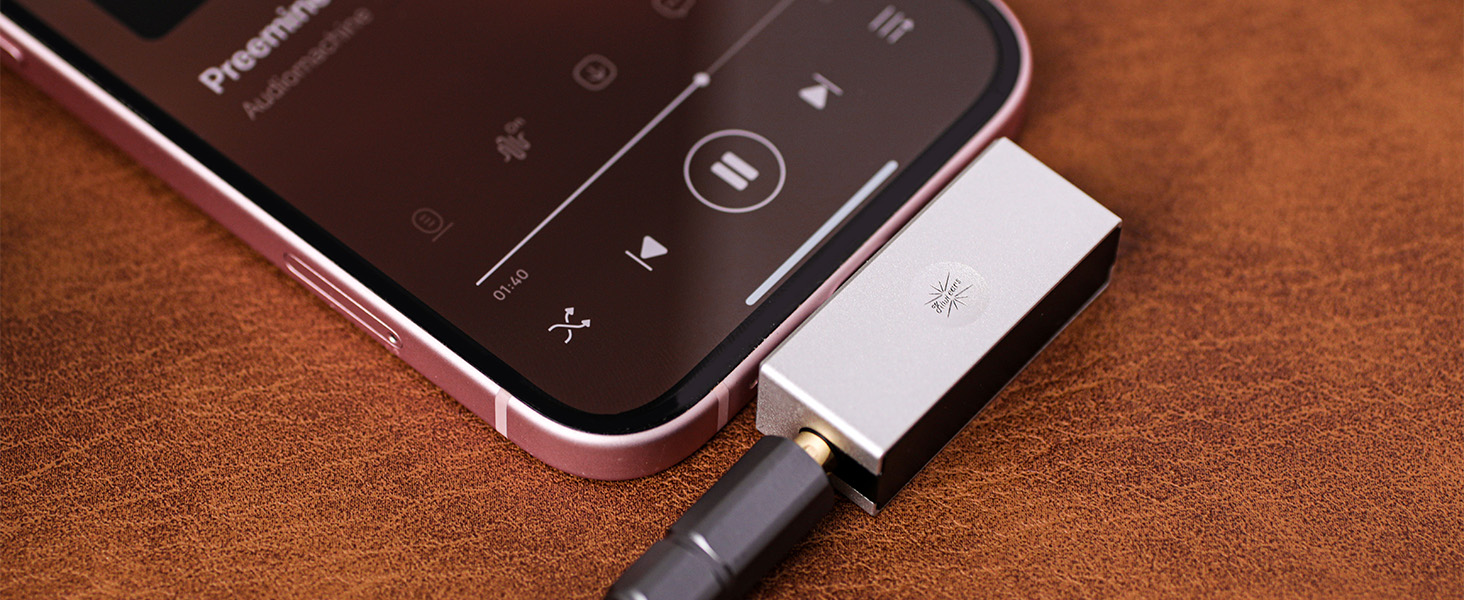
Image: The Xenns Mangird Tea PRO IEMs connected to a portable music player, illustrating typical usage.
4.2 Media Control
The cable may include an inline remote for media control. Refer to the specific remote's instructions for functions such as play/pause, track skipping, and volume adjustment. These functions are dependent on the compatibility with your connected device.
5. Maintenance
5.1 Cleaning the IEMs and Ear Tips
- Regularly clean the IEM shells and ear tips to prevent wax buildup and maintain hygiene.
- Use the provided cleaning brush to gently remove any debris from the ear tip nozzles and IEM grilles.
- For ear tips, remove them from the IEMs and wash with mild soap and water. Rinse thoroughly and allow them to dry completely before reattaching.
- Wipe the IEM shells with a soft, dry cloth. Avoid using harsh chemicals or abrasive materials.
5.2 Cable Care
- Store the cable neatly to prevent tangling and damage. Use the included cable clamp or pouch.
- Avoid sharp bends or excessive pulling on the cable, especially near the connectors.
- When detaching the cable, grasp the connector housing firmly and pull straight out. Do not pull on the cable itself.

Image: The Xenns Mangird Tea PRO IEMs with their braided cable, highlighting the detachable cable design for proper care and storage.
6. Troubleshooting
- No Sound or Intermittent Audio:
- Ensure the cable is securely connected to both the IEMs and the audio source.
- Check the volume level on your audio source.
- Test with a different audio source or cable to isolate the issue.
- Verify that the ear tips are not blocked by debris.
- Poor Sound Quality (e.g., lack of bass, tinny sound):
- Ensure a proper seal is achieved with the ear tips. Try different sizes or types of ear tips.
- Check for any debris in the ear tip or IEM nozzle that might be obstructing sound.
- IEMs Feel Uncomfortable or Fall Out:
- Experiment with different ear tip sizes and materials (silicone vs. memory foam) to find the most comfortable and secure fit.
- Ensure the cable is correctly looped over your ears for added stability.
7. Specifications
| Feature | Specification |
|---|---|
| Model Name | XENNS Mangird Tea Pro |
| Driver Configuration | 6 Balanced Armature (BA) + 2 Dynamic Drivers (DD) Hybrid |
| Sensitivity | 104 dB |
| Impedance | 13 Ohms |
| Frequency Response | 20-22 KHz |
| Connectivity Technology | Wired |
| Headphones Jack | 3.5 mm Jack (optional 4.4mm balanced) |
| Cable Feature | Detachable (0.78mm 2-pin connector) |
| Noise Control | Passive Noise Cancellation |
| Control Type | Media Control (Remote) |
| Water Resistance Level | Not Water Resistant |
| Item Weight | 13 ounces |

Image: A visual representation of the key specifications for the Xenns Mangird Tea PRO, including driver type, sensitivity, impedance, and frequency response.
8. Warranty and Support
8.1 Warranty Information
For specific warranty details regarding your Linsoul Xenns Mangird Tea PRO IEMs, please refer to the warranty card included in your product packaging or contact Linsoul customer support directly. Warranty terms may vary by region and retailer.
8.2 Customer Support
If you encounter any issues or have questions not covered in this manual, please contact Linsoul customer support. You can find contact information on the official Linsoul website or through your purchase retailer.
Visit the official Linsoul Store: Linsoul Store on Amazon