
1. Introduction
The TOPPING DX1 is a compact and powerful Digital-to-Analog Converter (DAC) and Headphone Amplifier designed to elevate your audio experience. Featuring the latest AK4493S chip and a Discrete LNRD circuit, it delivers superior sound quality with ultra-low noise. Its plug-and-play compatibility across various operating systems makes it an ideal solution for transforming your computer into a high-fidelity audio source.
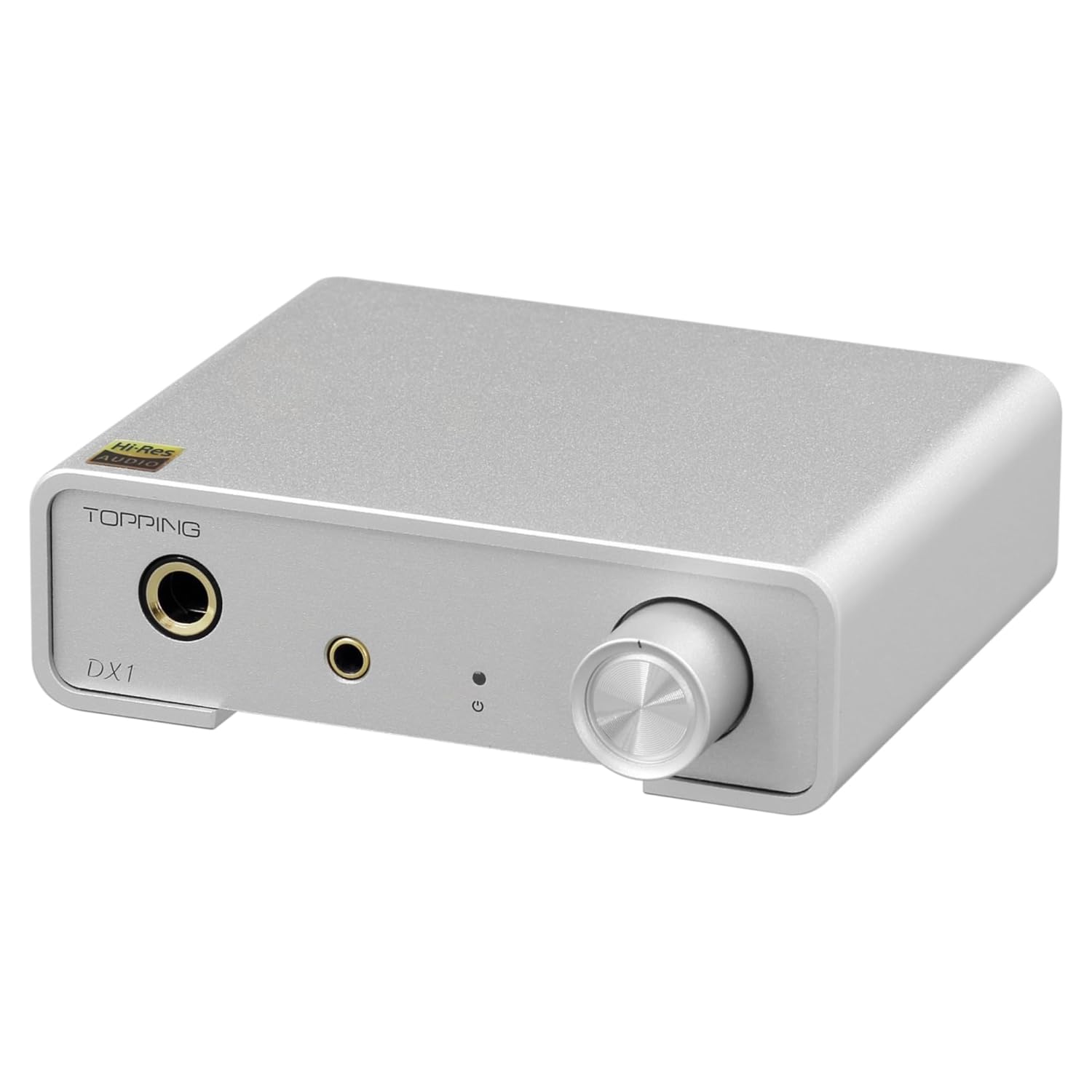
Figure 1.1: The TOPPING DX1 Mini DAC & Headphone Amplifier, showcasing its compact silver design.
Key Features:
- Superior Sound Quality: Utilizes AKM's latest AK4493S chip for rich, detailed audio.
- Plug and Play: Compatible with Windows, Mac, Linux, iOS, and Android without requiring additional drivers (except for Windows ASIO applications).
- Ultra-Low Noise: Discrete LNRD circuit reduces noise to minimal levels, ideal for sensitive headphones.
- Powerful Output: Delivers up to 280mW x2, capable of driving a wide range of headphones without external power.
- Versatile Connectivity: Features 6.35mm and 3.5mm headphone outputs, and fixed volume RCA line outputs.
2. Package Contents
Please verify that all items listed below are included in your package. If any items are missing or damaged, please contact your retailer.
- 1x TOPPING DX1 Unit
- 1x USB Cable
- 1x User Manual (this document)
- 1x Warranty Card

Figure 2.1: Contents included in the TOPPING DX1 package.
3. Product Overview
Front Panel:
- 6.35mm Headphone Output Jack: For connecting headphones with a 6.35mm plug.
- 3.5mm Headphone Output Jack: For connecting headphones with a 3.5mm plug.
- Status Indicator: Displays the device's operational status.
- Volume Knob: Controls the output volume for headphones.
Rear Panel:

Figure 3.1: Rear panel connections of the TOPPING DX1.
- 6.35mm headphone output jack
- 3.5mm headphone output jack
- Status indicator
- Volume knob
- Right channel single-ended RCA output
- Left channel single-ended RCA output
- Gain switch H/L: Respectively corresponds to 12dB/-2dB (Vrms/FS).
- USB input
Note: The headphone amp jack and Line out will output simultaneously. The volume of the line out is fixed at the maximum and is not adjustable.
4. Setup
4.1 Connecting to a Computer
The TOPPING DX1 is designed for plug-and-play operation with most modern operating systems. Simply connect the supplied USB cable from your computer's USB port to the USB input on the rear panel of the DX1.

Figure 4.1: The DX1 connected to a computer, demonstrating its plug-and-play compatibility across various operating systems.
For Windows users, a custom driver may be required for optimal performance, especially when using ASIO applications. For Mac, Linux, iOS, and Android, the device typically functions without additional driver installation.
4.2 Connecting Headphones
The DX1 provides two headphone output options on the front panel:
- Insert headphones with a 6.35mm plug into the larger jack.
- Insert headphones with a 3.5mm plug into the smaller jack.
Both outputs can be used simultaneously.

Figure 4.2: The DX1 in use, connected to a laptop and a pair of over-ear headphones.
4.3 Connecting to External Amplifiers (Pure DAC Mode)
The DX1 can also function as a pure DAC by utilizing its fixed-volume RCA line outputs on the rear panel. Connect these outputs to the analog inputs of a separate headphone amplifier, power amplifier, or active speakers.

Figure 4.3: The DX1 can be stacked with other audio components, serving as a pure DAC.
4.4 Product Overview Video
Video 4.4: An official overview of the TOPPING DX1 Mini DAC & Headphone Amplifier, demonstrating its features and connectivity. This video is provided by the seller, Toppingaudio.
5. Operating Instructions
5.1 Powering On/Off
The DX1 is powered via its USB connection. When connected to a powered USB port, the device will automatically turn on. There is no separate power button.
5.2 Volume Control
The large knob on the front panel controls the volume for both headphone outputs. Rotate clockwise to increase volume and counter-clockwise to decrease volume. The RCA line outputs have a fixed maximum volume and are not affected by the volume knob.
5.3 Gain Settings
The DX1 features a gain switch (H/L) on the rear panel to adjust the output level for different headphones. The 'H' (High) setting provides a higher gain (12dB Vrms/FS), suitable for headphones that require more power. The 'L' (Low) setting provides a lower gain (-2dB Vrms/FS), ideal for sensitive headphones or IEMs to prevent excessive volume and noise.
6. Maintenance
To ensure the longevity and optimal performance of your TOPPING DX1, please follow these maintenance guidelines:
- Cleaning: Use a soft, dry cloth to wipe the exterior of the device. Avoid using liquid cleaners, aerosols, or abrasive materials, as these can damage the finish or internal components.
- Environment: Operate and store the DX1 in a clean, dry environment, away from direct sunlight, excessive heat, humidity, and dust.
- Handling: Handle the device with care. Avoid dropping or subjecting it to strong impacts.
- Ventilation: Ensure proper ventilation around the unit to prevent overheating. Do not block any vents.
7. Troubleshooting
If you encounter issues with your TOPPING DX1, please refer to the following common problems and solutions:
| Problem | Possible Cause | Solution |
|---|---|---|
| No sound output | Incorrect audio output device selected on computer. | Ensure "TOPPING DX1" is selected as the default audio output device in your computer's sound settings. |
| Loose USB cable connection. | Check and re-secure the USB cable connection to both the DX1 and your computer. | |
| Headphones not fully plugged in. | Ensure headphones are fully inserted into the correct jack (6.35mm or 3.5mm). | |
| Distorted or low-quality sound | Incorrect gain setting for headphones. | Adjust the gain switch (H/L) on the rear panel to match your headphones' impedance and sensitivity. |
| High volume level from source. | Reduce the volume on your computer or audio source. | |
| Device not recognized by computer | USB port issue or driver conflict (Windows). | Try a different USB port. For Windows, ensure the latest drivers are installed from the TOPPING website if using ASIO. Restart your computer. |
If the problem persists after trying these solutions, please contact TOPPING customer support or your retailer for further assistance.
8. Specifications
Detailed technical specifications for the TOPPING DX1 are provided below:

Figure 8.1: Comprehensive specifications for the TOPPING DX1.
General Specifications:
- Product Dimensions: 3.94 x 3.86 x 1.26 inches (10 x 9.8 x 3.2 cm)
- Weight: 15.2 ounces (431 grams)
- Model Number: TPDX1
- Manufacturer: TOPPING
DX1 DAC Parameters (USB In@44.1KHz):
- THD+N @1KHz (A-wt): <0.0002%
- THD @20-20KHz 90KBW: <0.0006%
- SNR (A-wt): 120dB
- Dynamic range @1KHz (A-wt): 120dB
- Frequency Response: 20Hz-20KHz (±0.3dB), 20Hz-40KHz (±0.7dB)
- Output Level: 2.0Vrms @0dBFS
- Noise (A-wt): <2.0uVrms
- Channel Crosstalk @1KHz: -112dB
- Channel Balance: 0.3dB
- Output Impedance: 22Ω
DX1 Headphone Amplifier Specifications:
- THD+N @1KHz (A-wt): <0.0003% @Output=200mW (32Ω), <0.0002% @Output=45mW (300Ω)
- THD @20-20KHz 90KBW: <0.001% @Output=200mW (32Ω), <0.001% @Output=45mW (300Ω)
- SNR @MAX OUT 1KHz (A-wt): 118dB
- Dynamic Range @1KHz (A-wt): 118dB
- Frequency Response: 20Hz-20KHz (±0.3dB), 20Hz-40KHz (±0.7dB)
- Output Level: 2.2Vpp @G=L, 11Vpp @G=H
- Noise (A-wt): <1.0uVrms
- Channel Crosstalk @1KHz: -86dB
- Gain: -2dB (Vrms/FS) @G=L, 12dB (Vrms/FS) @G=H
- Output Impedance: <0.7Ω
- Output Power: 280mW x2 @32Ω THD+N<0.1%, 190mW x2 @64Ω THD+N<0.1%, 51mW x2 @300Ω THD+N<0.1%
- Load Impedance: >8Ω
9. Warranty and Support
The TOPPING DX1 comes with a manufacturer's warranty. Please refer to the included Warranty Card for specific terms and conditions, including warranty period and coverage details. Keep your purchase receipt as proof of purchase for warranty claims.
Customer Support:
For technical support, troubleshooting assistance beyond this manual, or warranty inquiries, please contact TOPPING customer service. You can typically find contact information on the official TOPPING website or through your authorized retailer.
For more information and updates, visit the official TOPPING Store: TOPPING Store on Amazon

