
1Mii ML100Pro
1Mii ML100Pro LDAC Bluetooth Aux Adapter User Manual
Model: ML100Pro
Introduction
The 1Mii ML100Pro is a versatile LDAC Bluetooth Aux Adapter designed to upgrade your audio experience. This wireless Bluetooth 5.3 receiver allows you to stream high-resolution audio from your smartphone or tablet to non-Bluetooth devices such as car stereos, home audio systems, or wired headphones. With its compact design, long battery life, and built-in microphone, the ML100Pro offers seamless connectivity and hands-free convenience for both in-car and home use.
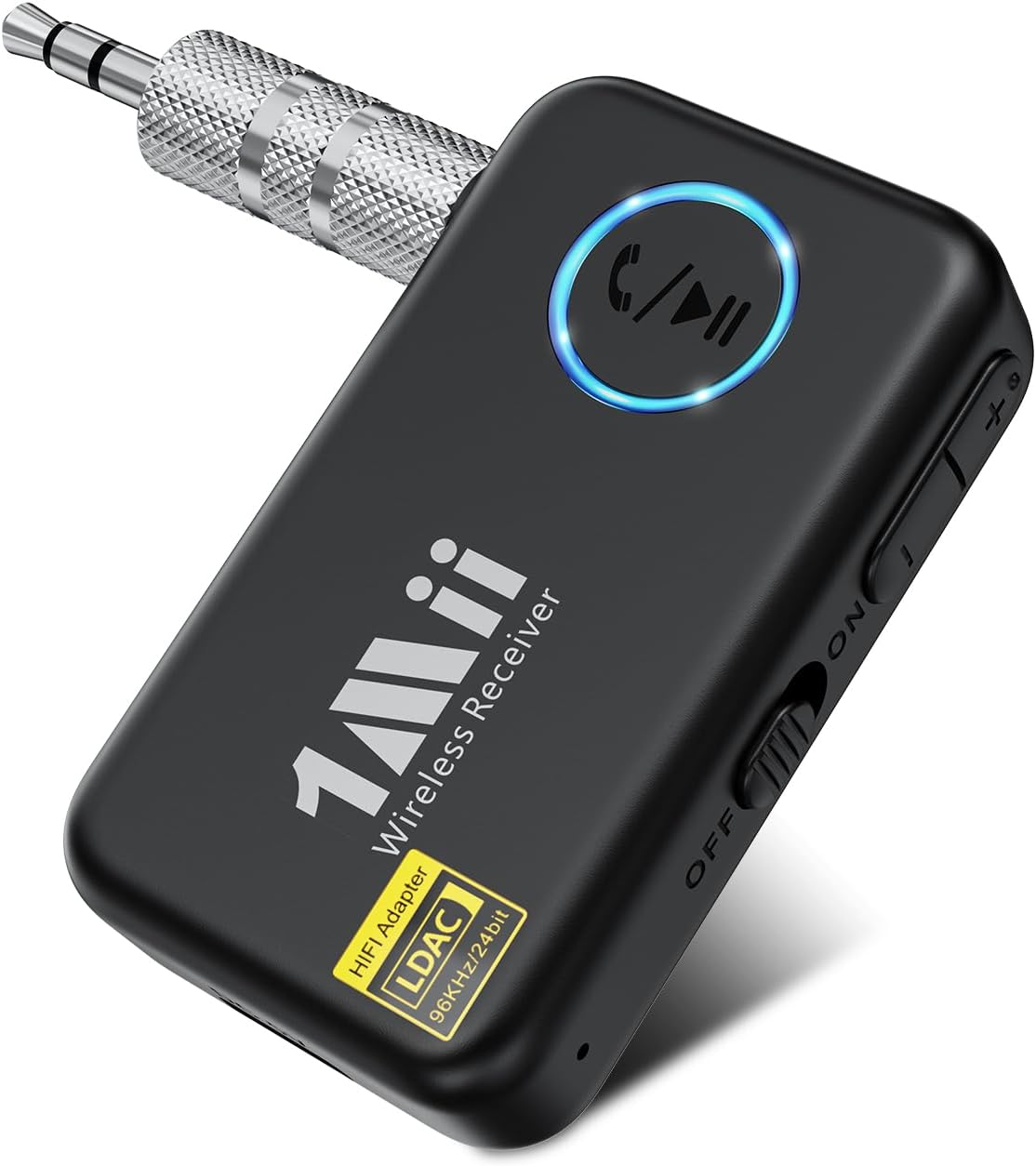
Image: The 1Mii ML100Pro Bluetooth Aux Adapter, showing its compact size and 3.5mm audio jack.
Safety Information
Please read all safety information before using the device to ensure proper operation and prevent damage.
- Do not dispose of the device in fire or water.
- Follow local regulations for electronic waste disposal when the product reaches its end of life.
- Avoid exposing the device to extreme temperatures, direct sunlight, or high humidity.
- Do not disassemble, repair, or modify the device yourself. Contact authorized service personnel for any repairs.
- Keep out of reach of children.
Package Contents
Verify that all items are present in the package:
- 1 x 1Mii ML100Pro Bluetooth Receiver
- 1 x Type-C Charging Cable
- 1 x 3.5mm Audio Cable
- 1 x 3.5mm Metal Adapter
- 1 x User Manual
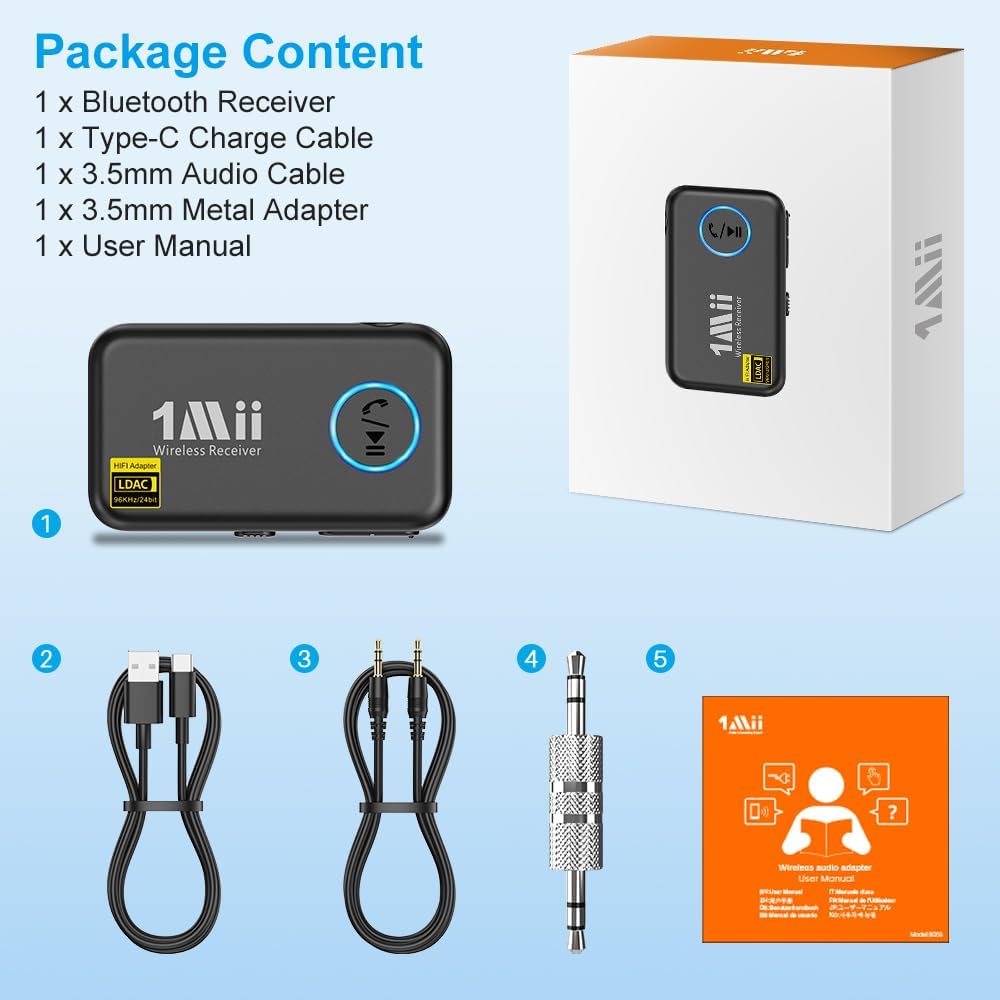
Image: A visual representation of the package contents, including the ML100Pro receiver, charging cable, audio cable, metal adapter, and user manual.
Product Features
- High-Resolution Audio: Supports LDAC decoding for high-resolution wireless audio, ensuring crystal clear sound quality.
- Seamless Compatibility: Connects to any non-Bluetooth device via its 3.5mm AUX output, upgrading old stereos or headphones.
- Reliable Bluetooth Connection: Advanced Bluetooth 5.3 technology provides a stable, interference-free connection up to 10 meters.
- Portable and User-Friendly: Compact design with a built-in battery and Type-C charging for easy portability and quick recharging.
- Hands-Free Convenience: Equipped with a built-in microphone for clear hands-free calling while driving.

Image: Illustrates the LDAC Hi-Res Wireless Music capability, showing the adapter connected to a home stereo system.
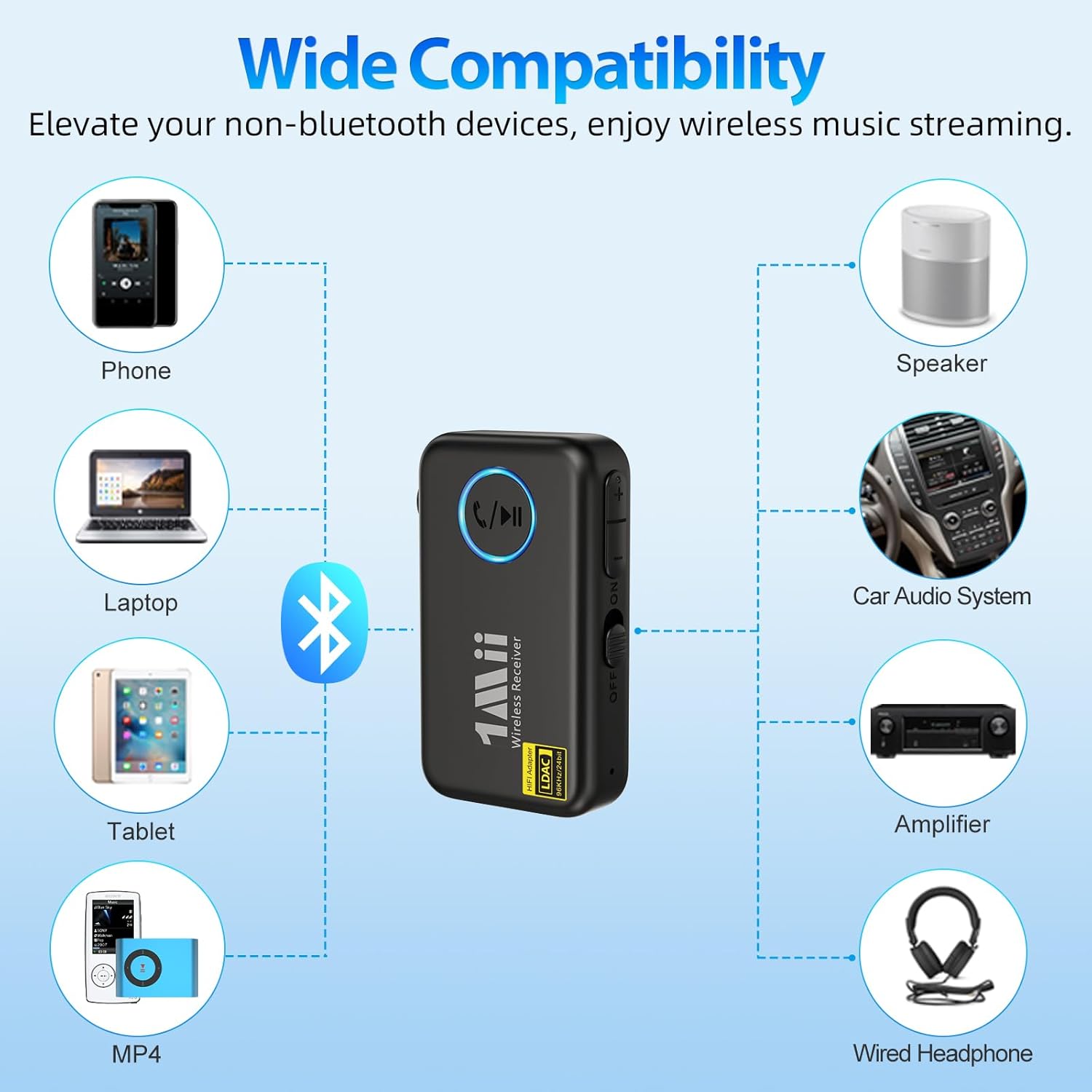
Image: Diagram showing the wide compatibility of the ML100Pro with various devices like phones, laptops, tablets, speakers, car audio systems, amplifiers, and wired headphones.
Setup Guide
Follow these steps to set up your 1Mii ML100Pro:
- Charge the Device: Before first use, fully charge the ML100Pro using the provided Type-C charging cable and a standard USB power adapter (not included). The charging indicator will show the charging status.
- Connect to Audio Device:
- For devices with a 3.5mm AUX input (e.g., car stereo, home speaker), use the included 3.5mm audio cable to connect the ML100Pro's AUX port to your device's AUX input.
- For direct connection to a 3.5mm jack (e.g., car AUX port), use the included 3.5mm metal adapter to plug the ML100Pro directly into the port.
- Power On: Slide the power switch on the side of the ML100Pro to the 'ON' position. The indicator light will illuminate.
- Pair with Bluetooth Device:
- On your smartphone, tablet, or other Bluetooth-enabled device, go to the Bluetooth settings.
- Search for available devices and select "ML100Pro" from the list.
- Once connected, the indicator light on the ML100Pro will change, indicating a successful pairing.
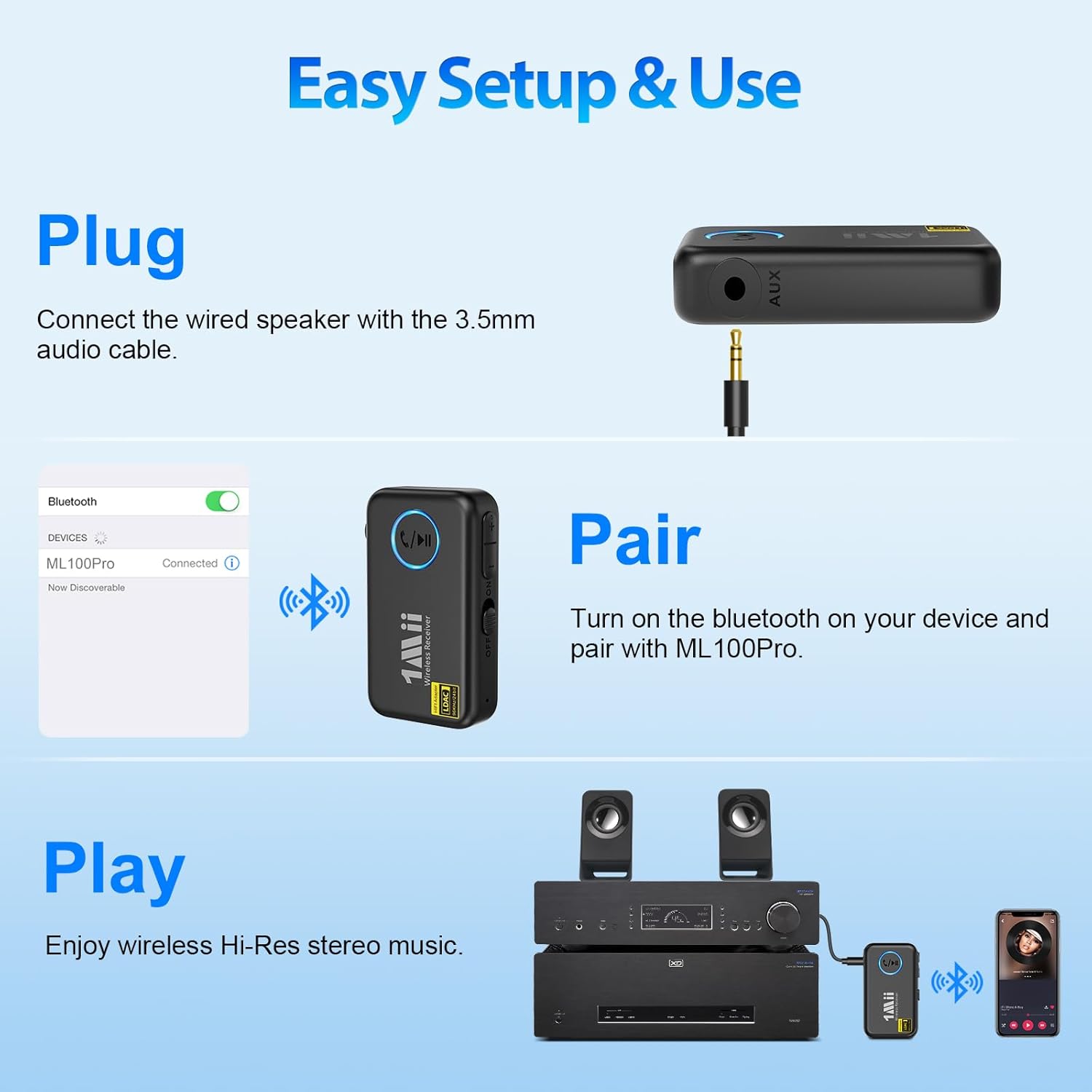
Image: Visual guide demonstrating the three steps: Plug (connect with 3.5mm cable), Pair (turn on Bluetooth and select ML100Pro), and Play (enjoy music).
Operating Instructions
Music Playback Control
The ML100Pro features intuitive button controls for music playback:
- Play/Pause Button (Center): Press once to play or pause music.
- Volume Up / Next Song Button (+): Press once to increase volume. Press and hold to skip to the next song.
- Volume Down / Previous Song Button (-): Press once to decrease volume. Press and hold to go to the previous song.
Hands-Free Calling
With the built-in microphone, you can make and receive calls hands-free:
- Answer Call: Press the Play/Pause button once when an incoming call rings.
- End Call: Press the Play/Pause button once during a call to hang up.
- Reject Call: Press and hold the Play/Pause button for 2 seconds when an incoming call rings.
- Redial Last Number: Double-press the Play/Pause button.
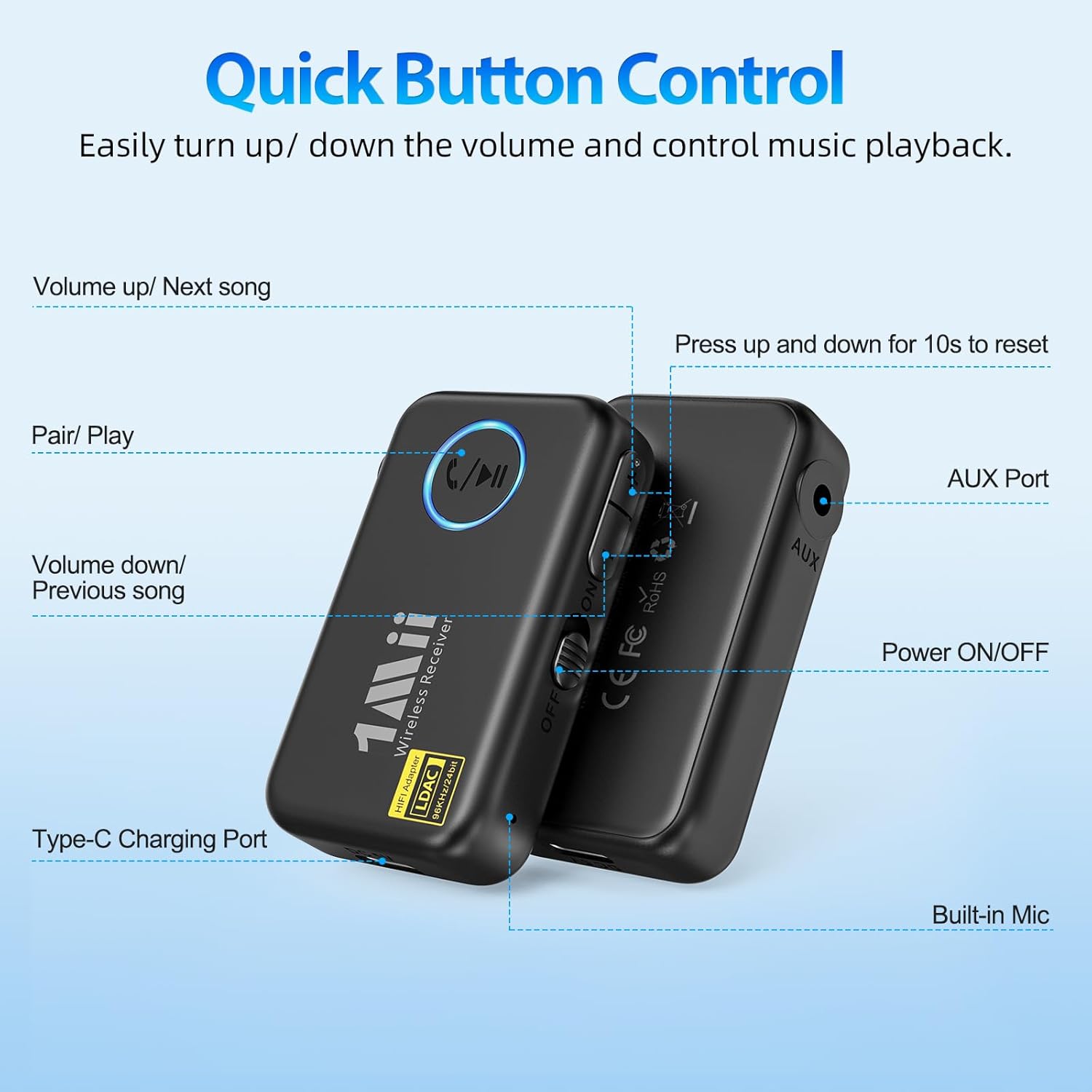
Image: Detailed diagram showing the location and function of each button on the ML100Pro: Play/Pause, Volume Up/Next, Volume Down/Previous, Power ON/OFF, AUX Port, and Type-C Charging Port.
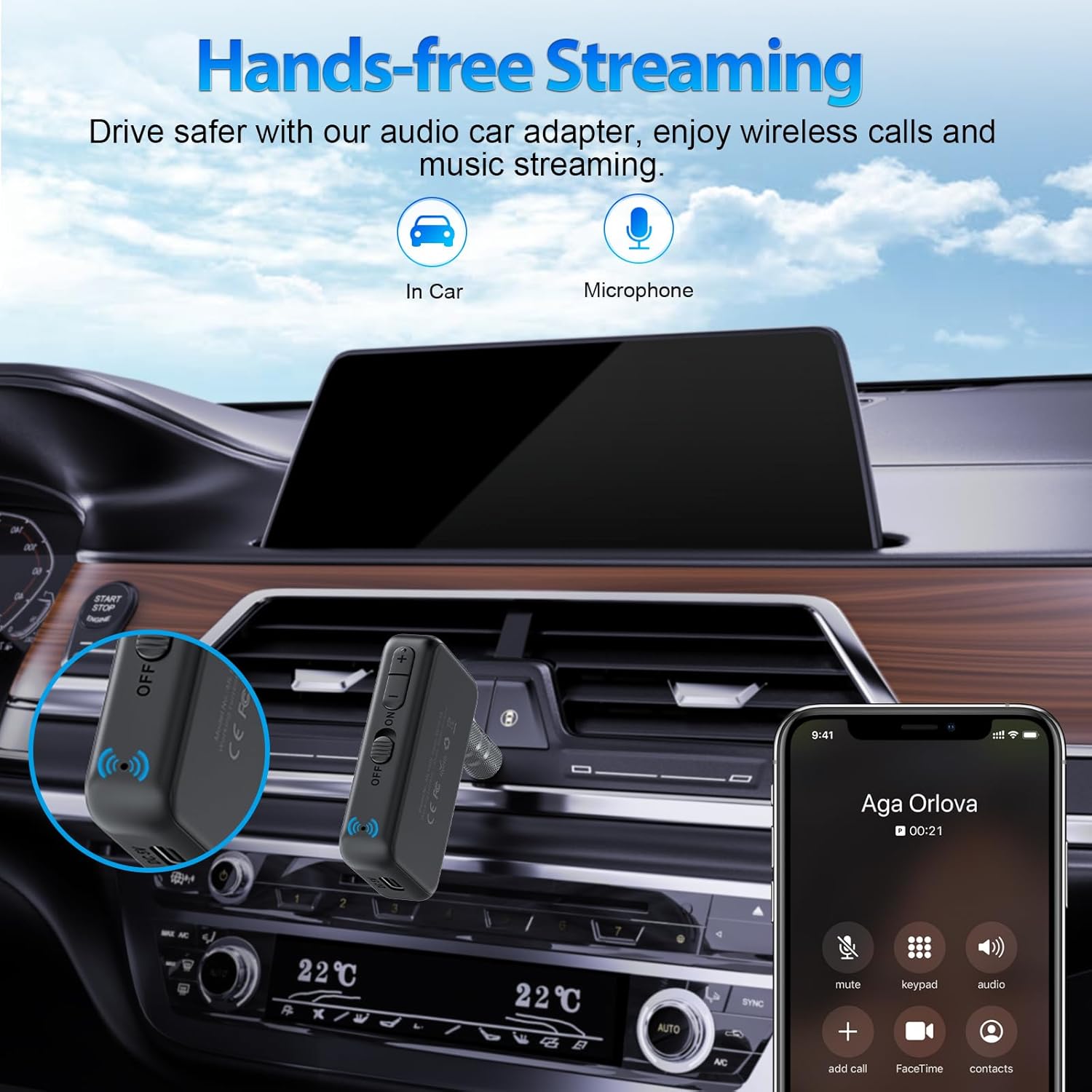
Image: Depicts the ML100Pro in a car environment, highlighting its use for hands-free calls and music streaming while driving.
Maintenance
To ensure the longevity and optimal performance of your 1Mii ML100Pro, follow these maintenance guidelines:
- Cleaning: Use a soft, dry cloth to clean the device. Do not use liquid cleaners or aerosols.
- Storage: Store the device in a cool, dry place away from direct sunlight and extreme temperatures.
- Battery Care: If the device will not be used for an extended period, charge it at least once every three months to maintain battery health.
- Avoid Drops: Protect the device from physical shocks and drops.
Troubleshooting
If you encounter issues with your ML100Pro, try the following solutions:
| Problem | Possible Solution |
|---|---|
| Device does not power on. | Ensure the battery is charged. Connect the device to a power source using the Type-C cable. |
| Cannot pair with Bluetooth device. | Ensure the ML100Pro is in pairing mode (indicator light flashing). Turn off and on Bluetooth on your source device. Move closer to the ML100Pro. Clear previous Bluetooth connections on your source device. |
| No audio output. | Check if the 3.5mm audio cable is securely connected to both the ML100Pro and your audio system. Ensure the volume on both the ML100Pro and your audio system is turned up. Verify that the ML100Pro is successfully paired and connected to your source device. |
| Poor audio quality or disconnections. | Ensure there are no obstacles between the ML100Pro and your Bluetooth source device. Move closer to the source device. Avoid strong electromagnetic interference. |
| Hands-free calling not working. | Ensure the ML100Pro is connected and selected as the audio output for calls on your phone. Check if the microphone is obstructed. |
If the problem persists, please contact 1Mii customer support for assistance.
Specifications
| Feature | Detail |
|---|---|
| Model Number | ML100Pro |
| Bluetooth Version | 5.3 |
| Audio Codec | LDAC (High-Resolution Audio) |
| Connectivity Technology | AUX, Bluetooth |
| Battery Life | Up to 10 hours |
| Charging Port | Type-C |
| Built-in Microphone | Yes |
| Product Dimensions | 2.44 x 1.3 x 0.47 inches |
| Item Weight | 0.634 ounces |
| Material | Acrylonitrile Butadiene Styrene (ABS) |
| Manufacturer | 1Mii |
Warranty and Support
1Mii products are designed with quality and reliability in mind. For specific warranty details, please refer to the warranty card included with your product or visit the official 1Mii website. Keep your purchase receipt as proof of purchase for warranty claims.
For technical support, troubleshooting assistance, or any inquiries regarding your 1Mii ML100Pro, please contact 1Mii customer support through their official channels. You can often find contact information on the 1Mii website or within the product packaging.
Online Resources:
- Visit the 1Mii Store on Amazon for product information and updates.
Related documentsML100Pro


Ask a question about this manual
Ask about setup, troubleshooting, compatibility, parts, safety, or missing instructions. Manuals+ will review the question and use this page’s manual context to help answer it.