
Introduction
This manual provides essential information for the safe and efficient operation of your JRing AC to DC Converter. Please read these instructions thoroughly before using the product and retain them for future reference.
The JRing AC to DC Converter converts standard household alternating current (AC) from 110-220V to direct current (DC) 12V, providing a 20A, 240W output through a car cigarette lighter socket. It is designed for use with various 12V car-powered devices.
Important Safety Instructions
- Read all instructions: Before using the converter, read and understand all safety warnings and operating instructions.
- Indoor use only: This device is designed for indoor use. Avoid exposure to rain, moisture, or extreme temperatures.
- Ventilation: Ensure adequate ventilation around the converter. Do not cover the device or block its cooling fan.
- Power compatibility: Only connect to 110-220V AC power sources. Ensure your 12V DC devices do not exceed 240W (20A) total power consumption.
- Overload protection: The converter features built-in protection against over-voltage, over-current, over-temperature, and short circuits. If protection activates, the device will shut off. Disconnect the load and power source, then allow it to cool before reconnecting.
- Avoid modifications: Do not attempt to open, modify, or repair the converter. Refer all servicing to qualified personnel.
- Children and pets: Keep the device out of reach of children and pets.
- Flammable materials: Do not operate near flammable liquids or gases.
Package Contents
Verify that all items are present and in good condition upon unpacking.
- JRing AC to DC Converter (20A, 240W)
- AC Input Power Cord (4.6 ft / 140 cm)
- DC Output Cord with Cigarette Lighter Socket (1.5 ft / 46 cm)

Image: The JRing AC to DC Converter unit with its input and output cables. The input cable connects to a standard wall outlet, and the output cable terminates in a 12V cigarette lighter socket.

Image: Detailed dimensions of the JRing AC to DC Converter and its cables. The main unit measures approximately 17.5 cm (6.89 inches) in length, 9 cm (3.54 inches) in width, and 5.5 cm (2.17 inches) in height. The input cord is 140 cm (4.6 ft) and the output cord is 46 cm (1.5 ft).
Setup Instructions
- Unpack: Carefully remove the AC to DC converter and all cables from the packaging.
- Connect AC Input: Insert the AC input power cord into the designated port on the converter unit. Ensure it is firmly seated.
- Connect DC Output: The DC output cable is permanently attached to the converter and terminates in a 12V cigarette lighter socket.
- Placement: Place the converter on a stable, flat surface with adequate ventilation. Avoid placing it on soft surfaces that could block airflow.
Video: This video demonstrates the unboxing and connection process for the JRing AC to DC Converter. It shows how to connect the AC input cord to the converter and highlights the DC output cigarette lighter socket. The video also illustrates connecting the converter to a 12V car refrigerator.
Operating Instructions
- Connect Device: Plug your 12V car-powered device into the cigarette lighter socket of the converter. Ensure the device's power consumption does not exceed 240W (20A).
- Connect to Wall Outlet: Plug the AC input cord of the converter into a standard 110-220V AC wall outlet.
- Power On: The converter will automatically provide 12V DC power. Some devices may have their own power switch; ensure it is turned on.
- Monitor Usage: For optimal performance and safety, it is recommended that the maximum continuous use should be ≤80% of the full load (i.e., ≤192W for this 240W model).
- Disconnect: To turn off, first unplug the 12V device from the converter, then unplug the converter from the wall outlet.

Image: The JRing AC to DC Converter connected to a mini car refrigerator, demonstrating its use in a home environment. This setup allows car appliances to be powered by a standard wall outlet.

Image: Examples of indoor and outdoor applications for the JRing AC to DC Converter. Indoor uses include powering a car cleaner or an electric mug cup. Outdoor uses include powering a tire inflator.
Compatible Devices
This converter is suitable for 12V car-powered devices with a total power consumption under 240 watts (20A). Examples include:
- Tire Inflators
- Car Vacuum Cleaners
- Car Air Fans
- Car Dash Cams
- Car Massage Cushions
- Travel Coffee Makers
- Car Refrigerators
- Car Air Purifiers
- Air Compressors
- Car Aroma Humidifiers
Always check the power requirements of your device before connecting to ensure compatibility and prevent damage.
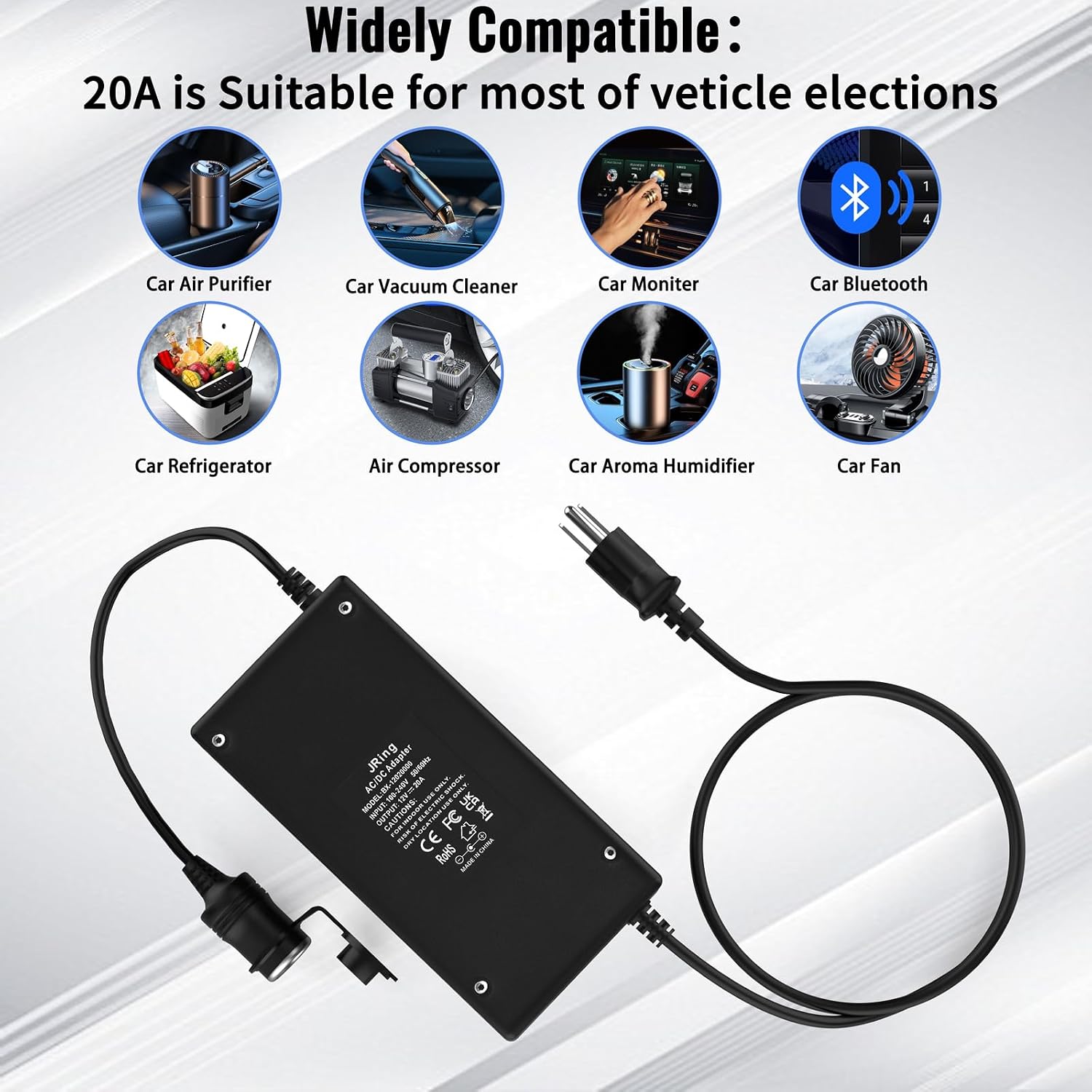
Image: An illustration showing the wide compatibility of the JRing AC to DC Converter with various 12V car electronics, including car air purifiers, vacuum cleaners, monitors, Bluetooth devices, refrigerators, air compressors, aroma humidifiers, and fans.
Maintenance
- Cleaning: Disconnect the converter from the power source before cleaning. Use a soft, dry cloth to wipe the exterior. Do not use liquid cleaners or sprays.
- Storage: Store the converter in a cool, dry place away from direct sunlight and moisture when not in use.
- Inspection: Periodically inspect the power cords and the converter unit for any signs of damage, such as frayed wires or cracks. Do not use if damaged.
Troubleshooting
| Problem | Possible Cause | Solution |
|---|---|---|
| Converter not powering on / No output |
|
|
| Converter gets hot during operation |
|
|
Specifications
| Brand | JRing |
| Model Number | JRing AC to DC Converter (B0DDKT9TQH) |
| Input Voltage | 110-220V AC |
| Output Voltage | 12V DC |
| Output Current | 20A (Max) |
| Output Wattage | 240W (Max) |
| AC Input Cord Length | 4.6 ft (140 cm) |
| DC Output Cord Length | 1.5 ft (46 cm) |
| Color | Black |
| Item Weight | 1.87 Pounds |
| Safety Certifications | CE, FCC |
| Protection Features | Over-voltage, Over-current, Over-temperature, Short-circuit |

Image: The JRing AC to DC Power Adapter shown alongside a table of its key specifications, including product name, brand, input voltage, DC output, output current, output wattage, and output port type.
Warranty and Support
The JRing AC to DC Converter comes with a warranty as specified by the manufacturer. For details regarding your specific warranty coverage, please refer to the product listing or contact JRing customer support.
Warranty Description: Free returns within two years.
For technical support, troubleshooting assistance, or warranty claims, please contact JRing customer service through the retailer's platform or the contact information provided with your purchase.