
Della 048-OPAC-9H
DELLA 14,000 BTU Portable Air Conditioner with Heat Pump - Instruction Manual
Model: 048-OPAC-9H
1. Product Overview
The DELLA 14,000 BTU Portable Air Conditioner with Heat Pump is a versatile climate control unit designed for rooms up to 400 square feet. It offers multiple functions including cooling, heating, fan, and dehumidification. Key features include compatibility with Alexa and WiFi for smart control, geo-fencing capabilities, auto-swing function, three fan speeds, and a built-in dehumidifier. The unit comes with a remote control and a window kit for easy installation.
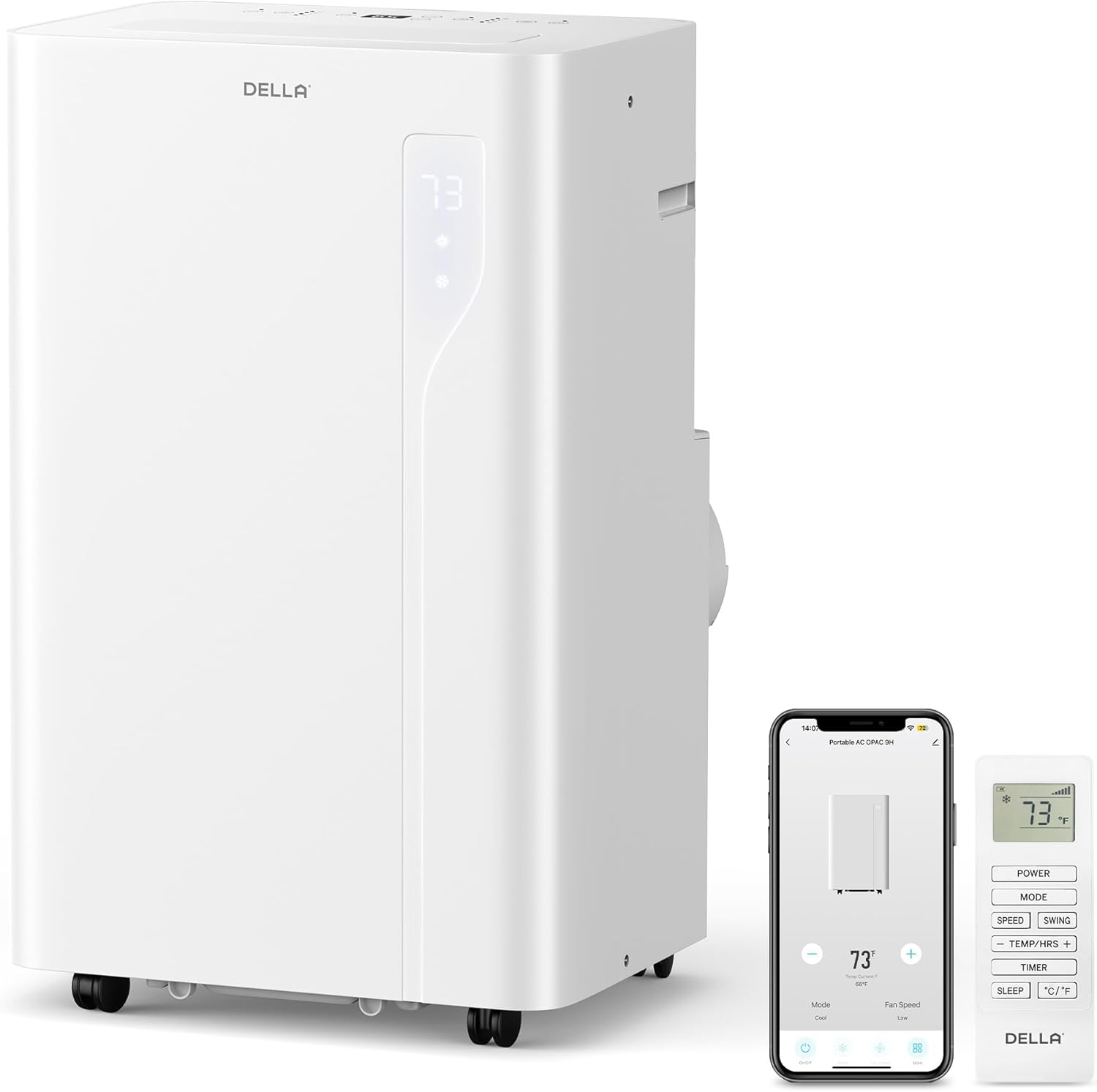
Image: The DELLA portable air conditioner unit, its remote control, and a smartphone displaying the companion app.
2. Safety Information
Please read all instructions carefully before operating the appliance. Keep this manual for future reference. Always follow basic safety precautions to reduce the risk of fire, electric shock, or injury.
- Ensure the unit is placed on a flat, stable surface.
- Do not block air inlets or outlets.
- Do not operate the unit with a damaged cord or plug.
- Keep children and pets away from the unit during operation.
- Unplug the unit before cleaning or performing any maintenance.
- Do not use the unit in wet or damp environments.
3. Setup
The DELLA portable air conditioner is designed for quick and tool-less setup. Follow these steps for proper installation:
- Positioning the Unit: Place the unit on a level floor near a window. Ensure there is at least 20 inches of space around the unit for proper airflow. The unit features casters for easy mobility.
- Attaching the Exhaust Hose: Connect the exhaust hose to the back of the AC unit by twisting it into the designated port.
- Installing the Window Sealing Board: The adjustable 3-section sealing board adapts to both horizontal and vertical windows. Insert the exhaust hose adapter into the opening of the window sealing board. Extend the sealing board to fit your window opening and secure it.
- Connecting the Hose to the Window Kit: Connect the other end of the exhaust hose to the adapter in the window sealing board. Ensure all connections are secure to prevent air leakage and maximize efficiency.

Image: Quick and easy installation for both horizontal and vertical window types.

Image: Detailed steps for damage-free installation of the exhaust hose and window kit.
4. Operating Instructions
The DELLA portable AC unit offers intuitive controls via its top-mounted LED display, remote control, and the Della+ smartphone app.
Control Panel
The top-mounted control panel features soft-touch buttons and an LED display for temperature and mode indication.

Image: Intuitive soft-touch controls on the unit's top panel.
Operating Modes
The unit supports four primary operating modes:
- Cool Mode: Provides cooling for rooms up to 400 sq.ft. Adjustable temperature range from 61℉ (16℃) to 90℉ (32℃).
- Fan Mode: Circulates air with three adjustable fan speeds. Features auto-swing for optimal air distribution.
- Heating Mode: Utilizes a built-in heat pump with 11,669 BTU heating capacity to warm your space efficiently.
- Dry Mode (Dehumidifier): Removes up to 68 pints of moisture per day, providing a dry and comfortable environment.

Image: Overview of the 4-in-1 functions: Cooling, Fan, Heating, and Dehumidifying.
Smart Control (Della+ App & Alexa/WiFi)
Control your unit from anywhere using the free Della+ app on your smartphone. The unit is compatible with Alexa and Google Assistant for voice control.
- Remote Control: Use the included remote to adjust settings from a distance.
- Della+ App: Download the Della+ app to control temperature, mode, fan speed, and set schedules.
- Geo-Fencing: Utilize the geo-fencing feature to automatically turn the unit on or off based on your location, ensuring your home is comfortable when you arrive.
- 24-Hour Timer & Sleep Mode: Program the unit to turn on or off at specific times, and activate sleep mode for quiet, energy-efficient operation during the night.

Image: Smart device app control, allowing you to manage comfort from anywhere.
Video: An overview of the Della Portable AC unit's features and ease of use, including mobility, controls, and setup.
Video: Detailed instructions on how to set up and customize the Geo Location function using the Della+ app for smart automation.
5. Maintenance
Regular maintenance ensures optimal performance and longevity of your portable AC unit.
Filter Cleaning
The unit features a removable and washable double-layer filter to protect against dust and pet dander. Clean the filter regularly (e.g., every two weeks or as needed) to maintain air quality and unit efficiency.
- Turn off and unplug the unit.
- Remove the filter from the back of the unit.
- Wash the filter with warm, soapy water.
- Rinse thoroughly and allow it to air dry completely before reinserting.
Water Disposal
The unit has a self-evaporate system, reducing the need for frequent draining. However, in high humidity conditions, the internal water tank may fill up. The unit will display a "water full" indicator (FL) when draining is required.
- Turn off and unplug the unit.
- Place a shallow pan or container under the drain port at the back of the unit.
- Remove the drain plug to allow water to flow out.
- Once drained, replace the plug securely.

Image: Easy water disposal methods, including the self-evaporate system and manual drainage options.
6. Troubleshooting
If you encounter issues with your DELLA portable AC unit, refer to the common problems and solutions below:
| Problem | Possible Cause | Solution |
|---|---|---|
| Unit does not turn on | No power; Power cord not plugged in; Circuit breaker tripped. | Check power outlet; Ensure plug is fully inserted; Reset circuit breaker. |
| Unit not cooling effectively | Air filter dirty; Room too large; Doors/windows open; Exhaust hose not properly installed. | Clean air filter; Ensure unit is suitable for room size; Close all doors/windows; Check exhaust hose connections. |
| Water full indicator (FL) displayed | Internal water tank is full. | Drain the water from the unit as per maintenance instructions. |
| Unit is noisy | Unit not on a level surface; Obstruction in fan. | Place unit on a flat surface; Check for and remove any obstructions. |
If the problem persists after attempting these solutions, please contact customer support.
7. Specifications
- Brand Name: Della
- Model Info: 048-OPAC-9H
- Item Weight: 75 pounds
- Product Dimensions: 17 x 13.7 x 27.4 inches
- Cooling Capacity: 14,000 BTU ASHRAE (9800 BTU SACC)
- Heating Capacity: 11,669 BTU
- Coverage Area: Up to 400 Sq.Ft.
- Temperature Range: 61℉ (16℃) to 90℉ (32℃)
- Noise Level: 49 dB
- Voltage: 120 Volts (AC)
- Wattage: 4097 watts
- Material Type: ABS Plastic
- Included Components: Portable air conditioner, manual, remote control, window kit.
- Special Features: Remote Controlled, Sleep Mode, 24-Hour Timer, Heating and Cooling Function, 3 Fan Speeds, WiFi & Alexa Compatible, Geo Fencing, Auto Swing, Dehumidifier.
8. Warranty and Support
Your DELLA Portable Air Conditioner comes with a 1-Year Warranty. For any product support, technical assistance, or warranty claims, please contact Della customer support. They offer 24/7 customer support and technicians are available M-F PST.
For further assistance, please refer to the contact information provided with your purchase or visit the official Della website.
Related documents048-OPAC-9H


Ask a question about this manual
Ask about setup, troubleshooting, compatibility, parts, safety, or missing instructions. Manuals+ will review the question and use this page’s manual context to help answer it.