
MZK ET2307
MZK 20V 12'' Cordless String Trimmer User Manual
Model: ET2307 | Brand: MZK
1. Introduction
Thank you for choosing the MZK 20V 12'' Cordless String Trimmer. This manual provides essential information for the safe and efficient operation, assembly, maintenance, and troubleshooting of your new tool. Please read this manual thoroughly before first use and keep it for future reference.

The MZK 20V 12'' Cordless String Trimmer, designed for efficient lawn care.
2. Safety Information
Always observe basic safety precautions to reduce the risk of fire, electric shock, and personal injury. Failure to follow these instructions may result in serious injury.
General Safety Rules
- Wear eye protection, long sleeves, and sturdy shoes during operation.
- Keep pets and children away from the area of operation.
- Ensure the work area is clear of debris, rocks, and other objects that could be thrown by the trimmer.
- Do not operate the trimmer in wet conditions or rain.
- Always remove the battery pack when not in use, before cleaning, or when changing accessories.
- Inspect the trimmer for damage before each use. Do not use if damaged.
- Use only MZK approved replacement parts and accessories.
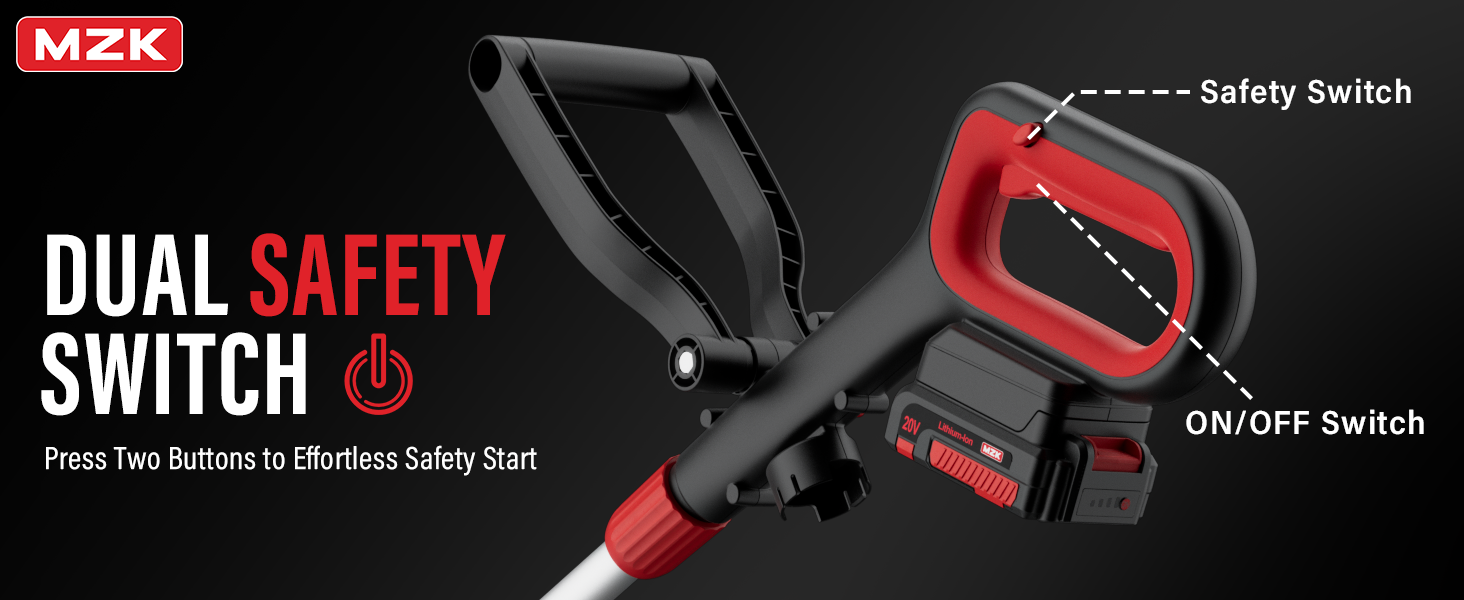
The trimmer features a dual safety switch for secure operation. Press both buttons for effortless safety start.
3. Package Contents
Verify that all items are present and in good condition upon opening the package. If any items are missing or damaged, please contact customer service.
- Cordless String Trimmer Unit
- 20V Lithium-Ion Battery (1 included)
- Fast Charger
- Replacement Spools (4 included)
- User Manual

Included components: Trimmer, 20V Battery, Charger, and 4 replacement spools.
4. Assembly
Follow these steps to assemble your string trimmer before first use.
4.1 Attaching the Guard
- Align the guard with the slots on the trimmer head.
- Push firmly until it clicks into place. Ensure it is securely fastened.
4.2 Installing the Auxiliary Handle
- Slide the auxiliary handle onto the main shaft.
- Adjust the handle to a comfortable working position and tighten the locking knob.
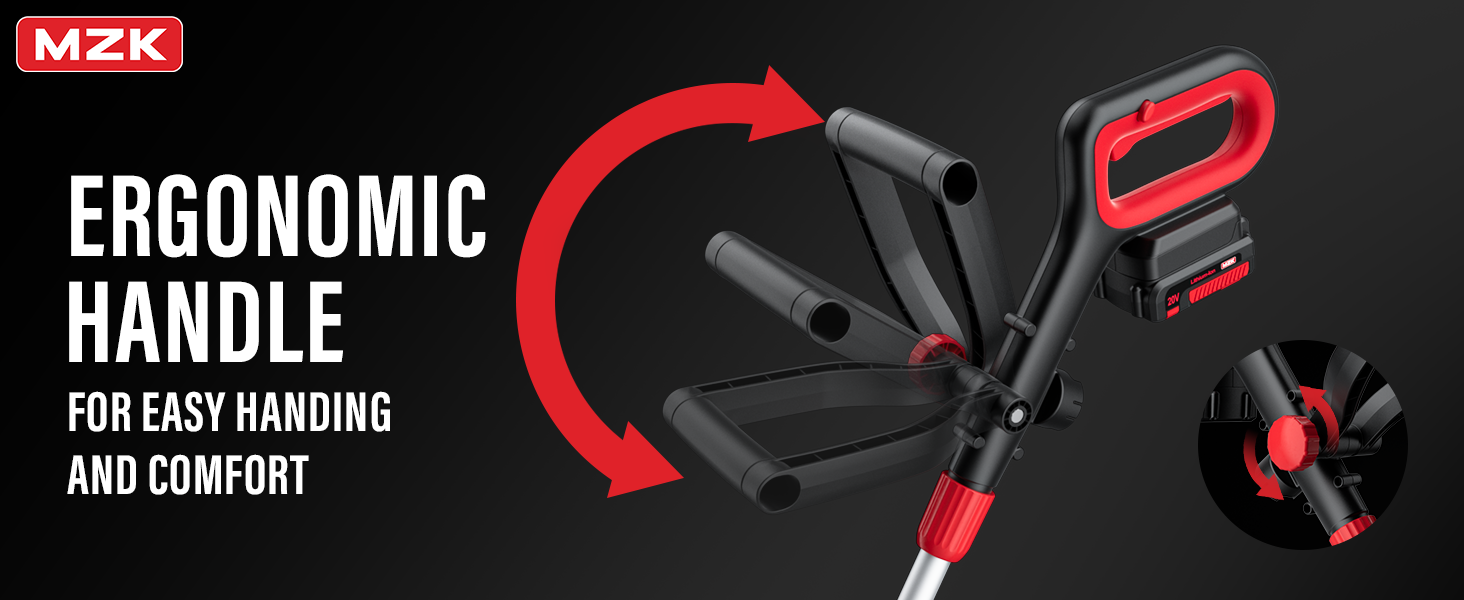
The ergonomic handle can be adjusted for optimal comfort and handling.
4.3 Attaching the Battery
- Ensure the battery is fully charged.
- Slide the battery pack into the battery slot on the trimmer handle until it clicks into place.
5. Operation
5.1 Charging the Battery
Connect the charger to a power outlet and insert the battery pack into the charger. The indicator light will show charging status. A full charge typically takes [Insert typical charge time if available, otherwise omit or state 'several hours'].
5.2 Starting and Stopping
- To start: Press the safety switch (usually a button or lever) and then squeeze the ON/OFF trigger switch.
- To stop: Release the ON/OFF trigger switch.
5.3 Trimming and Edging (2-in-1 Function)
Your MZK trimmer features a 2-in-1 design, allowing for easy conversion between trimming and edging modes.
- Trimming: Hold the trimmer parallel to the ground, allowing the line to cut the grass.
- Edging: Rotate the trimmer head 90 degrees to use the wheel for guiding along edges of sidewalks or driveways.
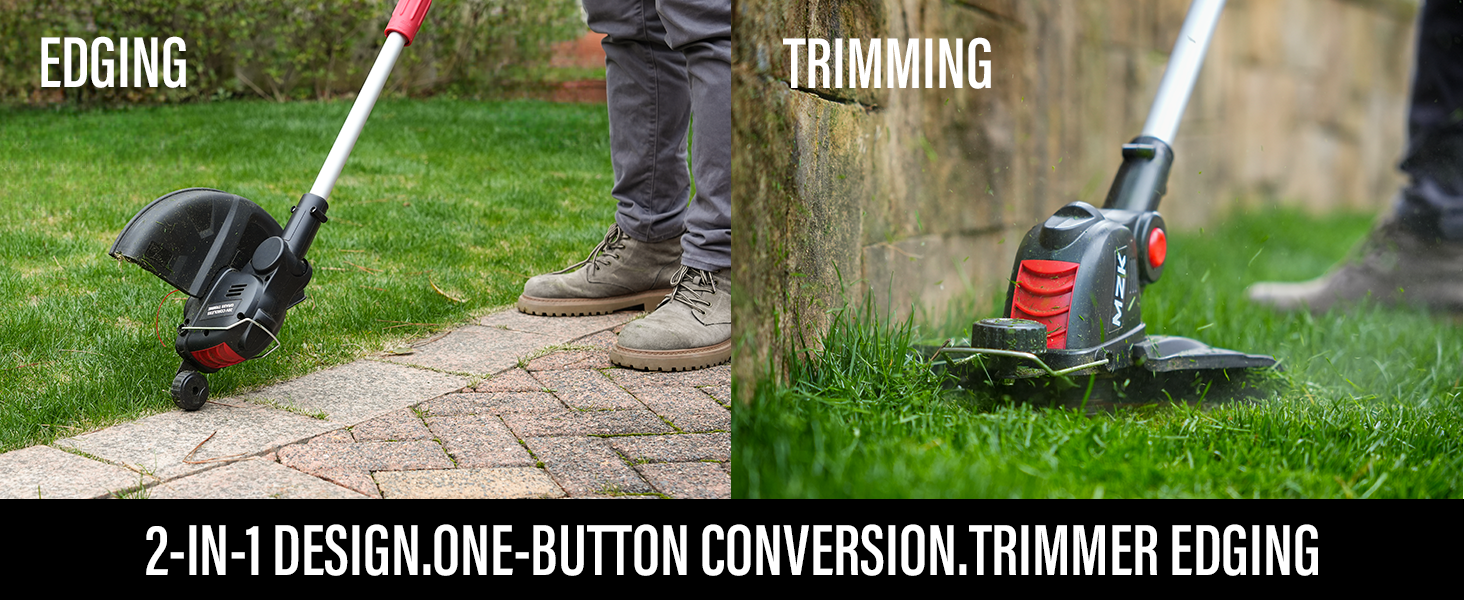
Easily convert between trimming and edging modes with a one-button conversion.
5.4 Automatic Line Feed
The trimmer is equipped with an automatic line feed system, which releases more line as needed during operation, eliminating the need for manual adjustments.

The automatic line feed system ensures continuous cutting without manual intervention.
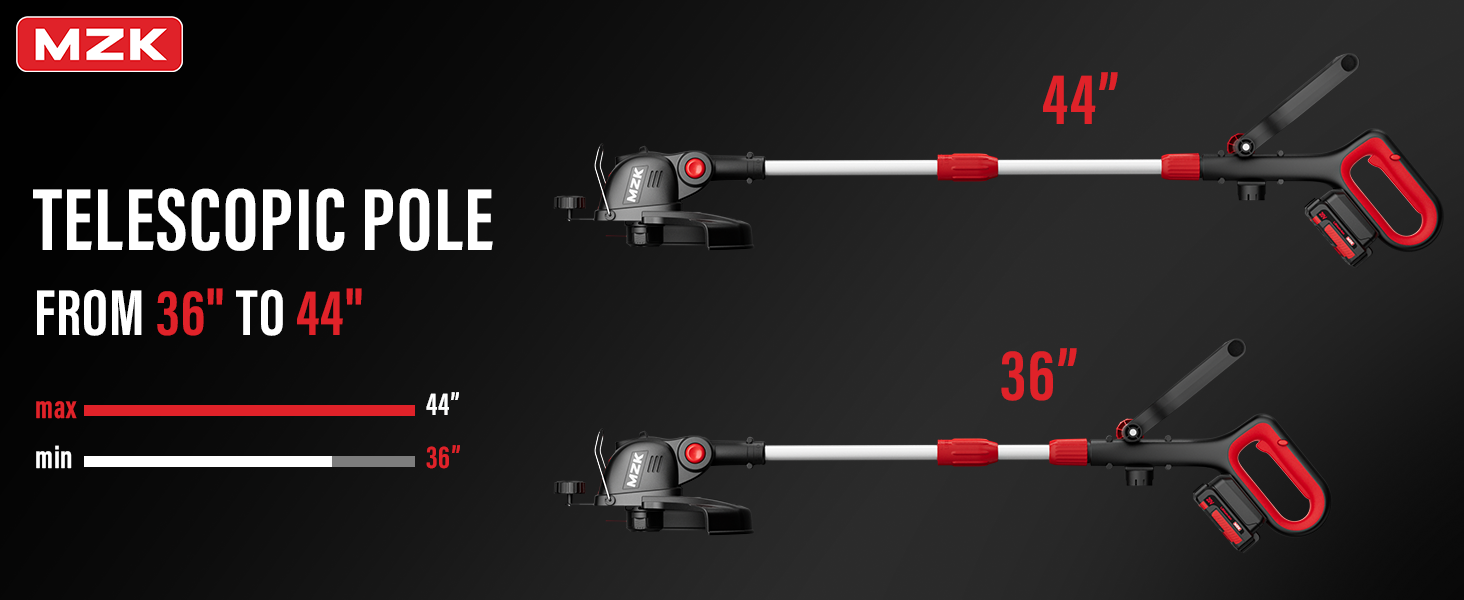
The telescopic pole adjusts from 36 to 44 inches for comfortable use.
6. Maintenance
Regular maintenance ensures optimal performance and extends the life of your trimmer.
6.1 Cleaning
- Always remove the battery before cleaning.
- Wipe down the exterior of the trimmer with a damp cloth.
- Remove any grass clippings or debris from the guard and trimmer head.
6.2 Replacing the Spool
When the cutting line runs out, replace the spool with a new one.
- Ensure the battery is removed.
- Press the tabs on the spool cover and remove it.
- Remove the empty spool.
- Insert a new MZK replacement spool, ensuring the line is fed through the eyelet.
- Replace the spool cover, ensuring it clicks securely into place.

The automatic line feed system includes an integrated spool holder for easy replacement.
6.3 Storage
Store the trimmer in a dry, secure location, out of reach of children. Remove the battery pack before storing for extended periods.
7. Troubleshooting
Refer to the table below for common issues and their solutions.
| Problem | Possible Cause | Solution |
|---|---|---|
| Trimmer does not start | Battery not charged or improperly inserted; Safety switch not engaged. | Ensure battery is fully charged and properly seated. Engage safety switch before pressing trigger. |
| Line does not feed automatically | Spool is empty; Line is tangled or jammed; Incorrect line type. | Replace spool. Clear any tangles or debris from the trimmer head. Use only recommended MZK line. |
| Reduced cutting performance | Line is too short or worn; Motor overloaded. | Allow automatic line feed to extend line or replace spool. Avoid cutting excessively thick or wet vegetation. |
| Excessive vibration | Damaged cutting line or spool; Loose components. | Inspect and replace damaged line/spool. Check all connections and tighten if necessary. |
8. Specifications
| Feature | Detail |
|---|---|
| Brand | MZK |
| Model Number | ET2307 |
| Power Source | Battery Powered (20V Lithium-Ion) |
| Cutting Width | 12 Inches |
| Speed | 8000 RPM |
| Item Weight | 6.09 pounds |
| Product Dimensions | 39"L x 13"W |
| Style | Auto Feed |

The upgraded motor delivers a high speed of 8000 RPM for efficient cutting.
9. Warranty and Support
MZK is committed to providing you with the best shopping experience possible. If you have any questions or problems with your MZK tool, please feel free to contact our customer service team. We are always here to help you solve any problems you may encounter.
For support, please visit the official MZK store or contact us through the platform where you purchased the product.
Ask a question about this manual
Ask about setup, troubleshooting, compatibility, parts, safety, or missing instructions. Manuals+ will review the question and use this page’s manual context to help answer it.