
1. Introduction
Thank you for choosing Jxrev Wireless Earbuds. This manual provides essential information for setting up, operating, and maintaining your new earbuds. Please read it carefully to ensure optimal performance and longevity of your device.
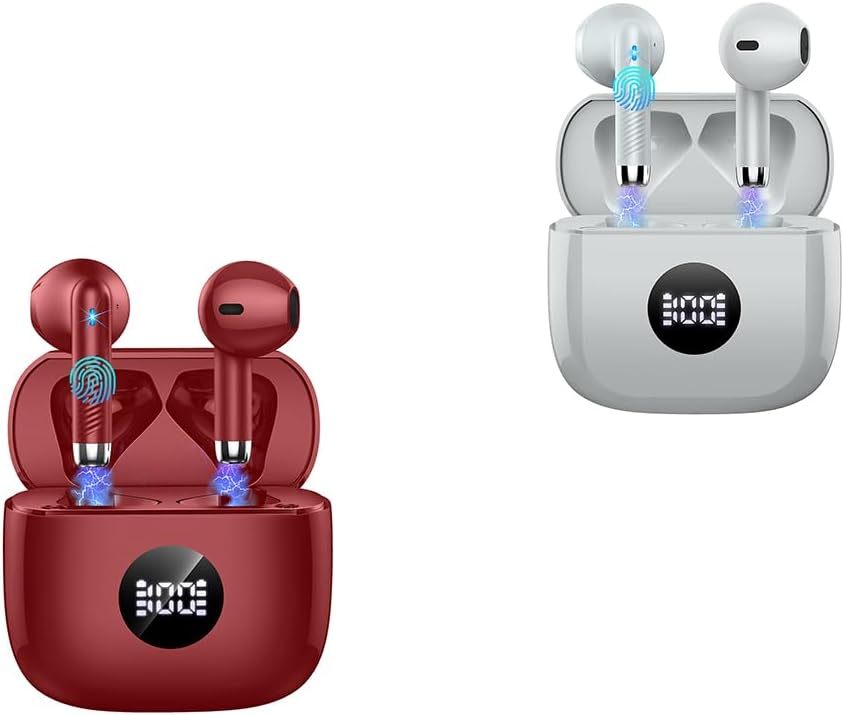
Image: Jxrev Wireless Earbuds (Red and Grey)
2. Product Overview
The Jxrev Wireless Earbuds are designed for a rich audio experience and clear calls, featuring 13mm dynamic speakers and ENC noise cancellation. They come with a portable charging case with an LED power display.
Key Features:
- 13mm Dynamic Speakers: Delivers Hi-Fi stereo sound with crisp highs and deep bass.
- ENC Noise Cancelling Microphones: Reduces environmental noise by up to 35dB for clearer calls.
- Compact and Lightweight: Each earbud weighs only 3g, designed for comfortable wear.
- LED Power Display Charging Case: Shows real-time battery levels for earbuds and case.
- Extended Playtime: Up to 8 hours on a single charge, with the case providing up to 40 hours total playback.
- Bluetooth 5.4: Ensures fast, stable, and automatic connection.
- IP7 Waterproof: Protects against sweat and light rain.
- Easy Touch Controls: Manage music, calls, and voice assistance directly from the earbuds.

Image: Compact design of the earbud and charging case
3. Setup
3.1 Charging the Earbuds and Case
- Place the earbuds into the charging case. Ensure they are correctly seated.
- Connect the charging case to a power source using the provided USB cable.
- The LED display on the charging case will show the battery percentage. A full charge for the case takes approximately 1 hour.
- The earbuds will charge automatically when placed in the powered case. They provide up to 8 hours of playback on a single charge. The fully charged case can provide approximately 4 full recharges for the earbuds, totaling up to 40 hours of playback.
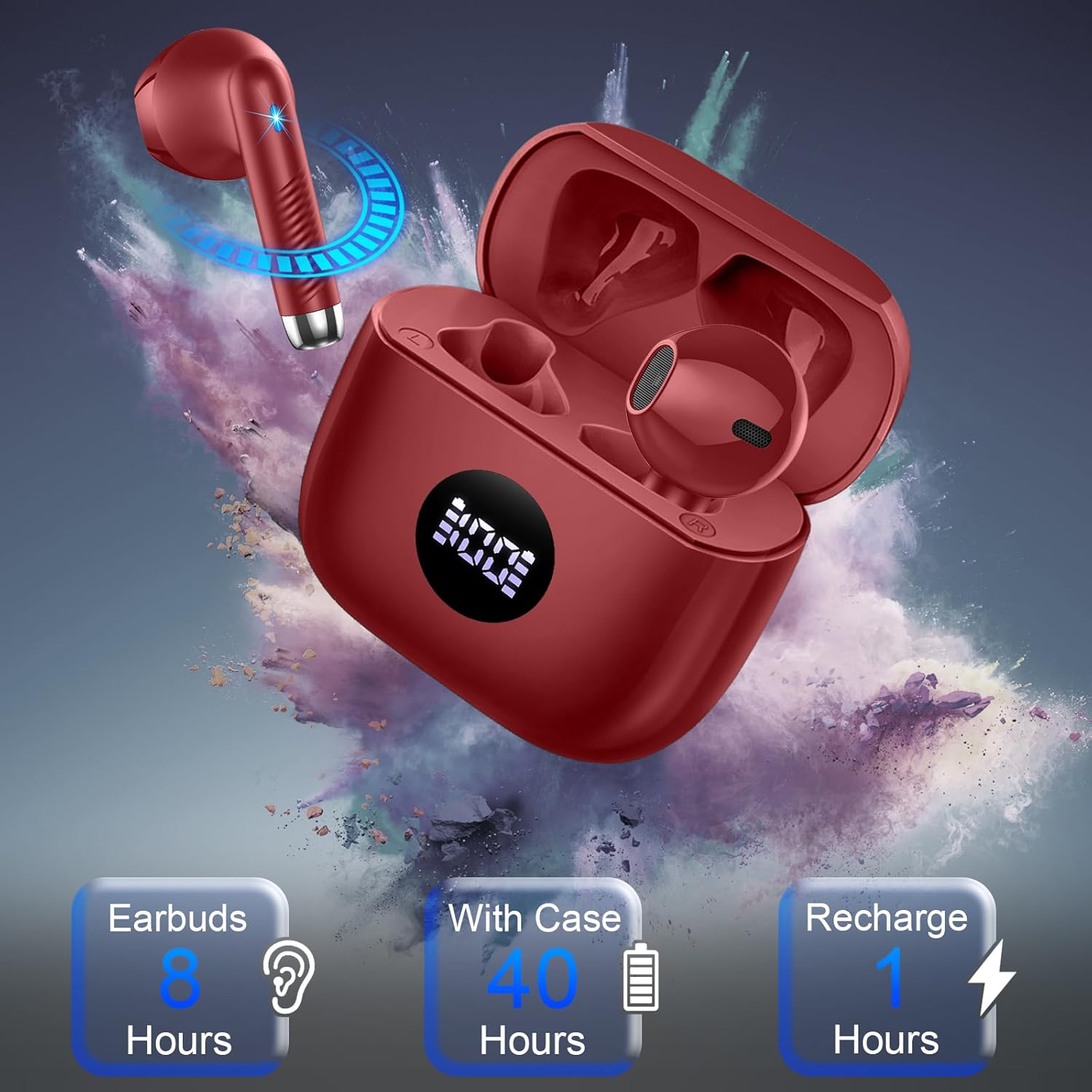
Image: Earbud charging and battery life indicators
3.2 Pairing with Your Device
- Ensure the earbuds are charged.
- Open the lid of the charging case. The earbuds will automatically enter pairing mode.
- On your smartphone, tablet, computer, or other Bluetooth-enabled device, go to the Bluetooth settings.
- Search for available devices and select "Jxrev Earbuds" (or similar name) from the list.
- Once connected, you will hear a confirmation tone, and the earbuds will be ready for use.
- For subsequent connections, simply open the charging case lid, and the earbuds will automatically reconnect to the last paired device.

Image: Bluetooth 5.4 connectivity
4. Operating Instructions
4.1 Wearing the Earbuds
The earbuds feature an ergonomic semi-in-ear design. Gently insert each earbud into your ear canal and adjust for a snug and comfortable fit. The lightweight design (3g per earbud) helps disperse pressure for extended wear.
4.2 Touch Controls
Each earbud has a sensitive touch control area. The following actions can be performed:
- Play/Pause: Single tap on either earbud.
- Next Track: Double tap on the right earbud.
- Previous Track: Double tap on the left earbud.
- Volume Up: Triple tap on the right earbud.
- Volume Down: Triple tap on the left earbud.
- Answer/End Call: Single tap on either earbud during an incoming call or active call.
- Reject Call: Press and hold either earbud for 2 seconds during an incoming call.
- Activate Voice Assistant: Press and hold either earbud for 3 seconds.
4.3 Single/Dual Earbud Mode
The earbuds can be used together for stereo sound or individually. If you only take one earbud out of the case, it will automatically connect in mono mode. To switch to stereo, simply take the other earbud out of the case.

Image: Hi-Fi Stereo Sound and Clear Calls
5. Maintenance
5.1 Cleaning
- Regularly clean the earbuds and charging case with a soft, dry, lint-free cloth.
- Do not use abrasive cleaners, alcohol, or chemical solvents.
- Ensure charging contacts on both earbuds and case are clean and free of debris for proper charging.
5.2 Water Resistance (IP7)
The earbuds are IP7 waterproof, meaning they are protected against immersion in water up to 1 meter for 30 minutes. This makes them suitable for sports and use in light rain. However, the charging case is not waterproof. Do not submerge the earbuds or expose the charging case to water.
6. Troubleshooting
- Earbuds not pairing: Ensure both earbuds are charged. Place them back in the case, close the lid, then open it again to re-enter pairing mode. Check your device's Bluetooth settings.
- Only one earbud working: Place both earbuds back in the charging case, close the lid, then open it again. Ensure both earbuds are taken out simultaneously.
- No sound: Check the volume level on both your device and the earbuds. Ensure the earbuds are properly connected to your device.
- Charging issues: Clean the charging contacts on both the earbuds and the case. Ensure the charging cable and power source are working correctly.
- Poor call quality: Ensure the earbuds are positioned correctly in your ears. Check for any obstructions around the microphone area.
7. Specifications
| Feature | Specification |
|---|---|
| Brand | Jxrev |
| Ear Placement | In Ear |
| Form Factor | In Ear |
| Special Features | Ergonomic, Lightweight, Noise Cancellation (ENC) |
| Driver Size | 13mm Dynamic |
| Bluetooth Version | 5.4 |
| Earbud Playtime | Up to 8 hours |
| Total Playtime (with case) | Up to 40 hours |
| Earbud Weight | 3g (single earbud) |
| Waterproof Rating | IP7 |
8. Warranty and Support
Jxrev products are manufactured to high-quality standards. For warranty information or technical support, please refer to the contact details provided with your purchase or visit the official Jxrev website. Keep your proof of purchase for warranty claims.

