
1. Product Overview
The CIGMAN 4x360° 16 Lines Laser Level (Model CM-S02) is a versatile and precise tool designed for various installation and leveling tasks. It features four 360° laser planes, offering comprehensive coverage for horizontal and vertical alignment. This device supports both remote control via a dedicated app and manual operation, ensuring high efficiency and accuracy in construction, home renovation, and other DIY projects.

Figure 1: CIGMAN 4x360° 16 Lines Laser Level with included accessories.
2. Package Contents
Verify that all items are present in the package:
- 1x CIGMAN CM-S02 Laser Level Tool
- 2x 2600mAh Chargeable Lithium Batteries
- 1x USB-C Charging Cable
- 1x Multi-functional Magnetic "L" Bracket
- 1x Mini Tripod Base (Lifting Base)
- 1x Laser Target Plate
- 1x Bluetooth Remote Control
- 1x Portable Carry Bag
- 1x User Manual

Figure 2: All components included in the CIGMAN Laser Level package.
3. Setup and Initial Operation
3.1 Battery Installation
The laser level is powered by a 2600mAh lithium battery. Two batteries are included for extended use. To install a battery:
- Locate the battery compartment on the bottom of the laser level.
- Slide open the battery compartment cover.
- Insert one of the provided lithium batteries, ensuring correct polarity.
- Close the battery compartment cover securely.
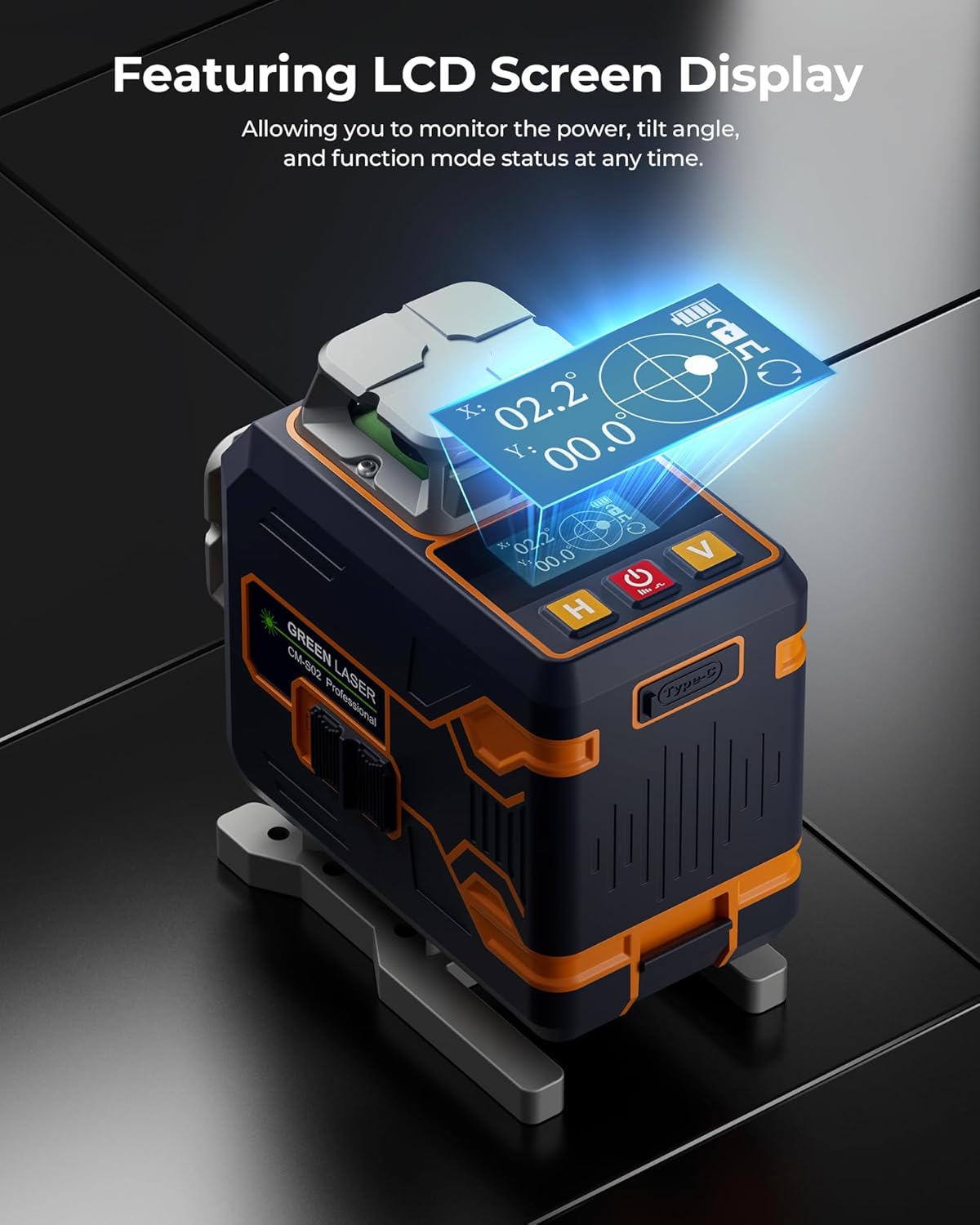
Figure 3: Battery installation in the CIGMAN Laser Level.
3.2 Charging the Battery
The batteries can be charged via the Type-C charging port on the laser level or directly on the battery itself. Use the provided USB-C charging cable.

Figure 4: Charging the CIGMAN Laser Level via USB-C.
4. Operating Modes
4.1 Self-Leveling Mode
For automatic leveling, ensure the pendulum lock is in the unlocked position. The laser will self-level within a few seconds. If the device is outside its self-leveling range, the laser lines will blink rapidly to indicate it's not level.
4.2 Manual Mode
To use the laser at any angle, engage the pendulum lock. This disables the self-leveling function, allowing you to project lines at custom inclinations.
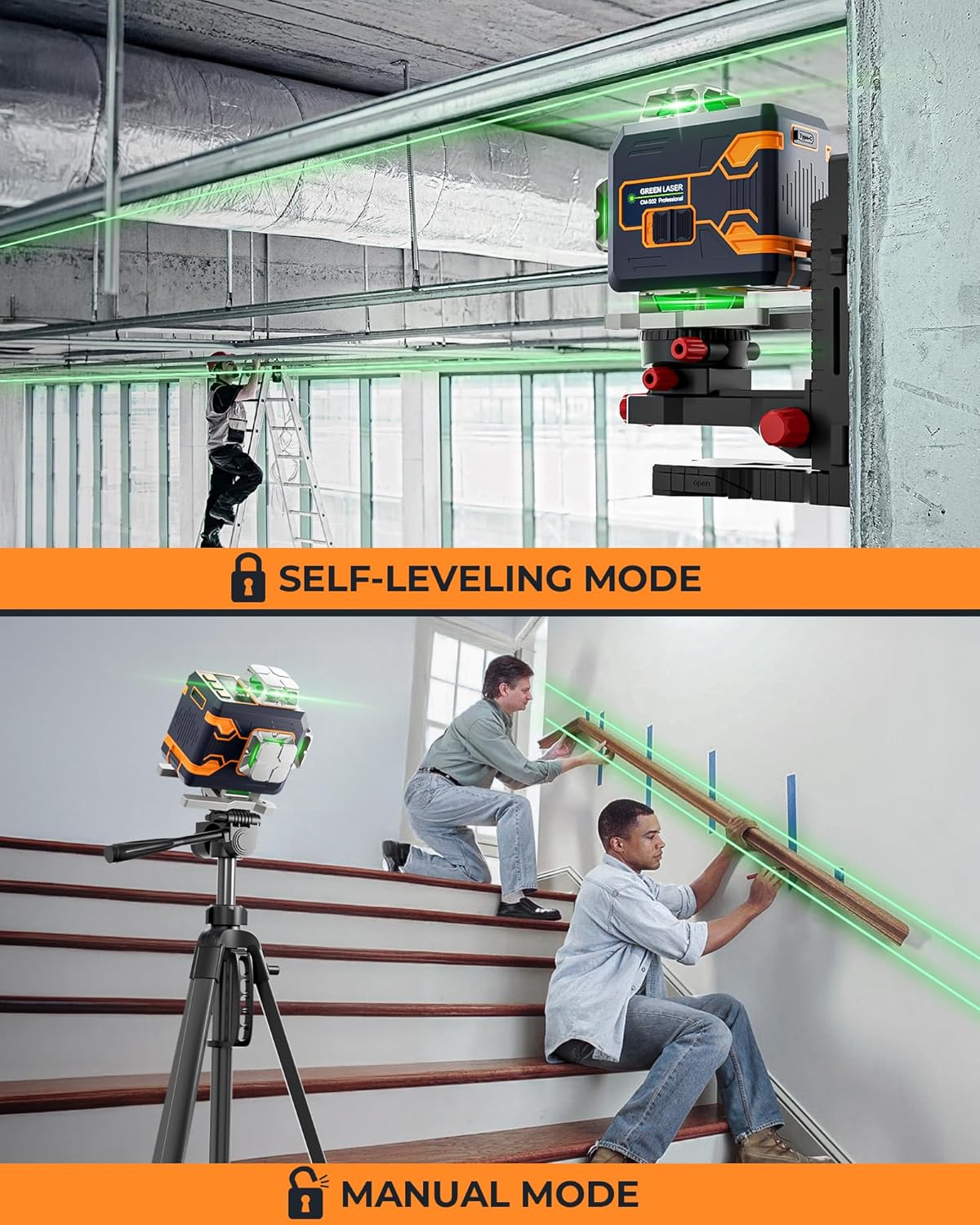
Figure 5: Illustration of Self-Leveling Mode (top) and Manual Mode (bottom).
4.3 Pulse Mode
In self-leveling mode, press and hold the power button to enable Pulse Mode. This mode extends the laser range and is particularly useful in bright conditions or when using an optional laser receiver (sold separately).

Figure 6: Pulse Mode extends the laser's working range.
5. Laser Line Selection and Brightness
The CM-S02 features four 360° laser planes: two horizontal (H) and two vertical (V). You can select which lines are active and adjust their brightness.
5.1 On-Device Control
Use the 'H' button to cycle through horizontal lines and the 'V' button for vertical lines. The power button can adjust brightness levels (4 levels) when the lock switch is set to unlocked.
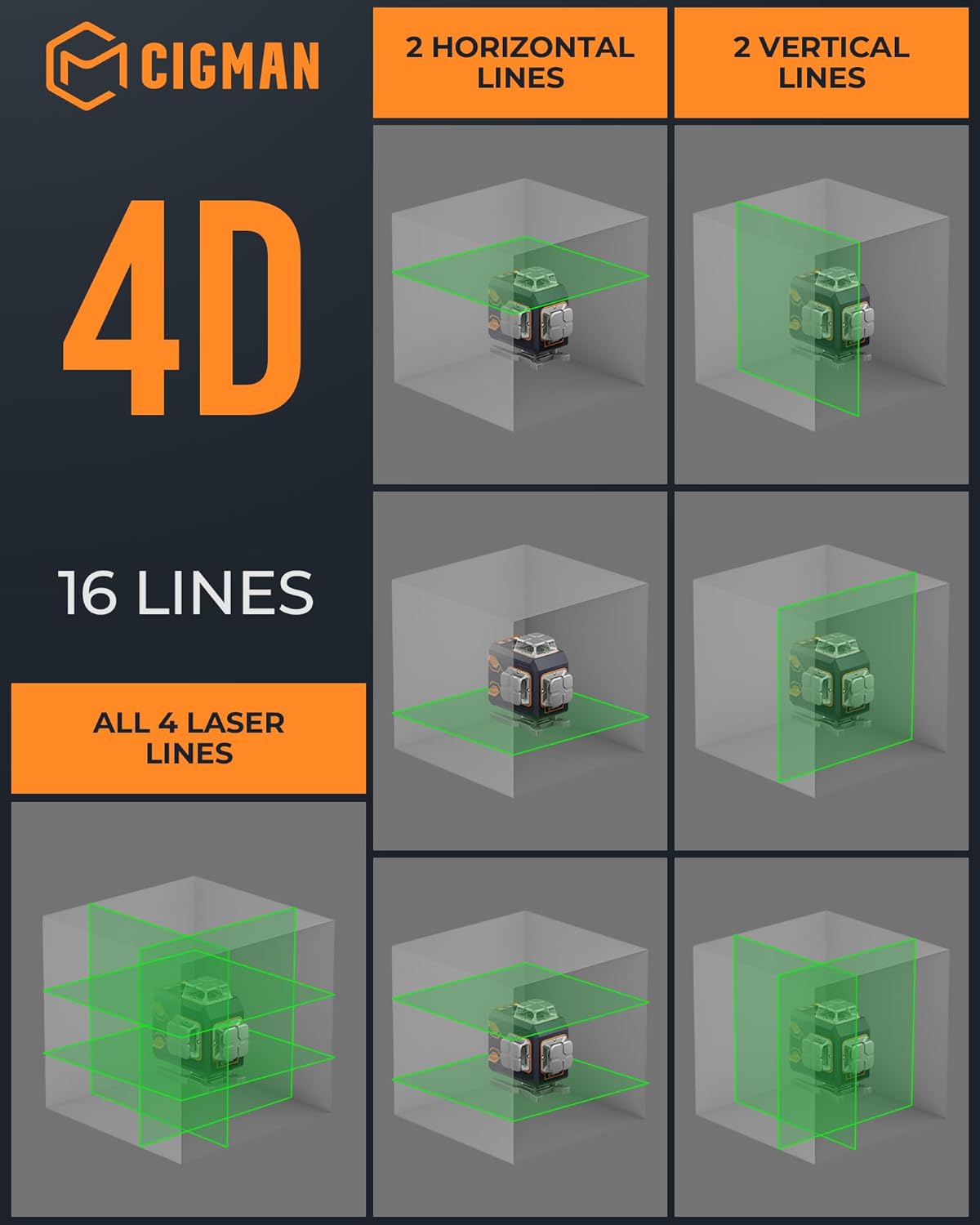
Figure 7: The 4D 16-line projection capabilities of the laser level.
5.2 Remote and App Control
The included Bluetooth remote control and the CIGMAN app (available for smartphones) allow for convenient adjustment of laser lines, brightness, and pulse mode from a distance. The app also displays battery life and tilt angle.

Figure 8: Control the laser level remotely using the CIGMAN app.
Video 1: Unboxing and initial setup of the CIGMAN 4x360 CM-S02 Laser Level, demonstrating its components and basic functionality.
Video 2: Detailed review of the CIGMAN Pro Laser, highlighting its features and performance in a workshop setting.
6. Accessories and Mounting
The laser level comes with several accessories to enhance its usability in various scenarios:
- Multi-functional Magnetic "L" Bracket: Allows for attachment to metal surfaces and offers fine adjustment capabilities.
- Mini Tripod Base (Lifting Base): Provides precise height adjustment for floor-level applications.
- Laser Target Plate: Improves visibility of the laser lines in bright conditions.
Figure 9: The multi-functional magnetic bracket and lifting base provide versatile mounting options.
Video 3: Demonstrates various control options for the CIGMAN laser level, including remote and app control, and self-leveling features.
7. Maintenance and Care
- Keep the laser level clean and free from dust and debris. Use a soft, dry cloth for cleaning.
- Avoid exposing the device to extreme temperatures or direct sunlight for prolonged periods.
- Store the laser level in its protective carry bag when not in use to prevent damage.
- Ensure the pendulum lock is engaged during transport to protect the internal mechanism.
8. Troubleshooting
| Problem | Possible Cause | Solution |
|---|---|---|
| Laser lines are blinking rapidly. | Device is out of self-leveling range. | Place the device on a more level surface. |
| Laser lines are dim. | Low battery or bright ambient light. | Charge the battery or activate Pulse Mode. |
| Remote/App not connecting. | Bluetooth is off or device is out of range. | Ensure Bluetooth is on and device is within range. |
9. Specifications
- Brand: CIGMAN
- Model: CM-S02
- Material: Metal
- Color: Green Laser
- Operation Mode: Automatic (Self-Leveling) / Manual
- Battery: 2x 2600mAh Lithium-Ion (included)
- Power Source: Battery Powered / Type-C Charging
- Item Weight: 5.17 pounds
- Package Dimensions: 12.48 x 10.39 x 4.65 inches
- Country of Origin: China
10. Warranty and Support
CIGMAN offers a 3-year after-sale service and lifetime technical support for this product. For any inquiries or assistance, please refer to the contact information provided in your user manual or visit the official CIGMAN website.


