
1. Introduction
Thank you for purchasing the SUNPIE 20L Portable Car Refrigerator. This manual provides important information for the safe and efficient operation of your new appliance. Please read it thoroughly before use and keep it for future reference.
2. Safety Information
- Ensure the power supply matches the refrigerator's requirements (DC12V/24V or AC100V).
- Do not immerse the unit in water or expose it to excessive moisture.
- Keep ventilation openings clear of obstructions to prevent overheating.
- Avoid placing the refrigerator in direct sunlight or near heat sources.
- Do not use abrasive cleaners or sharp objects inside the unit.
- This appliance is equipped with a low voltage protection circuit to prevent vehicle battery drain.
- The unit is designed to operate stably even when tilted up to 30 degrees.
3. Package Contents
Verify that all items are present in the package:
- SUNPIE 20L Portable Car Refrigerator Main Unit
- AC Power Cord + Adapter (approx. 2.0m)
- DC Power Cord (approx. 2.5m)
- Instruction Manual (includes Warranty Card)
4. Product Features
- Capacity: 20 Liters. Can hold approximately 30 x 350ml cans, 20 x 550ml bottles, or 4 x 2L bottles.
- Temperature Range: Adjustable from -20℃ to 20℃.
- Rapid Cooling: Achieves -20℃ from 25℃ in approximately 35 minutes (tested empty at 25℃ ambient temperature).
- Efficient Cooling: Four-sided cooling ensures even temperature distribution.
- Excellent Insulation: Features a magnetic lid and high-density urethane insulation, maintaining temperature for up to 24 hours after power disconnection.
- Dual Operating Modes:
- Max Mode: Approximately 60W for faster cooling.
- Eco Mode: Approximately 45W for energy-saving operation.
- Quiet Operation: Produces approximately 40dB of noise at 1 meter during compressor operation.
- 3-Way Power Supply: Compatible with DC12V/24V (car) and AC100V (home).
- Low Voltage Protection: Automatically turns off when the input voltage drops below a set level to protect your vehicle battery.
- USB Charging Port: Conveniently charge your devices via the integrated USB port on the control panel.
- Stable Operation: Designed to function reliably even on inclines up to 30 degrees.
5. Setup
- Unpacking: Carefully remove the refrigerator from its packaging. Inspect for any damage.
- Placement: Place the refrigerator on a stable, level surface. Ensure adequate ventilation around the unit, especially the side vents. Avoid direct sunlight or heat sources.
- Power Connection:
- For Car Use (DC12V/24V): Connect the DC power cord to the refrigerator's DC input port and then to your vehicle's cigarette lighter socket.
- For Home Use (AC100V): Connect the AC adapter to the refrigerator's AC input port, then plug the AC power cord into a standard wall outlet.
- Initial Power On: Press the power button on the control panel to turn on the unit. The LCD display will illuminate.
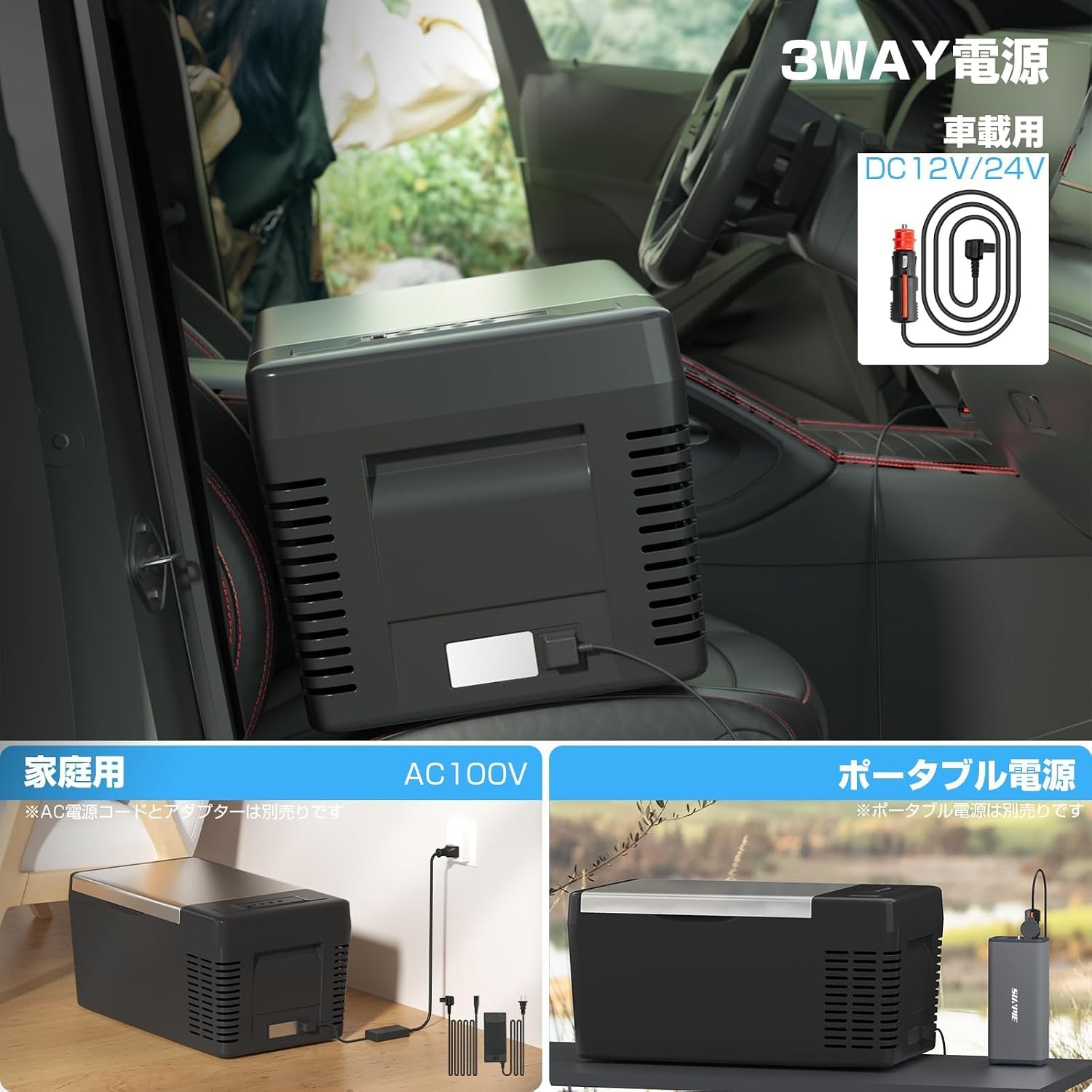
Image: Connecting the refrigerator to DC (car) and AC (home) power sources.

Image: Refrigerator placed in a car for DC power use.

Image: Refrigerator connected to AC power for home use.
6. Operating Instructions
6.1. Control Panel Overview

Image: Close-up of the control panel with buttons and LCD display.
The control panel features an LCD display and several buttons for operation:
- Power Button: Turns the unit on/off.
- Set Button: Enters temperature setting mode or switches between Max/Eco modes.
- Up/Down Buttons (+/-): Adjusts the target temperature.
- LCD Display: Shows current temperature, target temperature, and operating mode.
6.2. Setting Temperature
- Turn on the refrigerator by pressing the Power Button.
- Press the Set Button once. The temperature display will flash.
- Use the Up (+) or Down (-) buttons to select your desired temperature between -20℃ and 20℃.
- After a few seconds of inactivity, the display will stop flashing, and the refrigerator will begin cooling or heating to the set temperature.
6.3. Selecting Operating Mode (Max/Eco)
- With the refrigerator powered on, press and hold the Set Button for approximately 3 seconds.
- The display will show either "MAX" or "ECO".
- Press the Set Button again to toggle between Max Mode (faster cooling, higher power consumption) and Eco Mode (energy-saving, slower cooling).
- Release the Set Button to confirm your selection.

Image: Illustration of Max (60W) and Eco (45W) operating modes.
6.4. USB Charging
The refrigerator includes a USB port on the control panel for charging small electronic devices.
- Ensure the refrigerator is powered on.
- Connect your device's USB charging cable to the USB port on the refrigerator.
- Charging will begin automatically.

Image: A smartphone being charged via the USB port on the refrigerator's control panel.
6.5. Usage Scenarios
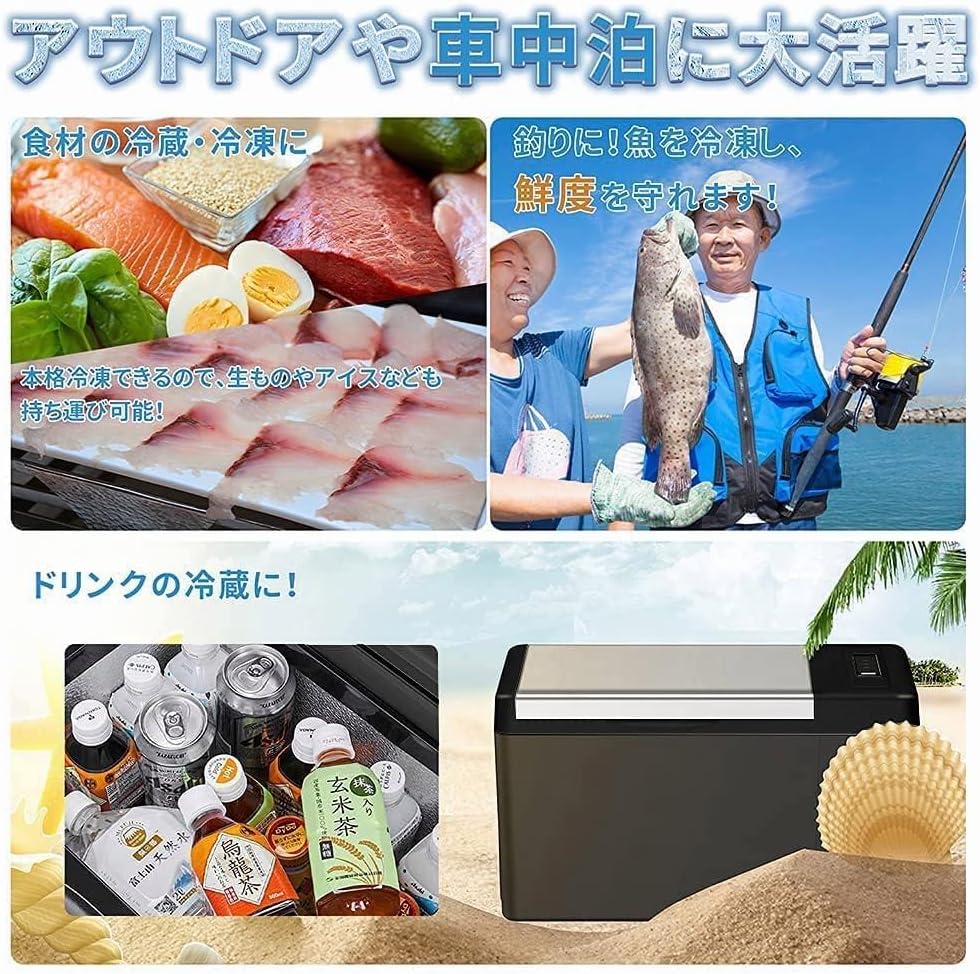
Image: Examples of the refrigerator's use for storing fresh food, preserving fish during fishing, and chilling beverages.

Image: The refrigerator being used during a camping trip, keeping drinks cold for a group.
7. Maintenance
7.1. Cleaning
- Always disconnect the power before cleaning.
- Wipe the interior and exterior surfaces with a damp cloth and mild detergent.
- Do not use abrasive cleaners, solvents, or harsh chemicals.
- Ensure the unit is completely dry before reconnecting power.
7.2. Defrosting
If ice accumulates inside the unit, turn off the refrigerator and allow the ice to melt naturally. Wipe away excess water with a cloth. Do not use sharp objects to remove ice.
7.3. Storage
When not in use for extended periods, clean the unit thoroughly, leave the lid slightly ajar to prevent odors, and store it in a dry, well-ventilated area.
8. Troubleshooting
| Problem | Possible Cause | Solution |
|---|---|---|
| Refrigerator does not turn on. | No power supply; loose connection; vehicle battery low. | Check power cord connections. Ensure power source is active. If using DC, check vehicle battery voltage (low voltage protection may have activated). |
| Unit is not cooling effectively. | Temperature setting too high; ventilation blocked; excessive contents; lid not sealed properly. | Lower the set temperature. Ensure clear airflow around vents. Do not overfill. Check lid for proper closure and seal. |
| Unusual noise during operation. | Unit not level; internal components vibrating. | Ensure the refrigerator is on a stable, level surface. Normal compressor operation produces a low hum (approx. 40dB). |
| LCD display not working. | Power issue; display malfunction. | Check power supply. If power is present and unit is cooling, contact customer support. |
| USB port not charging. | Refrigerator not powered on; faulty USB cable/device. | Ensure the refrigerator is powered on. Test with a different USB cable or device. |
9. Specifications
| Attribute | Value |
|---|---|
| Brand | SUNPIE |
| Model Number | 20L |
| Product Dimensions (D x W x H) | 57 x 32 x 30 cm |
| Internal Dimensions (approx.) | 35.5 x 25.5 x 22 cm |
| Capacity | 20 Liters |
| Item Weight | 9 kg |
| Voltage | DC12V/24V, AC100V |
| Power Consumption (Max Mode) | Approx. 60W |
| Power Consumption (Eco Mode) | Approx. 45W |
| Cooling Method | Compressor Type |
| Temperature Control | Adjustable (-20℃ to 20℃) |
| Refrigerant | R134a |
| Door Material Type | Aluminum |
| Defrost System Type | Automatic |
| Special Features | Portable, Low Voltage Protection, USB Charging |
| Country of Origin | China |
| PSE Certified | Yes |
Image: Detailed dimensions of the refrigerator, including external and internal measurements.
10. Warranty and Support
SUNPIE provides a 2-year warranty for this product, offering free repair services (excluding disclaimers). Please retain your purchase receipt as proof of purchase.
10.1. Initial Defects
For initial defects reported within 10 days from the order date, SUNPIE will provide a new product exchange, and the shipping costs will be covered by the company.
10.2. Repair Process
- Contact Support: Reach out to SUNPIE customer service to report the issue and initiate a repair request.
- Ship Product: Send the defective product to the designated service center.
- Diagnosis & Repair: The product will be diagnosed and repaired within 2-3 business days.
- Return: The repaired product will be returned to you within 1 week.

Image: Diagram illustrating the 4-step process for SUNPIE's 2-year free repair service.
10.3. Contact Information
For support, please refer to the contact details provided in your warranty card or visit the official SUNPIE website.
11. Product Video
Video: An official product video demonstrating the features and usage of the SUNPIE 20L Portable Car Refrigerator.