
1. Product Overview
The voijump Cell Phone Stand with Wireless Bluetooth Speaker, Model C176, is a versatile 4-in-1 device designed to enhance your mobile experience. It combines a stable phone holder, a Bluetooth 5.3 speaker for clear audio, a USB music player, and integrated LED lighting. This device is compatible with a wide range of smartphones, tablets, and e-readers.
Key Features:
- 4-in-1 Functionality: Cell phone stand, Bluetooth speaker, USB music player, and LED lights.
- Bluetooth 5.3: Provides stable and efficient wireless connectivity.
- Wide Compatibility: Supports most 4-13 inch smartphones, tablets, and e-readers.
- Adjustable & Rotatable: Offers multiple viewing angles and 360° rotation.
- Foldable Design: Compact for easy portability and storage.
- Anti-Slip Protection: Features silicone padding on the base, panel, and hook for device stability.
- LED Lights: Integrated for visual appeal.
Note: This product does not include a power bank function and cannot charge your device.
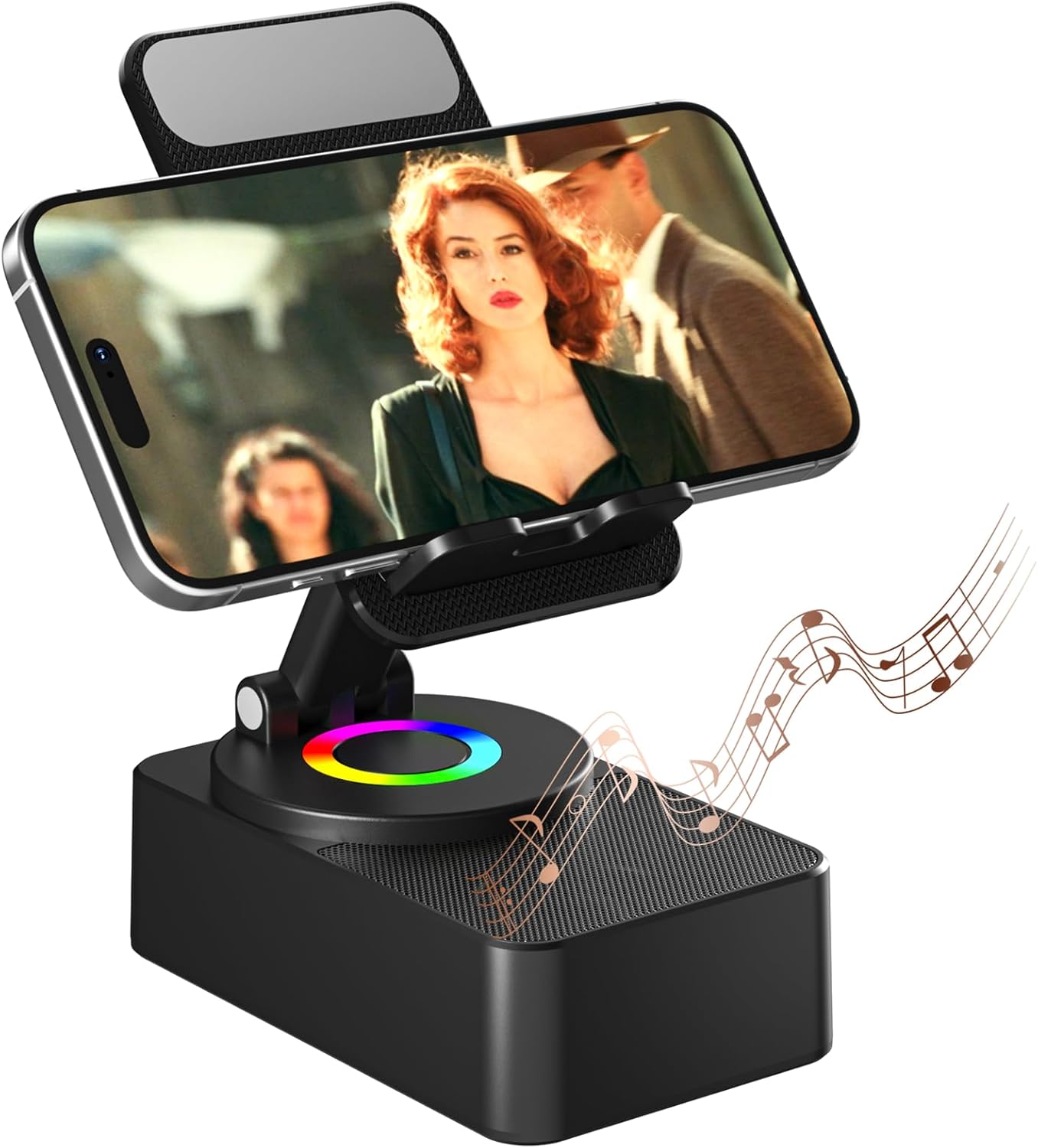
Image: The voijump Cell Phone Stand with a smartphone displaying video content, accompanied by musical notes indicating sound output.

Image: A banner highlighting the key features of the voijump Cell Phone Stand with Bluetooth Speaker, including Bluetooth 5.3, HD Sound, LED Light, Universal Compatibility, Angle Adjust, and Long Battery Life.
2. Package Contents
Please verify that all items are present in the package:
- Cell Phone Stand x 1
- USB Charging Cable x 1
- User Manual x 1
3. Setup and Initial Use
3.1 Charging the Device
Before first use, fully charge the device using the provided USB charging cable.
- Connect the USB charging cable to the charging port (Type-C) on the device.
- Connect the other end of the USB cable to a compatible USB power adapter (not included) or a computer USB port.
- The charging indicator (if present) will show charging status. A full charge typically takes approximately 4 hours.

Image: Illustration showing the USB Type-C charging port and indicating a charging time of 4 hours, with a playing time of 8-10 hours at medium volume.
3.2 Powering On/Off
Locate the Power ON/OFF button on the device.
- To power on: Press and hold the Power ON/OFF button until the LED lights illuminate.
- To power off: Press and hold the Power ON/OFF button again until the LED lights turn off.

Image: A detailed view of the voijump Cell Phone Stand, highlighting the Power ON/OFF button, USB Play port, Charging Port, and RGB Light indicator.
4. Operating Instructions
4.1 Bluetooth Pairing
To connect your device via Bluetooth:
- Ensure the voijump speaker is powered on and in Bluetooth pairing mode (indicated by a flashing LED light, if applicable).
- On your smartphone, tablet, or e-reader, navigate to the Bluetooth settings.
- Search for available devices and select "voijump C176" (or similar name) from the list.
- Once connected, the LED light will typically become solid, and you may hear an audible confirmation.

Image: An illustration demonstrating the easy Bluetooth 5.3 connection process, showing compatibility with iPhone, Galaxy, iPad, and e-readers.
4.2 Music Playback
You can play music through the speaker via Bluetooth or a USB drive.
- Bluetooth Playback: After successful pairing, play audio from your connected device.
- USB Playback: Insert a USB drive containing audio files into the designated USB Play port on the device. The speaker will automatically detect and play music from the USB drive.
4.3 Adjusting the Phone Stand
The stand offers flexibility for optimal viewing.
- Angle Adjustment: Gently adjust the stand's arm to achieve your desired viewing angle.
- Rotation: The base allows for 360° rotation, enabling both portrait and landscape orientations for your device.
- Folding: For portability, the stand can be folded into a compact form.

Image: An illustration demonstrating the adjustable angle and rotatable features of the phone stand, along with details of the anti-slip silicone base, panel, and groove.

Image: A user interacting with the adjustable and rotatable desktop stand, showcasing its flexibility for different viewing preferences.
4.4 LED Lights
The integrated LED lights provide ambient illumination.
- The LED lights typically activate when the device is powered on.
- Refer to the device's controls for any specific buttons or gestures to change LED light modes or turn them off, if available.
4.5 Hands-Free Calls
When connected via Bluetooth, the speaker can be used for hands-free communication.
- Answer or end calls directly from your connected smartphone or tablet.
- The integrated microphone (if present) will pick up your voice, and the speaker will output the caller's audio.

Image: The voijump Cell Phone Stand positioned on a desk next to a laptop, with a smartphone displaying a video conference, illustrating its use for hands-free calls.
5. Maintenance
To ensure the longevity and optimal performance of your voijump Cell Phone Stand with Wireless Bluetooth Speaker, follow these maintenance guidelines:
- Cleaning: Use a soft, dry, lint-free cloth to wipe the surface of the device. Avoid using abrasive cleaners, solvents, or strong chemicals, as these can damage the finish.
- Storage: When not in use, store the device in a cool, dry place away from direct sunlight and extreme temperatures. The foldable design allows for compact storage.
- Avoid Water: The device is not waterproof. Keep it away from liquids and moisture to prevent damage to internal components.
- Handle with Care: Avoid dropping the device or subjecting it to strong impacts.
6. Troubleshooting
If you encounter issues with your voijump Cell Phone Stand with Wireless Bluetooth Speaker, refer to the following common solutions:
- No Power:
- Ensure the device is fully charged. Connect it to a power source using the USB charging cable.
- Verify that the power button is pressed and held correctly to turn the device on.
- No Sound from Speaker:
- Check if the device is properly connected via Bluetooth or if the USB drive is correctly inserted.
- Ensure the volume on both the speaker and your connected device is turned up.
- Confirm that the audio source on your connected device is playing.
- Bluetooth Not Connecting:
- Make sure the speaker is in pairing mode (LED flashing).
- Disable and re-enable Bluetooth on your source device.
- Move the speaker closer to your source device to ensure it's within range.
- Forget the device from your source device's Bluetooth list and attempt to pair again.
- Restart both the speaker and your source device.
- Stand is Not Stable:
- Ensure your device is placed securely within the holder's hooks.
- Verify that the stand is placed on a flat, stable surface.
- Check for any obstructions or damage to the anti-slip silicone pads.
If the issue persists after attempting these steps, please contact customer support.
7. Specifications
| Feature | Specification |
|---|---|
| Model Name | Wireless Bluetooth Speaker |
| Item Model Number | C176 |
| Brand | voijump |
| Connectivity Technology | Bluetooth 5.3 |
| Speaker Type | 3D |
| Speaker Maximum Output Power | 3 Watts |
| Special Features | 360 Degree Rotation, Adjustable, Foldable, Hands-Free, Portable |
| Recommended Uses | Desk, Travel |
| Compatible Devices | Smartphone, Tablet (4-13 inches) |
| Color | Black |
| Material | Plastic |
| Product Dimensions (L x W x H) | 4.7"D x 2.8"W x 2.2"H (Folded) |
| Item Weight | 0.36 Kilograms (12.6 ounces) |
| Waterproof | No |
| UPC | 768795288750 |

Image: A diagram illustrating the key dimensions of the voijump Cell Phone Stand in its upright position.
8. Warranty and Support
8.1 Warranty Information
This voijump product is covered by a 365-Day Warranty from the date of purchase. This warranty covers manufacturing defects and ensures product quality.
8.2 Technical Support
We offer Lifetime Technical Support for your voijump Cell Phone Stand with Wireless Bluetooth Speaker. If you have any questions, require assistance with setup, operation, or troubleshooting, please contact our support team.
8.3 Contact Information
For warranty claims, technical support, or any other inquiries, please refer to the contact details provided on the product packaging or the official voijump website.

Image: Icons representing voijump's promise and service, including Fast Delivery, 365-Day Warranty, Free Replacement, and Lifetime Technical Support.