
Introduction
Thank you for choosing the FAMICOZY FG-T20 Small Folding Digital Travel Alarm Clock. This compact and versatile device is designed to provide accurate time, date, and indoor temperature, along with a reliable alarm function, making it ideal for travel and everyday use. This manual will guide you through the setup, operation, and maintenance of your new alarm clock.
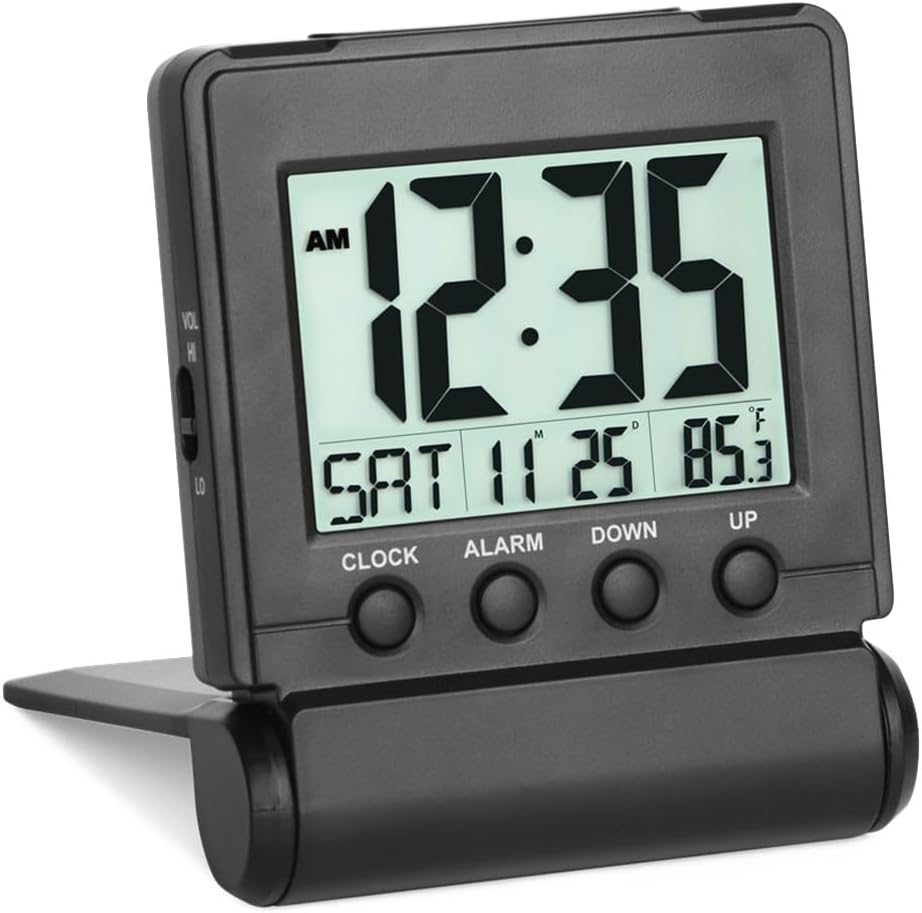
Front view of the FAMICOZY FG-T20 Digital Travel Alarm Clock, displaying the current time, day, month, date, and indoor temperature. The control buttons for Clock, Alarm, Down, and Up are visible below the screen.
Setup
1. Battery Installation
The FAMICOZY FG-T20 requires two AAA batteries (not included) for operation. To install the batteries:
- Open the battery compartment cover located on the back of the clock.
- Insert two new AAA batteries, ensuring correct polarity (+ and -).
- Close the battery compartment cover securely.

Rear view of the alarm clock with the battery compartment open, indicating where two AAA batteries (not included) are inserted to power the device.
2. Initial Time and Date Setting
The clock is designed for easy setup. Follow these steps to set the time, date, and year:
- Press and hold the CLOCK button for approximately 3 seconds until the time display starts flashing.
- Use the UP and DOWN buttons to adjust the hour. Press CLOCK again to confirm and move to minutes.
- Repeat this process for minutes, year, month, and day.
- Press CLOCK one last time to exit the setting mode.
3. 12/24 Hour Format Selection
To switch between 12-hour (AM/PM) and 24-hour time formats, simply press the UP button while in normal time display mode.

A visual comparison showing the clock's display in both 12-hour (AM/PM) and 24-hour (military time) formats, illustrating the user's option to select their preferred time display.
4. Temperature Unit Selection
To switch between Celsius (°C) and Fahrenheit (°F) for the indoor temperature display, press the DOWN button while in normal time display mode.
Operating Instructions
1. Setting the Alarm
To set your desired alarm time:
- Press and hold the ALARM button for approximately 3 seconds until the alarm time display starts flashing.
- Use the UP and DOWN buttons to adjust the alarm hour. Press ALARM again to confirm and move to minutes.
- Repeat for minutes.
- Press ALARM one last time to exit the alarm setting mode.
2. Activating/Deactivating the Alarm
Use the ALM ON/OFF switch located on the side of the clock to turn the alarm function on or off. When the alarm is active, an alarm icon will appear on the display.
3. Adjusting Alarm Volume
The clock offers two alarm volume levels: High (HI) and Low (LO). Use the VOL HI/LO switch on the side of the clock to select your preferred volume.
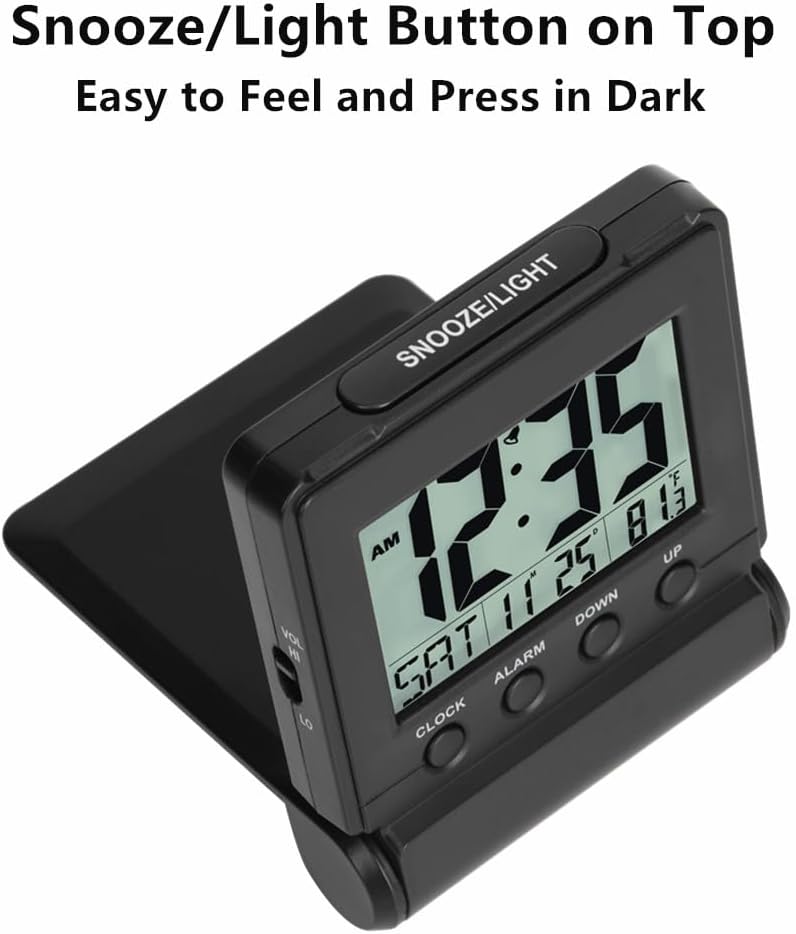
Side view of the clock, highlighting the 'VOL HI/LO' switch, which allows users to select between high and low alarm volume settings.
4. Snooze and Backlight Function
When the alarm sounds, press the large SNOOZE/LIGHT button on the top of the clock to activate the snooze function. The alarm will pause for 9 minutes and then sound again. Pressing any other button on the front will stop the alarm completely.
To activate the backlight for 5 seconds, press the SNOOZE/LIGHT button at any time. This allows you to view the display clearly in dark conditions.
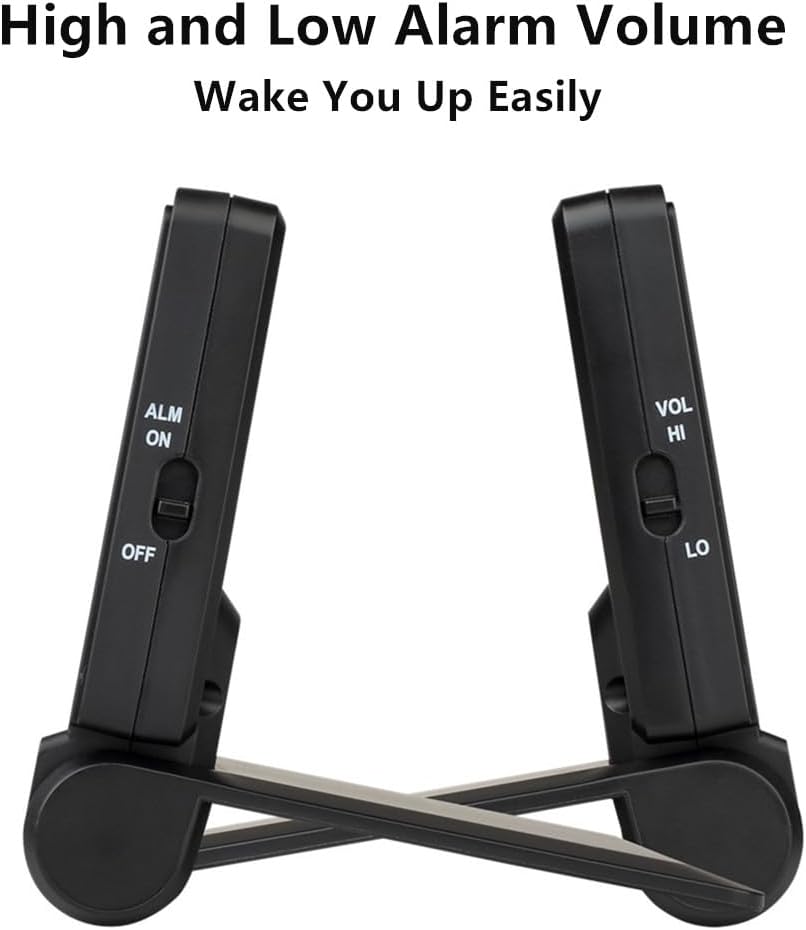
Top view of the alarm clock, featuring the prominent 'SNOOZE/LIGHT' button. This button is easily accessible for activating the backlight or engaging the snooze function.
5. Folding Mechanism for Travel
The clock features a folding stand that doubles as a protective cover. When folded, it safeguards the screen and buttons from accidental presses or damage during travel.

The alarm clock shown in its folded, compact state, demonstrating how the stand acts as a protective cover for the screen and buttons, ideal for travel.
Maintenance
1. Battery Replacement
When the battery power is low, a low-battery icon will appear on the display. Replace the two AAA batteries promptly to ensure continuous and accurate operation. Refer to the 'Battery Installation' section for instructions.

A close-up of the clock's display showing a low-battery icon, which alerts the user when it's time to replace the AAA batteries.
2. Cleaning
To clean the clock, gently wipe the surface with a soft, dry cloth. Avoid using abrasive cleaners or solvents, as these may damage the display or casing.
Troubleshooting
- Display is blank or dim: Check if the batteries are correctly installed and have sufficient power. Replace batteries if necessary.
- Alarm does not sound: Ensure the ALM ON/OFF switch is in the 'ON' position. Verify that the alarm time is set correctly.
- Incorrect time/date: Re-enter the time and date settings as described in the 'Initial Time and Date Setting' section.
- Temperature reading seems inaccurate: Ensure the clock is placed in an area with stable ambient temperature, away from direct heat sources or drafts.
Specifications
| Brand | FAMICOZY |
| Model Number | FG-T20 |
| Color | Black |
| Display Type | Digital |
| Product Dimensions | 2.87"W x 3.34"H x 0.78"D (folded) |
| Power Source | 2 AAA batteries (not included) |
| Material | Sturdy Plastic |
| Special Features | Clear display, calendar, indoor temperature, 5-second backlight, adjustable alarm volume, 9-minute snooze, silent operation, cordless. |
Product Videos
Famicozy Folding Digital Alarm Clock Overview
Official product video demonstrating the features and operation of the FAMICOZY FG-T20 Folding Digital Alarm Clock, including its compact design, display, and various settings.
Warranty and Support
FAMICOZY products are manufactured with high-quality standards. For specific warranty information or technical support, please refer to the contact details provided with your purchase or visit the official FAMICOZY website. Please retain your proof of purchase for warranty claims.