
1. Introduction
The GuliTech NF-8506 is an advanced multi-functional network cable tester designed for comprehensive network diagnostics and maintenance. This portable device integrates various testing capabilities to efficiently identify and resolve common network issues, making it an essential tool for IT professionals and enthusiasts alike.

Figure 1: NF-8506 Network Cable Tester with included accessories.
2. Key Features
The NF-8506 offers a robust set of features for thorough network cable testing:
- Multi-function Network Cable Testing: Includes IP analysis, PoE testing, anti-interference tests for RJ11, RJ45, CAT5, and CAT6 cables, continuity tests, network speed tests via ping, port flashes, sensitivity adjustment, cable length measurement, and an integrated LED flashlight.
- Time Domain Reflectometry (TDR): Accurately measures cable lengths between 2.5m and 200m and locates cable faults in real-time.
- PING + IP Scanner: Diagnoses and maintains local area networks (LANs) using TCP/IP protocols, verifying connections, data integrity, and providing IP address information.
- Network Speed & Continuity Test: Quickly identifies network speed issues and verifies cable integrity, detecting breaks, opens, or short circuits.
- PoE Tester: Detects PoE devices, crossing methods (unknown/end-span/mid-span/8-wire power), and polarity, supporting both standard (IEEE 802.3AF, IEEE 802.3AT) and non-standard PoE.
- Port Flash & Identification: Easily identifies network cable connections via flashing lights on the connected device's port, displaying operational speed, duplex mode, and negotiation parameters.
- Dual-mode Hunting (Digital/Analog): Supports both digital and analog cable scanning for quick and accurate location of STP/UTP cables, useful for cabling locating and maintenance.
- Rechargeable Lithium Battery: Equipped with a 1500mAh lithium battery, supporting Type-C recharging for convenience.
3. Package Contents
Upon opening the package, please verify that all items listed below are present and in good condition:
- NF-8506 Main Tester Unit
- NF-8506 Receiver Unit
- RJ45 Cable
- RJ11 Cable
- Alligator Clip Cable
- USB Type-C Charging Cable
- Earphones
- User Manual
- Carrying Bag

Figure 2: All components included in the NF-8506 package.
4. Technical Specifications
Detailed specifications for the NF-8506 Network Cable Tester:
| Feature | Specification |
|---|---|
| Model | NF-8506 |
| Cable Scan Mode | Digital Mode / Analog Mode |
| Auto OFF | Yes |
| Low Power Notice | Yes |
| Cable Continuity Test | Remote & Switch |
| Cable Length Test Range | 5~200m (±3m) |
| Port Flash | 10M/100M/1000M |
| PoE Test | Mid-Span/End-Span/AT-4 pairs, PoE voltage test |
| Link Speed | 10M/100M/1000M, Duplex Mode (Full Duplex/Half Duplex) |
| Battery (Main Unit) | 3.7V Lithium Battery |
| Ping Scan Function | Yes |
| IP Scan Function | Yes |
| Transmitter Dimension | 150 x 75 x 35 mm |
| LED Light | Yes |
| Ear Phone Support | Yes |
| Battery (Receiver) | 3.7V Lithium Battery |
| Receiver Dimension | 200 x 50 x 33 mm |

Figure 3: Detailed technical specifications of the NF-8506.
5. Setup and Initial Use
5.1 Charging the Device
Before first use, ensure both the main tester unit and the receiver unit are fully charged. Use the provided USB Type-C cable to connect the devices to a compatible USB power source (e.g., computer USB port, wall adapter). The charging indicator will show the charging status.
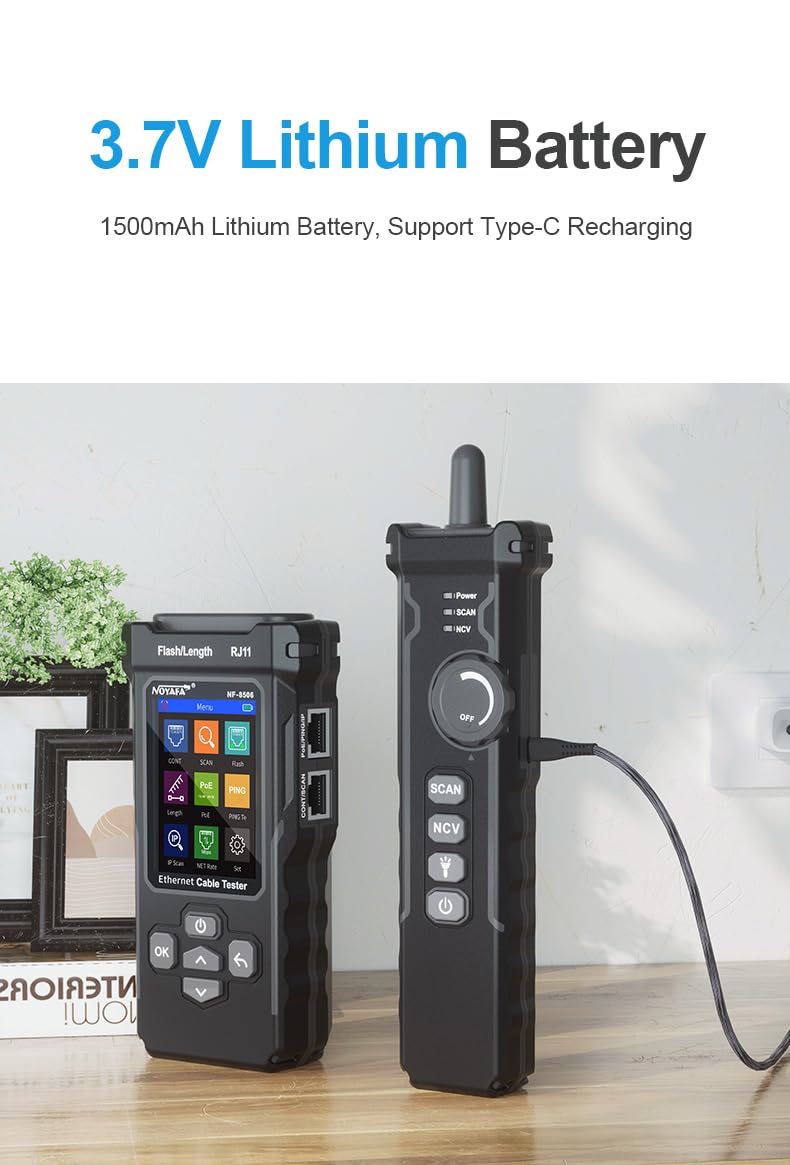
Figure 4: Charging the NF-8506 main unit using the USB Type-C cable.
5.2 Powering On/Off
To power on the main unit, press and hold the power button. To power off, press and hold the power button again. The receiver unit typically has a rotary switch or a dedicated power button for activation.
6. Operating Instructions
The NF-8506 offers various testing modes accessible via its intuitive menu. Navigate using the directional buttons and confirm selections with the 'OK' button.
6.1 Cable Continuity Test
This function checks for short circuits, open circuits, and cross-connections in network cables.
- Connect one end of the network cable to the RJ45 port on the main tester unit.
- Connect the other end of the cable to the RJ45 port on the receiver unit (for remote testing) or to a network switch (for switch-side testing).
- Select "Cont" (Continuity) from the main menu.
- The screen will display the wiring status, indicating any faults.

Figure 5: Performing a cable continuity test with the NF-8506.
6.2 Cable Length Measurement (TDR)
Use this function to accurately measure cable length and locate breakpoints.
- Ensure the cable is disconnected from all network devices.
- Connect one end of the cable to the RJ45 port on the main tester unit.
- Select "Length" from the main menu.
- The device will display the cable length and any detected fault locations.
6.3 Cable Scanning (Hunting)
Locate specific cables within a bundle using the scanning function.
- Connect one end of the target cable to the main tester unit.
- Select "Scan" from the main menu and choose either "Digital Mode" or "Analog Mode". Digital mode offers anti-jamming capabilities for noisy environments.
- Use the receiver unit to trace the cable. The receiver will emit an audible tone when it detects the signal from the main unit.

Figure 6: Using the NF-8506 for analog cable scanning.

Figure 7: Digital cable scanning for high sensitivity and anti-jamming.
6.4 PoE Test
Test Power over Ethernet (PoE) capabilities of network devices.
- Connect the main tester unit to a PoE-enabled port or device.
- Select "PoE" from the main menu.
- The device will display information such as PoE standard (e.g., 802.3AF, 802.3AT), voltage, and power supply mode (Mid-Span/End-Span).
6.5 PING Test & IP Scan
Diagnose network connectivity and discover active IP addresses.
- Connect the main tester unit to a live network port.
- Select "PING" or "IP Scan" from the main menu.
- For PING, enter the target IP address or domain name. The device will display response times and packet loss.
- For IP Scan, the device will scan the local network segment for active IP addresses and display them.
6.6 Port Flash
Identify the corresponding port on a network switch or router.
- Connect the main tester unit to a network port on the switch/router.
- Select "Port Flash" from the main menu.
- The connected port's LED indicator on the switch/router will flash, allowing for easy identification. The tester will also display link speed and duplex mode.

Figure 8: NF-8506 connected to a network device for testing.
7. Maintenance and Care
- Cleaning: Use a soft, dry cloth to clean the device. Do not use abrasive cleaners or solvents.
- Storage: Store the device in a cool, dry place, away from direct sunlight and extreme temperatures. Use the provided carrying bag for protection.
- Battery Care: Recharge the battery regularly, even if the device is not in frequent use, to maintain battery health. Avoid fully discharging the battery for extended periods.
- Handling: Handle the device with care to prevent damage from drops or impacts.
8. Troubleshooting
| Problem | Possible Cause | Solution |
|---|---|---|
| Device does not power on. | Low battery or completely discharged. | Charge the device fully using the provided USB-C cable. |
| Inaccurate cable length measurement. | Cable not properly connected; cable type not supported; cable too short/long for range. | Ensure secure connection. Verify cable type. Check if cable length is within 5-200m range. |
| Cable scan (hunting) not working or weak signal. | Interference from other cables/devices; incorrect mode selected; low battery on receiver. | Try "Digital Mode" for anti-jamming. Ensure receiver is powered on and charged. Move away from strong electromagnetic fields. |
| PoE test shows "Unknown" or no detection. | Device not PoE-enabled; incorrect connection; non-standard PoE not fully recognized. | Verify the connected device supports PoE. Ensure proper connection. The tester supports common standards but some proprietary PoE might not be fully detailed. |
| Ping test fails or shows high latency. | Network connectivity issue; incorrect IP address; firewall blocking. | Check network cable connection. Verify target IP address. Check network configuration and firewall settings. |
9. Warranty and Support
GuliTech products are manufactured to high quality standards. For warranty information, technical support, or service inquiries, please refer to the warranty card included in your package or contact GuliTech customer service directly. Please have your product model (NF-8506) and purchase details ready when contacting support.
Manufacturer: NOYAFA/Gulitech
Model Number: NF-8506


