
Veeniix V11PRO
Veeniix V11PRO Drone User Manual
Model: V11PRO
Brand: Veeniix
Introduction
The Veeniix V11PRO Drone is a professional-grade quadcopter designed for adults, featuring an advanced 8K camera with a 3-axis gimbal and EIS anti-shake system for crystal-clear 8K images and 4K/30fps video. With an impressive 80-minute flight time (using two included batteries) and a 6KM digital video transmission range, it offers an unparalleled aerial photography and videography experience. This manual provides essential information for safe operation, setup, maintenance, and troubleshooting of your V11PRO drone.

Figure 1: Veeniix V11PRO Drone and included accessories.
Safety Guidelines
Always prioritize safety when operating the V11PRO drone. Adhere to local regulations and guidelines for drone operation. This drone is equipped with Integrated FAA Remote ID and requires registration for all users due to its weight (over 249 grams).
- Pre-Flight Check: Always inspect the drone, propellers, and batteries before each flight.
- Environmental Awareness: Avoid flying in strong winds (rated for Level 5 wind resistance, approx. 24 mph), rain, or extreme temperatures. Maintain a clear line of sight.
- No-Fly Zones: Do not fly near airports, restricted airspace, crowded areas, or sensitive infrastructure.
- Battery Safety: Use only original batteries. Do not overcharge or puncture batteries. Batteries automatically discharge after 48 days of non-use for safety.
- Respect Privacy: Be mindful of privacy laws and personal space when capturing footage.
- Emergency Procedures: Familiarize yourself with the Auto Return feature for low battery or lost connection scenarios.
What's in the Box
The Veeniix V11PRO package includes all necessary components to get you started:
- V11PRO Drone
- Remote Control
- 2 x Lithium Ion Batteries (3500 mAh each)
- USB Charging Cable
- Carrying Case
- Spare Propellers (full set of 4)
- Extra Gimbal Sticks
- Camera Cover & Propeller Holder
- RC Cable (for connecting phone to remote)
- User Manual & Flight Safety Guide

Figure 2: All components included in the V11PRO package.
Setup
1. Battery Charging and Installation
Charge both included Lithium Ion batteries using the provided USB charging cable. The batteries support fast PD3.0 charging, reducing waiting time. A full charge takes approximately 2 hours. Once charged, insert the batteries securely into the drone.

Figure 3: Charging the V11PRO drone battery.
2. Propeller Installation
Carefully unfold the drone's arms. Install the propellers according to the markings (e.g., A and B) on the propellers and motor arms. Ensure they are securely fastened. The propellers are not folding, which makes them more rigid.
3. Controller Setup
Charge the remote control. It features a screen providing essential information like drone speed, distance, GPS, and battery level. Connect your smartphone to the remote using the supplied USB-C cable for FPV view and app control. The phone holder is designed to accommodate various phone sizes, including those with protective cases.

Figure 4: Charging the remote control for extended use.
4. App Download and Connection
Download the official Veeniix app to your smartphone. The app enhances your flight experience with features like cruise control, waypoint flight, and point of interest. Follow the in-app instructions to connect your drone and controller.

Figure 5: Veeniix app interface for flight control and media management.
5. Gimbal Protector Removal
Before flight, gently remove the gimbal protector from the camera. This ensures the 3-axis gimbal can move freely and capture stable footage.
Operating the Drone
1. Pre-Flight Checks
- Ensure all batteries (drone and remote) are fully charged.
- Verify propellers are correctly installed and free from damage.
- Remove the gimbal protector.
- Extend the front left and right landing gear, as they house internal antennas crucial for signal strength.
- Check GPS signal strength on the remote/app before take-off for stable hovering and accurate return-to-home functionality.
2. Take-off and Landing
The V11PRO offers stable take-off and controlled landings. Use the dedicated take-off/landing button or manual controls via the remote. The drone holds GPS position very well, ensuring stability.
Video 1: Official Veeniix V11PRO 8K Drone promotional video, showcasing flight capabilities and camera quality.
3. Flight Controls and Modes
The remote control provides precise command over the drone. The drone has three speed modes: low (for camera, approx. 3m/s or 7mph), mid-regular (approx. 5m/s or 12mph), and high-sports mode (approx. 10m/s or 22mph). The app allows for intelligent flight modes such as cruise control, waypoint flight, and point of interest, making it easy for both beginners and professionals to capture stunning footage.

Figure 6: The V11PRO drone's robust design offers Level 5 Wind Resistance.
4. Camera Operation
The V11PRO is equipped with a Sony camera featuring a 1/2" CMOS sensor, capable of recording breathtaking 8K images and 4K/30fps video. The 3-axis gimbal and EIS anti-shake system ensure crystal-clear and stable footage. Digital 5x zoom provides greater detail.

Figure 7: V11PRO camera capabilities for high-resolution imaging.

Figure 8: The 3-axis gimbal and EIS system ensure stable footage.

Figure 9: Detail of the 1/2" CMOS sensor for enhanced image quality.

Figure 10: Illustrating the 5x digital zoom feature.
5. Digital Video Transmission
The upgraded digital transmission system provides a stable flight view and secure connection up to an impressive 6 kilometers (19685 feet). This ensures you maintain clear sight of your drone during flight.
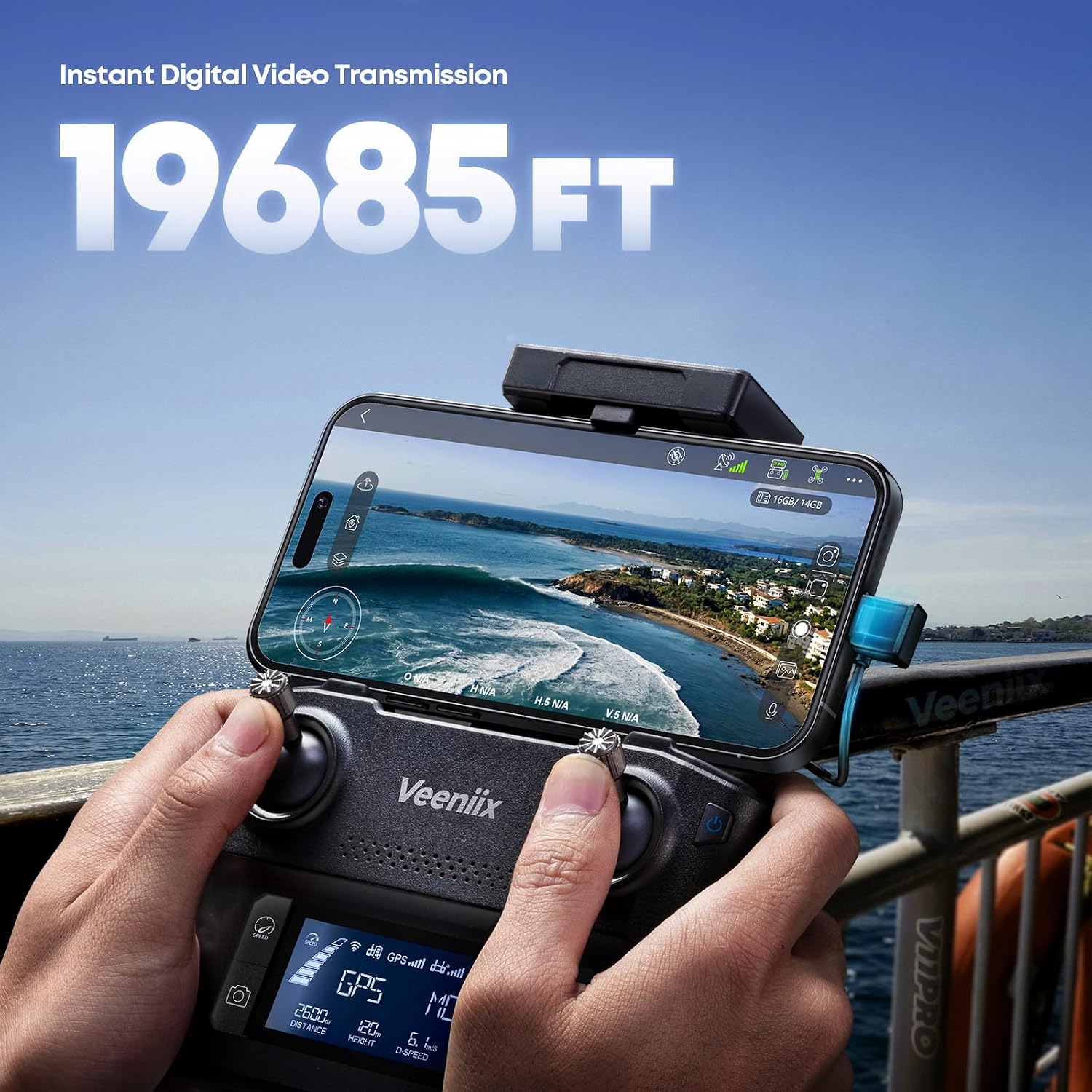
Figure 11: The V11PRO's extended video transmission range.
Video 1: Official Veeniix V11PRO 8K Drone promotional video, showcasing flight capabilities and camera quality.
Video 2: Aerial footage captured by the Veeniix V11PRO drone, demonstrating its video transmission quality in an autumn setting.
Video 3: Stunning views captured with the V11PRO drone, showcasing its camera and transmission capabilities.
6. Advanced Flight Technology
The drone incorporates a TOF (Time-of-Flight) sensor, a vision system, and navigation lights for stable hovering, precise landing, and easy view tracking. The Auto Return feature automatically brings the drone back to its take-off point in case of low battery or loss of connection, ensuring a secure flight experience.
Maintenance
1. Battery Care
To prolong battery life and ensure safety, allow batteries to automatically discharge after 48 days of non-use. Always store batteries in a cool, dry place. Use only the provided PD3.0 fast charger.

Figure 12: Extended flight time with two batteries.
2. Propeller Replacement
Regularly inspect propellers for cracks, bends, or chips. Replace damaged propellers immediately using the spare set provided. Refer to the detailed instructions in the included Flight Safety Guide for proper replacement procedures.
3. Cleaning
Gently clean the drone body, camera lens, and sensors with a soft, dry cloth. Avoid using harsh chemicals or abrasive materials that could damage components.
Troubleshooting
| Problem | Possible Cause | Solution |
|---|---|---|
| Drone does not power on | Low battery; incorrect battery installation. | Charge battery fully; ensure battery is inserted correctly. |
| Unstable flight/Drifting | Weak GPS signal; strong winds; uncalibrated sensors. | Fly in open areas with strong GPS; avoid high winds; calibrate drone sensors via app. |
| No video feed on app | Loose cable connection; app not properly connected; drone not powered on. | Ensure RC cable is secure; restart app and drone; confirm drone is powered. |
| Poor image/video quality | Dirty lens; gimbal protector still on; low light conditions. | Clean camera lens; remove gimbal protector; fly in adequate lighting. |
Specifications
| Feature | Detail |
|---|---|
| Brand | Veeniix |
| Model Name | V11PRO |
| Video Capture Resolution | 4K |
| Effective Still Resolution | 47.99 MP (8K Images) |
| Optical Sensor Technology | 1/2" CMOS Sensor |
| Gimbal | 3-Axis Gimbal with EIS Anti-shake |
| Flight Time | 80 minutes (with 2 batteries, 40 min each) |
| Battery Capacity | 3500 Milliamp Hours (per battery) |
| Charging | Fast PD3.0 charging |
| Maximum Range | 6000 Meters (6KM) |
| Control Type | Remote Control, App Control |
| Item Weight | 650 Grams (1.43 pounds) |
| Dimensions | 13.78"L x 13.78"W x 3.26"H |
| Wind Resistance | Level 5 (approx. 24 mph) |
| Special Features | Extended Flight Time, Integrated GPS, App Control, Remote Control, 4K Video, 8K Photo, 3-axis Gimbal, TOF Sensor, Vision System, Navigation Lights, Auto Return. |
Warranty and Support
Veeniix offers a comprehensive 1-year quality warranty for your peace of mind. For any technical support, inquiries about drone accessories, or assistance with FAA registration, please reach out to our dedicated Veeniix Support Team. Contact information can be found on the official Veeniix website or through your purchase platform.
Ask a question about this manual
Ask about setup, troubleshooting, compatibility, parts, safety, or missing instructions. Manuals+ will review the question and use this page’s manual context to help answer it.