
Introduction
This manual provides instructions for the proper installation and maintenance of Chuancheng replacement dust bags designed for the Eureka J12 Ultra robot vacuum cleaner. These dust bags are essential components for maintaining the cleaning efficiency and hygiene of your robot vacuum.
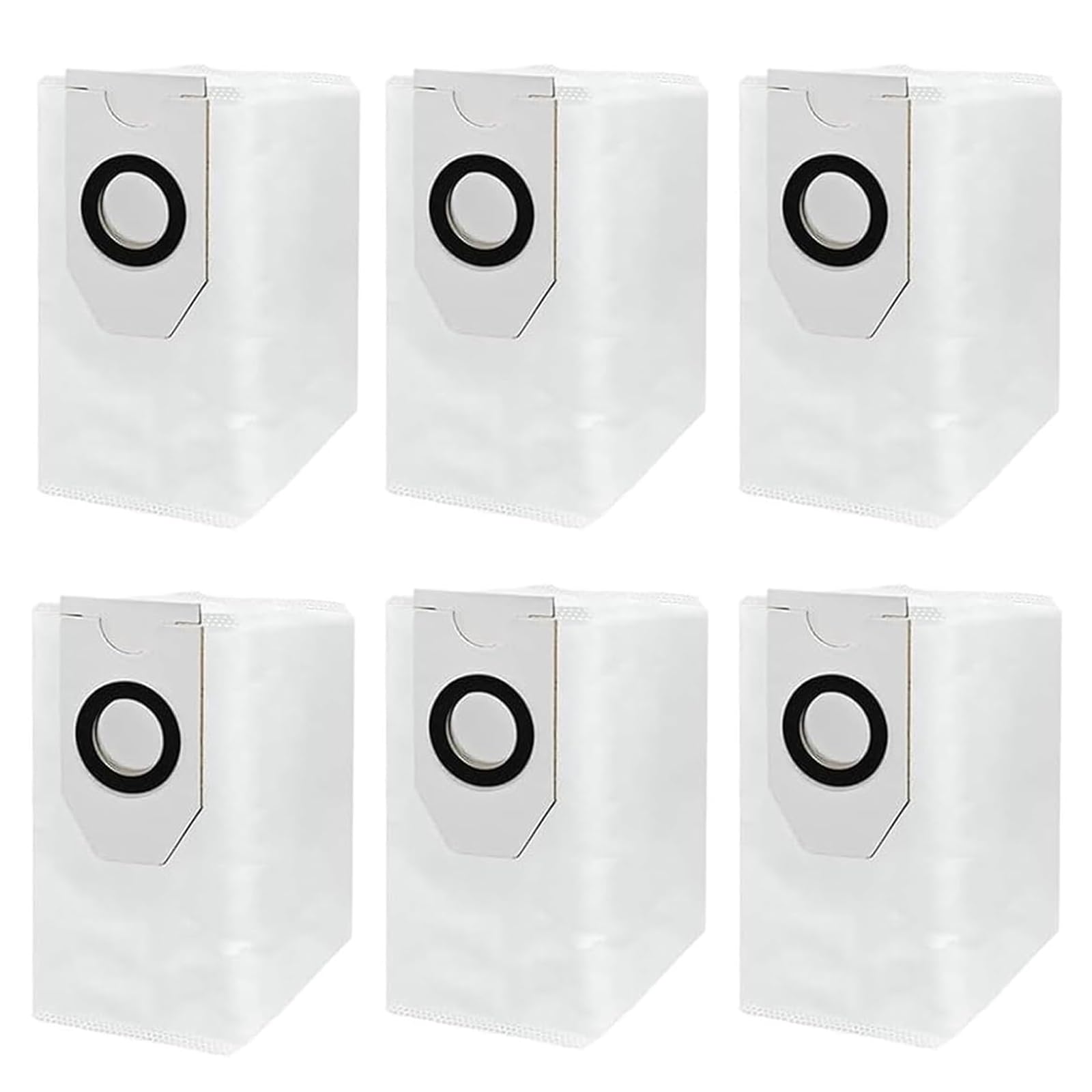
Image: Overview of compatible robot vacuum cleaners, highlighting the dust bag's purpose.
Compatibility
These replacement dust bags are specifically designed for the Eureka J12 Ultra robot vacuum cleaner. Ensure your vacuum cleaner model matches this specification for optimal performance and fit.
Setup and Installation
Follow these steps to correctly install a new dust bag into your Eureka J12 Ultra robot vacuum cleaner:
- Power Off: Before beginning, ensure your Eureka J12 Ultra robot vacuum cleaner is powered off and disconnected from its charging base.
- Locate Dust Bin: Identify the dust bin or dust bag compartment on your robot vacuum cleaner. Refer to your vacuum's main user manual if you are unsure of its location.
- Open Compartment: Carefully open the dust bin or dust bag compartment cover.
- Remove Old Bag (if applicable): If an old dust bag is present, gently pull it out. Dispose of the used bag responsibly.
- Insert New Bag: Take a new Chuancheng dust bag. Align the opening of the new bag with the slot in the compartment. Push the bag firmly until it is securely seated. Ensure the bag's collar is flush with the compartment opening to prevent dust leakage.
- Close Compartment: Close the dust bin or dust bag compartment cover until it clicks into place, indicating it is properly sealed.

Image: Chuancheng replacement dust bags ready for installation.
Operating Principles
These dust bags are constructed from durable non-woven fabric, designed for effective dust filtration. They capture fine dust particles, dirt, and debris, preventing them from re-entering the air. This process helps maintain a cleaner and healthier home environment by trapping approximately 99% of collected particles.

Image: Illustration of a dust bag's filtration capability, contributing to clean air.
Maintenance and Replacement
Regular replacement of the dust bag is crucial for maintaining the peak performance of your Eureka J12 Ultra robot vacuum cleaner. It is recommended to replace the dust bag every 2 to 3 months, or sooner if the bag appears full or suction power decreases significantly. Each dust bag has a large capacity, capable of collecting dust and debris for up to 60 days under typical usage conditions, reducing the frequency of manual emptying.

Image: Visual representation of the dust bag's capacity and replacement cycle.
Troubleshooting
- Reduced Suction Power: If your robot vacuum experiences reduced suction, first check if the dust bag is full. A full bag will impede airflow. Replace the bag if necessary.
- Dust Leakage: Ensure the dust bag is correctly inserted and sealed within its compartment. An improperly seated bag can allow dust to escape.
- Unusual Noises: While not directly related to the dust bag, if you hear unusual noises, ensure the bag is not obstructing any moving parts within the dust bin compartment.
Specifications
| Product Name | Replacement Dust Bags |
| Brand | Chuancheng |
| Compatibility | Eureka J12 Ultra Robot Vacuum Cleaner |
| Material | Non-woven Fabric |
| Package Contents | 6 x Dust Bags |
| Approximate Dimensions (H x W x D) | 220mm (8.7in) x 190mm (7.5in) x 120mm (4.7in) |

Image: Detailed dimensions of the replacement dust bag.
Support
For further assistance or inquiries regarding your Chuancheng replacement dust bags, please refer to the contact information provided with your purchase or visit the official Chuancheng store page on Amazon.