
1. Introduction
This manual provides essential instructions for the safe and effective use of your CNBRO Smart Health Ring JYR18FS. This device is designed to monitor various health metrics including heart rate, sleep patterns, and activity levels. Please read this manual thoroughly before using the product and retain it for future reference.
2. Safety Information
- Do not attempt to disassemble, repair, or modify the device. This may cause damage, electric shock, or fire.
- Keep the device away from extreme temperatures, direct sunlight, and high humidity.
- This device is IP68 waterproof, suitable for daily use like hand washing and showering. However, it is not suitable for hot water bathing, diving, or water-related work involving high pressure or prolonged submersion.
- Consult a medical professional before starting any new exercise regimen or if you have pre-existing health conditions. This device is not a medical device and should not be used for diagnostic or treatment purposes.
- Keep out of reach of children.
3. Package Contents
Verify that all items are present in your package:
- CNBRO Smart Health Ring (JYR18FS) x 1
- Magnetic Charging Cable x 1
- User Manual x 1
4. Product Overview
The CNBRO Smart Health Ring is a compact wearable device designed for continuous health monitoring and smart control. It features a durable alloy construction and integrates advanced sensors for tracking various physiological data.
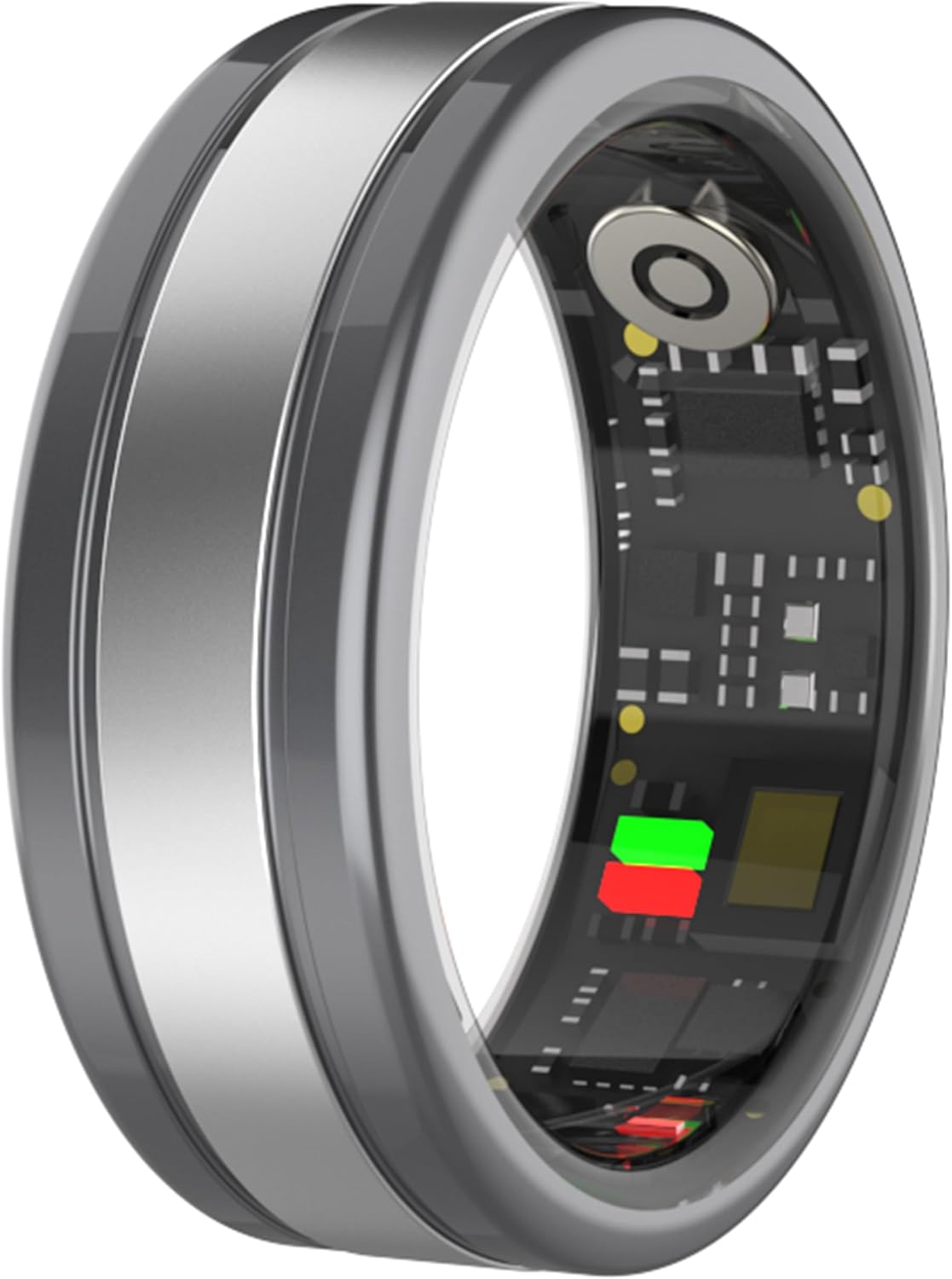
Image 4.1: Internal view of the Smart Health Ring, showcasing its integrated circuit board and sensors. This image illustrates the compact design and technology embedded within the ring for health tracking.
The ring's internal structure includes a high-performance heart rate sensor, a battery, and Bluetooth connectivity for data synchronization with your smartphone.
5. Setup
5.1. Charging the Device
Before first use, fully charge your Smart Health Ring.
- Connect the magnetic charging cable to a USB power adapter (not included) or a computer's USB port.
- Attach the magnetic end of the cable to the charging contacts on the ring. Ensure a secure connection.
- The ring will indicate charging status (e.g., an LED indicator or app notification). A full charge typically takes about 1 hour.
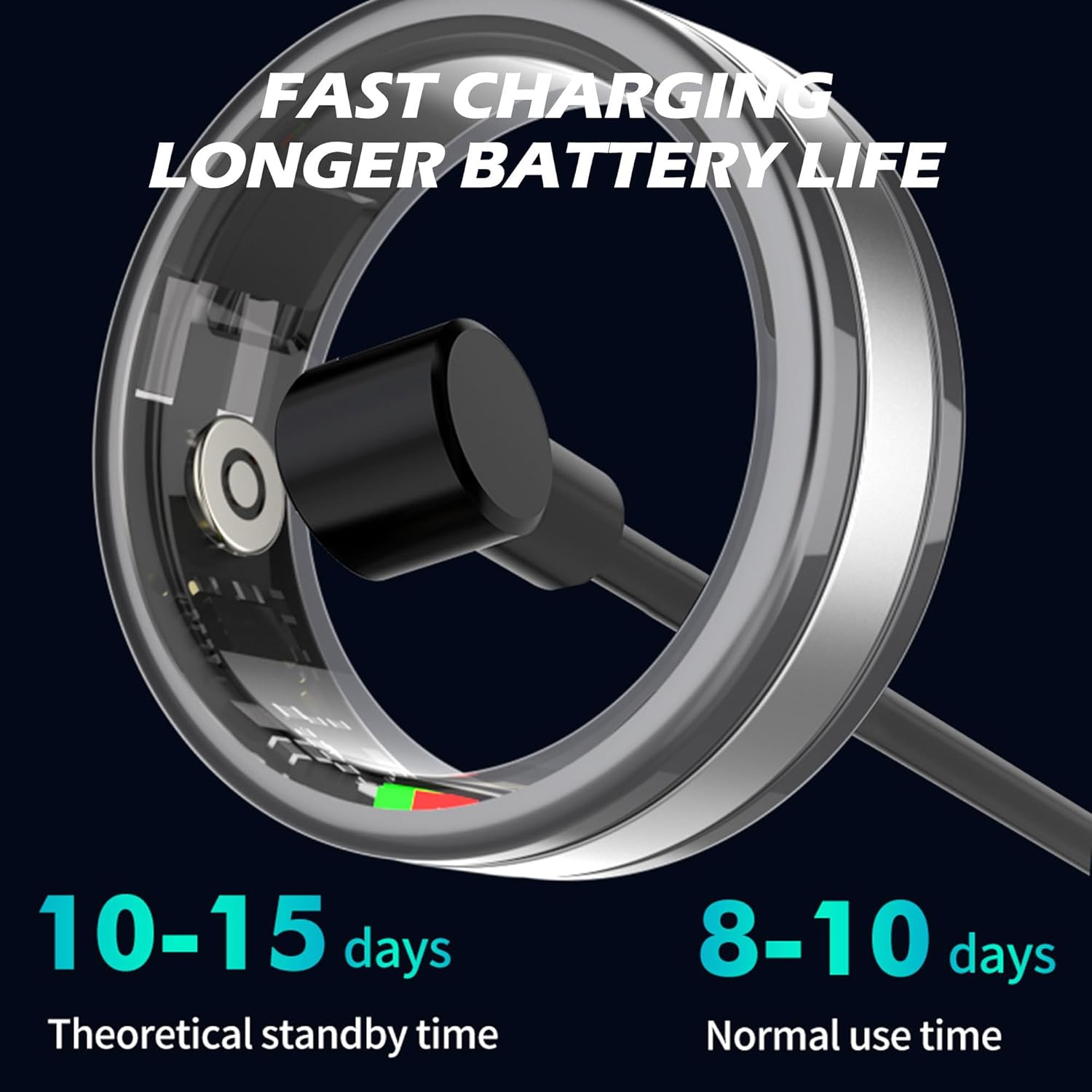
Image 5.1: The Smart Health Ring connected to its magnetic charging cable. This image demonstrates the proper method for charging the device, highlighting the magnetic connection point.
A full charge provides approximately 3-5 days of working time, with a theoretical standby time of 10-15 days.
5.2. App Installation and Pairing
The CNBRO Smart Health Ring uses the "JRING" application for data synchronization and advanced features.
- Download the "JRING" app from the App Store (for iOS 11.0 or above) or Google Play Store (for Android 6.0 or above).
- Ensure your phone's Bluetooth is enabled.
- Open the JRING app and follow the on-screen instructions to create an account or log in.
- Within the app, navigate to the device pairing section and select your Smart Health Ring from the list of available devices.
- Confirm the pairing request on both your phone and, if prompted, on the ring.
5.3. Ring Sizing
For accurate readings and comfortable wear, ensure you have the correct ring size. The following are standard US ring sizes with corresponding inner diameters and circumferences:
| US Size | Inner Diameter (mm) | Circumference (mm) |
|---|---|---|
| 8 | 18.1 | 56.8 |
| 9 | 18.9 | 59.3 |
| 10 | 19.8 | 62.2 |
| 11 | 20.6 | 64.7 |
| 12 | 21.5 | 67.2 |
Wear the ring on the finger that provides the most comfortable fit and stable contact with your skin for optimal sensor performance.
6. Operating Instructions
Once paired with the JRING app, your Smart Health Ring will automatically begin tracking data. You can access and manage various functions through the app.
6.1. Health Monitoring
The ring continuously monitors key health metrics:
- Heart Rate Monitor: The built-in green light sensor measures your heart rate. Real-time data can be viewed in the JRING app.
- Sleep Tracker: The ring automatically monitors your sleep patterns at night, recording duration, analyzing sleep data, and identifying sleep depth.
- Blood Oxygen Level: You can manually trigger blood oxygen measurements through the JRING app.

Image 6.1: Screenshots from the JRING app showing real-time heart rate monitoring, blood oxygen measurement, and sleep tracking data. This image illustrates the health metrics provided by the ring and displayed within the companion application.
6.2. Sports Modes and Activity Tracking
The ring supports various sports modes and tracks your daily activity:
- Pedometer: Tracks steps taken, calories burned, and distance covered.
- Multiple Sports Modes: Supports common exercises like walking, running, and cycling. After completing an exercise, review detailed data such as exercise time, distance, heart rate changes, and calories consumed within the JRING app.

Image 6.2: The Smart Health Ring alongside a smartphone displaying the JRING app's interface for tracking various sports modes, including walking data. This image highlights the ring's capability to monitor and present exercise statistics.
6.3. Gesture Control
The Smart Health Ring offers convenient gesture controls for interacting with your smartphone:
- Remote Photography: Use a specific finger gesture to remotely trigger your phone's camera, allowing for hands-free photo capture.
- Page Turning/Scrolling: Control short video playback or scroll through pages on your phone with simple ring gestures.

Image 6.3: A hand demonstrating the gesture used with the Smart Health Ring to remotely activate a smartphone camera for taking photos. This image illustrates the convenience of hands-free photography.

Image 6.4: A hand wearing the Smart Health Ring performing a gesture to turn pages or scroll content on a smartphone. This image demonstrates the ring's capability for convenient, single-finger control of phone functions.
7. Maintenance
7.1. Cleaning
To maintain optimal performance and hygiene, clean your Smart Health Ring regularly:
- Wipe the ring with a soft, damp cloth.
- Avoid using abrasive cleaners, solvents, or harsh chemicals, as these can damage the finish and internal components.
- Ensure the charging contacts are clean and dry before charging.
7.2. Water Resistance
The CNBRO Smart Health Ring is rated IP68 waterproof.
- This means it is resistant to dust and can withstand immersion in water up to 1.5 meters for up to 30 minutes.
- It is suitable for everyday activities such as hand washing, showering, and exposure to rain.
- Important: The device is not suitable for hot water bathing, diving, or water-related work that involves high water pressure or prolonged submersion beyond its IP68 rating. Exposure to hot water or steam can compromise the waterproof seals.

Image 7.1: Two Smart Health Rings shown with water splashing, illustrating their IP68 waterproof design. This image emphasizes the device's durability against water exposure for daily use.
8. Troubleshooting
If you encounter issues with your Smart Health Ring, refer to the following common solutions:
| Problem | Possible Cause | Solution |
|---|---|---|
| Ring not connecting to app | Bluetooth off, ring out of battery, app issue, pairing lost. | Ensure Bluetooth is on. Charge the ring. Restart the JRING app. Try re-pairing the device through the app settings. Restart your phone. |
| Inaccurate battery level display | App synchronization delay, software glitch. | Force close and reopen the JRING app. Disconnect and reconnect the charger if charging. Allow time for the app to update. |
| Health data not updating | Ring not worn correctly, app not running in background, Bluetooth disconnected. | Ensure the ring is worn snugly on your finger. Check app permissions for background activity. Verify Bluetooth connection. |
| Gesture control not working | Incorrect gesture, app not active, ring not paired. | Review the correct gestures in the app. Ensure the JRING app is open and connected. Re-pair the ring if necessary. |
If the problem persists, please contact customer support.
9. Specifications
| Feature | Detail |
|---|---|
| Model Number | JYR18FS |
| Brand | CNBRO |
| Bluetooth Version | 5.1 |
| Charging Type | Magnetic Charging |
| Full Charge Time | Approximately 1 Hour |
| Ring Battery Capacity | 17.5mAh (Lithium Metal) |
| Working Time | 3-5 days (normal use) |
| Standby Time | 10-15 days (theoretical) |
| Companion App | JRING |
| OS Compatibility | iOS 11.0 or above, Android 6.0 or above |
| Ring Material | Alloy |
| Waterproof Rating | IP68 |
| Weight | 2.9g (ring only) / 3.52 ounces (package) |
10. Warranty and Support
For any questions, technical assistance, or warranty claims regarding your CNBRO Smart Health Ring, please contact our customer support team. Refer to the contact information provided with your purchase or on the official CNBRO website.
We are committed to providing the best possible solution for your needs.