
Introduction
Thank you for choosing the Silvercrest Cordless Hard Floor Cleaner. This device is designed for efficient and versatile cleaning of various hard floor types, including laminate, tile, wood, and vinyl. Its cordless operation, powerful Li-Ion battery, and dual-action cleaning system provide a thorough and convenient cleaning experience. Please read this manual carefully before first use to ensure proper operation, maintenance, and safety.
Important Safety Instructions
Always follow basic safety precautions when using electrical appliances to reduce the risk of fire, electric shock, or injury.
- General Safety: Keep the appliance away from children. Do not immerse the appliance in water. Use only as described in this manual.
- Electrical Safety: Use only the provided charging adapter. Do not handle the charger or appliance with wet hands. Disconnect the charger from the power supply before cleaning or maintenance.
- Battery Safety: The appliance is equipped with a 14.8V Li-Ion battery. Do not expose the battery to high temperatures or direct sunlight. Do not attempt to open or modify the battery. Dispose of batteries responsibly according to local regulations.
- Usage Restrictions: Do not use the appliance to pick up flammable or combustible liquids, hot ashes, or sharp objects. Ensure the dirty water tank is emptied regularly to prevent overflow.
Package Contents
Carefully unpack all items and ensure you have received the following components:
- Silvercrest Cordless Hard Floor Cleaner main unit
- Handle assembly
- Charging station / Base
- Power adapter
- Clean water tank
- Dirty water tank
- Roller brush (pre-installed or separate)
- Instruction Manual

Image: All components included in the Silvercrest Cordless Hard Floor Cleaner package.
Assembly
Follow these steps to assemble your hard floor cleaner:
- Insert the handle assembly into the main body of the cleaner until it clicks securely into place.
- Ensure the clean water tank and dirty water tank are correctly seated in their respective positions.
- Place the assembled cleaner onto the charging station.

Image: The fully assembled Silvercrest Cordless Hard Floor Cleaner.
Setup
Charging the Battery
Before first use, fully charge the appliance. A full charge typically takes several hours.
- Connect the power adapter to the charging station.
- Plug the power adapter into a suitable wall outlet.
- Place the cleaner onto the charging station. The charging indicator light will illuminate to show it is charging.
- Once fully charged, the indicator light may change or turn off. Disconnect the charger when not in use.
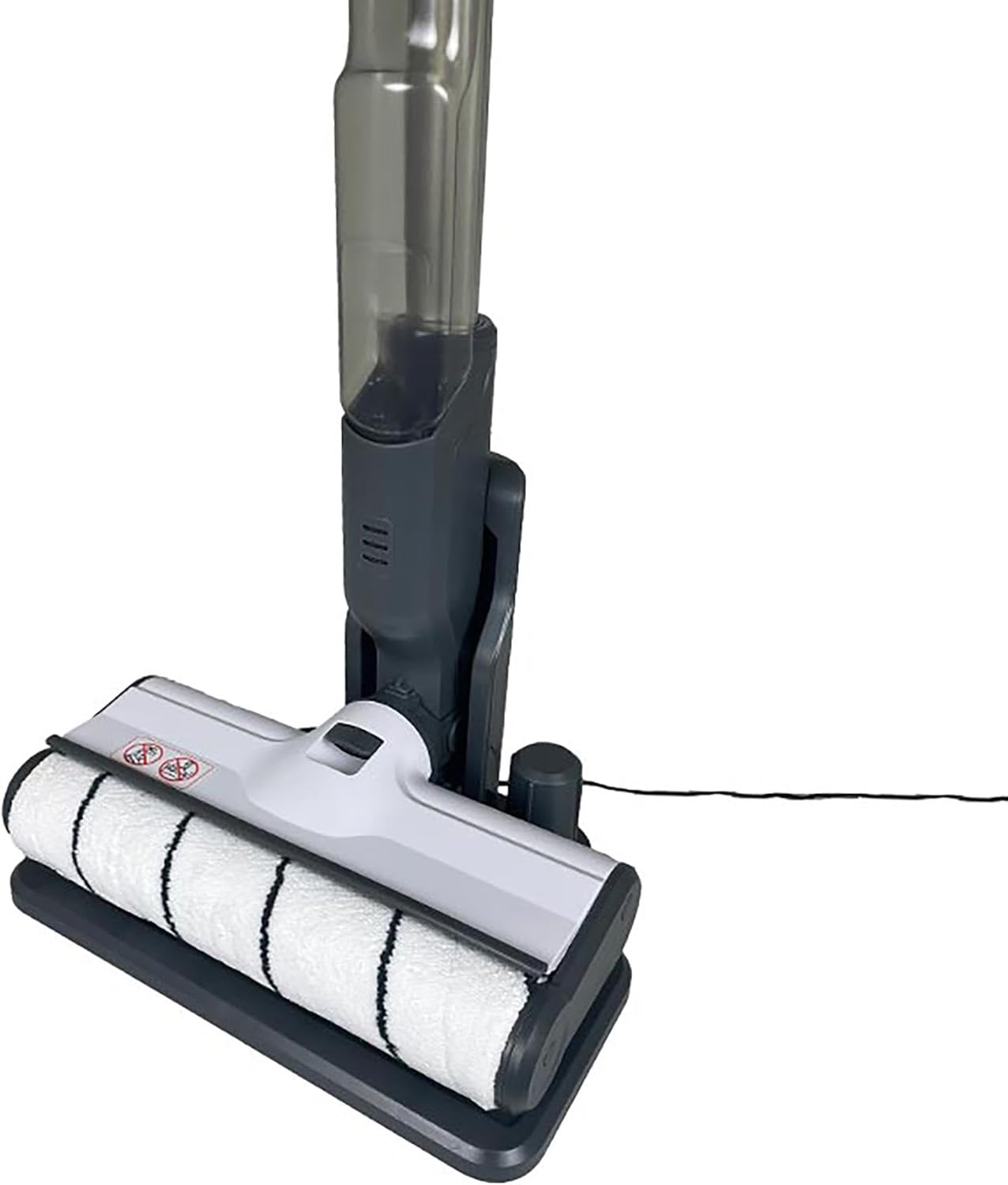
Image: The hard floor cleaner docked on its charging station.
Filling the Clean Water Tank
The clean water tank has a capacity of 250 ml.
- Remove the clean water tank from the appliance.
- Open the tank cap and fill it with clean tap water. You may add a small amount of suitable hard floor cleaning solution if desired, following the solution manufacturer's instructions. Do not overfill.
- Close the tank cap securely and reinsert the clean water tank into the appliance until it clicks into place.
Operating Instructions
Powering On/Off
Press the power button located on the handle to turn the appliance on. Press it again to turn it off.
Cleaning Process
The Silvercrest Cordless Hard Floor Cleaner combines vacuuming and mopping functions for comprehensive cleaning.
- Ensure the clean water tank is filled and the dirty water tank is empty.
- Turn on the appliance. The roller brush will begin to rotate, and water will be dispensed onto the floor.
- Slowly move the cleaner across the hard floor surface. The rotating brush will scrub the floor, and the suction will pick up dirty water and debris.
- For heavily soiled areas, you may need to pass over them multiple times.
Water Management
The appliance features a 250 ml dirty water tank to collect used water and debris. Monitor the dirty water tank during operation and empty it when it reaches its maximum fill level to prevent overflow and maintain cleaning efficiency.
Maintenance
Regular maintenance ensures optimal performance and extends the lifespan of your cleaner.
Emptying the Dirty Water Tank
- Turn off the appliance and remove the dirty water tank.
- Carefully open the tank and dispose of the dirty water and collected debris.
- Rinse the dirty water tank thoroughly with clean water and allow it to air dry before reinserting.
Cleaning the Roller Brush
The roller brush should be cleaned regularly to prevent odor and maintain cleaning effectiveness.
- Turn off the appliance and remove the roller brush cover.
- Remove the roller brush.
- Rinse the roller brush under running water to remove dirt, hair, and debris. Use a brush if necessary.
- Allow the roller brush to air dry completely before reinserting it into the appliance.
Cleaning the Device Exterior
Wipe the exterior of the appliance with a soft, damp cloth. Do not use abrasive cleaners or solvents.
Storage
When not in use, store the Silvercrest Cordless Hard Floor Cleaner in a dry, cool place. Ensure both water tanks are empty and clean, and the battery is charged to prolong its life. Store the appliance on its charging station if possible.
Troubleshooting
If you encounter issues with your appliance, refer to the following table for common problems and solutions.
| Problem | Possible Cause | Solution |
|---|---|---|
| Appliance does not turn on | Battery is not charged | Charge the battery fully. |
| No water dispensed | Clean water tank is empty or incorrectly installed | Fill the clean water tank and ensure it is properly seated. |
| Poor cleaning performance | Roller brush is dirty or worn | Clean or replace the roller brush. |
| Dirty water tank overflows | Dirty water tank is full | Empty the dirty water tank. |
| Unusual noise during operation | Obstruction in the roller brush area or motor | Turn off the appliance and check for any obstructions. Clean the roller brush. |
Specifications
Key technical specifications for the Silvercrest Cordless Hard Floor Cleaner:
| Feature | Specification |
|---|---|
| Model Name | Silvercrest Cordless Hard Floor Cleaner |
| Battery Type | Li-Ion |
| Voltage | 14.8 Volts |
| Clean Water Tank Capacity | 250 Milliliters |
| Dirty Water Tank Capacity | 250 Milliliters |
| Color | Grey |
| Special Feature | Cordless operation |

Image: Product label with technical details on the underside of the cleaner.
Warranty and Support
Specific warranty details and support contact information are not available in the provided product data. Please refer to the packaging or the retailer's website for warranty terms and customer support contacts.


