
1. Introduction
This manual provides instructions for the proper use and maintenance of your Tayfun Hantech HNT-F24VMTC/S Air Conditioner Remote Control. Please read this manual carefully before using the remote control to ensure optimal performance and longevity. This remote control is compatible with Hantech Eisturm HNT-F24VMTC/S air conditioner models.
2. Setup: Battery Installation
To begin using your remote control, you must first install the batteries.
- Locate the battery compartment on the back of the remote control.
- Slide open the battery compartment cover.
- Insert new batteries (typically AAA, not included) according to the polarity indicators (+ and -) inside the compartment.
- Close the battery compartment cover securely.
Important Notes:
- If the remote control is not used for an extended period, remove the batteries to prevent leakage and damage.
- After battery installation, the refrigeration (cooling) and heating symbols will flash alternately. This indicates the remote is ready for mode setting.
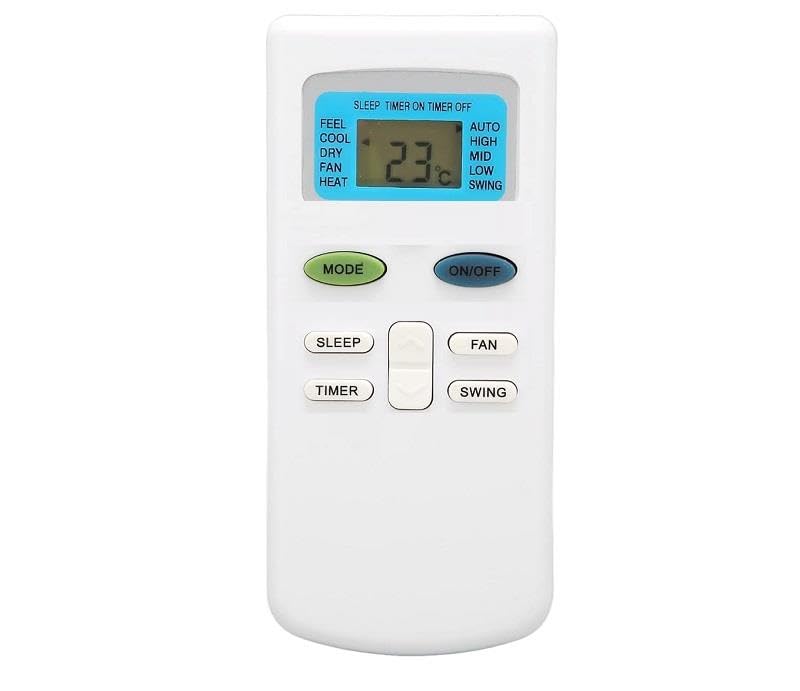
Image: Back of the remote control with the battery cover removed, illustrating the battery compartment and printed instructions for use.
3. Operating Instructions
This remote control is designed to operate your Hantech Eisturm air conditioner with ease. It supports both cooling and heating modes.
3.1. Mode Selection (Cooling/Heating)
- After battery installation, the refrigeration and heating symbols will flash alternately.
- To set the Cooling mode: Press any key. A single cold symbol will display.
- To set the Heating mode: Press any key. A single heating symbol will display.
- To confirm the selection, press any key to set the air conditioner to the desired mode.
3.2. General Use
- Point the remote control directly at the air conditioner's receiver.
- Ensure there are no obstructions between the remote control and the air conditioner.
- The remote features a soft keypad for comfortable operation and a super-fast sensor for responsive commands.
4. Care and Maintenance
- Clean the remote control with a soft, dry cloth. Do not use liquid cleaners or abrasive materials.
- Avoid dropping the remote control or exposing it to strong impacts.
- Keep the remote control away from direct sunlight, high temperatures, and high humidity.
- If the remote control is unresponsive, check the batteries and replace them if necessary.
5. Troubleshooting
5.1. Remote Control Not Responding
- Check if the batteries are installed correctly with the correct polarity.
- Replace old batteries with new ones.
- Ensure there are no obstructions between the remote and the air conditioner.
5.2. Air Conditioner Not Entering Heating Mode
If the air conditioner does not enter the heating mode as expected:
- Reinstall the batteries according to the setup steps. This can reset the remote's mode selection.
- Ensure the air conditioner itself supports heating mode and is functioning correctly.
6. Specifications
| Brand | Tayfun |
| Model Number | HNT-F24VMTC/S |
| Manufacturer Part Number | 3524410075426 |
| ASIN | B0DD8GHBT3 |
| Compatibility | Hantech Eisturm HNT-F24VMTC/S Air Conditioners |
| Material | 1st class ABS plastic |