
Introduction
This manual provides detailed instructions for the operation and maintenance of your MTCA AC-S2 Helmet Action Camera. Please read this manual thoroughly before use to ensure proper functionality and to maximize your experience with the device.
Package Contents
- Action Camera
- User Manual
- USB Cable
- Helmet Mounting Accessories

Image: The MTCA AC-S2 camera displayed with its included helmet mounting accessories, such as adhesive pads and various articulated joints.
Product Features
- 4K Ultra HD Video & 16MP Photos: Capture high-resolution videos and images. Features a 180° rotatable screen for versatile shooting.
- Advanced 6-Axis Gyro Stabilization: Ensures smooth video recording in dynamic environments.
- Waterproof & Durable: IP68 waterproof housing for use in various weather conditions and water sports.
- Long Battery Life: Up to 3.5 hours of recording on a single charge, with support for recording while charging.
- 145° Wide-Angle Lens: Expansive field of view with smart features like pre-record, post-record, time-lapse, and loop recording.
- WiFi Connectivity: Connects to a mobile app for video transfers, live previews, and sharing.
Setup Guide
1. Initial Device Preparation
Charging the Camera
Before first use, fully charge the camera using the provided USB cable. Connect the USB cable to the camera's charging port and a compatible power source. Ensure the charger output is within 5V1A or 5V2A (10 Watts maximum) to prevent internal damage. Avoid using fast chargers with higher wattage.

Image: Illustration of the camera's charging port and a warning against using high-wattage fast chargers. Only 5V1A or 5V2A chargers are recommended.
Inserting the TF Card (Micro SD Card)
The camera supports Micro SD cards. For optimal performance and to prevent recording issues, it is crucial to use high-transferring TF cards (Class 10 or higher, with a reading speed of at least 140MB/s). Always format the TF card within the camera's settings before official use.
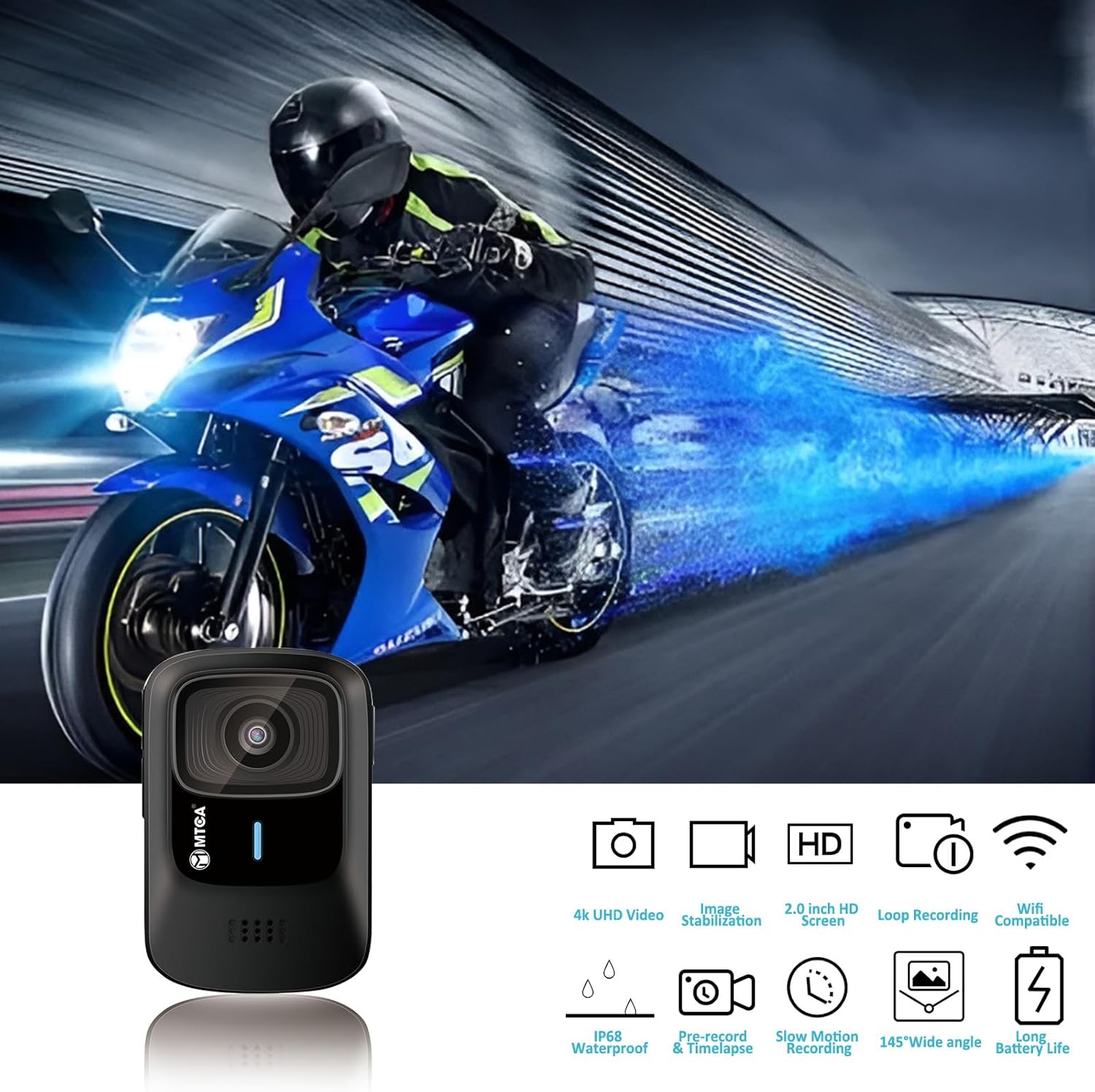
Image: The side of the MTCA AC-S2 camera revealing the Micro SD card slot. Ensure the card is inserted correctly.
2. Mounting the Camera
The MTCA AC-S2 comes with various helmet mounting accessories for different applications. Choose the appropriate mount for your helmet type (motorcycle, bicycle) or other surfaces. Ensure the mount is securely attached before use.
Operating Your Camera
1. Power On/Off
To power on the camera, press and hold the power button located on the left side. The MTCA logo will appear on the screen. To power off, press and hold the power button again.
2. Touchscreen Interface
The camera features a responsive touchscreen for easy navigation. Swipe to access different modes and settings. The screen also provides a live preview of your recording, battery status, remaining SD card space, and current recording resolution/frame rate.
3. Recording Modes
The MTCA AC-S2 offers several recording modes to suit various activities:
- Video: Standard video recording.
- Video Lapse: Records video at set intervals to create time-lapse footage.
- Slow Rec (Slow Motion): Captures high-frame-rate video for slow-motion playback (2x to 8x slow-down, 60 to 240 frames per second).
- Still: Captures high-resolution still photographs.
- Photo Lapse: Takes photos at set intervals for time-lapse photography.
- Video + Photo: Records video and captures still photos simultaneously.
- Car Mode: Optimized for use as a dash cam, often including loop recording.
- Vertical Video: Records video in a vertical orientation.

Image: The camera's touchscreen interface showing options for different recording modes, including video, photo, slow motion, and time-lapse.
4. Gyro Stabilization
The camera features advanced 6-axis gyro stabilization for smooth footage. This setting can be toggled on or off in the camera's settings menu. It is recommended to keep gyro stabilization ON for most moving activities like biking or motorcycling. Note that enabling gyro stabilization may slightly shrink the field of view.
Video: Demonstration of the 6-axis gyro stabilization feature, showing a comparison between stabilization off and on for smoother video capture during movement.
5. Resolution Settings
Adjust the video resolution and frame rate in the settings menu. For stationary recording or vlogging in good lighting, 4K 24FPS or 2K 30FPS is recommended. For moving activities like riding or walking, 1080p 60FPS is suitable. If battery endurance is a priority, selecting 1080p 30FPS is recommended.
6. WiFi Connectivity and App Usage
The MTCA AC-S2 can connect to your smartphone via WiFi for remote control, live preview, and file transfer. Download the "Motocam" app from your device's app store.
- On the camera, press the WiFi button to activate the WiFi hotspot. The SSID and password will be displayed.
- On your smartphone, enable location services and connect to the camera's WiFi network (SSID starting with "S2+"). The default password is "12345678".
- Open the Motocam app. Once connected, you can view a live feed, adjust settings, start/stop recording, and download recorded videos directly to your phone.
Video: Step-by-step guide on connecting the MTCA AC-S2 camera to a smartphone via WiFi using the Motocam app for remote control and file management.

Image: The camera's WiFi connectivity feature, illustrating how it connects to a phone for instant sharing of captured moments from various activities.
Maintenance
1. Battery Care
To prolong battery life, avoid using fast chargers. Use only 5V1A or 5V2A chargers. For extended recording sessions, consider using a power bank that supports charging while recording.
2. TF Card Management
Regularly format your TF card through the camera's settings to ensure stable recording and prevent data corruption. Always use high-quality, high-speed TF cards (Class 10, 140MB/s read speed minimum) from reputable brands.
Troubleshooting
Common Issues and Solutions:
- Shaky Footage: Ensure the 6-axis gyro stabilization is turned ON in the camera settings.
- Recording Problems (Missing/Discontinuous): Format the TF card regularly. Use a high-speed TF card (Class 10, 140MB/s read speed minimum).
- Short Battery Life: For maximum endurance, turn off WiFi and select 1080p 30FPS resolution. Turn off gyro sensor if not needed, and set screen saver to 30 seconds.
- Connectivity Issues with App: Ensure location services are enabled on your phone and you are connected to the correct camera WiFi network. Double-check the WiFi password.
Specifications
| Feature | Detail |
|---|---|
| Brand | MTCA |
| Model Number | S2 |
| Video Capture Resolution | 4K Ultra HD |
| Photo Sensor Technology | CMOS |
| Still Image Resolution | 16MP |
| Wide-Angle Lens | 145° |
| Stabilization | 6-Axis Gyro |
| Waterproof Rating | IP68 (with housing) |
| Screen Size | 2 Inches |
| Connectivity Technology | Wi-Fi |
| Battery Type | Lithium Ion |
| Item Weight | 12 ounces |
| Package Dimensions | 4.45 x 3.58 x 2.83 inches |
Warranty and Support
For warranty information and technical support, please refer to the official MTCA website or contact their customer service directly. Keep your purchase receipt for warranty claims.