
Introduction
This manual provides comprehensive instructions for the assembly, operation, and maintenance of your HOOBRO WH04SC01 Shoe Cabinet. Please read all instructions carefully before beginning assembly and retain this manual for future reference.
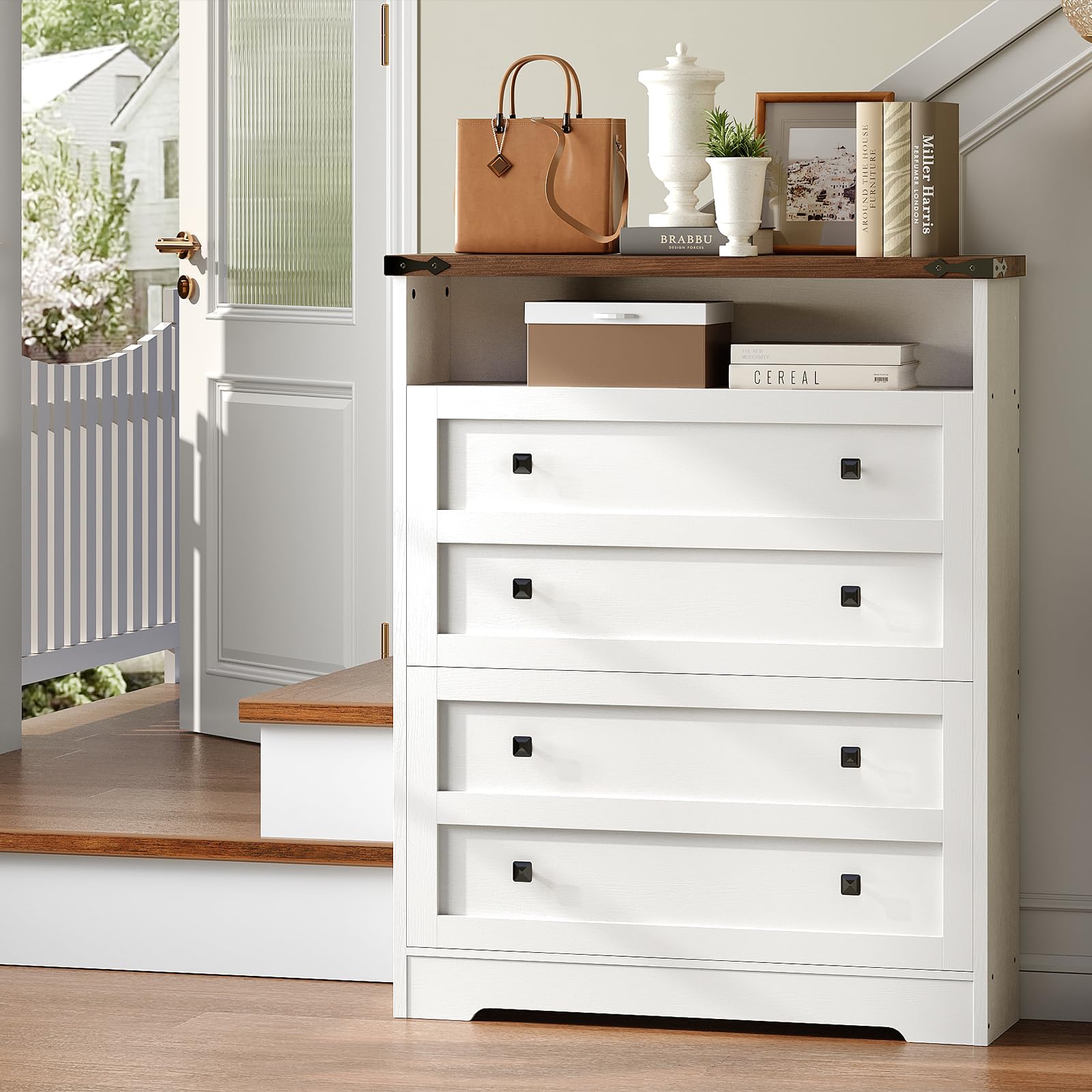
Image: The HOOBRO WH04SC01 Shoe Cabinet, featuring a white body and walnut-colored top, designed for entryway storage.
Safety Information
Your safety is paramount. Please adhere to the following safety guidelines:
- Anti-Tip Device: Always secure the cabinet to the wall using the included anti-tip kit to prevent accidental tipping. This is crucial for stability and safety, especially in households with children or pets.
- Assembly: Follow the installation instructions carefully. Due to the cabinet's size and weight, it is recommended that two people assemble and install the cabinet to ensure safety and ease of construction.
- Weight Capacity: Do not exceed the maximum weight capacity of 110 pounds (approximately 50 kg) on the top surface. Distribute weight evenly.
- Placement: Place the cabinet on a flat, stable surface. Avoid placing it in areas with high humidity or direct sunlight to prevent material damage.

Image: Illustration demonstrating the correct method for attaching the anti-tip device to the wall and the cabinet, highlighting its importance for safety.
Setup and Assembly
The HOOBRO WH04SC01 Shoe Cabinet requires assembly. Please ensure all parts are present before beginning.
- Unpack Components: Carefully unpack all components and lay them out on a clean, soft surface to prevent scratches. Verify that all numbered parts and hardware listed in the included manual are present.
- Follow Instructions: Refer to the detailed assembly manual provided in the packaging. Each step is numbered for clarity.
- Tools: All required tools for assembly are included. No additional tools should be necessary.
- Two-Person Assembly: It is strongly recommended that two individuals perform the assembly to manage larger components and ensure proper alignment.
- Anti-Tip Installation: Once assembled, securely attach the anti-tip device to the wall as instructed in the safety section and the assembly manual.

Image: Dimensional diagram of the shoe cabinet, illustrating its height, width, and depth, along with internal drawer measurements.
Operating Instructions
The HOOBRO WH04SC01 Shoe Cabinet is designed for efficient and discreet shoe storage.
- Flip Drawers: The cabinet features two flip-out drawers. Gently pull the handle to open each drawer, revealing the shoe compartments. Push to close.
- Adjustable Shelves: Each flip drawer contains an adjustable shelf. These shelves can be repositioned or removed to accommodate various shoe sizes, from flats to high heels. To adjust, carefully remove the shelf and reinsert it into the desired slot.
- Storage Capacity: The cabinet can typically hold 12-16 pairs of shoes, depending on shoe size and type.
- Open Compartment: The top section of the cabinet includes an open compartment, ideal for storing frequently used items such as bags, keys, or decorative items.

Image: Close-up view of the adjustable shelves within the flip drawers, demonstrating how they can be moved to fit different shoe heights.

Image: The shoe cabinet with both flip drawers open, showcasing shoes neatly stored on the internal shelves.
Maintenance
Proper care will extend the life and appearance of your shoe cabinet.
- Cleaning: Wipe surfaces with a soft, damp cloth. Avoid harsh chemicals or abrasive cleaners, which can damage the finish.
- Spills: Immediately wipe up any spills to prevent water damage or staining.
- Environmental Conditions: Keep the cabinet away from direct heat sources and excessive moisture. Maintain a stable room temperature and humidity level.
- Hardware Check: Periodically check all screws and fittings to ensure they remain tight. Retighten if necessary.
Troubleshooting
| Problem | Possible Cause | Solution |
|---|---|---|
| Difficulty during assembly | Incorrect part orientation, missing a step, or attempting assembly alone. | Review the assembly manual carefully. Ensure parts are oriented correctly. Enlist a second person for assistance, especially with larger or heavier components. |
| Cabinet feels unstable or wobbly | Screws are loose, cabinet not on a level surface, or anti-tip device not installed. | Check and tighten all screws. Ensure the cabinet is placed on a level floor. Install the anti-tip device as per instructions. |
| Flip drawers do not open/close smoothly | Obstruction, misaligned mechanism, or shoes are too large. | Check for any objects blocking the drawer mechanism. Ensure the drawer mechanism was assembled correctly. Adjust or remove internal shelves to accommodate shoe size. |
| Missing parts upon delivery | Packaging error or transit damage. | Contact HOOBRO customer support immediately with your purchase details and a list of missing parts. |
Specifications
| Feature | Detail |
|---|---|
| Brand | HOOBRO |
| Model Number | WH04SC01 |
| Color | White + Walnut |
| Material | Engineered Wood, Metal, Plastic |
| Product Dimensions (D x W x H) | 24D x 80W x 110H Centimetres (9.4"D x 31.5"W x 43.3"H) |
| Item Weight | 22.7 Kilograms (50 lbs) |
| Weight Capacity (Top) | 110 Pounds (50 kg) |
| Number of Drawers | 2 (Flip Drawers) |
| Number of Shelves | 3 (Adjustable within flip drawers, plus top open shelf) |
| Special Features | Adjustable Shelf, Flip Drawers, Anti-Tip Devices |
| Mounting Type | Floor Mount (with wall-anchoring anti-tip device) |
| Assembly Required | Yes |
Warranty and Support
For any questions, concerns, or issues regarding your HOOBRO WH04SC01 Shoe Cabinet, please contact customer support.
- Return Policy: This product is eligible for return, refund, or replacement within 30 days of receipt, subject to the retailer's terms and conditions.
- Manufacturer Support: For assistance with assembly, missing parts, or product defects, please contact HOOBRO customer service. Refer to your purchase documentation for specific contact information.
- Online Resources: Visit the official HOOBRO store or product page for additional information and support.