
1. Introduction
The Moondrop Ultrasonic TWS Earphones are designed to deliver high-fidelity audio with advanced features such as Active Noise Cancellation (ANC), LDAC high-resolution audio transmission, and Bluetooth 5.3 connectivity. This manual provides detailed instructions for setup, operation, and maintenance to ensure optimal performance and user experience.
2. Package Contents
Please verify that all items listed below are included in your package:
- Moondrop Ultrasonic Earphones
- Charging Case
- USB-C Charging Cable
- Multiple Sizes of Ear-tips
- Protective Case
- User Manual (this document)
- Service Card
- Certificate
- Prompt Card

Image: All contents included in the Moondrop Ultrasonic TWS Earphones package, including earphones, charging case, cables, and documentation.
3. Product Overview
3.1 Earphone Components
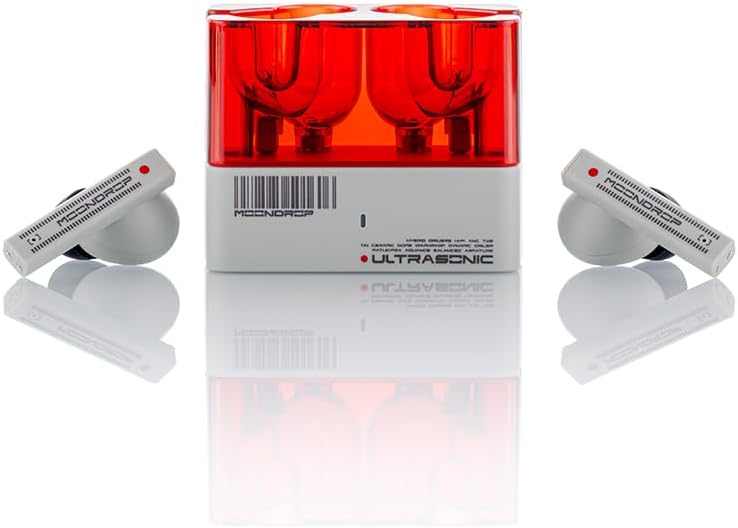
Image: The Moondrop Ultrasonic TWS Earphones and their charging case, showcasing the design.
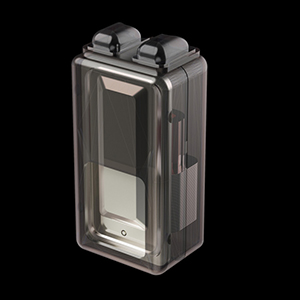
Image: An internal diagram illustrating the components of a Moondrop Ultrasonic earbud, including the drivers.
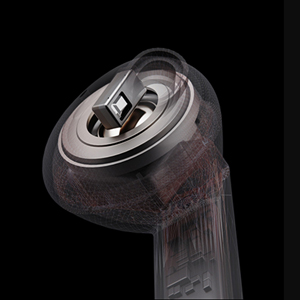
Image: An internal diagram of the Moondrop Ultrasonic charging case, showing the earbud slots and charging mechanism.
3.2 Key Features
- FRA Direct-Radiation Balanced Armature Tweeter: Utilizes direct radiation for high-frequency sound waves, reducing standing waves and delivering a wider ultra-high-frequency response.
- 13mm Sapphire Diaphragm Full-Frequency Dynamic Driver: A 13mm sapphire-coated dome composite diaphragm dynamic driver handles bass and mid-range frequencies, enhancing sound reproduction.
- Equidistant Transmission Two-Way Crossover Acoustic Structure: Ensures correct phase connection and restores soundstage and timbre by following the principle of equidistance in sound wave transmission.
- LDAC High-Definition Lossless Audio Transmission Protocol: Supports 24 bits/96 kHz transmission at bit rates up to 990kbps for high-resolution audio.
- 55ms Low-latency Game Mode: Provides a more comfortable gaming experience with reduced signal transmission delay.
- Depth Wide-band ANC (Active Noise Cancellation): Employs a single feedforward solution for effective noise cancellation with lossless sound quality.
- Bluetooth 5.3 Connectivity: Offers stable and efficient wireless connection.
4. Setup
4.1 Initial Charging
Before first use, place both earphones into the charging case and connect the case to a power source using the provided USB-C cable. Ensure the earphones and case are fully charged. The indicator light on the charging case will show charging status.
4.2 Bluetooth Pairing
- Open the charging case. The earphones will automatically enter pairing mode, indicated by a flashing light.
- On your device (smartphone, tablet, etc.), enable Bluetooth and search for available devices.
- Select "Moondrop Ultrasonic" from the list of detected devices to connect.
- Once connected, a voice prompt will confirm successful pairing.
4.3 Moondrop Link App Installation
For advanced features, customization, and firmware updates, download the official Moondrop Link 2.0 app. The app is available on Google Play Store for Android devices and the App Store for iOS devices.
Image: A screenshot of the Moondrop Link app interface, showing various settings and options.
5. Operating Instructions
5.1 Power On/Off
- Power On: Open the charging case, and the earphones will automatically power on and connect to the last paired device.
- Power Off: Place the earphones back into the charging case and close the lid. They will automatically disconnect and power off.
5.2 Touch Controls
The Moondrop Ultrasonic earphones feature touch-sensitive areas on the stem for control. Specific functions can be customized via the Moondrop Link app.
- Single Tap: Play/Pause music, Answer/End call.
- Double Tap: Next track (right earbud), Previous track (left earbud).
- Triple Tap: Activate voice assistant.
- Tap Four Times: Switch to Game Mode.
- Long Press: Switch between ANC, Transparency, and Normal modes.
5.3 Active Noise Cancellation (ANC) and Transparency Mode
The earphones offer Active Noise Cancellation to reduce ambient sound and Transparency Mode to allow you to hear your surroundings. Long press the touch area to cycle through ANC On, Transparency Mode, and ANC Off (Normal Mode).

Image: An earbud with an illustration of sound waves being cancelled, representing the Active Noise Cancellation feature.
5.4 Game Mode
Activate Game Mode by tapping the earphone faceplate four times. This mode reduces audio latency to as low as 55ms, providing a more synchronized audio-visual experience for gaming.
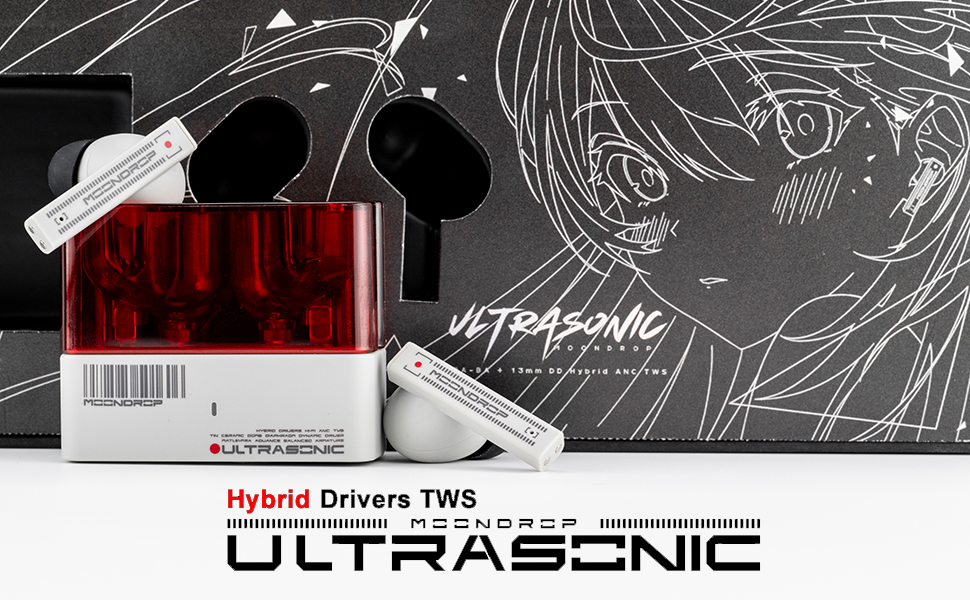
Image: A person using the Moondrop Ultrasonic earphones while engaged in mobile gaming, highlighting the low-latency game mode.
5.5 LDAC High-Definition Audio
The Moondrop Ultrasonic supports the LDAC high-definition lossless audio transmission protocol. To enable LDAC, ensure your connected device supports it and activate it through the Moondrop Link app settings. Note that LDAC may affect Bluetooth range and battery life.

Image: The LDAC and LE Audio logos displayed alongside an earbud, indicating support for high-resolution audio codecs.
5.6 Sound Tuning (EQ)
The Moondrop Link app allows you to select from five different sound tunings (EQ presets) to match your listening preferences. These include 'Monitor', 'Reference', 'Club' (Default), '89xx', and '336xx'.
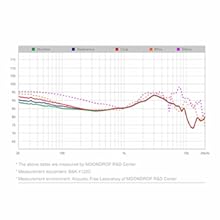
Image: A graph illustrating various sound tuning curves (EQ presets) that can be selected within the Moondrop Link application.
6. Maintenance
- Cleaning: Regularly clean the earphones and charging case with a soft, dry, lint-free cloth. Remove ear-tips and clean them with mild soap and water, ensuring they are completely dry before reattaching. Clean earwax and debris from the earphone nozzles using a small brush or cotton swab.
- Storage: When not in use, store the earphones in their charging case to protect them from dust and damage.
- Battery Care: Avoid exposing the earphones and charging case to extreme temperatures. For optimal battery longevity, avoid fully discharging the battery frequently.
7. Troubleshooting
If you encounter issues with your Moondrop Ultrasonic earphones, please refer to the following common solutions:
- No Sound: Ensure the earphones are charged, properly paired, and the volume on both the earphones and your device is turned up. Check if the correct audio output is selected on your device.
- Pairing Issues: Turn off Bluetooth on your device, then turn it back on. Try forgetting the device in your Bluetooth settings and re-pairing. Ensure the earphones are in pairing mode.
- ANC Not Working Effectively: Ensure the ear-tips provide a good seal in your ear canal. Adjust the ear-tips size if necessary. Check the Moondrop Link app to confirm ANC is enabled.
- App Connectivity Issues: Ensure your earphones are connected via Bluetooth to your device before opening the Moondrop Link app. Check for app updates.
- LDAC Not Activating: Verify that your audio source device supports LDAC. Enable LDAC within the Moondrop Link app. Some devices may require manual selection of the LDAC codec in developer options.
- Distortion at High Volume: If using custom EQ settings, especially with high gain, distortion may occur. Try reducing gain or using a default EQ preset.
For persistent issues, consult the Moondrop Link app for potential firmware updates or contact Moondrop customer support.
8. Specifications
| Feature | Specification |
|---|---|
| Model Name | Ultrasonic |
| Brand | Moondrop |
| Connectivity Technology | Wireless (Bluetooth) |
| Bluetooth Version | 5.3 |
| Audio Driver Type | Hybrid Driver (FRA Balanced Armature + 13mm Sapphire Dynamic) |
| Frequency Range | 20 Hz - 40,000 Hz |
| Noise Control | Active Noise Cancellation |
| Control Type | Touch Control |
| Battery Life (Earphones) | Up to 6 Hours |
| Charging Time | Approximately 1 Hour |
| Item Weight | 9.9 ounces (total) |
| Package Dimensions | 8.94 x 3.66 x 1.85 inches |
9. Warranty and Support
Moondrop products are covered by a limited warranty. For specific warranty terms and conditions, please refer to the warranty card included in your package or visit the official Moondrop website. For technical assistance, troubleshooting, or customer service inquiries, please contact Moondrop support through their official channels.

