
1. Introduction
This manual provides detailed instructions for the installation, operation, and maintenance of your TALOYA 42 Inch Ceiling Fan with LED Light and Remote Control. Please read this manual thoroughly before installation and keep it for future reference. This ceiling fan is designed to provide both air circulation and illumination for various indoor and covered outdoor spaces.
2. Safety Information
Always follow basic safety precautions when installing and operating electrical appliances to reduce the risk of fire, electric shock, and personal injury.
- Ensure the power is turned off at the circuit breaker before installation or maintenance.
- All wiring must be in accordance with national and local electrical codes. If you are unfamiliar with wiring, consult a qualified electrician.
- The mounting bracket must be securely fastened to the building structure.
- Do not bend the blade holders during installation or cleaning.
- Keep children away from the fan during operation.
- This fan is suitable for indoor and covered outdoor use. Do not expose to direct rain or sunlight.
3. Package Contents
Verify that all components are present before beginning installation:
- Ceiling Fan Motor Assembly
- 5 Fan Blades
- LED Light Kit
- Remote Control
- Mounting Hardware
- Downrod
- Instruction Manual
4. Setup and Installation
The TALOYA 42 Inch Ceiling Fan is designed for easy installation, with most complex procedures pre-completed. It can be installed on a 12° inclined ceiling or flat mounted using the included downrod. The fan blades feature a dual-finish design (Black and Wood Grain), allowing you to choose the aesthetic that best suits your space.
4.1 Blade Installation
The fan includes 5 dual-finish blades. Decide whether to display the black side or the wood grain side before attaching them to the motor assembly. Secure each blade using the provided screws.

Image: Fan blade showing reversible black and wood grain finishes.
4.2 Mounting the Fan
Attach the downrod to the motor assembly and then secure the entire unit to the ceiling mounting bracket. Ensure all electrical connections are made correctly according to the detailed wiring diagrams in the included instruction manual.

Image: Illustration of the fan's mounting options, including angled and flat ceiling installations, and recommended room sizes.
4.3 Attaching the LED Light Kit
Once the fan is mounted and wired, attach the round 15W LED light kit to the bottom of the motor housing. Ensure it is securely fastened.
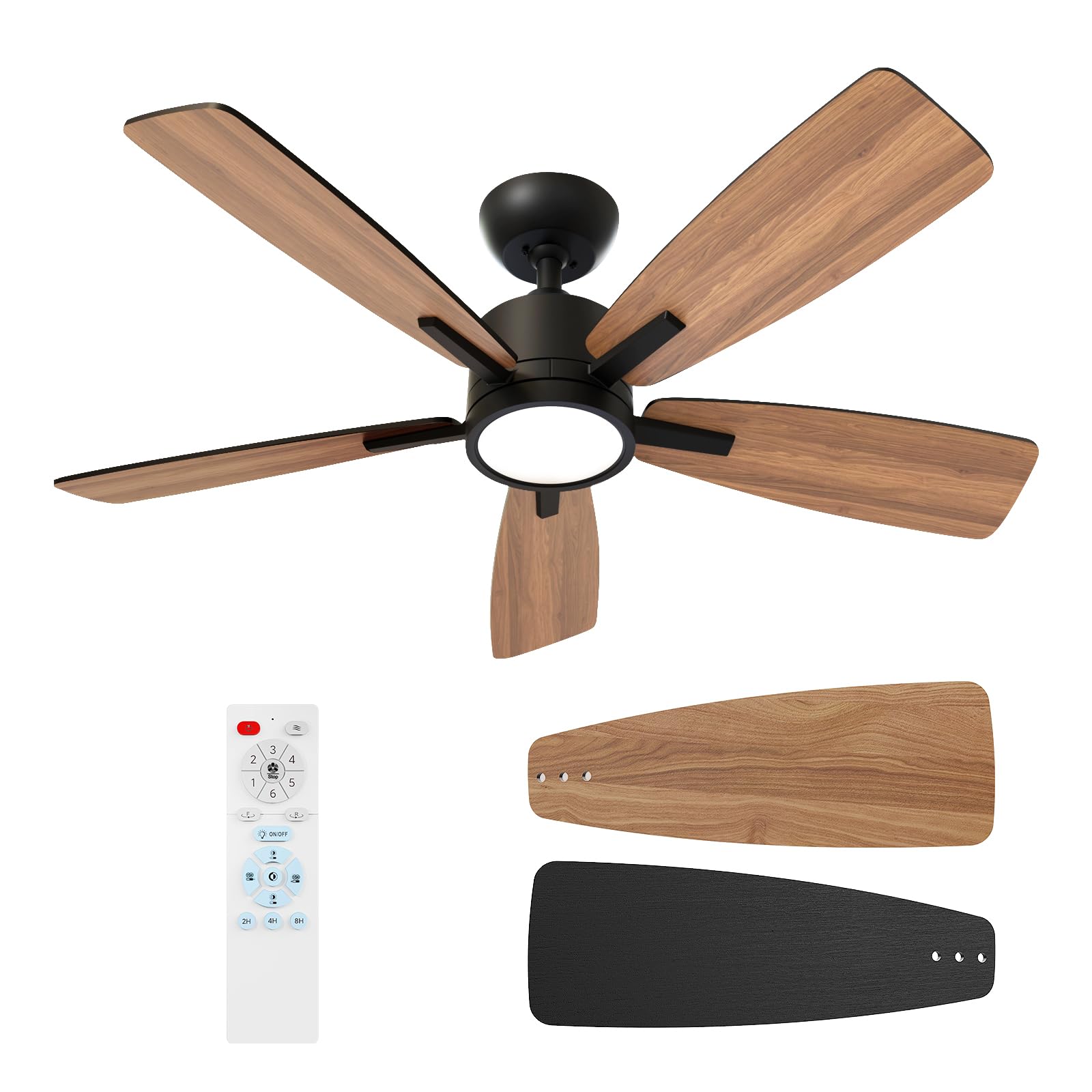
Image: The fully assembled TALOYA 42 Inch Ceiling Fan with its integrated LED light.
5. Operating Instructions
Your TALOYA ceiling fan is controlled by a multifunctional remote control, offering convenience and customization.
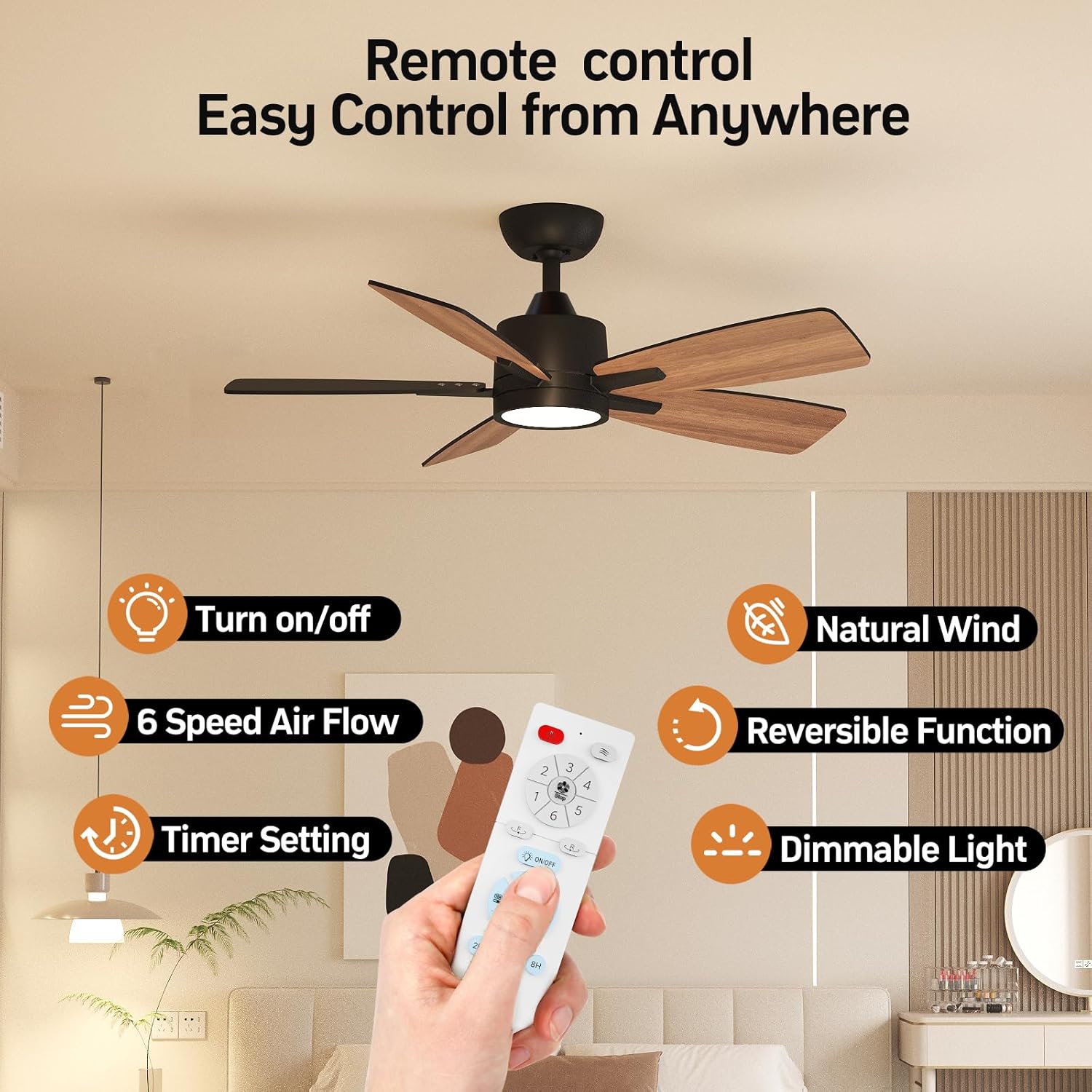
Image: The remote control highlighting its various functions for fan and light operation.
5.1 Fan Operation
- Power On/Off: Press the power button on the remote to turn the fan and light on or off.
- Fan Speed: Select from 6 adjustable wind speeds (1-6) using the dedicated buttons on the remote.
- Reversible DC Motor: The fan features a multi-speed reversible quiet DC motor. Use the 'F' (Forward) button for downward airflow in summer to keep cool, and the 'R' (Reverse) button for upward airflow in winter to distribute warm air.

Image: Visual representation of the fan's reversible function for seasonal comfort.
5.2 Light Operation
- Light On/Off: Use the dedicated light button on the remote.
- Dimmable LED: The 15W LED light is dimmable (Brightness from 10% to 100%). Use the dimming buttons on the remote to adjust the light intensity.
- Color Temperature: Choose from 3 color temperatures: 3000K (warm yellow light), 4000K (natural light), and 6500K (cool white light) using the remote control.
- Light Memory Function: The fan remembers your last selected color temperature and brightness if the power is turned off for more than 15 seconds.

Image: Details on the fan's LED light features, including dimming and color temperature options.
5.3 Timer Setting
The fan includes a timer function, allowing you to set it to turn off automatically after 2, 4, or 8 hours. Select the desired duration using the timer buttons on the remote.

Image: The fan operating in sleep mode, emphasizing its quiet operation and timer functionality.
6. Maintenance
Regular maintenance ensures optimal performance and longevity of your ceiling fan.
- Cleaning: Periodically clean the fan blades and motor housing with a soft, damp cloth. Do not use abrasive cleaners or solvents.
- Blade Balance: If the fan wobbles, check that all blade screws are tight and that the blades are evenly balanced.
- Electrical Connections: Periodically check all electrical connections for tightness.
7. Troubleshooting
If you encounter issues with your fan, refer to the following common problems and solutions:
- Fan does not start: Check power supply, circuit breaker, and ensure all wiring connections are secure. Verify remote control batteries are functional.
- Light does not work: Check power supply and wiring to the light kit. Ensure the light is turned on via the remote.
- Excessive wobbling: Ensure all blade screws are tightened. Check that the mounting bracket is securely installed.
- No remote control function: Replace remote batteries. Ensure the remote is within range and not obstructed.
8. Specifications
| Feature | Detail |
|---|---|
| Brand | TALOYA |
| Model Number | 90081 |
| Product Dimensions | 13"D x 42"W x 13"H |
| Color | Black |
| Number of Blades | 5 |
| Blade Material | Plastic |
| Power Source | AC |
| Wattage | 22 watts |
| Noise Level | 30 Decibels |
| Number of Speeds | 6 |
| Light Type | LED (15W) |
| Color Temperatures | 3000K, 4000K, 6500K |
| Dimmable | Yes (10% to 100%) |
| Controller Type | Remote Control |
| Timer Function | 2, 4, 8 hours |
| Mounting Type | Flush Mount |
| Indoor/Outdoor Usage | Indoor, Covered Outdoor |
9. Warranty and Support
For any questions or concerns regarding your TALOYA product, please do not hesitate to contact the TALOYA After-sales service team. You can find contact information on the official TALOYA website or through your purchase platform.
TALOYA Technology, established in 2002, is committed to providing quality-reliable products and support.


