
1. Introduction
The LUNINO BW302 H13 True HEPA Air Purifier is designed to improve indoor air quality in large rooms up to 1200 sq. ft. It features a high-performance 3-stage purification system with 360° air intake, effectively capturing 99.97% of airborne pollutants such as pet hair, dander, smoke, dust, PM2.5, and odors. This manual provides essential information for the safe and efficient operation of your air purifier.

Image: The LUNINO BW302 Air Purifier operating in a spacious living room, illustrating its 360-degree air intake and purification coverage for areas up to 1200 square feet.
2. Setup
2.1 Unpacking and Filter Installation
Before first use, remove the air purifier from its packaging and ensure all protective plastic is removed from the filter. The filter is located at the bottom of the unit.
- Turn the air purifier upside down.
- Twist the base cover counter-clockwise to unlock and remove it.
- Carefully remove the 3-stage HEPA filter from the unit.
- Remove any plastic packaging from the filter.
- Insert the filter back into the unit, ensuring it is seated correctly.
- Replace the base cover and twist clockwise to lock it securely.

Image: A detailed diagram illustrating the three layers of the LUNINO BW302 filter: a pre-filter for pet fur, dust, and lint; an H13 HEPA filter for pet dander, pollen, and particles; and an activated carbon filter for pet odors, smoke, fumes, and VOCs.
2.2 Power Connection
Connect the provided USB-C power cord to the air purifier and plug the adapter into a standard electrical outlet. The unit will enter standby mode.
3. Operating Instructions
The LUNINO BW302 features an intuitive touch control panel on the top of the unit.

Image: The control panel of the LUNINO BW302 Air Purifier, highlighting its one-touch operation with indicators for Air Quality, Timer settings (2H, 4H, 8H, 12H), Child Lock, ON/OFF, Automatic mode, 4 Fan Speeds, and Filter Reset.
3.1 Power On/Off
Press the ON/OFF button to turn the unit on or off. Upon powering on, the air purifier will enter a preheating mode for approximately one minute to detect air quality.
3.2 Air Quality Sensor and Display
The built-in air quality sensor monitors PM2.5 levels in real-time. The display will show the current air quality:
- Green: Good air quality
- Yellow: Normal air quality
- Red: Bad air quality

Image: The LUNINO BW302 Air Purifier's air quality sensor actively monitoring PM2.5 levels, displayed on its screen with a corresponding color bar indicating the current air quality status (Good, Normal, Bad).
3.3 Fan Speed Modes
Press the SPEED button to cycle through 5 fan speed modes: Sleep, Auto, Low, Medium, and High. The Sleep mode operates at a low noise level of 15dB for undisturbed rest.

Image: A visual representation of the LUNINO BW302 Air Purifier's 5 fan speed modes, showing increasing fan power from left to right, corresponding to different air purification intensities.
3.4 Automatic Mode
In AUTO mode, the air purifier automatically adjusts its fan speed based on the detected air quality, optimizing purification efficiency.
3.5 Timer Function
Use the TIMER button to set the operating duration to 2, 4, 6, or 8 hours. The unit will automatically turn off after the set time.

Image: The LUNINO BW302 Air Purifier displaying its 4 timer settings (2, 4, 8, 12 hours), allowing users to schedule operation for convenience and energy saving.
3.6 Child Lock Function
To prevent accidental changes to settings, press and hold the LOCK button to activate the child lock. Repeat the action to deactivate it.

Image: The LUNINO BW302 Air Purifier with its Child Lock feature activated, depicted with a lock icon, ensuring settings remain undisturbed, especially in households with children.
3.7 Aromatherapy Function
The air purifier includes an aromatherapy function. Add 4-5 drops of your favorite essential oil onto the aromatherapy pad located in a small compartment on the side of the control panel. This will diffuse a pleasant fragrance into the room.
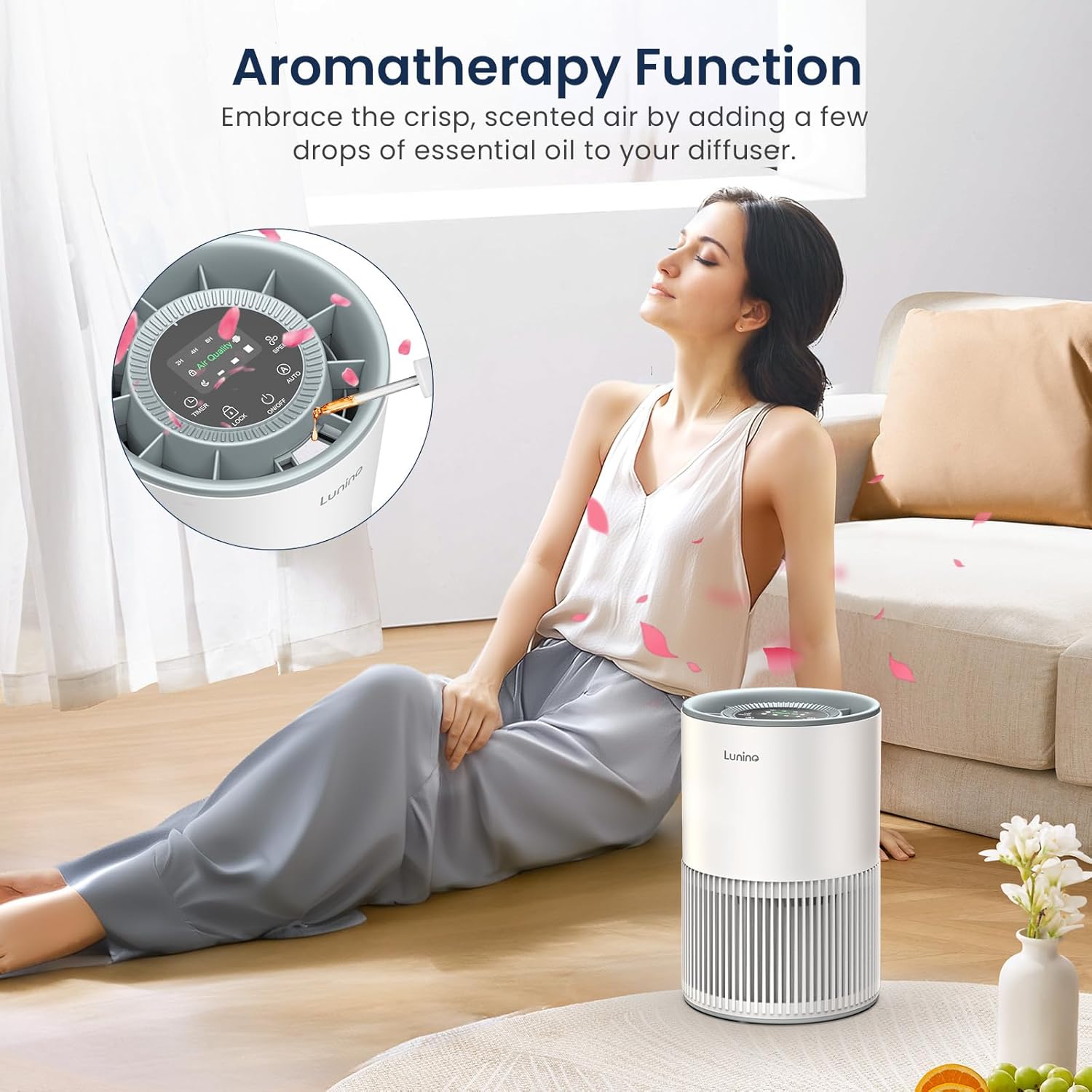
Image: The LUNINO BW302 Air Purifier's aromatherapy function in use, with essential oil being applied to the diffuser pad, creating a scented and fresh indoor environment.
4. Maintenance
4.1 Filter Replacement Reminder
The air purifier is equipped with a filter replacement reminder. An indicator light will illuminate when it is time to replace the filter. It is recommended to replace the filter every 3 to 6 months, depending on usage and air quality. Use official LUNINO brand filters for optimal performance. (Replacement filters can be found by searching B0DDPS3WKX on Amazon).

Image: The LUNINO BW302 Air Purifier displaying its filter replacement reminder, indicated by an illuminated filter icon, prompting users to change the filter for continued optimal performance.
4.2 Cleaning the Filter
While the filter needs regular replacement, you can extend its life by gently brushing off accumulated dust and debris from the pre-filter layer between replacements. Always ensure the unit is unplugged before performing any maintenance.
5. Troubleshooting
If you encounter any issues with your LUNINO BW302 Air Purifier, please refer to the following general advice:
- Unit not turning on: Ensure the power cord is securely plugged into both the unit and a working electrical outlet.
- Poor air purification: Check if the filter needs replacement or cleaning. Ensure all plastic packaging has been removed from the filter.
- Unusual noise: Verify that the unit is placed on a flat, stable surface and that the filter is correctly installed.
- Air quality indicator always red/yellow: Ensure the air intake and outlet are not obstructed. Consider running the unit on a higher fan speed.
For further assistance, please contact LUNINO customer support.
6. Specifications
| Feature | Detail |
|---|---|
| Product Dimensions | 6.49"D x 6.49"W x 9.84"H |
| Item Weight | 2.64 Pounds |
| Item Model Number | BW302 |
| Brand | LUNINO |
| Color | Grey |
| Power Source | DC |
| Coverage Area | Up to 1200 sq. ft. |
| Filtration System | 3-stage (Pre-filter, H13 HEPA, Activated Carbon) |
| Noise Level | As low as 15dB (Sleep Mode) |
| Special Features | Aromatherapy Function, Air Quality Sensor, Sleep Mode, 4 Timer Functions, Child Lock |
7. Warranty and Support
LUNINO is committed to providing excellent customer service and product support.
- 24 Hours: Quick response via phone or email.
- 30 Days: No-reason return policy.
- 2 Years: Free replacement warranty.
- Lifetime: Lifetime support and satisfied solution.
For any inquiries or support needs, please refer to the contact information provided in your product packaging or visit the official LUNINO website.
Product Overview Video
Video: An official overview of the LUNINO BW302 air purifier, demonstrating its features and functionality.
