
1. Product Overview
The SunSare X9 is a versatile cordless vacuum cleaner designed for efficient cleaning across various surfaces. Its lightweight design and multiple attachments make it suitable for different cleaning tasks around your home and even in your car.

Image 1: Main unit of the SunSare X9 Cordless Vacuum Cleaner.
2. Setup and Assembly
The SunSare X9 cordless vacuum cleaner is designed for easy assembly. Most components snap together without the need for tools.
2.1 Component Identification

Image 2: All components included with the SunSare X9 Cordless Vacuum Cleaner, laid out on a surface.
2.2 Battery Installation and Charging
- Align the battery pack with the main unit's battery slot.
- Slide the battery into place until it clicks securely.
- To charge, connect the charging cord to the battery pack and plug it into a power outlet. The battery can be charged while attached to the vacuum or separately.
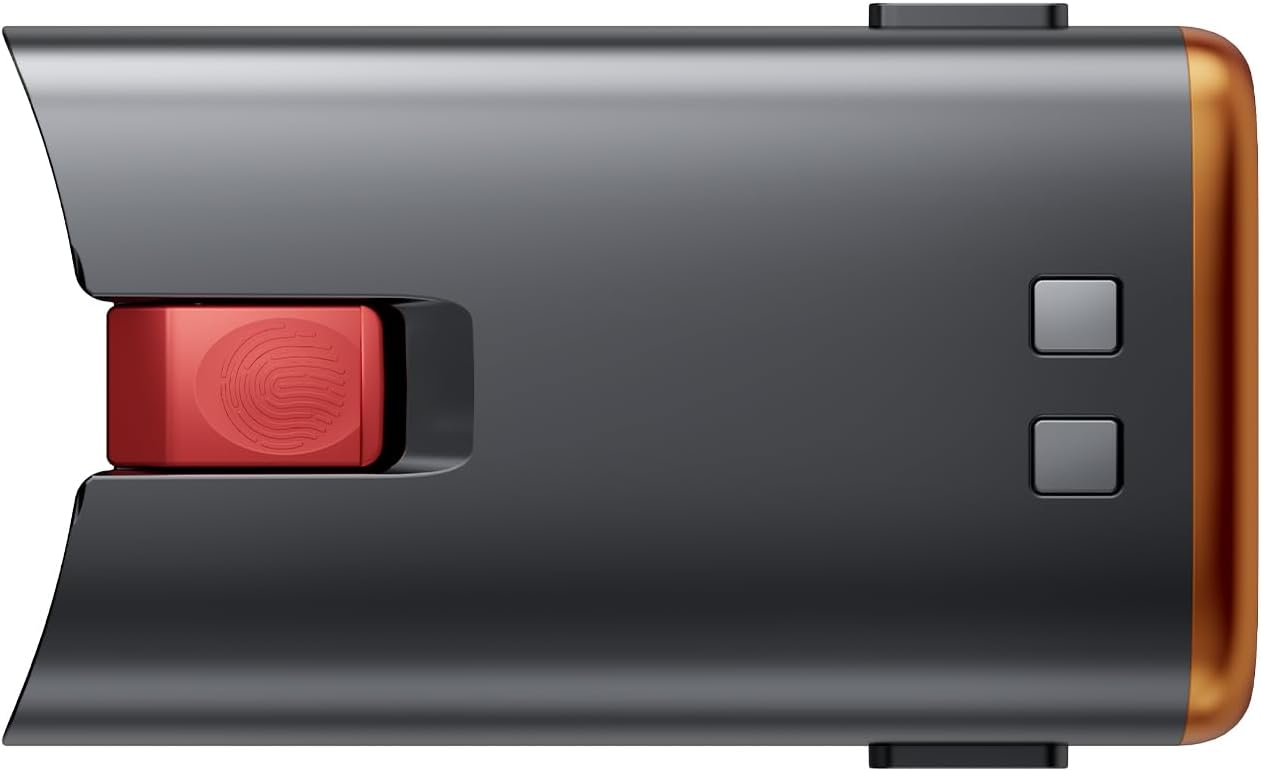
Image 3: Close-up of the SunSare X9 Cordless Vacuum Cleaner's removable battery pack.
2.3 Wall Mount Installation
The vacuum comes with a wall mount for convenient storage and charging. Secure the wall mount to a suitable surface using the provided screws. Once installed, the vacuum can be hung on the mount, and the charging cable can be connected.
3. Operating Instructions
3.1 Powering On/Off and Speed Modes
Press the power button on the main unit to turn the vacuum on. Use the mode selection button to cycle through different suction speeds (e.g., Eco, Standard, Max). The display on the vacuum will indicate the current mode and remaining battery life.
Video 1: Demonstrates the vacuum's power settings and battery indicator. This video is provided by KCLASO US.
3.2 Using Attachments
The SunSare X9 comes with various attachments for different cleaning needs:
- Floor Brush: Ideal for both hard floors and carpets. It features LED lights to illuminate dust and debris.
- Crevice Tool: Perfect for reaching tight spaces, corners, and edges.
- Brush Tool: Suitable for upholstery, curtains, and delicate surfaces.
- Flexible Hose: Provides extended reach and flexibility for cleaning car interiors or awkward spots.

Image 4: The SunSare X9 main unit with the floor brush attached, demonstrating its maneuverability and LED lights.
4. Maintenance
Regular maintenance ensures optimal performance and longevity of your vacuum cleaner.
4.1 Emptying the Dust Cup
When the dust cup is full (indicated by the MAX line), press the release button to open the bottom flap and empty the contents into a trash bin. The dust cup can also be detached for thorough cleaning.
4.2 Filter Cleaning and Replacement
The vacuum includes a washable filter. Regularly remove and clean the filter under running water. Ensure it is completely dry before reinserting. An extra filter is provided for convenience.
4.3 Brush Roll Cleaning
Periodically check the brush roll for tangled hair or debris. Use the provided cleaning tool to cut and remove any entangled hair from the brush roll.
5. Troubleshooting
If you experience issues with your SunSare X9 Cordless Vacuum Cleaner, consider the following:
- Reduced Suction: Check if the dust cup is full or if the filter needs cleaning. Ensure there are no blockages in the attachments or main tube.
- Battery Not Charging: Verify that the charging cord is securely connected to both the battery and the power outlet. Ensure the outlet is functional. If the battery is old, its capacity may have diminished over time.
- Vacuum Not Turning On: Ensure the battery is fully charged and correctly installed.
6. Specifications
- Product Dimensions: 2 x 1 x 3 inches
- Item Weight: 1 pounds
- Manufacturer: SunSare
- Item Model Number: USX9-Battery
- Batteries: 1 Lithium Ion batteries required (included)
- Battery Cell Composition: Lithium Ion
- Voltage: 29.6 Volts
- Included Components: Battery
7. Warranty and Support
For specific warranty details and customer support, please refer to the documentation included with your product or contact SunSare customer service directly. Extended protection plans may be available for purchase.


