
1. Safety Instructions
Please read all instructions carefully before using this fan. Failure to follow these instructions may result in electric shock, fire, or serious personal injury.
- Always unplug the fan from the power outlet before cleaning, servicing, or moving it.
- Do not operate the fan with a damaged cord or plug. If the cord or plug is damaged, contact qualified service personnel for repair or replacement.
- Keep fingers, hair, and loose clothing away from the fan blades during operation to prevent injury.
- Do not immerse the fan in water or other liquids.
- Ensure the fan is placed on a stable, level surface to prevent it from tipping over.
- Do not use this fan near windows, in wet areas, or where it may be exposed to water.
- This fan is intended for indoor and covered outdoor use. Do not expose to direct rain or extreme weather conditions.
- Do not block air openings or operate near curtains or other materials that could block airflow.
- Supervise children when the fan is in use.
2. Package Contents
Verify that all components are present in the package:
- HiCFM 20-inch High Velocity Metal Floor Fan (2 units)
- Wall Mounting Hardware (for optional wall installation)
- Instruction Manual
3. Product Overview
The HiCFM 20-inch High Velocity Metal Floor Fan is designed to provide powerful airflow for various environments, including garages, workshops, greenhouses, and homes. It features a durable all-metal construction, a 3-speed motor, and a 360° adjustable tilting head for versatile air direction.
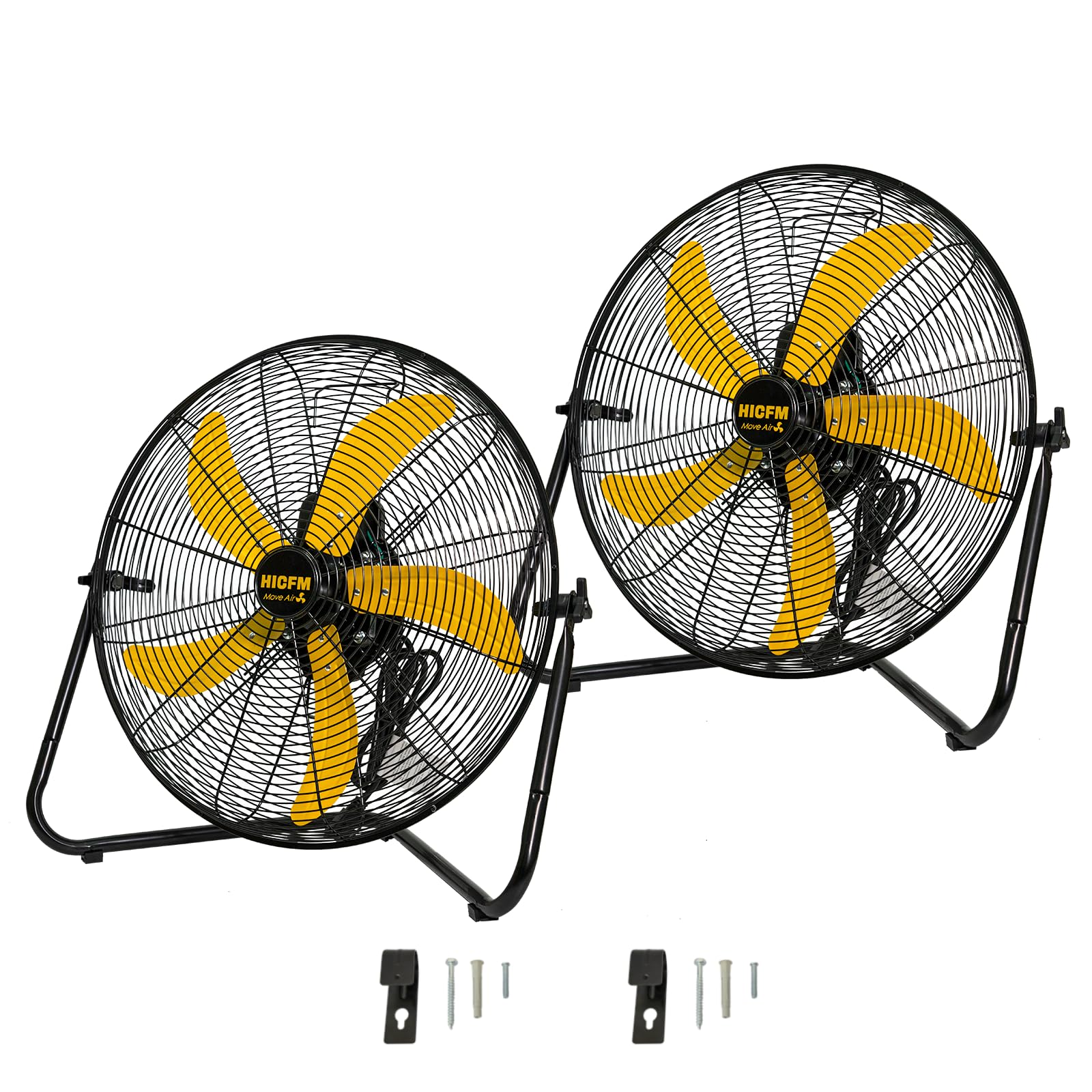
Image: The HiCFM 20-inch High Velocity Metal Floor Fan, showcasing its robust design and yellow blades.
Key Features:
- High Velocity Airflow: Delivers up to 5300 CFM on high speed.
- Durable Construction: Heavy-duty all-metal housing and aluminum fan blades.
- Adjustable Tilt: 360° multi-directional tilt for precise airflow positioning.
- Multiple Speeds: Three distinct speed settings (High, Medium, Low).
- Versatile Placement: Can be used as a floor fan or wall-mounted.
- Powerful Motor: Equipped with a 1/5 HP industrial-grade, permanently lubricated motor.

Image: Diagram illustrating the fan's airflow capacity: High Speed (5300 CFM), Medium Speed (5000 CFM), and Low Speed (4700 CFM).

Image: A close-up view of the fan's 1/5 HP motor and the rotary control knob for speed selection.
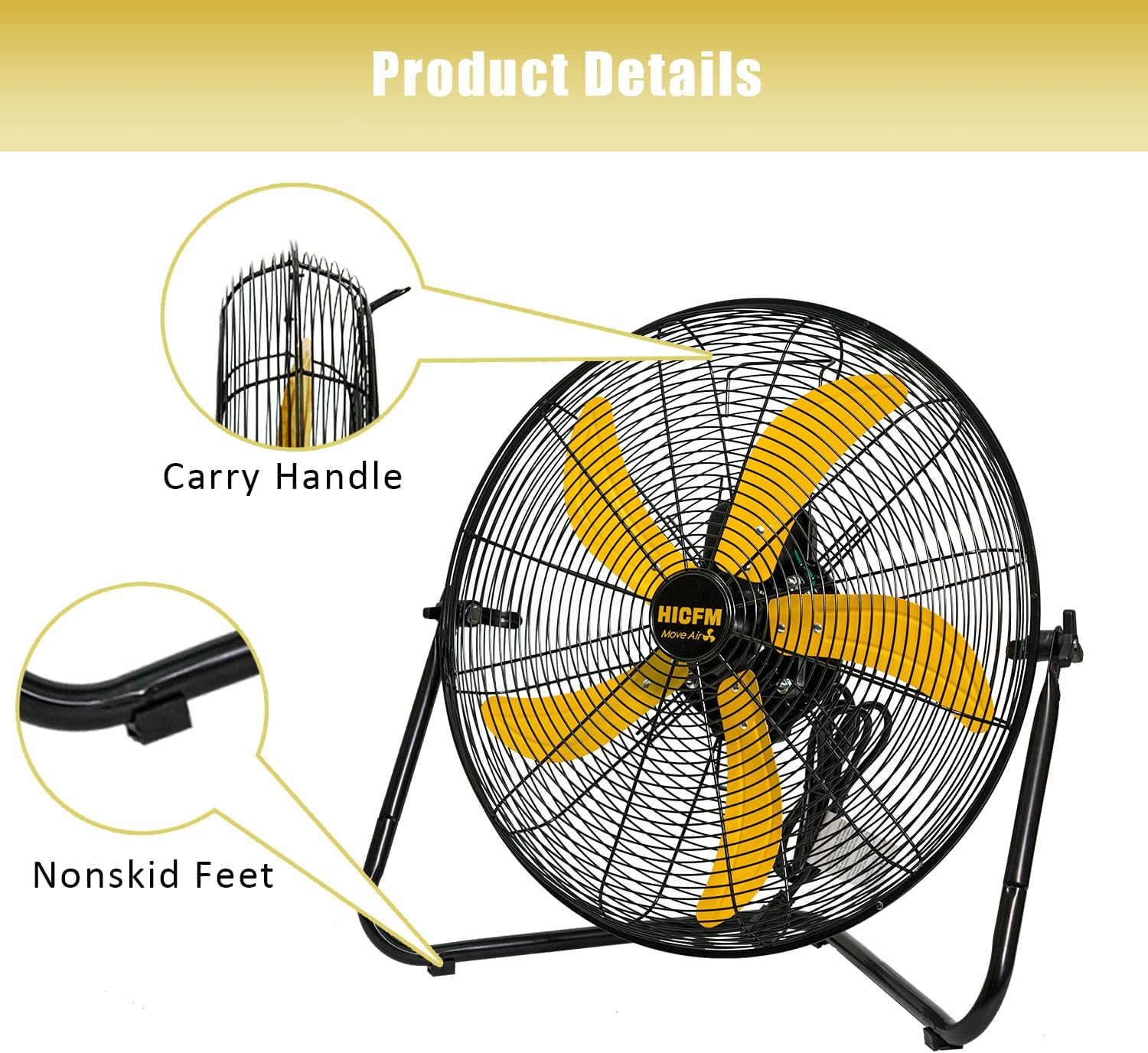
Image: Detailed view of the fan's carry handle for portability and non-skid feet for stability.
4. Setup
4.1 Floor Placement
Place the fan on a firm, level surface. Ensure there is adequate space around the fan for proper air circulation and to prevent obstruction of the air intake and exhaust.
4.2 Wall Mounting (Optional)
The fan includes hardware for wall mounting. Follow these steps for secure installation:
- Select a suitable wall location that can support the fan's weight and allows for optimal airflow.
- Using the provided wall mounting bracket as a template, mark the drilling points on the wall.
- Drill pilot holes and securely attach the bracket to the wall using appropriate fasteners for your wall type.
- Carefully attach the fan to the mounted bracket, ensuring it is stable and locked into place.

Image: The HiCFM fan securely mounted on a wall, demonstrating its wall-mount capability.

Image: A coiled power cord, indicating the fan's electrical connection point.
5. Operating Instructions
5.1 Power Connection
Plug the fan's power cord into a standard 120V AC electrical outlet. Ensure the outlet is properly grounded.
5.2 Adjusting Fan Speed
The fan features a rotary control knob located on the motor housing. Turn the knob to select your desired speed setting:
- 0: Off
- 1: Low Speed (4700 CFM)
- 2: Medium Speed (5000 CFM)
- 3: High Speed (5300 CFM)

Image: A close-up of the fan's rotary control knob, showing the '0', '1', '2', and '3' settings for Off, Low, Medium, and High speeds.
5.3 Adjusting Tilt Angle
The fan head can be tilted 360 degrees to direct airflow precisely where needed. Loosen the adjustment knobs on either side of the fan frame, position the fan head to the desired angle, and then tighten the knobs securely to lock it in place.

Image: The fan shown rotating 360 degrees, illustrating its adjustable tilting head feature.

Image: A close-up of the knob used to adjust and secure the fan's tilt angle.
5.4 Official Product Video
Video: An official product video demonstrating the features and performance of the HiCFM 20-inch High Performance Floor Fan. This video provides a visual guide to the fan's operation and capabilities.
6. Maintenance
Regular maintenance ensures optimal performance and extends the life of your fan.
6.1 Cleaning
- Always unplug the fan before cleaning.
- Use a soft, damp cloth to wipe the exterior surfaces of the fan. Do not use abrasive cleaners or solvents.
- To clean the fan blades, carefully remove the front grille (if removable, refer to assembly instructions if needed). Wipe the blades with a soft cloth. Ensure all parts are dry before reassembling and operating the fan.
- Do not allow water to drip into the motor housing.
6.2 Storage
When not in use for extended periods, store the fan in a cool, dry place, away from direct sunlight and moisture. It is recommended to cover the fan to protect it from dust.
7. Troubleshooting
If your fan is not operating correctly, consult the following common issues and solutions:
| Problem | Possible Cause | Solution |
|---|---|---|
| Fan does not turn on. | No power supply. Speed knob is set to '0'. | Check if the fan is plugged into a live outlet. Turn the speed knob to '1', '2', or '3'. |
| Low airflow. | Fan speed is too low. Obstruction in front or back of fan. | Increase the fan speed setting. Clear any objects blocking the fan's intake or exhaust. |
| Unusual noise or vibration. | Fan not on a level surface. Loose parts or debris in blades. | Ensure the fan is on a stable, level surface. Unplug the fan and inspect for any foreign objects or loose components. Tighten if necessary. |
If the problem persists after attempting these solutions, contact customer support.
8. Specifications
| Feature | Detail |
|---|---|
| Model Number | FAN-C20X |
| Fan Size | 20 inches |
| Air Flow Capacity | Up to 5300 CFM |
| Number of Speeds | 3 |
| Voltage | 120V |
| Frequency | 60Hz |
| Wattage | 150 watts |
| Motor Type | 1/5 HP Industrial-Grade, Brushless |
| Material | Metal (housing and blades) |
| Product Dimensions (D x W x H) | 11.8" x 23.6" x 23" |
| Weight | 10.9 lbs |
| Mounting Type | Free Standing, Wall Mountable |
| Control Method | Push Button (Rotary Knob) |
| Indoor/Outdoor Usage | Indoor, Covered Outdoor |

Image: A visual representation of the fan's dimensions: 23.6 inches width, 23 inches height, and 11.8 inches depth, along with its 6-foot power cord and 10.9 lb weight.
9. Warranty and Support
9.1 Warranty Information
HiCFM products are manufactured to high-quality standards. This product comes with a limited warranty against defects in materials and workmanship under normal use. Please retain your proof of purchase for warranty claims. Specific warranty terms and duration may vary by region and retailer.
9.2 Customer Support
For technical assistance, troubleshooting not covered in this manual, or warranty inquiries, please contact HiCFM customer support through the retailer where the product was purchased or visit the official HiCFM website for contact details.


