
Introduction
The GOEBLESON W52XD05 LED Motion Sensor Ceiling Light offers a convenient and energy-efficient lighting solution for various areas in your home. This battery-operated light eliminates the need for complex wiring, featuring motion sensor technology that activates the light only when needed, thereby conserving battery life. It is designed for easy magnetic installation, allowing for simple removal for recharging. The light provides adjustable settings for brightness, color temperature, and includes a remote control for enhanced user experience.
Safety Information
- Do not expose the light to extreme temperatures or humidity.
- Use only the provided charging cable or a compatible USB-C cable for recharging.
- Keep the device away from water and flammable materials.
- Do not attempt to disassemble or modify the light, as this may void the warranty and pose a safety risk.
- Ensure the mounting surface is clean and dry before installation.
Package Contents
Please check the package for the following items:
- GOEBLESON W52XD05 LED Motion Sensor Ceiling Light (2 units)
- Remote Control
- Magnetic Backplates with Double-Sided Adhesive Tape
- Mounting Screws
- USB-C Charging Cable
- User Manual
Product Features
- Wireless and Magnetic Design: Easy installation and removal for recharging.
- Rechargeable 6000mAh Battery: Provides 2-3 months of use in sensor mode on a single charge, with fast charging in 5-6 hours.
- Motion Sensor Modes: Automatic illumination upon motion detection, with day and night sensor options.
- Steady-On Mode: Option for continuous illumination.
- Adjustable Brightness and Color Temperatures: Three color temperatures (soft, warm, bright) and stepless dimming.
- Remote Control: Convenient adjustment of brightness, color temperature, and timer settings.
- Timer Function: Set the light to turn off after 15, 30, or 60 minutes.
- Versatile Application: Suitable for closets, storage rooms, stairways, hallways, bathrooms, garages, and other dark areas.
Setup and Installation
The GOEBLESON W52XD05 light offers two primary installation methods:
- Peel and Stick Mount:
- Clean the desired mounting surface thoroughly to ensure it is free of dust and grease.
- Peel off the protective film from the double-sided adhesive tape on the magnetic backplate.
- Firmly press the magnetic backplate onto the clean surface.
- Attach the light magnetically to the installed backplate.
- Screw Mount:
- Position the magnetic backplate on the desired surface.
- Mark the screw holes through the backplate.
- Drill pilot holes if necessary.
- Secure the magnetic backplate to the surface using the provided screws.
- Attach the light magnetically to the installed backplate.
The light can also be directly attached to any metal surface via its magnetic base without the backplate.

Image: Installation options for the GOEBLESON W52XD05 light, demonstrating both adhesive and screw mounting methods for the magnetic backplate.
Charging
The GOEBLESON W52XD05 features a built-in rechargeable battery. To charge the device:
- Gently detach the light from its magnetic mounting plate.
- Connect the provided USB-C charging cable to the charging port on the light.
- Plug the other end of the USB-C cable into a compatible USB power adapter (not included) or a power bank.
- The indicator light will show red during charging and turn green when fully charged.
- A full charge typically takes 5-6 hours.

Image: The light connected to a charger, illustrating the charging process and indicating a 6000mAh ultra-long battery life.
Operating Instructions
The light can be operated using the integrated buttons or the remote control.
Modes of Operation
- Motion Sensor Mode (Auto): The light automatically turns on when motion is detected within its range (up to 16 feet and 120 degrees) and turns off approximately 20 seconds after no motion is detected. This mode has sub-settings for Day Mode (auto on upon time of day) and Night Mode (auto on only at night).
- Steady On Mode: The light remains continuously on until manually turned off.

Image: Visual representation of the motion sensor's detection range and the three operational modes: Steady On, Day Mode, and Night Mode.
Adjusting Brightness and Color Temperature
The light offers three color temperatures and stepless dimming:
- Soft White (3000K): For a warm, relaxing ambiance.
- Neutral White (4000K): A balanced, natural light.
- Cool White (6000K): Bright, clear light for tasks.
Use the remote control to cycle through color temperatures and adjust brightness from 10% to 100%.

Image: Demonstration of the three color temperature options and stepless dimming capability, controlled via remote.
Remote Control Functions
The remote control allows for convenient adjustment of various settings:
- On/Off: Power the light on or off.
- Mode Selection: Switch between Motion Sensor (Auto) and Steady On modes.
- Brightness Adjustment: Increase or decrease light intensity.
- Color Temperature Selection: Cycle through 3000K, 4000K, and 6000K.
- Timer Settings: Set the light to automatically turn off after 15, 30, or 60 minutes.

Image: Overview of remote control features, including timer settings and mode selection.
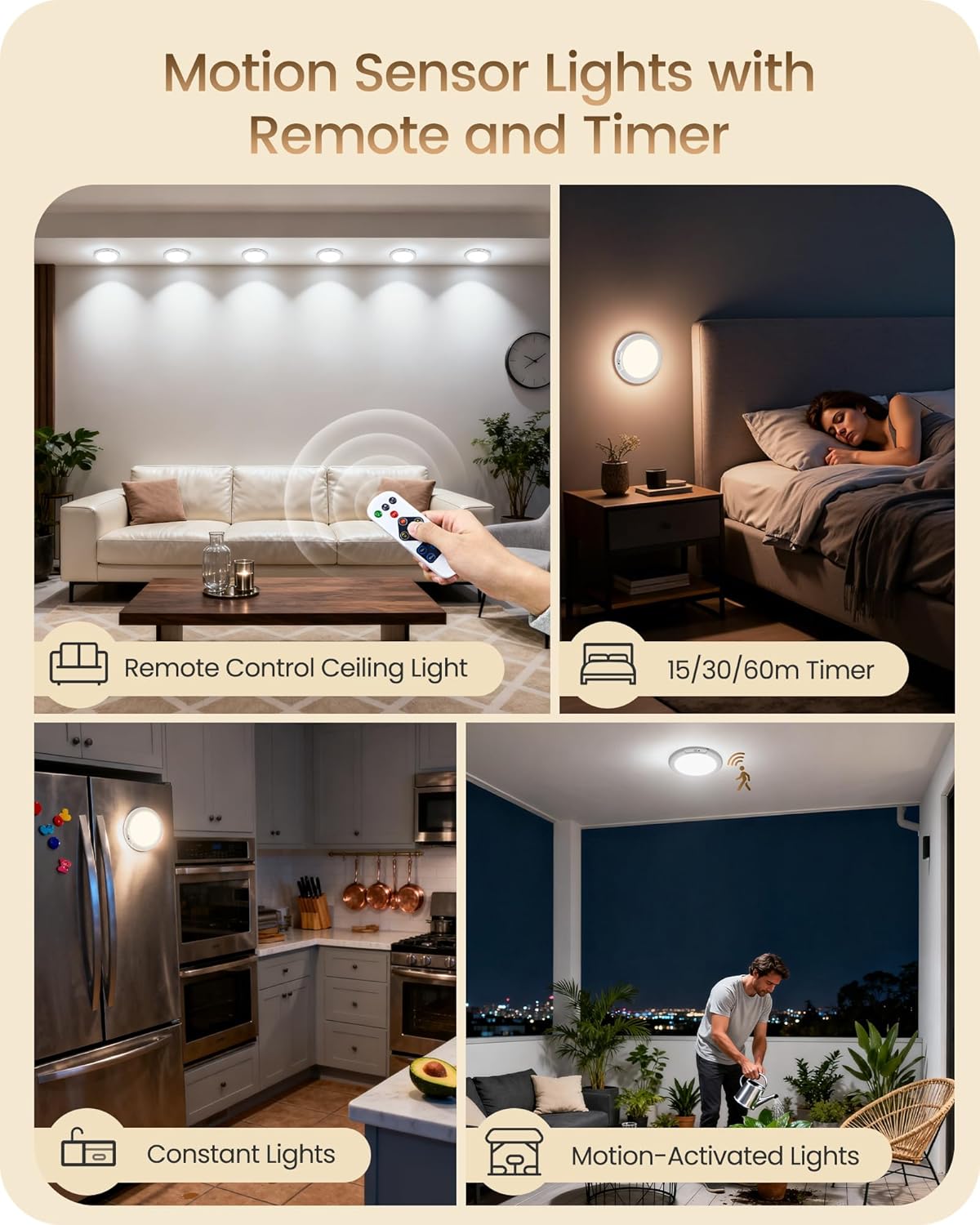
Image: Examples of hands-free illumination and timer functionality in a bathroom and bedroom setting.
Maintenance
- Clean the light's surface with a soft, dry cloth. Do not use abrasive cleaners or solvents.
- Ensure the motion sensor lens is clear of obstructions for optimal performance.
- Recharge the battery regularly to maintain optimal performance and extend battery life.
Troubleshooting
| Problem | Possible Cause | Solution |
|---|---|---|
| Light does not turn on. | Battery is depleted. | Recharge the light fully. |
| Incorrect mode selected. | Ensure the light is in Motion Sensor or Steady On mode. | |
| Motion sensor not working. | Obstruction blocking sensor. | Clear any objects from the sensor's path. |
| Light is in Day Mode during daylight. | Switch to Night Mode or Steady On mode if motion detection is desired in bright conditions. | |
| Remote control not responding. | Remote battery depleted. | Replace the remote control battery (if applicable). |
| Obstruction between remote and light. | Ensure a clear line of sight between the remote and the light. |
Specifications
| Feature | Detail |
|---|---|
| Brand Name | GOEBLESON |
| Model Number | W52XD05 Battery Operated Ceiling Light |
| Color | White |
| Material | Plastic |
| Style | Modern |
| Lighting Fixture Form | Close to Ceiling |
| Product Dimensions (L x W x H) | 19.1 x 19.1 x 3 cm |
| Indoor/Outdoor Usage | Indoor |
| Power Source | Battery Powered |
| Special Feature | Wireless |
| Control Method | Remote |
| Light Source | LED |
| Number of Light Sources | 2 |
| Lighting Method | Dimmable |
| Lamp Base | E26 |
| Controller Type | Remote Control |
| Switch Type | Push Button |
| Mounting Type | Ceiling Mount, Removable |
| Compliant Standards | FCC |
| Assembly Required | No |
| Item Shape | Square |
| Finish Type | Matte |
| Unit Count | 2.0 Count |
Warranty and Support
GOEBLESON products are manufactured to high-quality standards. For warranty information, technical support, or customer service inquiries, please refer to the contact information provided on the product packaging or the official GOEBLESON website. Please retain your proof of purchase for warranty claims.