
1. Introduction
This manual provides essential information for setting up, operating, maintaining, and troubleshooting your KXD 13C Smartphone. Please read it carefully to ensure proper use and to maximize the device's performance and longevity.
The KXD 13C is a feature-rich smartphone running on Android 13, designed for everyday communication and entertainment. It features a large display, a capable camera system, and a long-lasting battery.

Image: The KXD 13C Smartphone, highlighting its triple camera system and modern design.
2. Device Layout
Familiarize yourself with the physical components and controls of your KXD 13C Smartphone.
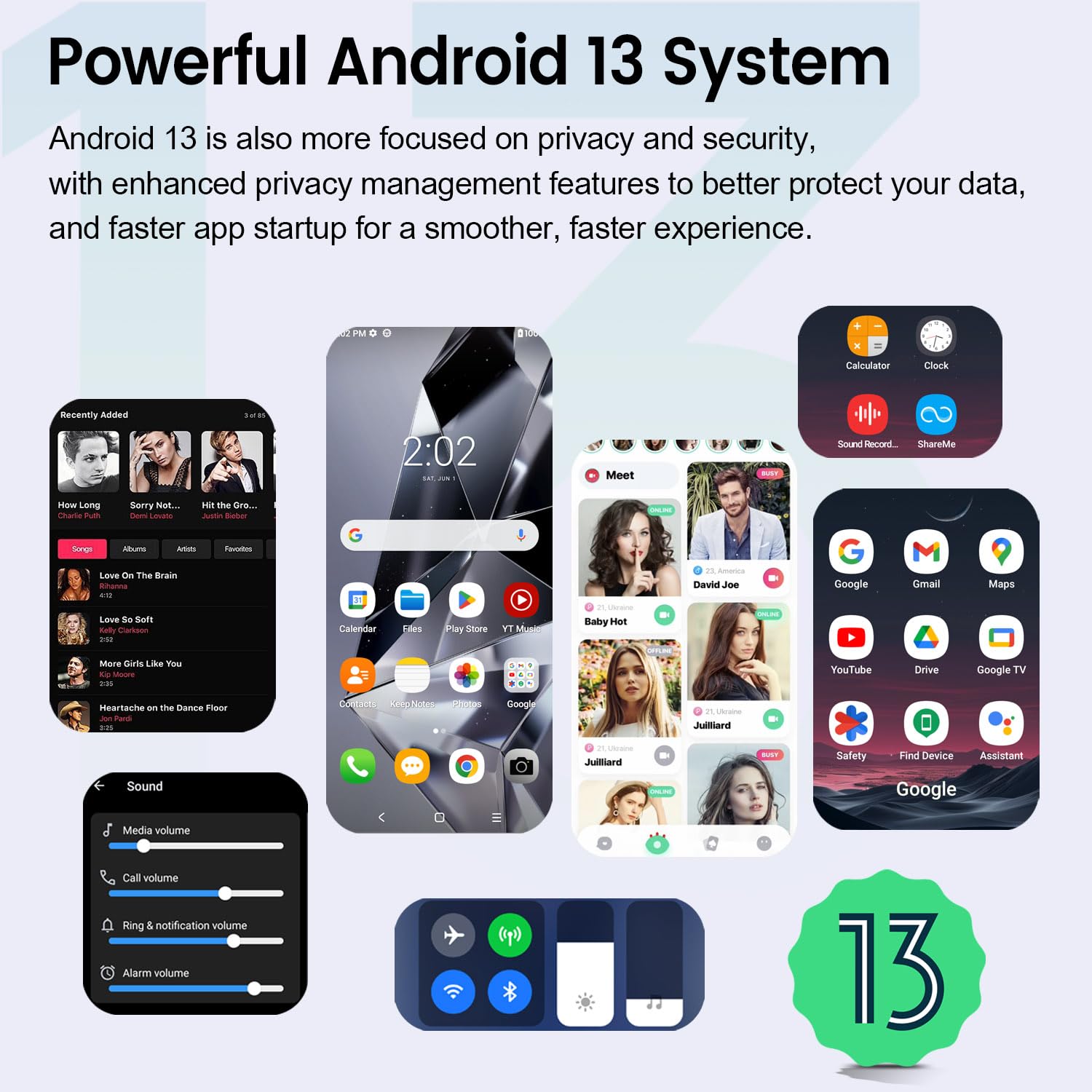
Image: Detailed diagram illustrating the KXD 13C Smartphone's physical layout, including port locations, buttons, and camera specifications.
- Volume Buttons (V+, V-): Adjust media and call volume.
- Power Button (Off/On): Press to turn on/off, or short press to lock/unlock the screen.
- Microphone: For voice input during calls and recordings.
- Type-C Port: For charging and data transfer.
- SIM Tray: Holds Nano-SIM cards and a MicroSD card.
- Rear Cameras: Main 50MP, 2MP, and 0.08MP lenses with flash lamp.
3. Setup
3.1 Unboxing and Initial Charge
Upon unboxing, ensure all components are present:
- KXD 13C Smartphone
- USB Type-C Cable
- Power Adapter
- SIM Ejector Tool
- Protective Case
Before first use, fully charge the device using the provided USB Type-C cable and power adapter. The battery icon on the screen will indicate charging status.
3.2 Inserting SIM Cards and MicroSD Card
- Locate the SIM tray on the side of the phone.
- Insert the SIM ejector tool into the small hole next to the tray and press gently until the tray pops out.
- Place your Nano-SIM card(s) and/or MicroSD card into the designated slots on the tray, ensuring correct orientation.
- Carefully push the tray back into the phone until it clicks into place.
3.3 Powering On and Initial Configuration
- Press and hold the Power button until the KXD logo appears.
- Follow the on-screen prompts to select your language, connect to a Wi-Fi network, and set up your Google account.
- You may also be prompted to set up security features like fingerprint or face unlock during this process.
4. Basic Operation
4.1 Navigating the Interface
Your KXD 13C runs on Android 13, offering an intuitive user experience. Use touch gestures such as tapping, swiping, and pinching to interact with the screen.
- Home Screen: Access your apps and widgets.
- Notification Panel: Swipe down from the top of the screen to view notifications and quick settings.
- App Drawer: Swipe up from the bottom of the screen to access all installed applications.
4.2 Making Calls and Sending Messages
To make a call, open the Phone app, enter the number, and tap the call icon. To send a message, open the Messages app, start a new conversation, enter the recipient's number or select from contacts, and type your message.
4.3 Camera Usage
The KXD 13C features a 50MP main rear camera and a 13MP front camera. Open the Camera app to capture photos and videos.
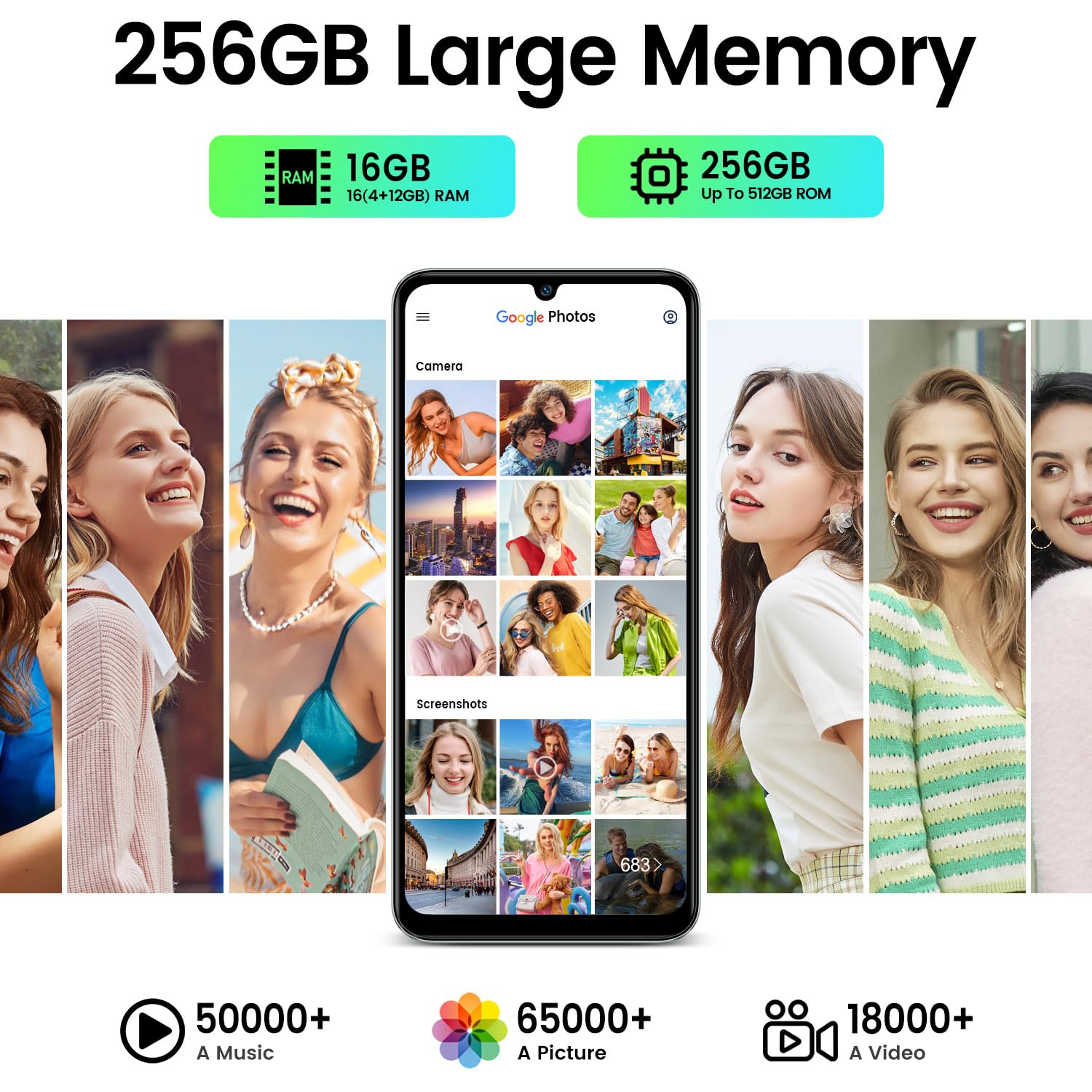
Image: Overview of the KXD 13C Smartphone's camera system, detailing the resolutions of its rear and front cameras, along with sample images.
Available camera modes include:
- Photo: Standard photo capture.
- Video: Record videos.
- Panoramic: Capture wide-angle scenes.
- Portrait: Create photos with a blurred background effect.
- Night: Enhance photos taken in low-light conditions.
- Macro: For close-up shots of small objects.
4.4 Connectivity
Manage your device's connections:
- Wi-Fi: Go to Settings > Network & internet > Wi-Fi to connect to available networks.
- Bluetooth: Go to Settings > Connected devices > Bluetooth to pair with other Bluetooth devices.
- USB Type-C: Connect your phone to a computer using the USB cable for file transfer or charging.
4.5 Security Features
Protect your device and data using the built-in security options:
- Fingerprint Unlock: Register your fingerprint(s) in Settings > Security > Fingerprint.
- Face ID: Set up facial recognition for convenient unlocking in Settings > Security > Face Unlock.
5. Maintenance
5.1 Battery Management
The KXD 13C is equipped with a 4500mAh battery. To optimize battery life:
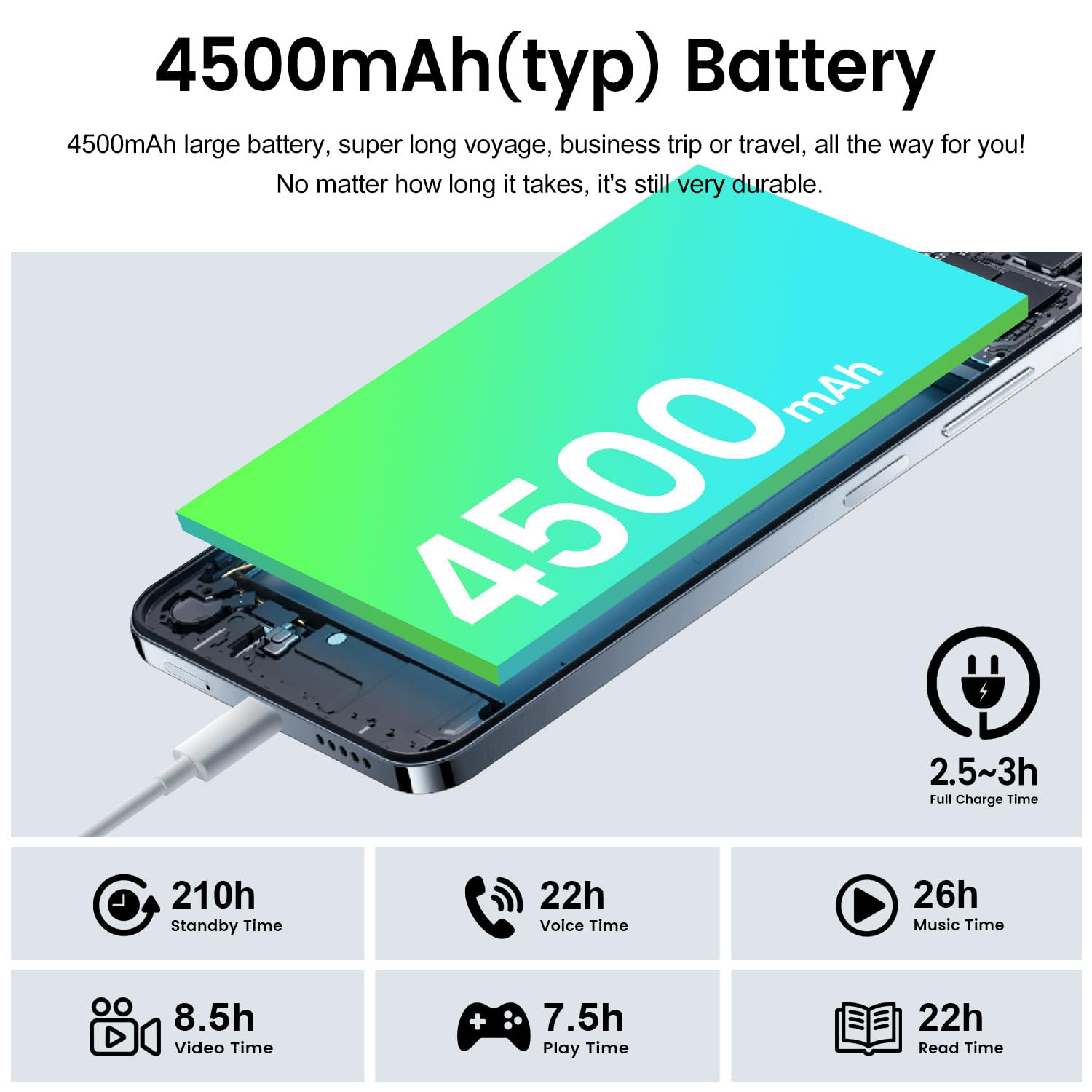
Image: Battery performance details for the KXD 13C Smartphone, including capacity, charging duration, and estimated usage times for various activities.
- Avoid extreme temperatures.
- Use the original charger for optimal charging speed and safety.
- Close unused apps running in the background.
- Adjust screen brightness and screen timeout settings.
5.2 Software Updates
Regular software updates provide new features, security enhancements, and bug fixes. Your KXD 13C runs on Android 13.
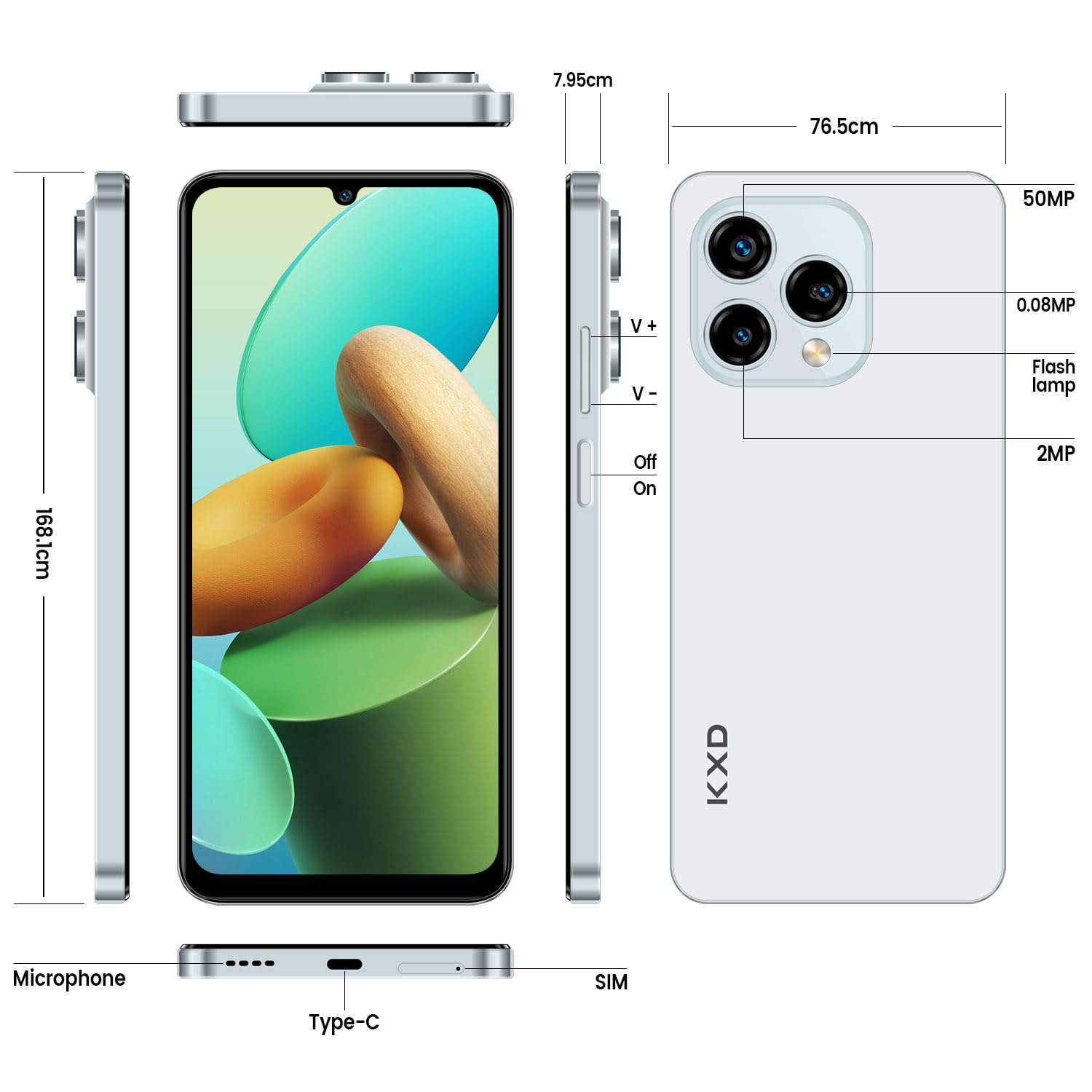
Image: The KXD 13C Smartphone showcasing the Android 13 operating system interface with its privacy and security features.
To check for updates, go to Settings > System > System update. Ensure your device is connected to Wi-Fi and has sufficient battery before starting an update.
5.3 Cleaning and Care
To keep your phone in good condition:
- Wipe the screen and body with a soft, lint-free cloth.
- Avoid using harsh chemicals or abrasive materials.
- Keep the device away from water and excessive moisture, as it is not waterproof.
5.4 Data Backup
Regularly back up your important data (photos, contacts, documents) to a cloud service (e.g., Google Drive) or a computer to prevent loss.
6. Troubleshooting
6.1 Common Issues and Solutions
- Device is unresponsive or frozen: Press and hold the Power button for about 10-15 seconds to force a restart.
- Slow performance: Close unnecessary background apps, clear cache, or restart the device. Ensure you have sufficient storage space.
- Cannot connect to Wi-Fi/Bluetooth: Toggle Wi-Fi/Bluetooth off and on. Restart your phone and the router/Bluetooth device.
- Camera not working: Restart the Camera app or the phone. Check app permissions in Settings > Apps.
- Battery drains quickly: Refer to Section 5.1 for battery management tips.
6.2 Factory Reset
If persistent issues occur, a factory reset may resolve them. Warning: This will erase all data on your phone. Back up your data before proceeding.
To perform a factory reset: Go to Settings > System > Reset options > Erase all data (factory reset).
7. Specifications
Detailed technical specifications for the KXD 13C Smartphone:
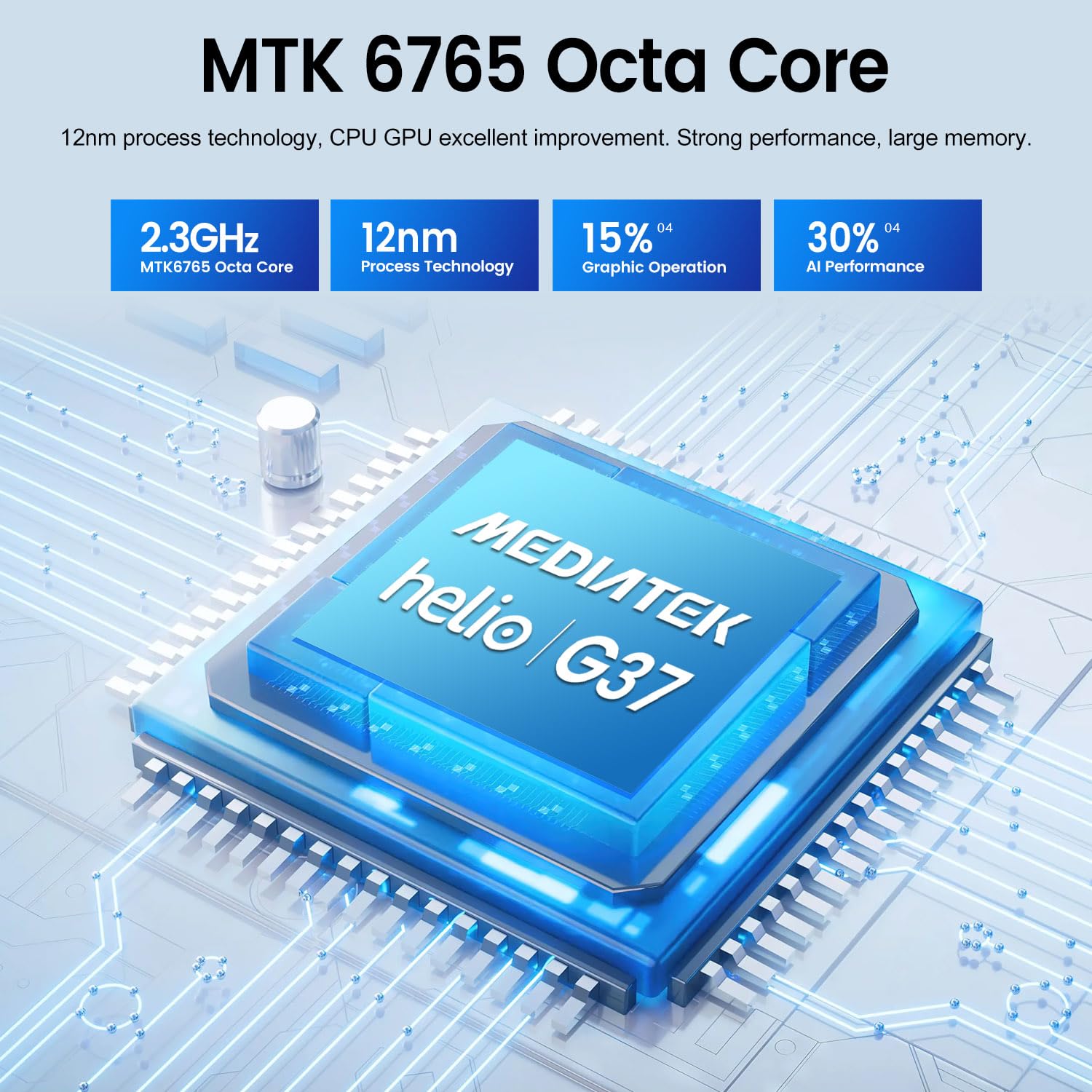
Image: Details of the KXD 13C Smartphone's MTK 6765 Octa Core processor, highlighting its clock speed, manufacturing process, and performance improvements.

Image: Memory configuration of the KXD 13C Smartphone, indicating 16GB RAM (4GB physical + 12GB virtual) and 256GB internal storage, expandable to 512GB.
| Feature | Specification |
|---|---|
| Model Name | 13C |
| Operating System | Android 13.0 |
| Processor | MTK6765 Octa-Core, 2.3 GHz |
| RAM | 4 GB (12 GB virtual) |
| Internal Storage | 256 GB |
| Expandable Storage | MicroSD up to 256 GB |
| Display Size | 6.8 Inches |
| Display Resolution | 1600 x 720 Pixels (HD+) |
| Refresh Rate | 90 Hz |
| Rear Camera | 50 MP (Main), 2 MP, 0.08 MP |
| Front Camera | 13 MP |
| Battery Capacity | 4500 mAh |
| Charging | 10W Fast Charging (USB Type-C) |
| SIM Card Slots | Dual SIM (Nano-SIM) |
| Network Technology | 4G |
| Connectivity | Wi-Fi 802.11 a/b/g/n/ac, Bluetooth 5.3, GPS |
| Security Features | Fingerprint Recognition, Face Recognition |
| Dimensions | 168.1 x 76.5 x 7.9 mm |
| Weight | 195 g |
| Water Resistance | Not waterproof |
| Headphone Jack | None (3.5mm) |
8. Warranty and Support
Your KXD 13C Smartphone comes with a commitment to quality. Spare parts are available for 2 years from the date of purchase.
For any questions regarding the use, functionality, or troubleshooting of your device, please contact the seller directly. They are committed to responding within 24 hours to assist you.


