1. Overview
The Kaidi KD-792 Bluetooth Earbuds offer a powerful sound experience with incredible comfort and wireless freedom. Designed for everyday use, these earbuds provide clear audio for music and calls, along with a durable, water-resistant design.
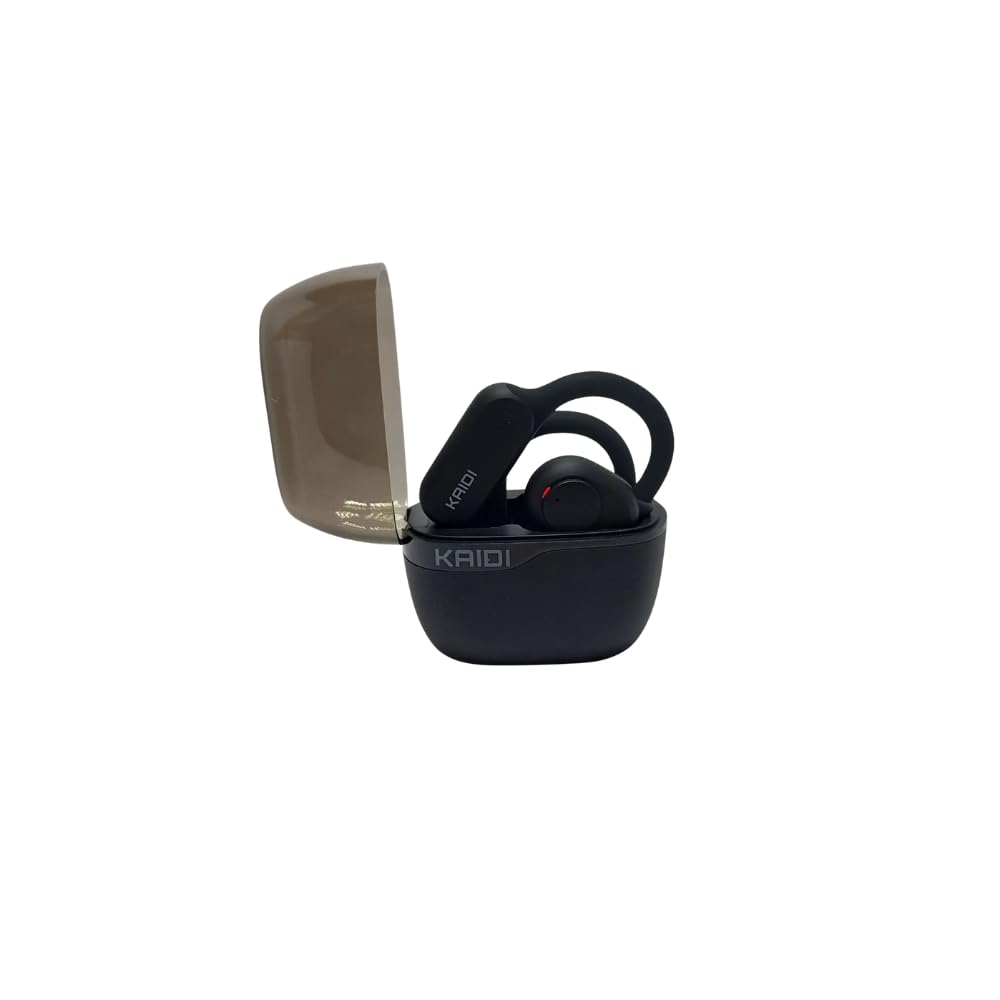
Image 1.1: Kaidi KD-792 Bluetooth Earbuds in their charging case.
2. What's in the Box
Upon opening your Kaidi KD-792 package, you should find the following items:
- Kaidi KD-792 Bluetooth Earbuds (Left and Right)
- Charging Case
- USB-C Charging Cable
- Interchangeable Silicone Eartips (various sizes)
- User Manual (this document)

Image 2.1: Contents of the Kaidi KD-792 package, including earbuds, case, and packaging.
3. Setup
3.1. Charging the Earbuds and Case
Before initial use, ensure both the earbuds and the charging case are fully charged.
- Place the earbuds into the charging case. Ensure they are seated correctly.
- Connect the USB-C charging cable to the charging port on the case and to a power source.
- The charging indicator on the case will show the charging status. A full charge takes approximately 2 hours.
Note: A 15-minute quick charge provides approximately 1 hour of playback. A full charge of the earbuds offers up to 6 hours of playback, with an additional 18 hours provided by the charging case.

Image 3.1: Kaidi KD-792 Earbuds removed from their charging case.
3.2. Bluetooth Pairing
To connect your Kaidi KD-792 earbuds to your device:
- Open the charging case. The earbuds will automatically enter pairing mode.
- On your device (smartphone, tablet, computer), go to the Bluetooth settings.
- Search for available devices and select "Kaidi KD-792" from the list.
- Once connected, you will hear an audio prompt, and the indicator lights on the earbuds will change.
Note: The earbuds will automatically reconnect to the last paired device when taken out of the case, if Bluetooth is enabled on the device.
4. Operating Instructions
4.1. Touch Controls
The Kaidi KD-792 earbuds feature intuitive touch controls for managing audio and calls:
- Play/Pause: Single tap on either earbud.
- Next Track: Double tap the right earbud.
- Previous Track: Double tap the left earbud.
- Answer/End Call: Single tap on either earbud.
- Reject Call: Press and hold either earbud for 2 seconds.
- Activate Voice Assistant: Triple tap on either earbud.
- Dynamic Bass Mode: Tap the left earbud to activate enhanced bass.
4.2. Making and Receiving Calls
The dedicated microphone ensures clear voice transmission during calls, while noise reduction algorithms minimize background noise.
- Ensure earbuds are connected to your phone via Bluetooth.
- To answer an incoming call, single tap either earbud.
- To end an active call, single tap either earbud.
- To reject an incoming call, press and hold either earbud for 2 seconds.
5. Key Features
- Dynamic Bass: Experience powerful and deep bass with the touch of a button, even at low volumes.
- Crystal Clear Calls: A dedicated microphone and noise reduction algorithms ensure your voice is heard clearly, minimizing ambient distractions.
- Extended Battery Life: Enjoy up to 6 hours of continuous playback on a single charge, with an additional 18 hours provided by the portable charging case.
- Comfortable and Secure Fit: Comes with interchangeable silicone eartips to ensure a comfortable and secure fit for various ear sizes.
- IPX4 Water Resistance: Designed to withstand splashes and sweat, making them suitable for workouts and outdoor activities.
- High-Quality Audio Drivers: Equipped with 10mm drivers for natural and smooth sound with rich bass.

Image 5.1: The Kaidi KD-792 earbuds showcasing their design within the open charging case.
6. Maintenance
To ensure the longevity and optimal performance of your Kaidi KD-792 Bluetooth Earbuds, follow these maintenance guidelines:
- Cleaning: Regularly clean the earbuds and charging case with a soft, dry, lint-free cloth. Do not use harsh chemicals or abrasive materials.
- Eartips: Remove and clean the silicone eartips periodically with mild soap and water. Ensure they are completely dry before reattaching.
- Charging Port: Keep the USB-C charging port free from dust and debris. Use a soft brush if necessary.
- Storage: When not in use, store the earbuds in their charging case to protect them and keep them charged. Avoid extreme temperatures.
- Water Exposure: While IPX4 water-resistant, avoid submerging the earbuds in water. Dry them thoroughly if they get wet from sweat or light rain.
7. Troubleshooting
If you encounter any issues with your Kaidi KD-792 earbuds, refer to the following common solutions:
| Problem | Possible Solution |
|---|---|
| Earbuds not pairing |
|
| No sound or low volume |
|
| Earbuds not charging |
|
| Call quality issues |
|
8. Specifications
| Feature | Detail |
|---|---|
| Model | KD-792 |
| Connectivity Technology | Wireless |
| Wireless Communication Technology | Bluetooth |
| Material | Fabric (This specification might refer to internal components or a small part, as earbuds are typically made of plastic and silicone.) |
| Charging Time | 2 Hours (for full recharge) |
| Compatible Devices | Smartphones, Tablets, Computers, Bluetooth-enabled devices |
| Control Type | Volume Control, Remote Method |
| Special Features | Noise Cancellation (Active Noise Cancellation) |
| Average Battery Life | 45 Hours (Note: Product video indicates up to 6 hours playback + 18 hours from case, totaling 24 hours. This 45-hour figure may represent standby time or total potential with multiple recharges.) |
| Ear Placement | Over-Ear / Circumaural (Based on product images, these earbuds feature an ear-hook design for a secure fit, which is often broadly categorized as 'over-ear' in headphone classifications.) |
| Water Resistance Rating | IPX4 |
| Driver Size | 10mm |
9. Warranty and Support
For warranty information and customer support, please refer to the documentation included with your purchase or contact the retailer where you purchased the Kaidi KD-792 Bluetooth Earbuds. Keep your proof of purchase for warranty claims.


