1. Product Overview
The BODEGACOOLER portable car refrigerator is a versatile dual-zone cooling and freezing solution designed for various outdoor and travel applications. It offers precise temperature control, efficient cooling, and convenient operation via a mobile application. This manual provides essential information for setup, operation, maintenance, and troubleshooting to ensure optimal performance and longevity of your appliance.

Figure 1: BODEGACOOLER Portable Car Refrigerator with APP Control.
2. Setup and Initial Use
2.1 Unboxing and Inspection
Carefully remove the refrigerator from its packaging. Inspect the unit for any signs of damage during transit. Ensure all accessories, including power cables (DC and AC), are present.
2.2 Power Connection
The BODEGACOOLER refrigerator supports multiple power sources:
- 12/24V DC: Connect to your vehicle's cigarette lighter socket.
- 100-240V AC: Use the provided AC adapter to connect to a standard home outlet.
- Solar Panel/Power Station: Compatible with external solar panels and portable power stations for off-grid use.
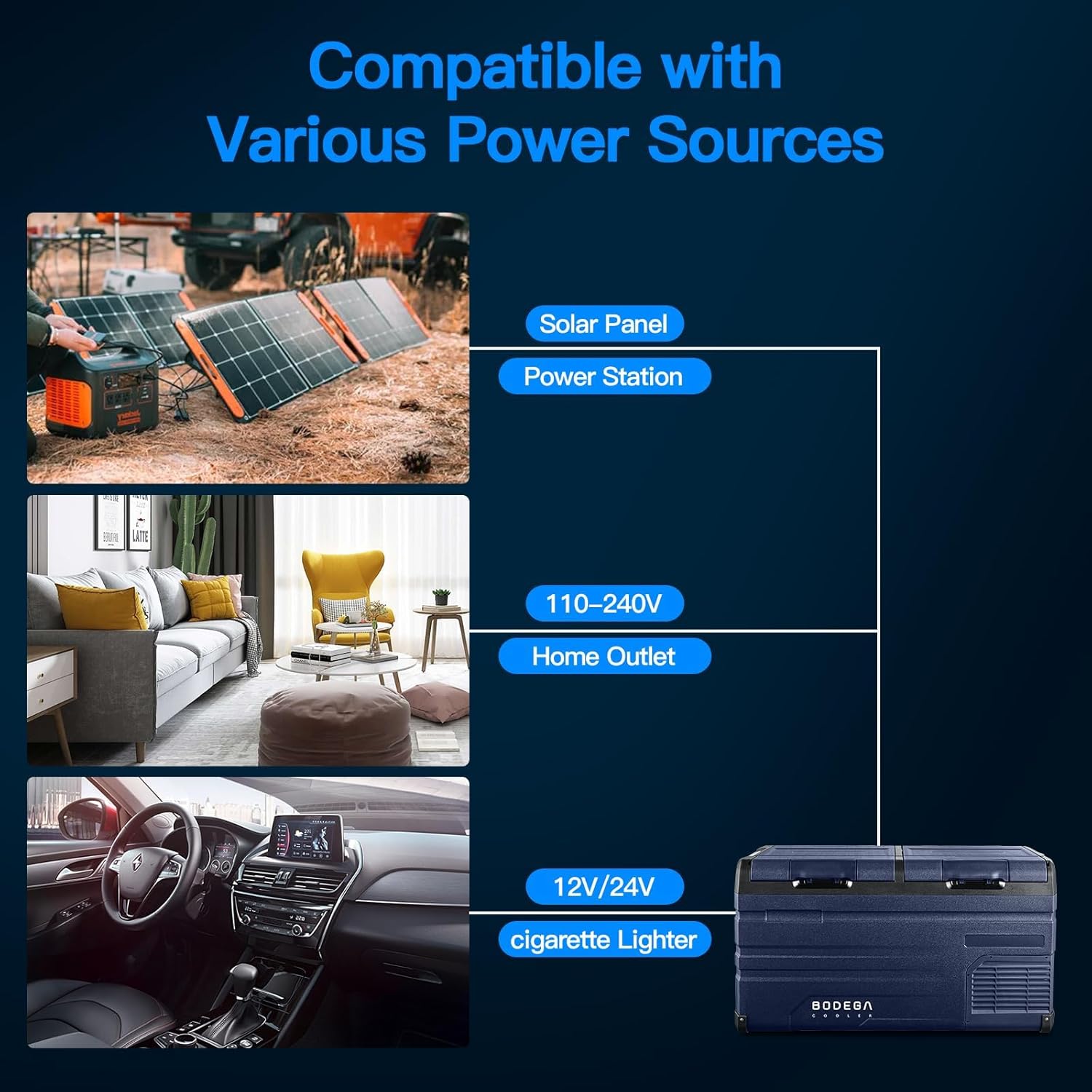
Figure 2: Power Source Compatibility.

Figure 3: Multiple Power Supply Methods.
2.3 App Installation and Connection (QZ Smart APP)
The refrigerator can be controlled via the QZ Smart APP. Follow these steps to connect:
- Download the APP: Search for "QZ Smart" in your device's app store (Android/iOS).
- Sign Up/Log In: Create an account or log in to the APP.
- Enable Bluetooth & WiFi: Ensure your phone's Bluetooth is enabled and connected to a 2.4GHz WiFi network for initial setup.
- Add Device: In the app, click "Add Device" and select your product model from the list.
- Pairing: Follow the on-screen instructions. This typically involves selecting "Bluetooth" or "AP Mode" in the app and pressing a key combination on the refrigerator's control panel (e.g., "+" and "-" for 5 seconds until a beep).
- Confirm Connection: Once connected, the app will display the refrigerator's status.
Video 1: QZ Smart APP Operating Procedure. This video demonstrates the steps for installing the app, signing in, and connecting your refrigerator via Bluetooth or AP mode for remote control.
Important Note for App Connection: If you experience connection issues, first unbind the product from your phone in the app, then try to reconnect. Ensure your phone is connected to a 2.4GHz WiFi network and Bluetooth is enabled. If problems persist, try reinstalling the app or using a different mobile device for testing.
3. Operating Instructions
3.1 Control Panel and Display
The refrigerator features an intuitive control panel with a digital display for monitoring and adjusting settings. The display shows current temperatures for both zones, battery voltage, and operating mode.

Figure 4: Multi-function Control Panel and APP Interface.
3.2 Temperature Adjustment (Dual Zone)
The BODEGACOOLER features independent dual-zone temperature control, allowing you to set different temperatures for each compartment. The temperature range is from -4℉ (-20℃) to 68℉ (20℃). Use the "+" and "-" buttons on the control panel or the app to adjust the desired temperature for each zone.

Figure 5: Dual Zone Large Capacity for varied storage needs.
3.3 MAX/ECO Mode
Select between MAX (fast cooling) and ECO (energy-saving) modes based on your cooling needs. MAX mode provides rapid temperature reduction, while ECO mode optimizes power consumption for extended use.
3.4 Battery Protection Settings (H/M/L)
The unit includes a battery protection system with High (H), Medium (M), and Low (L) settings to prevent excessive discharge of your power source. Adjust this setting based on your battery type and usage scenario.
| H | M | L | |
|---|---|---|---|
| 12V DC | START: 12.5V DISCONNECT: 11.3V | START: 11.4V DISCONNECT: 10.1V | START: 10.9V DISCONNECT: 9.6V |
| 24V DC | START: 26V DISCONNECT: 24.6V | START: 23.7V DISCONNECT: 22.3V | START: 22.7V DISCONNECT: 21.3V |
Table 1: Low Voltage Protection Levels. The car refrigerator does not contain batteries and needs to be connected to a power source for use.
3.5 App Control (Bluetooth/WiFi)
Once connected, the QZ Smart APP allows you to monitor and control the refrigerator's settings remotely, including temperature, mode, and battery protection. This is especially convenient when the unit is in a vehicle or hard-to-reach location.

Figure 6: Convenient App Control from inside your vehicle.
3.6 Removable 2-Way Door
The refrigerator features a humanized design with a removable 2-way door. This allows you to change the direction of the door cover, making it easier to access contents in various setups.

Figure 7: Removable 2-Way Door for enhanced convenience.
3.7 Low Noise Operation
The BODEGACOOLER is designed to operate with minimal noise, typically below 45dB, ensuring a quiet environment during use.
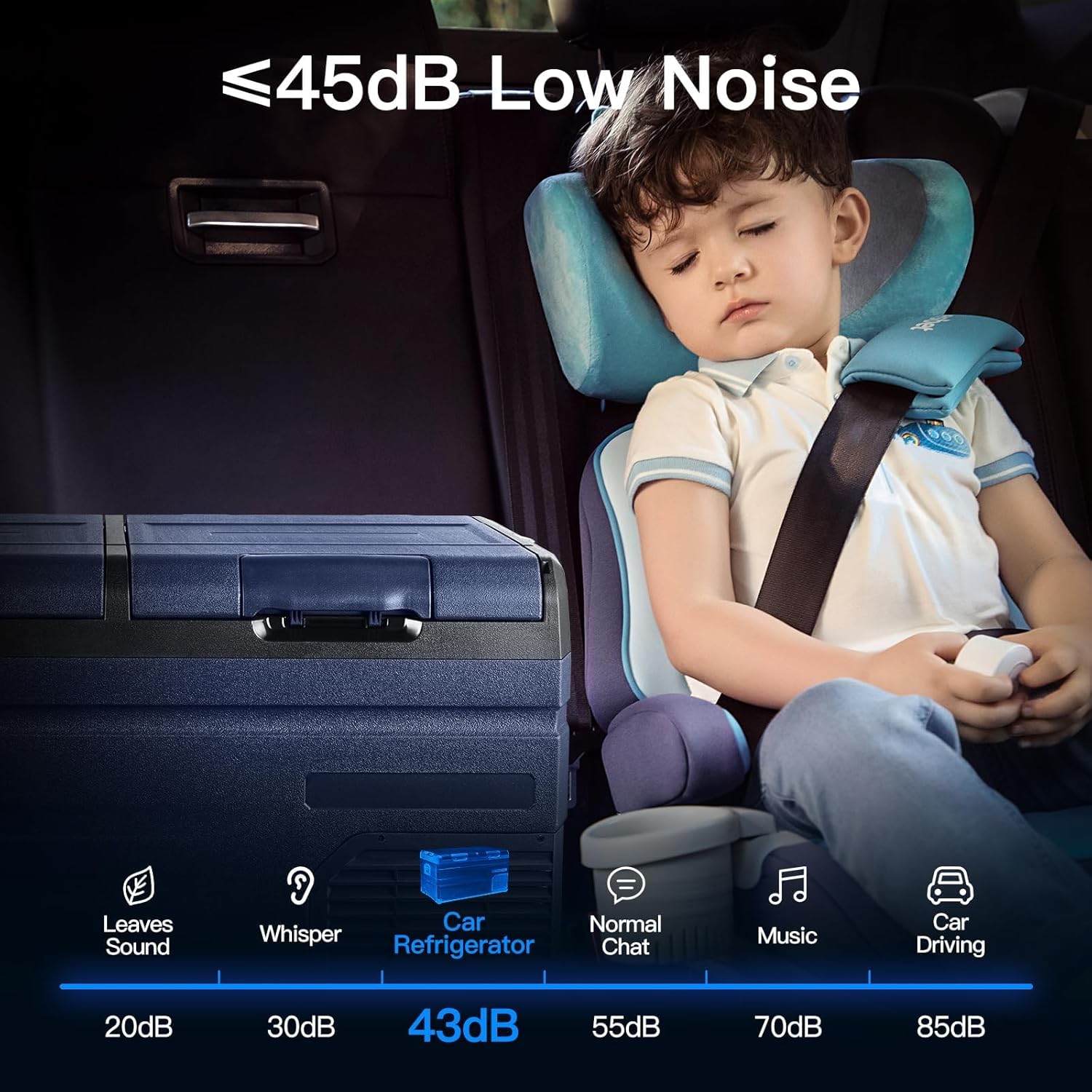
Figure 8: Low Noise Operation for a peaceful experience.
4. Maintenance
4.1 Cleaning
- Always disconnect the power before cleaning.
- Wipe the interior and exterior surfaces with a soft cloth dampened with mild detergent.
- Do not use abrasive cleaners, harsh chemicals, or sharp objects, as these can damage the surfaces.
- Ensure the unit is completely dry before reconnecting power.
4.2 Defrosting
Frost may accumulate on the interior surfaces, especially in humid conditions. To defrost:
- Turn off the unit and disconnect it from the power source.
- Remove all contents.
- Leave the lid open to allow the frost to melt naturally.
- Wipe away melted water with a clean cloth. Do not use sharp objects to remove frost.
4.3 Storage
When storing the refrigerator for an extended period:
- Ensure the unit is clean and dry.
- Leave the lid slightly ajar to prevent odors and mold growth.
- Store in a dry, well-ventilated area, away from direct sunlight and extreme temperatures.
5. Troubleshooting
If you encounter issues with your BODEGACOOLER refrigerator, please refer to the following common problems and solutions:
- Unit not powering on: Check power connections, ensure the power source is active, and verify the power cable is not damaged.
- Not cooling effectively: Ensure the lid is properly sealed, check for obstructions around vents, verify temperature settings, and ensure the unit is not overloaded.
- App connection issues: Refer to the "App Installation and Connection" section (2.3) and the important note regarding troubleshooting app connectivity.
- Unusual noises: Minor operational noises from the compressor are normal. If noises are excessive or unusual, contact customer support.
For further assistance, please contact customer support at info@bodegacooler.com.
6. Specifications
| Specification | Value |
|---|---|
| Brand Name | BODEGA |
| Model Info | BODEGACOOLER |
| Item Weight | 59.9 pounds (27.22 Kilograms) |
| Product Dimensions | 19.37 x 34.37 x 18.31 inches |
| Freezer Capacity | 72 Liters |
| Installation Type | Freestanding |
| Form Factor | Portable |
| Defrost | Frost Free |
| Number Of Doors | 2 |
| Cooling Method | Compressor |
| Adjustable Temperature Control | Yes |
| Refrigerator Net Capacity | 2.38 Cubic Feet |
7. Warranty and Support
BODEGACOOLER stands behind the quality of its products. This unit features a powerful compressor with a 5-year lifespan, and a 1-year general warranty on other components. For warranty claims, technical support, or any inquiries, please contact our customer service team.

Figure 9: Powerful Compressor with Extended Lifespan.
Contact Information:
Email: info@bodegacooler.com


