
LitONES F630
LitONES LED Desk Lamp for Home Office User Manual
Model: F630
Brand: LitONES
1. Introduction
The LitONES LED Desk Lamp (Model F630) is a versatile lighting solution designed for home offices, video conferencing, reading, streaming, and general task lighting. It features adjustable color temperatures, multiple brightness levels, and a highly flexible swing arm to provide optimal illumination for various activities. This manual provides detailed instructions for setup, operation, and maintenance to ensure you get the most out of your new desk lamp.
2. Product Features
- Dual Functionality: Functions as both a traditional desk lamp and a professional ring light for video calls and conferences.
- Advanced Illumination: 1200 lumens output with 3 color temperatures (cool, natural, warm) and 10 dimmable brightness levels. Features CRI >95 and edge-lit LED technology for glare-free, soft, and eye-caring light.
- Ultimate Flexibility: Equipped with 5 pivot joints and a maximum height of 33 inches. The 7-inch full-screen lamp head rotates 180° and 360° for precise light positioning.
- Stable Design: Solid metal base ensures stability without tipping, eliminating the need for clamps or wall mounting.
- Multi-functional Controls: Soft-touch controls with memory function, dimming, and 30-minute/1-hour timer settings.
- Premium Quality: Constructed from aerospace-grade aluminum with LEDs rated for 100,000 hours and pivots designed for over 200,000 adjustments.
3. What's in the Box
- 1 x LED Full-Screen Light
- 1 x Metal Base
- 1 x AC Adapter
4. Setup Instructions
Unpack Components: Carefully remove all items from the packaging: the LED lamp arm, the metal base, and the AC adapter.
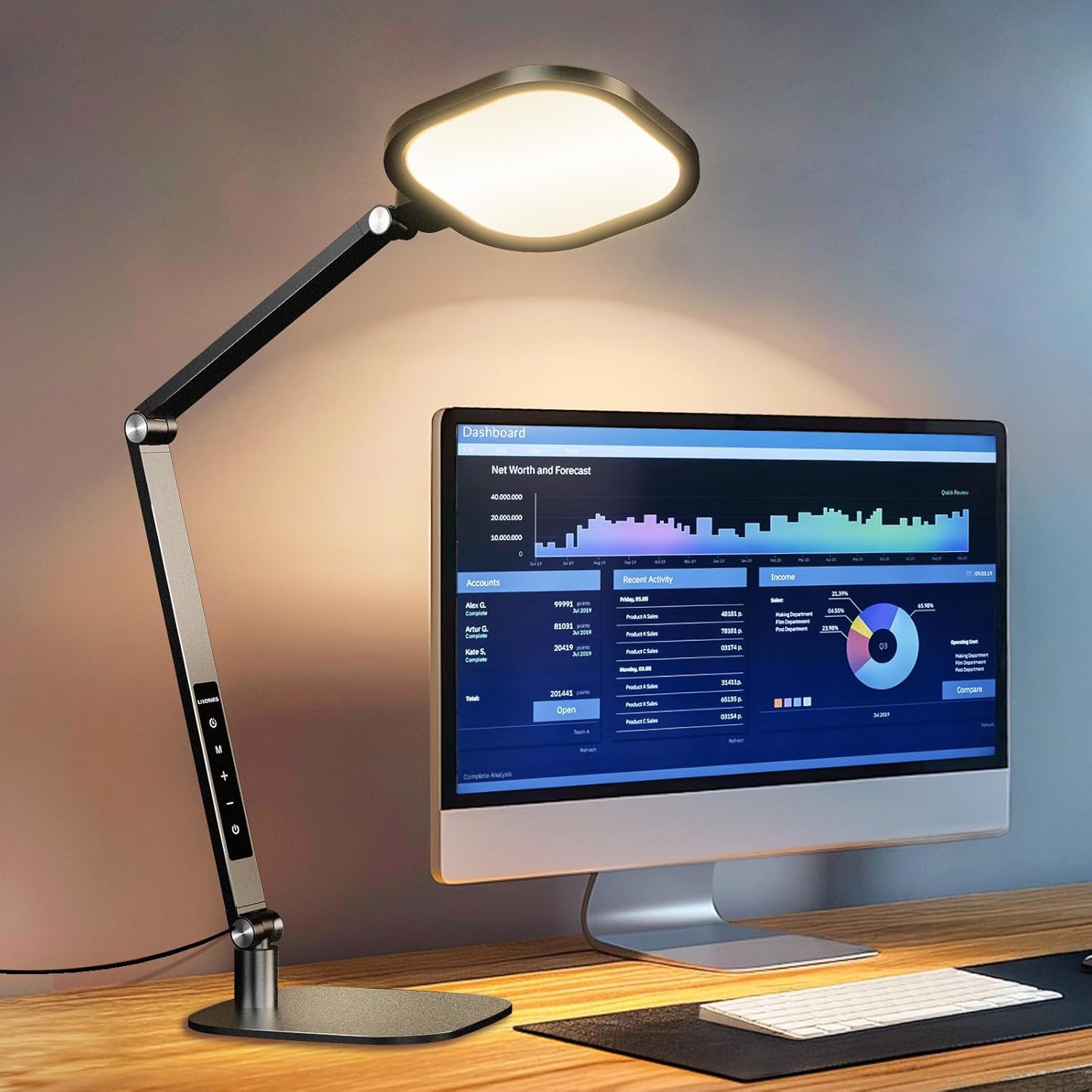
Image: All components of the LitONES LED Desk Lamp, including the lamp arm, base, and power adapter, are neatly arranged on a wooden desk after unpacking.
Assemble the Base: Insert the lamp arm into the designated slot on the metal base. Secure it by tightening the screw located on the side of the base. Ensure the connection is firm and stable.

Image: A hand is shown inserting the lamp arm into the sturdy metal base, demonstrating the simple assembly process.
Connect Power: Plug the AC adapter into the power port located at the bottom of the lamp arm. Then, plug the adapter into a standard electrical outlet.

Image: The LitONES LED Desk Lamp is shown fully assembled on a desk, with its power adapter plugged into a wall outlet, ready for use.
Initial Adjustment: Adjust the lamp arm and head to your desired position. The lamp is designed for extensive flexibility.

Image: The desk lamp is shown with its multi-jointed arm adjusted to various angles, highlighting its flexibility for different lighting needs.
5. Operating Instructions
The LitONES LED Desk Lamp features intuitive touch controls for easy operation.

Image: A close-up of the LitONES LED Desk Lamp's control panel, showing the touch-sensitive buttons for power, mode, brightness, and timer.
5.1 Power On/Off
Press the Power button ( ) to turn the lamp on or off.
5.2 Adjusting Color Temperature
The lamp offers 3 color temperature modes (Cool, Natural, Warm). Press the Mode button (M) to cycle through the available color temperatures.
Image: The lamp head displaying various color temperatures, from cool white to warm yellow, illustrating the different lighting modes.
5.3 Adjusting Brightness
The lamp has 10 brightness levels. Use the Plus (+) and Minus (-) buttons to increase or decrease the brightness.
Image: The lamp head displaying various brightness levels, from dim to bright, illustrating the adjustable intensity.
5.4 Timer Function
Activate the timer function by pressing the Timer button (). One press sets a 30-minute timer, and a second press sets a 60-minute timer. The lamp will automatically turn off after the set time.

Image: A man is shown using the timer function on the LitONES LED Desk Lamp while working at his desk, highlighting the convenience of automated shutdown.
5.5 Memory Function
The lamp remembers your last used brightness and color temperature settings when turned off and on again.
5.6 Adjusting the Lamp Arm and Head
The lamp features multiple pivot points for extensive adjustability. The lamp head can rotate 180° and 360°, and the arm has 5 pivot joints allowing for a max height of 33 inches. This enables precise light positioning for any task.
Image: The desk lamp is shown with its multi-jointed arm adjusted to various angles, highlighting its flexibility for different lighting needs.

Image: A diagram illustrating the dimensions and range of motion of the LitONES LED Desk Lamp's arm and head, emphasizing its stability and adjustability.
6. Maintenance
- Cleaning: Use a soft, dry cloth to clean the lamp. Do not use abrasive cleaners or solvents.
- Storage: When not in use for extended periods, store the lamp in a cool, dry place. The lamp can be folded for compact storage.
- LED Lifespan: The integrated LED lights are rated for 100,000 hours of use and do not require replacement.
7. Troubleshooting
| Problem | Possible Cause | Solution |
|---|---|---|
| Lamp does not turn on. | Power cord not properly connected or no power from outlet. | Ensure the AC adapter is securely plugged into the lamp and the wall outlet. Test the outlet with another device. |
| Light flickers or is dim. | Unstable power supply or lamp settings. | Check power connection. Adjust brightness levels using the touch controls. |
| Touch controls are unresponsive. | Temporary software glitch or dirty sensor. | Unplug the lamp for 30 seconds and plug it back in. Clean the touch panel with a soft, dry cloth. |
8. Specifications
| Feature | Detail |
|---|---|
| Model Number | F630 |
| Brand | LitONES |
| Wattage | 15 watts |
| Brightness | 1200 Lumen |
| Color Temperature | 3000-6500K (3 modes) |
| Brightness Levels | 10 levels |
| CRI | >95 |
| Product Dimensions | 7"D x 7"W x 33"H |
| Item Weight | 4 Pounds |
| Material | Plastic, Metal (Aerospace-grade aluminum) |
| Switch Type | Touch |
| Power Source | Corded Electric |
| LED Lifespan | 100,000 hours |
| Pivot Durability | 200,000 adjustments |
9. Official Product Videos
Desk Lamp for Home Office Computer Zoom Lighting
Video: This official product video demonstrates the LitONES desk lamp's features, including its adjustable arm, lighting modes, and suitability for home office and video conferencing environments.
10. Warranty & Support
The LitONES LED Desk Lamp comes with a 5-year warranty and lifetime technical support, ensuring long-lasting, reliable performance and peace of mind.

Image: A shield icon prominently displaying "5 Year Warranty", symbolizing the product's extended coverage and manufacturer confidence.
For technical assistance or warranty claims, please refer to the contact information provided in your product packaging or visit the official LitONES website.
Related documentsF630

Ask a question about this manual
Ask about setup, troubleshooting, compatibility, parts, safety, or missing instructions. Manuals+ will review the question and use this page’s manual context to help answer it.