
ORDRO DP-G730
ORDRO G730 5K Digital Camera User Manual
Model: DP-G730
1. Introduction
This manual provides detailed instructions for the proper use and maintenance of your ORDRO G730 5K Digital Camera. Please read this manual thoroughly before operating the camera to ensure optimal performance and longevity.

Image: The ORDRO G730 5K Digital Camera, available in white and black finishes.
The ORDRO G730 features an 8.0 MP CMOS 1/2 inch sensor, delivering sharp, detailed images and videos. It includes a 12x optical zoom, autofocus, real-time face focus, and a 3.2-inch variable angle screen for versatile shooting. Its compact and lightweight design makes it suitable for various photography and videography needs.
2. Included Components
Verify that all the following items are included in your package:
- ORDRO G730 Mirrorless Camera
- 64GB SD Card
- NP-180 Battery (x2)
- Type-C Cable
- User Manual

Image: The ORDRO G730 camera shown with its standard accessories, including batteries, SD card, and cables.
3. Setup Guide
3.1. Battery Installation
- Open the battery compartment cover on the bottom of the camera.
- Insert the NP-180 battery, ensuring the correct orientation according to the diagram inside the compartment.
- Close the battery compartment cover until it clicks securely.
3.2. SD Card Installation
- Locate the SD card slot, usually next to the battery compartment.
- Insert the 64GB SD card with the metal contacts facing the front of the camera until it clicks into place.
- To remove, gently push the card until it springs out.
3.3. Charging the Battery
- Connect the Type-C cable to the camera's Type-C port.
- Connect the other end of the cable to a USB power adapter (not included) or a computer.
- The charging indicator light will illuminate during charging and turn off when fully charged.
3.4. Powering On/Off
- To power on, press and hold the power button until the screen illuminates.
- To power off, press and hold the power button until the screen shuts down.
4. Operating Instructions
4.1. Basic Photography and Video Recording
The camera supports both still photography (up to 64MP) and video recording (up to 5K resolution).

Image: Visual representation of 5K video resolution capability.
- Use the mode dial to select between photo and video modes.
- Press the shutter button halfway to focus, then fully press to capture a photo or start/stop video recording.
4.2. Using the 3.2-inch Flip LCD Screen
The camera features a 3.2-inch vari-angle LCD screen that can be rotated 270 degrees, allowing for flexible shooting angles, including selfies and vlogging.

Image: The ORDRO G730 camera with its 3.2-inch flip-out LCD screen rotated for various shooting perspectives.
4.3. Focus Modes (Autofocus & Manual Focus)
The G730 supports both automatic and manual focusing. It also features real-time face focus.

Image: A hand interacting with the camera's touchscreen to adjust focus on a subject's face.
- Autofocus: The camera automatically detects and focuses on subjects.
- Manual Focus: Rotate the lens ring to manually adjust the focus.
- Face Focus: The camera can detect and prioritize focus on human faces.

Image: An example shot of food on a plate, demonstrating the effect of different focus modes (AF, MF, AF+MF).
4.4. Optical Zoom
The camera features 12x optical zoom. Use the zoom lever to adjust the focal length.
4.5. White Balance
Adjust the white balance to ensure accurate color reproduction under different lighting conditions. Options include Auto, Daylight, Cloudy, Tungsten Light, Fluorescent (H), Fluorescent (L), and Manual Color Temperature (3000K-9000K).
4.6. Creative Filters
The camera offers 15 creative filters to enhance your photos and videos. These include Standard, Natural, Vivid, Black and White, High Contrast Black and White, Negative, High Contrast Color, Nostalgic, CCD, Warm Tone, Cool Tone, Red Tone, Green Tone, Blue Tone, and Yellow Tone.

Image: A visual display of the 15 creative filters, each applied to an example image.
4.7. IR Night Vision
Activate IR Night Vision for shooting in low-light or dark conditions.

Image: A graphic illustrating the ON/OFF toggle for the camera's night vision feature.
4.8. Wi-Fi Connection and App Control
Connect the camera to your smartphone or tablet via Wi-Fi using the 'OD Cam' app for instant photo and video sharing, and remote control functionality.

Image: The white ORDRO G730 camera wirelessly connected to a smartphone displaying the camera's live view.

Image: The icon for the 'OD Cam' mobile application.
4.9. HDMI Output
Connect the camera to a TV or monitor using an HDMI cable (not included) to view your photos and videos on a larger screen.
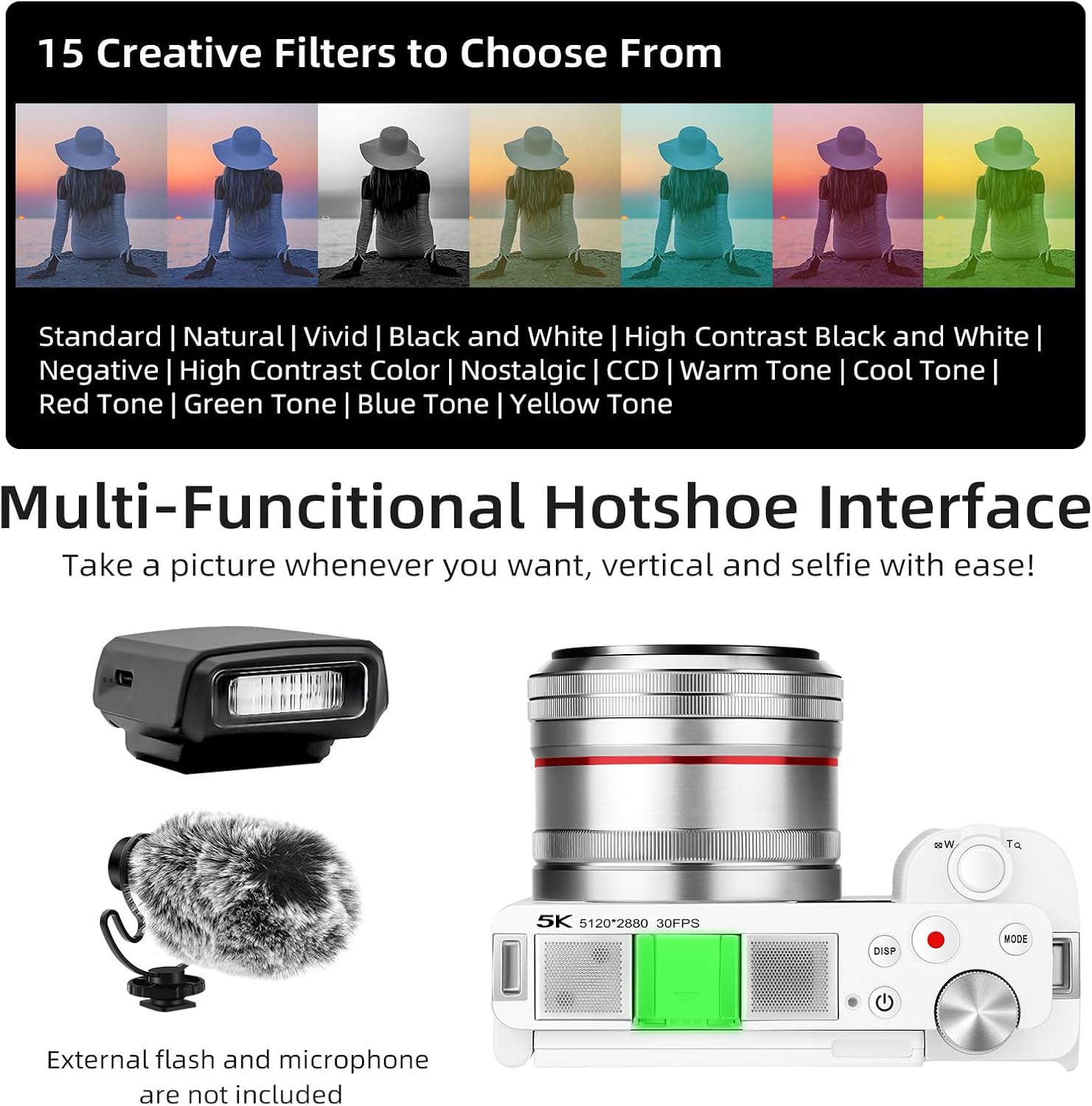
Image: The ORDRO G730 camera connected to a television, displaying its output.
4.10. Multi-Functional Hotshoe Interface
The camera features a hotshoe interface for attaching external accessories such as flashes or microphones (sold separately).

Image: The ORDRO G730 camera highlighting its hotshoe interface, with examples of an external flash and microphone.
4.11. Remote Control
An optional remote control can be used to operate the camera from a distance, useful for self-portraits or group shots.

Image: A hand holding an optional remote control, used to trigger the camera mounted on a tripod.
4.12. Self-Timer
The camera features a self-timer function, allowing for a delay before capturing a photo. The maximum self-timer duration is 60 seconds.
5. Maintenance
- Keep the camera clean and free from dust and moisture.
- Use a soft, dry cloth to clean the camera body.
- For the lens, use a specialized lens cleaning cloth and solution. Avoid touching the lens surface with your fingers.
- Store the camera in a cool, dry place when not in use, preferably in a camera bag to protect it from impacts.
- Remove the battery if the camera will not be used for an extended period.
6. Troubleshooting
| Problem | Possible Cause | Solution |
|---|---|---|
| Camera does not power on. | Battery is depleted or incorrectly inserted. | Charge the battery or re-insert it correctly. |
| Cannot take photos/record videos. | SD card is full, locked, or not inserted. | Check SD card capacity, unlock it, or insert it properly. Format if necessary (this will erase all data). |
| Images are blurry. | Incorrect focus, camera shake, or dirty lens. | Ensure proper focus (autofocus or manual), use a tripod, or clean the lens. |
| Wi-Fi connection fails. | Incorrect app, Wi-Fi disabled, or interference. | Ensure 'OD Cam' app is installed, enable camera Wi-Fi, and try again in a clear area. |
7. Specifications
| Feature | Detail |
|---|---|
| Brand | ORDRO |
| Model Name | DP-G730 |
| Photosensor Resolution | 64 MP |
| Photosensor Size | 1/2.7-inch CMOS |
| Video Recording Resolution | 5K, 2160p, 1080p |
| Optical Zoom | 12x |
| Display Screen | 3.2-inch LCD, Articulated, Capacitive Touchscreen |
| Focus Type | Autofocus, Manual Focus, Face Recognition |
| Image Stabilization | Optical |
| Connectivity | HDMI, Wi-Fi |
| Storage Media | SD Card (64GB included) |
| Battery Type | Lithium-ion (NP-180) |
| Special Features | IR Night Vision, Hotshoe, Self-timer (60s) |
| Minimum Shutter Speed | 0.00025 seconds |
| ISO Range | 100-3200 |
| Aperture Modes | F1.8-F2.8 |
8. Warranty and Support
8.1. Warranty Information
The ORDRO G730 camera comes with a limited warranty. Please refer to the warranty card included in your package or visit the official ORDRO website for detailed terms and conditions regarding warranty coverage and duration.
8.2. Customer Support
For technical assistance, troubleshooting not covered in this manual, or service inquiries, please contact ORDRO customer support through their official website or the contact information provided in your product documentation.
Related documentsDP-G730


Ask a question about this manual
Ask about setup, troubleshooting, compatibility, parts, safety, or missing instructions. Manuals+ will review the question and use this page’s manual context to help answer it.