
BENETECH GT1355
Benetech GT1355 Decibel Meter User Manual
Model: GT1355 | Brand: BENETECH
Introduction
This manual provides comprehensive instructions for the safe and effective operation of your Benetech GT1355 Decibel Meter. Please read this manual thoroughly before use and retain it for future reference. This device is designed for measuring sound levels in various environments, offering precise and reliable data.
Key Features
- A/C Weighted Measurement: Measures sound levels from 30 to 130 dB(A) / 35 to 130 dB(C) with an accuracy of ±1.5 dB, covering frequencies from 31.5 Hz to 8,500 Hz.
- Easy-to-Read Display: Features an LCD backlight screen that visually displays noise data changes, including Max value, and offers visual alarms.
- Time Weighting Options: Switch between Fast and Slow time weighting to capture different types of sound events.
- Real-Time Monitoring & Recording: Capable of storing up to 31,000 sets of data for comprehensive analysis.
- PC Connectivity: Import saved data to a PC via USB for real-time data sampling, analysis, downloading, printing charts, and data deletion.
- Rechargeable Battery: Built-in rechargeable battery provides up to 8 hours of standby time after a 1.5-hour charge.
- Portable Design: Lightweight (249g) with a non-slip rubber grip and 1/4-inch mounting threads for tripod attachment.
Package Contents
- 1x Benetech GT1355 Decibel Meter
- 1x USB Cable
- 1x User Manual
Product Overview
Familiarize yourself with the components of your decibel meter to ensure proper operation.

This image shows the front view of the Benetech GT1355 Decibel Meter, highlighting its microphone, LCD display, and control buttons including Power, Max, Hold, and F/S (Fast/Slow).
Setup
Charging the Device
The GT1355 decibel meter is equipped with a rechargeable Lithium Polymer battery. Before first use, ensure the device is fully charged.
- Connect the provided USB cable to the USB-C port on the device.
- Connect the other end of the USB cable to a compatible USB power adapter (not included) or a computer's USB port.
- The charging indicator on the device will show charging status. A full charge takes approximately 1.5 hours.

This image illustrates the USB-C charging port on the side of the Benetech GT1355 Decibel Meter, emphasizing its rechargeable 1000mAh battery and showing charging and standby times.
Operating Instructions
Power On/Off
Press and hold the red power button (ⓘ) located on the front panel to turn the device on or off.
Measurement Modes (A/C Weighting)
The meter supports both A-weighting and C-weighting for different measurement scenarios.
- A-Weighting: Suitable for environmental noise measurement, mimicking the human ear's response. Measuring range: 30 to 130 dB(A).
- C-Weighting: Suitable for industrial noise measurement, providing a flatter response across frequencies. Measuring range: 35 to 130 dB(C).
Press the "A/C" button to switch between A and C weighting modes.

This image displays the A-weighted and C-weighted measurement modes of the Benetech GT1355 Decibel Meter, showing their respective measuring ranges and typical applications (environmental vs. industrial noise).
Time Weighting (Fast/Slow)
The device offers Fast and Slow time weighting options to capture different types of sound events.
- Fast: (8 times/second) For capturing rapidly changing noise levels.
- Slow: (1 time/second) For measuring average noise levels over time.
Press the "F/S" button to toggle between Fast and Slow time weighting.

This image illustrates the Fast (8 times/second) and Slow (1 time/second) time weighting options available on the Benetech GT1355 Decibel Meter, demonstrating how they affect the responsiveness of the measurement display.
Data Hold and Max Value
To freeze the current reading on the display, press the "HOLD" button. Press it again to resume real-time measurement.
To view the maximum measured value since the device was powered on or reset, press the "MAX" button.
Alarm Settings
The GT1355 features visual alarms for high and low noise levels.
- You can set a high alarm value and a low alarm value.
- When the noise level exceeds the high alarm value, the screen and indicator light will turn red.
- When the noise level is between the high and low alarm values, the screen and indicator light will turn yellow.
- When the noise level is below both thresholds, the display is green.

This image demonstrates how to set high and low alarm values on the Benetech GT1355 Decibel Meter, showing the corresponding screen color changes (red for high, yellow for mid, green for low) to indicate noise levels relative to the set thresholds.
Data Management and PC Connection
The decibel meter can store up to 31,000 sets of data and connect to a PC for advanced analysis.
- Connect the device to your computer using the provided USB cable.
- Install the necessary software (refer to the included software CD or manufacturer's website for download).
- The software allows for real-time data sampling, analysis, data downloading, printing charts, and data deletion.
- You can also set the date and configure automatic shutdown time via the software.
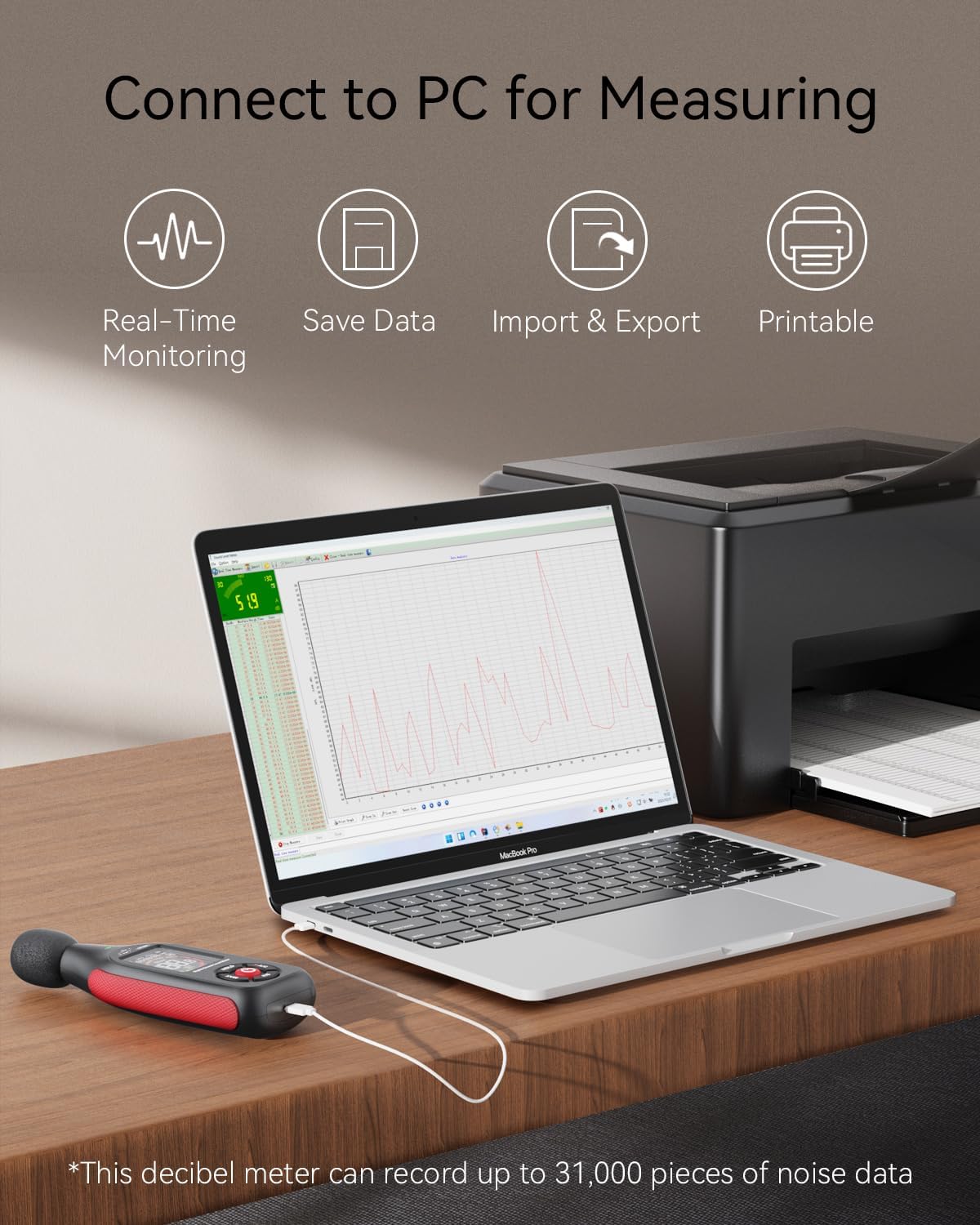
This image shows the Benetech GT1355 Decibel Meter connected to a laptop via USB, illustrating its capability for real-time monitoring, saving data, importing/exporting data, and printing reports, with a note that it can record up to 31,000 pieces of noise data.
Maintenance
- Cleaning: Use a soft, dry cloth to clean the device. Do not use abrasive cleaners or solvents.
- Storage: Store the device in a cool, dry place away from direct sunlight and extreme temperatures.
- Battery: Recharge the battery regularly, even if the device is not in frequent use, to maintain battery health.
- Microphone Protection: The microphone is sensitive. Avoid dropping the device or exposing the microphone to dust, moisture, or physical impact.
Troubleshooting
| Problem | Possible Cause | Solution |
|---|---|---|
| Device does not power on | Low battery | Recharge the device. |
| Device does not power on | Power button not held long enough | Press and hold the power button for 3 seconds. |
| Inaccurate readings | Microphone obstructed or damaged | Ensure microphone is clear. Contact support if damaged. |
| Inaccurate readings | Incorrect weighting (A/C) or time (Fast/Slow) setting | Verify A/C and Fast/Slow settings are appropriate for your measurement. |
| Cannot connect to PC | USB cable issue or driver not installed | Try a different USB port/cable. Install the correct PC software/drivers. |
| Cannot connect to PC | Software compatibility issue | Ensure your operating system is supported by the software. Check for software updates. |
| Display is dim or blank | Low battery or backlight setting | Recharge the device. Check backlight settings if available in menu. |
Specifications
| Feature | Detail |
|---|---|
| Model | GT1355 |
| Measurement Range | 30-130 dB(A) / 35-130 dB(C) |
| Accuracy | ±1.5 dB |
| Frequency Range | 31.5 Hz to 8,500 Hz |
| Resolution | 0.1 dB |
| Time Weighting | Fast (8 times/s), Slow (1 time/s) |
| Data Storage | Up to 31,000 sets |
| Power Source | Rechargeable Lithium Polymer Battery |
| Charging Time | Approx. 1.5 hours |
| Standby Time | Up to 8 hours |
| Dimensions | 15.49 x 5.49 x 3 cm |
| Weight | 249 g |
| Included Components | 1x decibel meter, 1x USB port, 1x user manual |
Warranty and Support
The Benetech GT1355 Decibel Meter comes with a 12-month warranty. For technical support, troubleshooting, or warranty claims, please contact Benetech customer service.
Benetech offers friendly 24/7 customer service, with their support team ready to assist you.
Contact information may be found on the manufacturer's official website or the product packaging.
Related documentsGT1355


Ask a question about this manual
Ask about setup, troubleshooting, compatibility, parts, safety, or missing instructions. Manuals+ will review the question and use this page’s manual context to help answer it.