
1. Introduction
This manual provides comprehensive instructions for the HTINDUSTRY T6C Replacement Earpads. These earpads are designed to replace worn-out ear cushions on compatible Bluedio headphones, restoring comfort and enhancing your listening experience. Please read this manual carefully before installation.
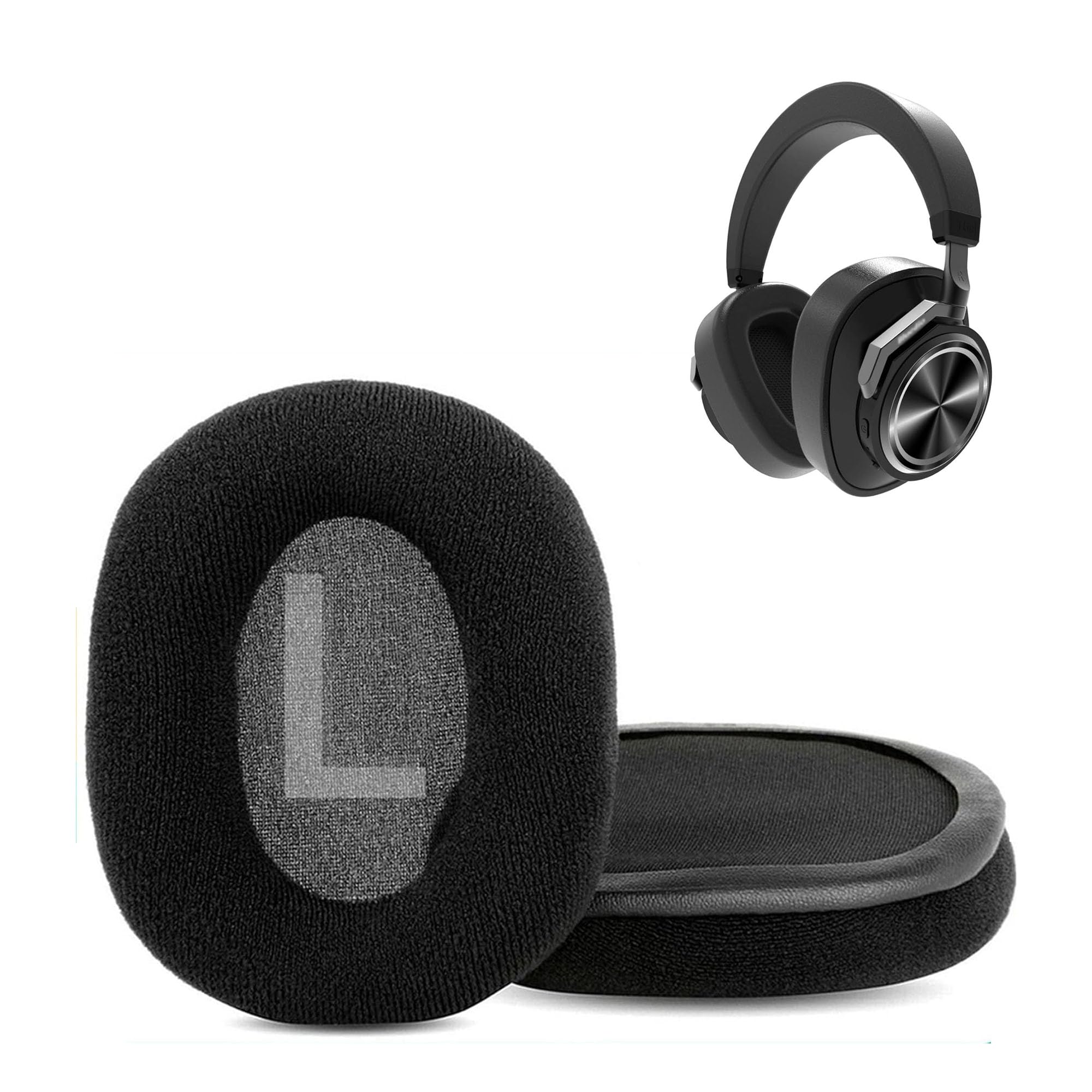
Image 1: Front view of the HTINDUSTRY T6C Replacement Earpads, showing their shape and texture.
2. Compatibility
The HTINDUSTRY T6C Replacement Earpads are specifically designed for the following Bluedio headphone models:
- Bluedio T6S
- Bluedio T6
- Bluedio T6C
- Bluedio T7
- Bluedio T7+
Ensure your headphone model is listed above for proper fit and function.

Image 2: A visual chart indicating compatibility with various Bluedio headphone models, including T6, T6S, T6C, T7, and T7+.
3. Features
These replacement earpads offer several key features designed to enhance your listening experience:
- Comfortable Fabric and Memory Foam: Constructed with soft fabric and high-quality memory foam to provide superior comfort during extended use and effectively reduce external noise.
- Professional Quality: Manufactured under strict quality control, these earpads feature soft materials that conform comfortably to the ears, reduce pressure, and offer excellent noise isolation.
- Durable Design: Made from premium materials for exceptional durability, ensuring a long lifespan for your headphone cushions.

Image 3: Close-up view of the earpads highlighting the comfortable fabric and memory foam construction, with "L" and "R" markings visible.
4. Installation Guide
Replacing your old earpads is a straightforward process that requires no special tools. Follow these steps for a successful installation:
- Remove Old Earpads: Gently peel off the existing earpads from your headphones. They are usually held in place by a thin rim or adhesive.
- Clean Headphone Surface: Ensure the surface where the new earpads will attach is clean and free of any debris or adhesive residue.
- Align New Earpads: Take one new earpad and align its rim with the groove on your headphone's ear cup. Ensure the "L" (Left) and "R" (Right) markings on the earpads match the corresponding sides of your headphones.
- Secure Earpads: Carefully stretch the earpad's rim around the headphone's ear cup, working your way around until it is fully seated and secure. Apply gentle pressure to ensure a snug fit.
- Repeat for Second Earpad: Follow the same steps for the other earpad.
The earpads are designed to fit perfectly, providing a secure and comfortable attachment.

Image 4: An illustration demonstrating the simple installation process of the earpads, emphasizing that no glue or special tools are required.

Image 5: The package contains two earpad cushions, one for the left and one for the right ear cup.
Video 1: An official video demonstrating the replacement process for earpad cushions, showing how to remove old pads and install new ones.
5. Maintenance
To ensure the longevity and hygiene of your HTINDUSTRY T6C Replacement Earpads, follow these maintenance guidelines:
- Cleaning: Gently wipe the earpads with a soft, slightly damp cloth. Avoid using abrasive cleaners, harsh chemicals, or excessive moisture, as these can damage the fabric and foam.
- Storage: When not in use, store your headphones in a clean, dry place away from direct sunlight and extreme temperatures to prevent material degradation.
- Avoid Punctures: Be careful not to puncture or tear the earpad material, as this can compromise comfort and noise isolation.
6. Troubleshooting
If you encounter any issues during the installation or use of your HTINDUSTRY T6C Replacement Earpads, consider the following:
- Earpads Not Fitting: Double-check the compatibility list in Section 2 to ensure your headphone model is supported. Ensure the earpad rim is fully seated in the headphone groove.
- Discomfort: Allow a short period for the memory foam to adapt to the shape of your ears. If discomfort persists, ensure the earpads are correctly installed and not twisted.
- Reduced Noise Isolation: Verify that the earpads are securely attached and form a complete seal around your ears. Any gaps can reduce noise isolation.
For further assistance, please refer to the Customer Support section.
7. Specifications
| Brand | HTINDUSTRY |
| Model | T6C Earpads |
| Material | Cotton, Memory Foam |
| Color | Black |
| Item Weight | 2.12 ounces |
| Package Dimensions | 7.87 x 5.51 x 0.94 inches |
| Compatible Devices | Bluedio T6S, T6, T6C, T7, T7+ Headphones |
8. Customer Support
HTINDUSTRY is committed to providing high-quality products and excellent customer service. If you encounter any issues with your T6C Replacement Earpads, including installation difficulties or quality concerns, please do not hesitate to contact our support team.
Our customer support team is dedicated to assisting you and aims to provide satisfactory solutions within 24 hours.
For support, please visit the HTINDUSTRY store on Amazon or use the contact information provided with your purchase.