
PIKOY WH-E14A
PIKOY Galaxy Projector Instruction Manual
Model: WH-E14A
Brand: PIKOY
Introduction
This manual provides comprehensive instructions for the setup, operation, and maintenance of your PIKOY Galaxy Projector. Please read this manual thoroughly before use to ensure optimal performance and safety. This device combines a star projector, galaxy light, HiFi Bluetooth speaker, remote control, and white noise machine to create an immersive visual and auditory experience.

Image: The PIKOY Galaxy Projector unit showcasing its vibrant light projection capabilities in a living room setting.
What's in the Box
Upon unpacking, please verify that all the following items are included:
- PIKOY Galaxy Projector Unit
- Remote Control
- USB Power Cable
- User Manual

Image: A visual representation of the PIKOY Galaxy Projector and its included accessories: the projector unit, remote control, USB cable, and user manual.
Setup
1. Power Connection
Connect the provided USB power cable to the projector's power input port. Plug the other end into a compatible USB power adapter (not included) or a USB port on a computer/power bank.
2. Placement
Place the projector on a flat, stable surface. For optimal projection, position it in the center of the room or at an angle that allows the light to cover the desired area (ceiling or wall).
3. Initial Power On
Press the power button on the projector or the remote control to turn on the device. The projector will typically start in a default light mode.
Operating Instructions
1. Power On/Off
Press the Power Button on the projector or the remote control to turn the unit on or off.
2. Adjusting Light Modes and Colors
The projector offers 15 color options and 360 light patterns. Use the Color Buttons (Red, Blue, Green, White) on the remote to select individual colors or combine them. The nebula effect and star lights can be controlled independently.
Adjust the brightness using the Brightness Level Buttons (7 levels available) on the remote.
Control the rotation speed of the light effects with the Rotation Speed Buttons on the remote.

Image: A visual guide to the 15 distinct color options and 360 dynamic light modes available on the projector.
3. White Noise Function
The projector includes 15 built-in white noise and natural sound options. Press the White Noise Button on the remote to cycle through the sounds. Adjust the volume using the Volume Up/Down Buttons.

Image: An illustration of the 15 built-in white noise and natural sound options, such as lullaby, sea wave, thunderstorm, and birdsong.
4. Bluetooth Speaker Pairing
To use the integrated Bluetooth 5.3 speaker, ensure Bluetooth is enabled on your mobile device. Search for "WH-E14A" (or similar name) in your device's Bluetooth settings and pair. Once connected, you can play audio through the projector.
The projector also features a sound-activated rhythm mode, where lights synchronize with music. Activate this mode via the remote control.
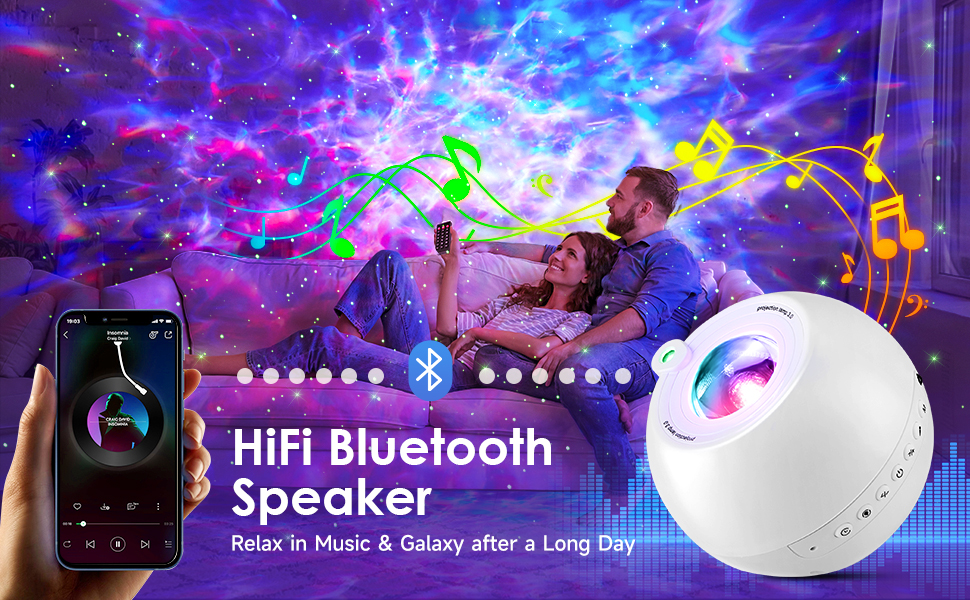
Image: A depiction of the projector's Bluetooth speaker functionality, with a smartphone connected and music playing, creating a vibrant light display.
5. Timer Function
Set an automatic shut-off timer for 2, 4, 6, or 8 hours using the dedicated Timer Buttons on the remote control. This feature is useful for sleep or energy saving.
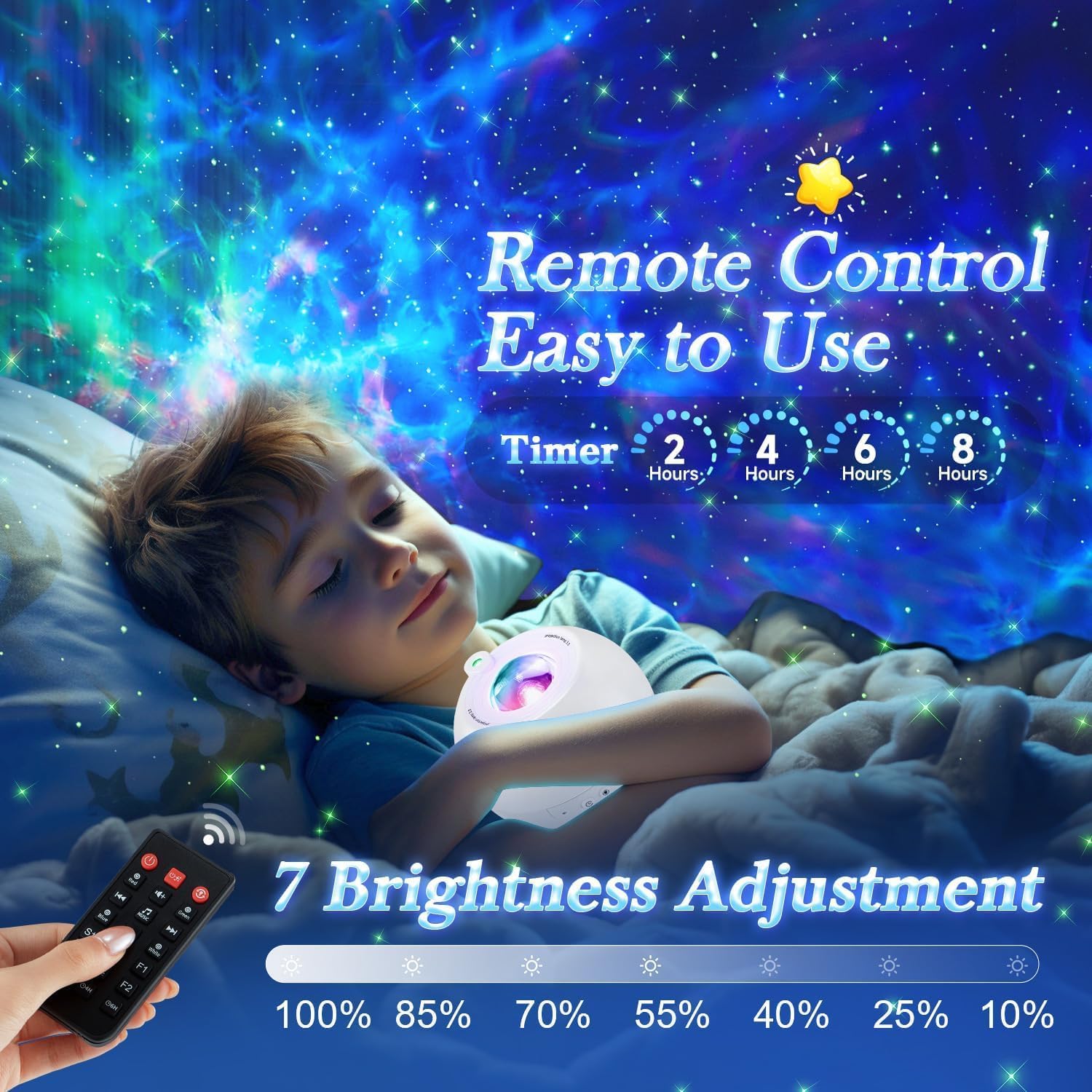
Image: The remote control highlighting the timer settings (2, 4, 6, 8 hours) and 7 brightness adjustment levels, with a child sleeping under the projected lights.
Features
Key Features
- 5-in-1 Functionality: Combines a star projector, galaxy light, HiFi Bluetooth speaker, remote control, and white noise machine.
- Dynamic Lighting: Offers 15 color options and 360 light modes for a customizable visual experience.
- Soothing Sounds: 15 built-in white noises and natural sounds to aid relaxation and sleep.
- Bluetooth 5.3 Connectivity: Seamlessly stream audio from your devices.
- Sound-Activated Rhythm Mode: Lights synchronize with music for an enhanced atmosphere.
- Remote Control: Full control over light, sound, and timer settings.
- Adjustable Brightness & Timer: 7 brightness levels and 2/4/6/8-hour auto-off timer.

Image: An overview graphic detailing the projector's five main functions: 360 light modes, 15 white noises, 7 brightness levels, 4 timer settings, and Bluetooth speaker.
Product Video
Video: A short demonstration of the PIKOY Galaxy Projector's dynamic light effects and color variations, showcasing its ability to transform a room into a starry sky.
Maintenance
Cleaning
Wipe the projector's exterior with a soft, dry cloth. Do not use abrasive cleaners or solvents. Ensure the lens is clean for clear projection.
Storage
Store the projector in a cool, dry place away from direct sunlight and extreme temperatures when not in use.
Troubleshooting
Common Issues and Solutions
| Problem | Possible Cause | Solution |
|---|---|---|
| Projector does not turn on. | No power or loose connection. | Check the USB power cable connection. Ensure the power adapter is working. |
| No light projection. | Light mode off or brightness too low. | Press light mode buttons on the remote. Increase brightness. |
| Remote control not working. | Battery depleted or obstruction. | Replace remote control batteries. Ensure no obstacles between remote and projector. |
| Bluetooth not connecting. | Bluetooth not enabled or device too far. | Ensure Bluetooth is on your device and the projector is in pairing mode. Move device closer to projector. |
Specifications
Product Specifications
| Feature | Detail |
|---|---|
| Model Number | WH-E14A |
| Brand | PIKOY |
| Color | White |
| Shape | Star |
| Material | Plastic |
| Light Source Type | LED |
| Power Source | Corded Electric |
| Item Weight | 15.2 ounces (0.43 Kilograms) |
| Product Dimensions | 5 x 5 x 5 inches |
| Number of Light Sources | 4 |
| Special Features | Corded, Color-changing |
Warranty & Support
Warranty Information
Please refer to the product packaging or the retailer's website for specific warranty details. Keep your purchase receipt as proof of purchase.
Customer Support
For any questions, technical assistance, or support, please contact PIKOY customer service through the contact information provided on the product packaging or their official website.
Ask a question about this manual
Ask about setup, troubleshooting, compatibility, parts, safety, or missing instructions. Manuals+ will review the question and use this page’s manual context to help answer it.