
1. Safety Information
Read all instructions carefully before installing and operating the fan. Save these instructions for future reference.
- Ensure the power is disconnected at the circuit breaker before installation or maintenance.
- All wiring must be in accordance with national and local electrical codes. Consult a qualified electrician if unsure.
- The fan must be mounted to a ceiling joist or support structure capable of supporting a minimum of 35 lbs (15.9 kg).
- Maintain a minimum clearance of 7 feet (2.1 meters) from the floor to the bottom of the fan blades.
- Do not operate the fan with damaged blades. Replace immediately.
- This fan is damp-rated, suitable for covered outdoor patios and indoor use. Do not expose directly to water.
2. Package Contents
Verify all components are present before beginning installation.

Image: The XCWIIE 70-inch ceiling fan components, including the motor housing, three solid wood blades, light kit, remote control, and three downrods (5", 10", 24").
- Motor Housing Assembly
- Fan Blades (3) - Solid Wood
- Light Kit with Dimmable LED
- Remote Control
- Downrods (3 options: 5", 10", 24")
- Mounting Bracket and Hardware
- User Manual
3. Installation
This section provides general installation guidelines. For detailed steps, refer to the included user manual diagrams.
3.1 Mounting Options
The fan supports both standard and angled ceiling installations up to 20 degrees. Three downrod lengths are provided to accommodate various ceiling heights.

Image: Visual representation of the three included downrod lengths (5, 10, and 24 inches) and how they affect the fan's height from the ceiling.
3.2 Wiring
Connect the fan's electrical wires to the household wiring according to the provided wiring diagram in the full manual. Ensure all connections are secure and insulated.
3.3 Blade Attachment
Attach the solid wood blades to the motor housing using the provided screws. Ensure they are securely fastened to prevent wobbling during operation.

Image: Detailed view of the fan's solid wood blades, emphasizing their natural log appearance and quality construction.
4. Operating Instructions
Your XCWIIE ceiling fan can be operated using the included remote control or via smart home integration.
4.1 Remote Control Functions
- Fan Speed: Adjust between 6 speeds.
- Fan Direction: Toggle between Summer (downward airflow) and Winter (upward airflow) modes.
- Light On/Off: Turn the integrated LED light on or off.
- Light Brightness: Dimmable light function, adjust intensity from 10% to 100%.
- Color Temperature: Select between 3000K (Warm White), 4000K (Natural White), and 5000K (Cool White).
- Timer: Set the fan to turn off after 1, 4, or 8 hours.

Image: The remote control for the XCWIIE ceiling fan, illustrating its various buttons for fan speed, light control, and seasonal modes.
4.2 Seasonal Operation (Reversible DC Motor)
The DC motor allows for reversible blade rotation, optimizing comfort year-round:
- Summer Mode: Blades rotate counter-clockwise, pushing cool air downwards.
- Winter Mode: Blades rotate clockwise, drawing cool air up and circulating warm air downwards.
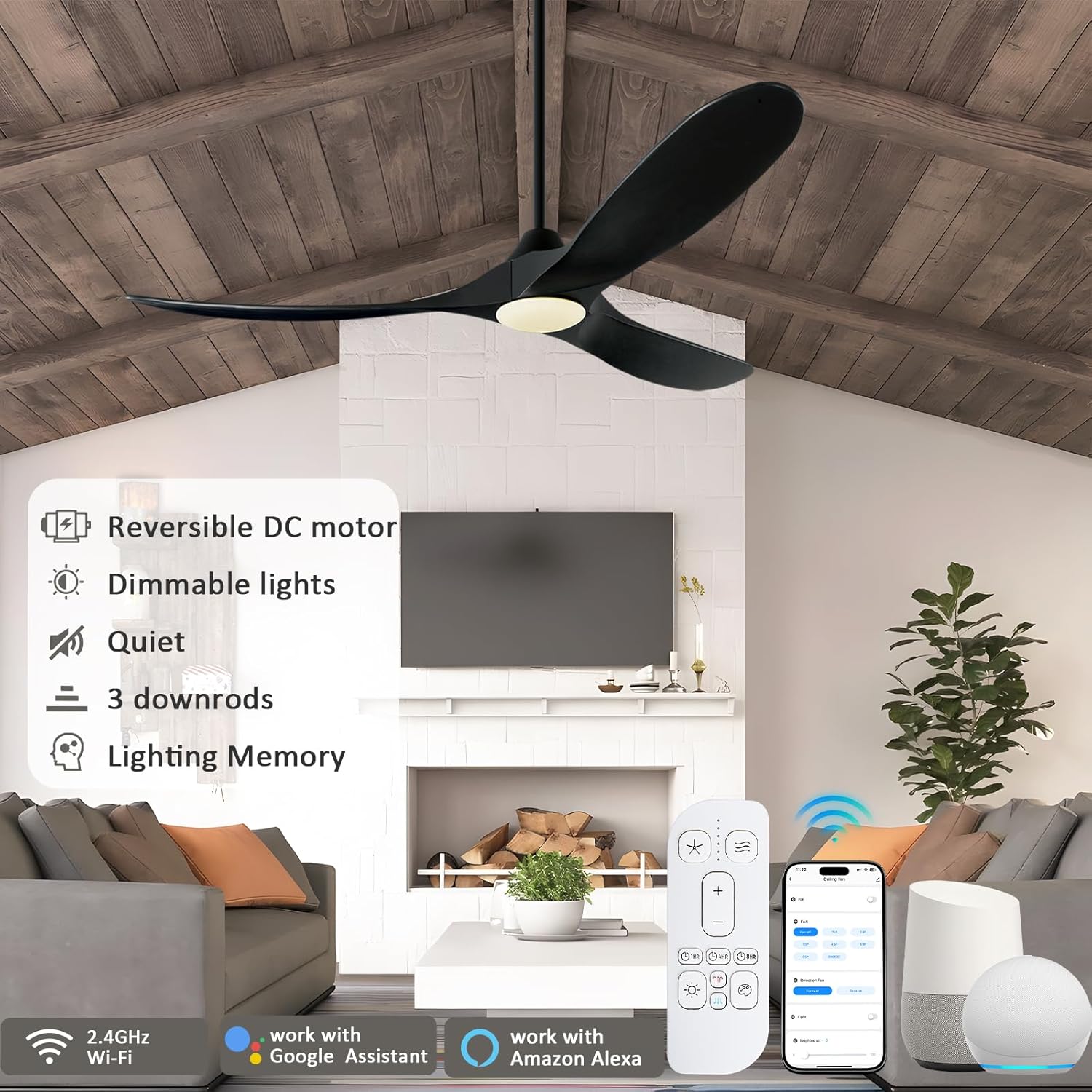
Image: The XCWIIE ceiling fan installed in a living room, showcasing its modern design and key features.
5. Smart Control (App & Voice)
The XCWIIE smart ceiling fan integrates with the Tuya app, Alexa, and Google Assistant for convenient control.
5.1 Tuya App Setup
- Download the "Tuya Smart" app from your device's app store.
- Ensure your phone's Bluetooth and 2.4GHz Wi-Fi are enabled.
- Open the app and register/log in.
- To put the fan in pairing mode, long-press the "8HR" button on the remote control until it beeps.
- In the app, tap "Add Device" and select "Ceiling Fan" (BLE+Wi-Fi).
- Follow the on-screen prompts to connect the fan to your Wi-Fi network.

Image: Smart control options for the XCWIIE fan, showing the remote, Tuya app on a smartphone, and voice assistants.
5.2 Voice Control Integration
Once connected to the Tuya app, you can link your fan to Amazon Alexa or Google Assistant for voice commands. Refer to the respective voice assistant's app for specific linking instructions.
Example commands:
- "Alexa, turn on the ceiling fan."
- "Hey Google, set ceiling fan speed to 3."
- "Alexa, dim the ceiling fan light."
6. Maintenance
Regular maintenance ensures optimal performance and longevity of your ceiling fan.
- Cleaning: Dust the fan blades and motor housing periodically with a soft, damp cloth. Do not use abrasive cleaners or solvents.
- Blade Inspection: Check fan blades for any cracks or damage. Replace damaged blades immediately.
- Tightening Screws: Periodically check all screws on the fan and mounting hardware to ensure they are tight.
- Light Kit: The integrated LED light is designed for long life and typically does not require replacement.

Image: The fan's damp-rated design makes it suitable for covered outdoor areas, requiring minimal maintenance against elements.
7. Troubleshooting
If you encounter issues, consult the following common troubleshooting steps:
| Problem | Possible Cause | Solution |
|---|---|---|
| Fan does not start | No power, loose wiring, remote battery dead. | Check circuit breaker. Verify all wire connections. Replace remote battery. |
| Fan wobbles | Loose blades, uneven blade weight, improper mounting. | Ensure all blade screws are tight. Use balancing kit (not included) if necessary. Re-check mounting bracket. |
| Light does not work | Loose wiring, light kit connection issue. | Check light kit wiring connections. Ensure power is supplied to the light. |
| Remote not working | Dead battery, remote not paired. | Replace remote battery. Re-pair remote by long-pressing the "8HR" button. |
| App connection issues | Incorrect Wi-Fi (not 2.4GHz), fan not in pairing mode. | Ensure 2.4GHz Wi-Fi is used. Long-press "8HR" on remote to enter pairing mode. |
8. Specifications
- Brand: XCWIIE
- Model Name: 70 inch Black Ceiling Fan with Light
- Blade Length: 70 Inches
- Number of Blades: 3 (Solid Walnut Wood)
- Motor Type: DC Motor
- Air Flow Capacity: 9660 Cubic Feet Per Minute (CFM)
- Noise Level: 30 Decibels
- Wattage: 45 watts
- Light: 3CCT Dimmable LED (3000K, 4000K, 5000K)
- Control Method: Remote, Tuya App, Voice (Alexa, Google Assistant)
- Downrods Included: 5", 10", 24"
- Indoor/Outdoor Usage: Indoor, Outdoor (Damp Rated)
- Special Features: Reversible DC Motor, Timer (1/4/8H), Angled Ceiling Mount (up to 20°)
- Certifications: ETL, FCC, RoHS
9. Warranty & Support
For warranty information or technical support, please contact XCWIIE customer service. Refer to the contact details provided in your product packaging or visit the official XCWIIE website.
Online Support: Visit the XCWIIE Store on Amazon