
Telbum PL-29A
Telbum DJ Lights Package with Stand User Manual
Model: PL-29A
Introduction
This manual provides comprehensive instructions for the setup, operation, maintenance, and troubleshooting of your Telbum DJ Lights Package with Stand. Please read this manual thoroughly before operating the device to ensure safe and optimal performance.
Safety Information
Always observe the following safety precautions:
- Ensure the power supply matches the voltage requirements specified on the product label.
- Do not expose the device to rain or moisture.
- Avoid direct eye exposure to the light source.
- Ensure proper ventilation to prevent overheating.
- Disconnect power before cleaning or performing any maintenance.
- Keep out of reach of children.
What's in the Box
Verify that all components are present:
- 1 x Stage Lights Bar (with 4 Par Cans)
- 1 x 7.8Ft Tripod Lighting Stand
- 1 x Carry Bag
- 1 x IR Remote Control
- 1 x Wireless Foot Pedal
- 1 x Power Cable
- 1 x User Manual (this document)

Image: Complete Telbum DJ Lights Package including the light bar, tripod stand, foot pedal, and remote control.
Setup Instructions
Assemble the Tripod Stand:
- Unfold the legs of the tripod stand to form a stable base.
- Extend the main pole to the desired height, ensuring the safety pin is securely engaged.

Image: Diagram showing the adjustable height of the tripod stand and the use of the adapter sleeve and safety pin for secure setup.
Attach the Light Bar:
- Carefully place the light bar onto the top of the extended tripod stand.
- Secure the light bar to the stand using the provided mounting hardware.
Connect Power:
- Plug the power cable into the power input on the back of the light bar.
- Connect the other end of the power cable to a suitable power outlet.
Wireless Foot Pedal Setup:
- Ensure the wireless foot pedal is powered on (if applicable, check for battery installation).
- The foot pedal should automatically pair with the light bar. If not, refer to the troubleshooting section.
Operating Instructions
The Telbum DJ Lights Package offers multiple control modes for versatile operation.
1. Control Panel Operation
The control panel on the back of the light bar allows direct access to settings and modes.

Image: Detailed diagram of the remote control and its corresponding functions for adjusting light settings.
Use the MENU, UP, DOWN, and ENTER buttons to navigate and select options on the LED display.
2. IR Remote Control
The included IR remote provides convenient wireless control over various functions.
| Button | Function |
|---|---|
| Power Button | Turns the device on and off. |
| DMX / A1-A7 | Sets the device to DMX mode or selects static color modes. |
| +/- (Color) | Adjusts color in static color mode or selects color in color selection mode. |
| +/- (Speed) | Adjusts speed for auto, sound, or strobe modes. |
| +/- (SEN) | Adjusts sound sensitivity in sound-activated mode. |

Image: The light bar and remote control, illustrating the convenience of remote operation.
3. Wireless Foot Pedal Control
The wireless foot pedal allows hands-free control, ideal for performers.
| Button | Function |
|---|---|
| AUTO | Activates auto program controls. All lights will begin in auto mode. |
| SOUND | Activates sound program controls. Lights will react to music or sound. |
| COLOR | Cycles through various color settings (R-G-B-RG-GB-RB-RGB-WR-WG-WB). |
| BLACK | Turns off the lights (blackout). |
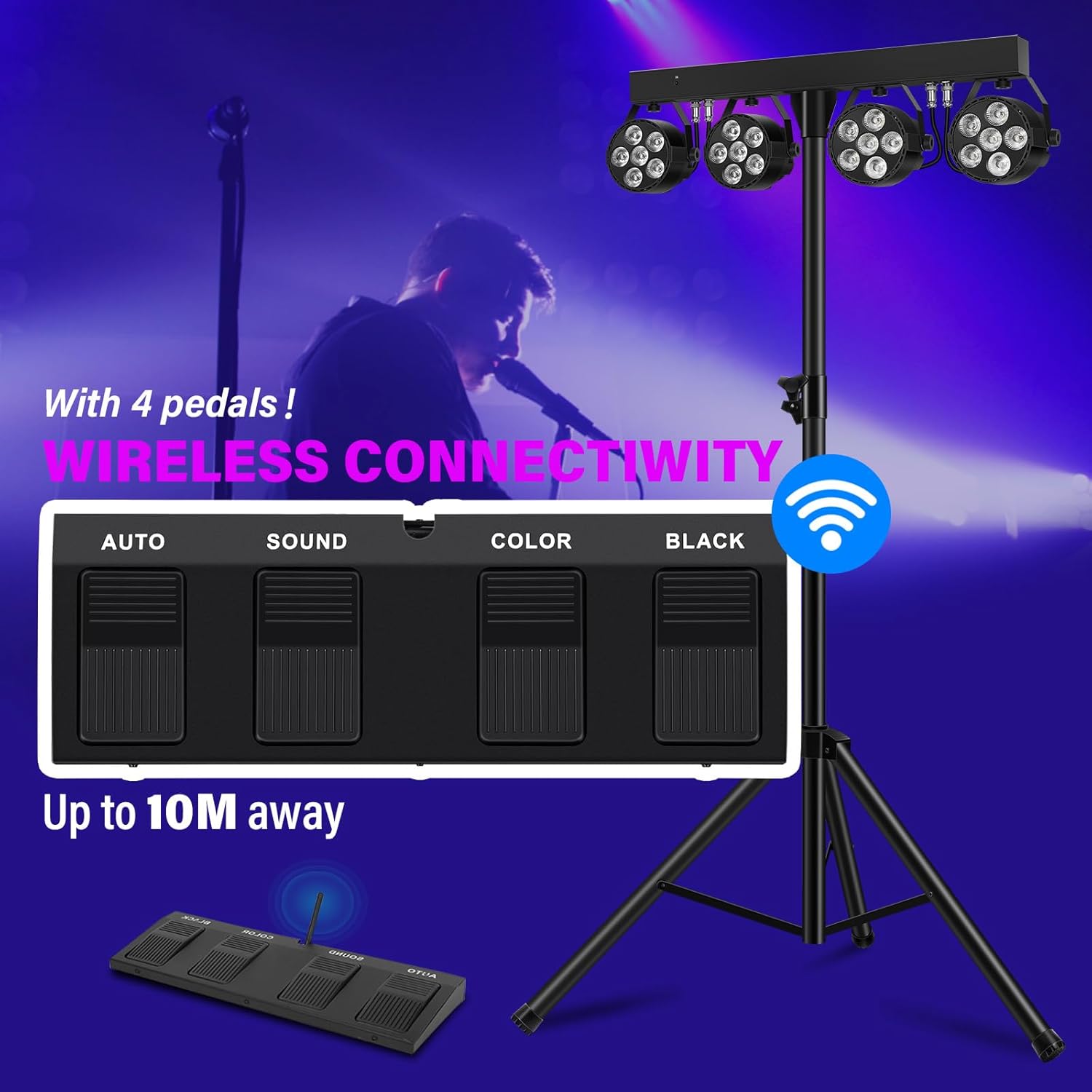
Image: The wireless foot pedal with its four control buttons (Auto, Sound, Color, Black), demonstrating its connectivity up to 10 meters away.
4. DMX Control
For professional use, the light bar supports DMX control with 8 channels. Connect a DMX controller to the DMX IN port.
- Use the control panel or remote to switch to DMX mode.
- Refer to the DMX channel chart (not provided in this manual, typically found in a separate DMX guide) for specific channel assignments and values.

Image: A DMX controller connected to the light bar, illustrating the capability to control multiple lights in series with different or synchronized colors.
5. Lighting Effects
The lights offer a variety of effects, including pure color, mixed color, and strobe.

Image: Examples of pure and mixed lighting effects produced by the LED stage lights, showcasing various color combinations.

Image: Demonstrations of smooth lighting effects in various colors, suitable for different event types like DJ gigs, parties, and concerts.
Video: Demonstration of the Telbum Stage Lights with Stand, showcasing various lighting effects and control methods including remote, DMX, and foot pedal operation.
Maintenance
- **Cleaning:** Use a soft, dry cloth to clean the exterior of the light bar and lenses. Do not use abrasive cleaners or solvents.
- **Storage:** When not in use, store the lights and stand in the provided carry bag in a cool, dry place.
- **Inspection:** Periodically check all cables and connections for any signs of wear or damage.
- **Quiet Operation:** The unit is designed for quiet operation with an aluminum shell for cooling, eliminating the need for noisy fans.

Image: The light bar in a quiet setting, highlighting its 100% quiet operation due to its aluminum shell design, which eliminates the need for cooling fans.
Troubleshooting
| Problem | Possible Cause | Solution |
|---|---|---|
| Lights do not turn on. | No power, loose connection, power switch off. | Check power cable connection, ensure power outlet is active, turn on the power switch. |
| Remote control not working. | Dead battery, obstructed signal, incorrect mode. | Replace remote battery, ensure clear line of sight to IR receiver, check if light is in DMX mode. |
| Foot pedal not responding. | Not paired, out of range, low battery. | Ensure foot pedal is powered on and within 10 meters of the light bar. Check foot pedal battery. |
| Lights not reacting to sound. | Sound mode not activated, low sensitivity. | Activate sound mode via remote or foot pedal. Increase sound sensitivity (SEN) on remote. |
Specifications
| Feature | Detail |
|---|---|
| Model Number | PL-29A |
| Light Source Type | Light Emitting Diode (LED) |
| Color | RGBW |
| Number of Light Sources | 4 Par Cans |
| Control Modes | DMX, Remote Control, Wireless Foot Pedal, Sound Activated, Auto Mode |
| DMX Channels | 8 CH |
| Material | Metal |
| Product Dimensions | 36.22"L x 7.28"W x 14.96"H |
| Item Weight | 20.3 pounds |
| Power Source | Corded Electric |
| Manufacturer | Guangzhou Xinyu Stage Lighting Installation Factory |
Warranty and Support
For warranty information and technical support, please contact Telbum customer service. Details can typically be found on the product packaging or the official Telbum website.
Telbum is committed to providing high-quality products and excellent customer service. For frequently asked questions, you may also visit the Telbum Store on Amazon.
Ask a question about this manual
Ask about setup, troubleshooting, compatibility, parts, safety, or missing instructions. Manuals+ will review the question and use this page’s manual context to help answer it.