
INIU B0DCYR5VNR
INIU 45W 20000mAh Power Bank User Manual
Model: B0DCYR5VNR
1. Introduction
Thank you for choosing the INIU 45W 20000mAh Power Bank. This portable charger is designed to provide reliable and fast power to your electronic devices on the go. Featuring an integrated USB-C cable and advanced charging technologies, it ensures convenience and efficiency. Please read this manual carefully to understand the product's features, operation, and maintenance.
2. Product Overview
2.1. Key Features
- High Capacity: 20000mAh battery provides multiple charges for smartphones and tablets.
- Fast Charging: Up to 45W output with PD3.0 and QC4.0 support for rapid device charging.
- Integrated USB-C Cable: Built-in cable for convenient charging and recharging without extra cables.
- Simultaneous Charging: Charge up to three devices at once.
- Compact Design: Utilizes TinyCell high-density battery technology for a smaller, more portable form factor.
- Digital Display: Real-time battery percentage display for precise power monitoring.
- Pass-Through Charging: Charge the power bank and connected devices simultaneously.
2.2. Package Contents
- INIU 45W 20000mAh Power Bank
- User Manual
- (Note: Specific accessories like a charging cable for the power bank itself might be integrated or sold separately, refer to product packaging.)
2.3. Product Diagram

Figure 1: Front view of the INIU 45W 20000mAh Power Bank, showing the digital display and integrated USB-C cable.
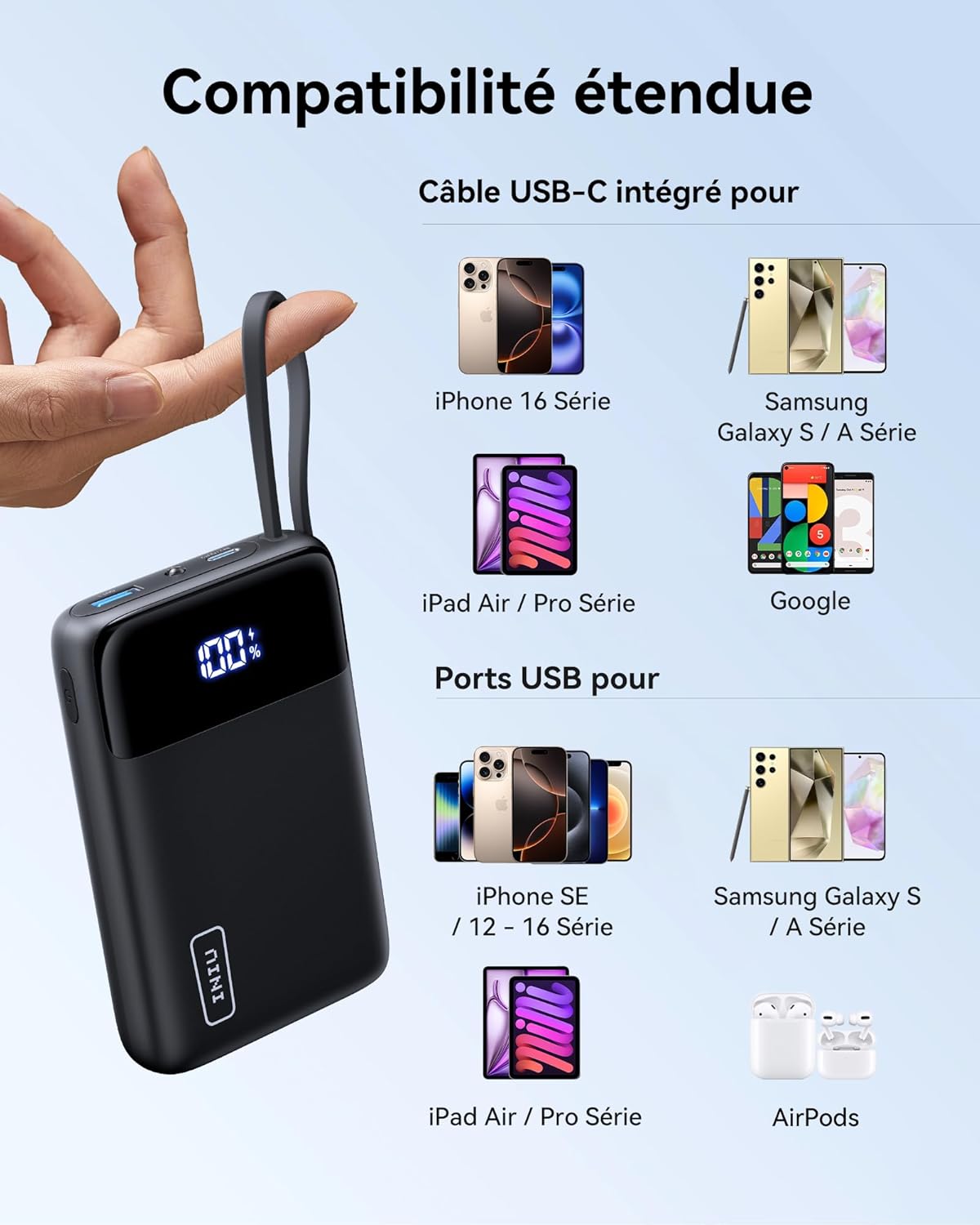
Figure 2: Diagram illustrating the wide compatibility of the INIU Power Bank with various devices, including iPhones, Samsung phones, iPads, and AirPods, using both the integrated USB-C cable and standard USB ports.
3. Setup
3.1. Initial Charge
Before first use, it is recommended to fully charge your INIU Power Bank. Connect the integrated USB-C cable or a separate USB-C cable to a compatible wall charger (27W or higher recommended for fastest recharge) and plug it into a power outlet. The digital display will show the charging progress.

Figure 3: The integrated USB-C cable can be used for both charging devices and recharging the power bank itself.

Figure 4: The digital display provides a real-time, precise indication of the remaining battery power.
4. Operating Instructions
4.1. Charging Devices
- Connect Device: Use the integrated USB-C cable or a separate USB cable to connect your device to the power bank's appropriate port (USB-C or USB-A).
- Automatic Charging: The power bank will automatically begin charging your device. The digital display will show the power bank's remaining charge.
- Multiple Devices: You can charge up to three devices simultaneously using the available ports.
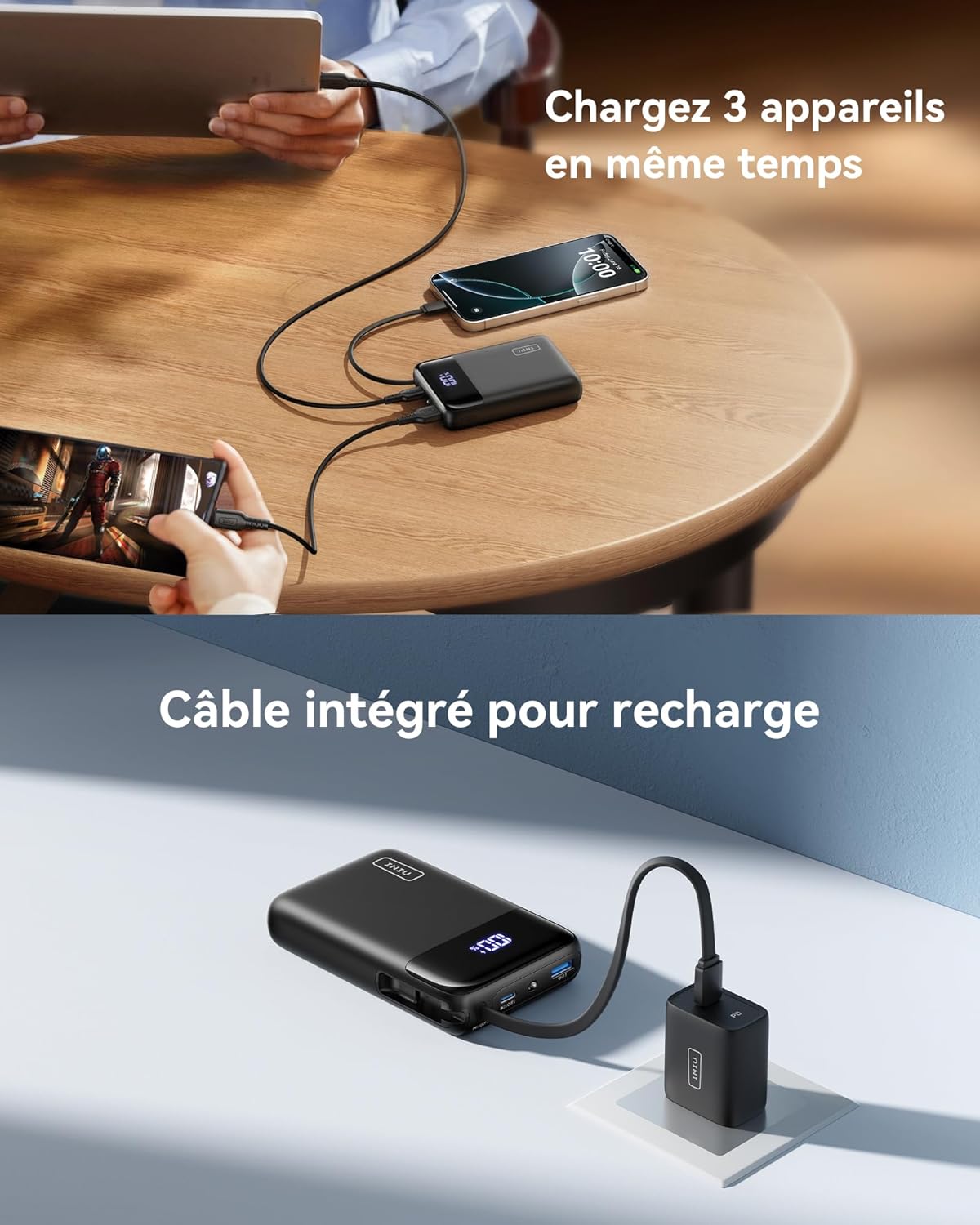
Figure 5: The power bank is capable of charging up to three devices concurrently, such as a smartphone, tablet, and another mobile device.
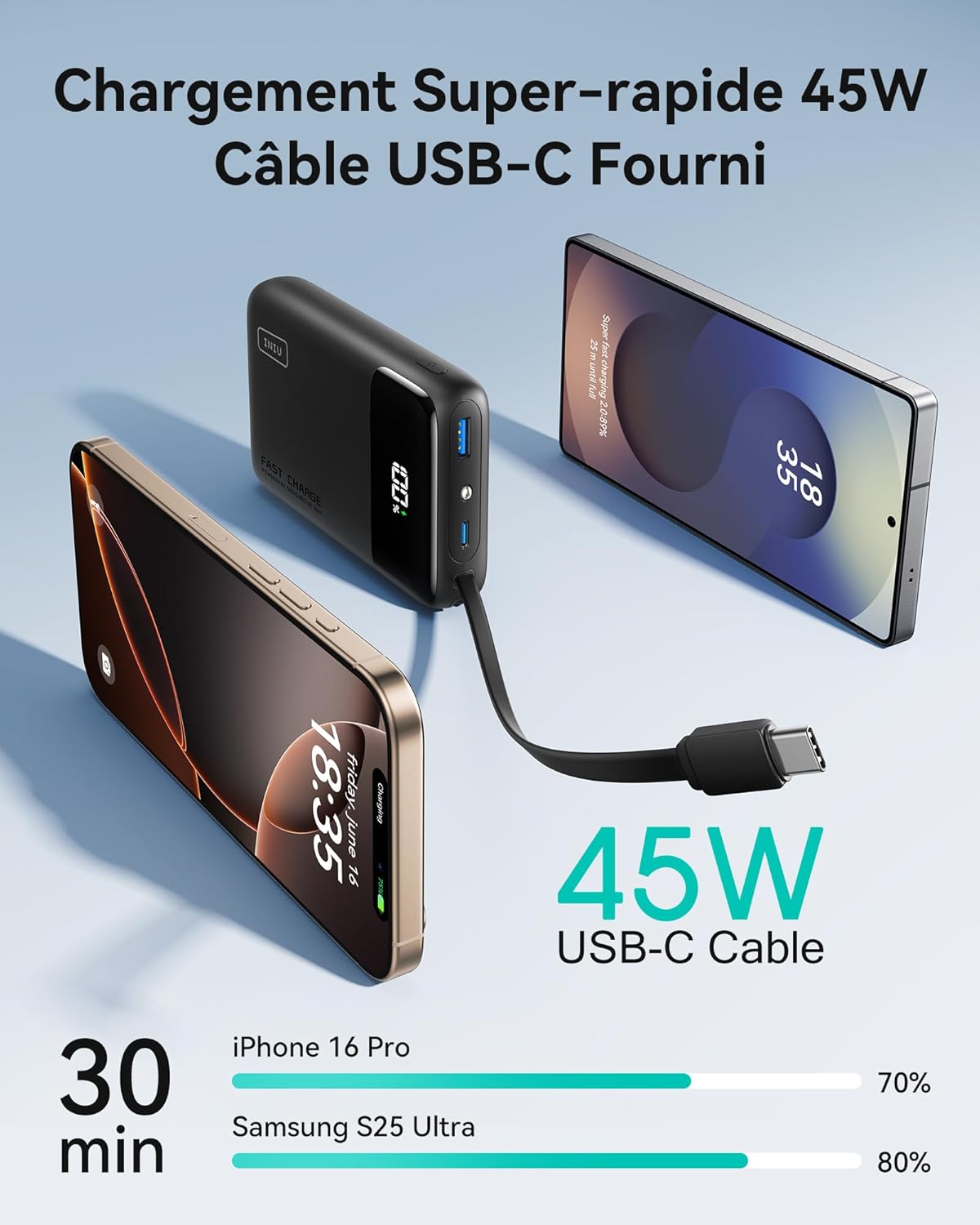
Figure 6: Demonstrates the 45W super-fast charging capability of the power bank, showing a smartphone being charged rapidly via the integrated USB-C cable.
4.2. Recharging the Power Bank
To recharge the power bank, extend the integrated USB-C cable and connect it to a USB wall adapter. Alternatively, use a separate USB-C cable with the dedicated input port. The digital display will indicate the charging status.
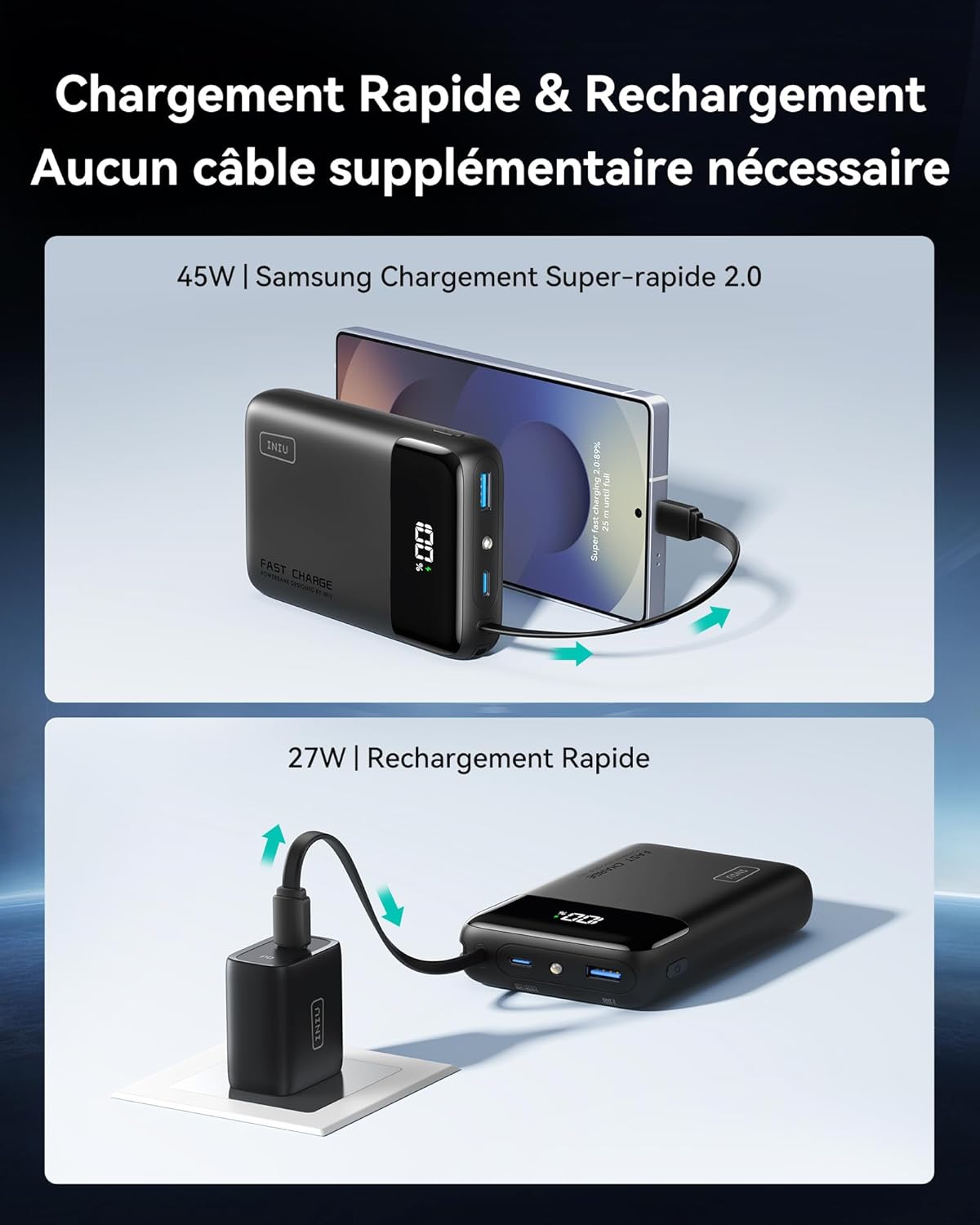
Figure 7: The power bank supports fast recharging and can also charge a device simultaneously (pass-through charging).

Figure 8: Illustration of pass-through charging, where the power bank is recharged from a wall outlet while simultaneously charging a connected smartphone.
5. Maintenance
- Cleaning: Use a soft, dry cloth to clean the surface of the power bank. Avoid using harsh chemicals or abrasive materials.
- Storage: Store the power bank in a cool, dry place away from direct sunlight and extreme temperatures.
- Battery Care: To prolong battery life, avoid fully discharging the power bank frequently. Recharge it when the charge level is low.
- Cable Management: Ensure the integrated USB-C cable is properly stored in its slot when not in use to prevent damage.

Figure 9: The power bank features a dedicated storage slot for the integrated USB-C cable, ensuring it is neatly and securely stored when not in use.
6. Troubleshooting
| Problem | Possible Cause | Solution |
|---|---|---|
| Power bank not charging devices. | Low battery on power bank; incorrect cable; device not compatible; power bank in standby. | Recharge power bank; ensure cable is securely connected and functional; verify device compatibility; press power button to activate. |
| Power bank not recharging. | Faulty wall adapter/cable; loose connection; power bank fully charged. | Try a different wall adapter and cable; ensure connections are secure; check digital display for full charge indication. |
| Slow charging. | Cable not supporting fast charge; device not supporting fast charge; multiple devices charging simultaneously. | Use a fast-charging compatible cable; ensure device supports fast charging protocols (PD/QC); charge fewer devices at once. |
7. Specifications
| Feature | Detail |
|---|---|
| Brand | INIU |
| Model | B0DCYR5VNR |
| Battery Capacity | 20000mAh |
| Max Output Power | 45W |
| Input Ports | USB Type C (integrated cable and dedicated port) |
| Output Ports | USB Type C (integrated cable and dedicated port), USB Type A |
| Special Features | Integrated USB-C Cable, LED Indicator, Digital Display, Fast Charging (PD3.0, QC4.0), TinyCell Technology |
| Dimensions | 11.5L x 7.3W x 2.9H cm (approx. 4.5 x 2.9 x 1.1 inches) |
| Battery Composition | Lithium Polymer |
| Color | Black |
8. Warranty and Support
INIU provides a 3-year industry-leading warranty for this product, ensuring peace of mind. If you encounter any quality issues within this period, please contact INIU customer support for assistance. They will arrange for a replacement if necessary.
For further support or inquiries, please visit the official INIU website or contact their customer service through the details provided on the product packaging or warranty card.

Figure 10: INIU offers a 3-year warranty, promising a replacement for quality issues within the period.

Figure 11: Details about the INIU brand, highlighting its position as a leading brand, large user base, global presence, and commitment to fast charging technology and customer care.
Related documentsB0DCYR5VNR


Ask a question about this manual
Ask about setup, troubleshooting, compatibility, parts, safety, or missing instructions. Manuals+ will review the question and use this page’s manual context to help answer it.