
1. Introduction
This manual provides essential instructions for the safe and effective use of your Supreme Trimmer 3-in-1 Barber Bundle, featuring the 2Spee Clipper, 2Spee Trimmer, and Crunch Foil Shaver. Please read all instructions carefully before use and retain this manual for future reference.
2. Safety Information
General Safety Warnings:
- Avoid using the devices near water or on wet skin/hair.
- Exercise caution around moving blades to prevent injury.
- These devices are not intended for use by children or infants.
- Do not use if the device or charging cable is damaged.
- Keep out of reach of children.
3. Product Overview
The Supreme Trimmer 3-in-1 Barber Bundle includes three professional-grade grooming tools designed for precision and durability.
3.1. 2Spee Clipper
- Detachable Blade System: Allows for easy cleaning and blade changes. Includes a Taper blade with a Ceramic moving Blade for smooth cutting and blending.
- 5-Level Smooth Lever: Provides precise control over cutting lengths (0.9mm-1.3mm).
- 2-Speed Motor: Offers 6000 RPM and 7000 RPM settings for versatile cutting.
- Digital LCD Display: Shows battery life and current speed setting.
- Long Battery Life: Up to 210 minutes of running time on a single charge.

3.2. 2Spee Trimmer
- Steel Deep Tooth T-Blade: Ideal for lining and styling.
- Detachable Blade System: Facilitates easy cleaning and blade replacement.
- 2-Speed Motor: Provides 6000 RPM and 7000 RPM settings for detailed work.
- Digital LCD Display: Indicates battery life and current speed setting.
- Long Battery Life: Up to 180 minutes of running time on a single charge.

3.3. Crunch Foil Shaver (STF602)
- Dual Hypoallergenic Foils: Designed for a close, smooth shave without irritation.
- Waterproof Design: Allows for wet/dry use and easy cleaning.
- Magnetic Rotary Motor: Operates at 7500 RPM for efficient shaving.
- Long Battery Life: Up to 150 minutes of cordless use on a single charge.
- Corded/Cordless Operation: Can be used while charging.
- Digital LCD Display: Shows battery percentage.

4. Setup
4.1. Initial Charge
Before first use, fully charge each device. The LCD display will indicate charging status and battery percentage. Use the provided wall charger, charging stand, or USB charger as appropriate for each device.
4.2. Attaching/Detaching Blades
The 2Spee Clipper and Trimmer feature a detachable blade system for easy changes and cleaning. To detach, gently push the blade away from the device body. To attach, align the blade with the device and push until it clicks into place.
5. Operating Instructions
5.1. Using the 2Spee Clipper
Turn on the clipper using the power button. Adjust the speed setting (1 or 2) using the dedicated button. Use the 5-level lever to select your desired cutting length. Guide the clipper smoothly through the hair for even cuts.

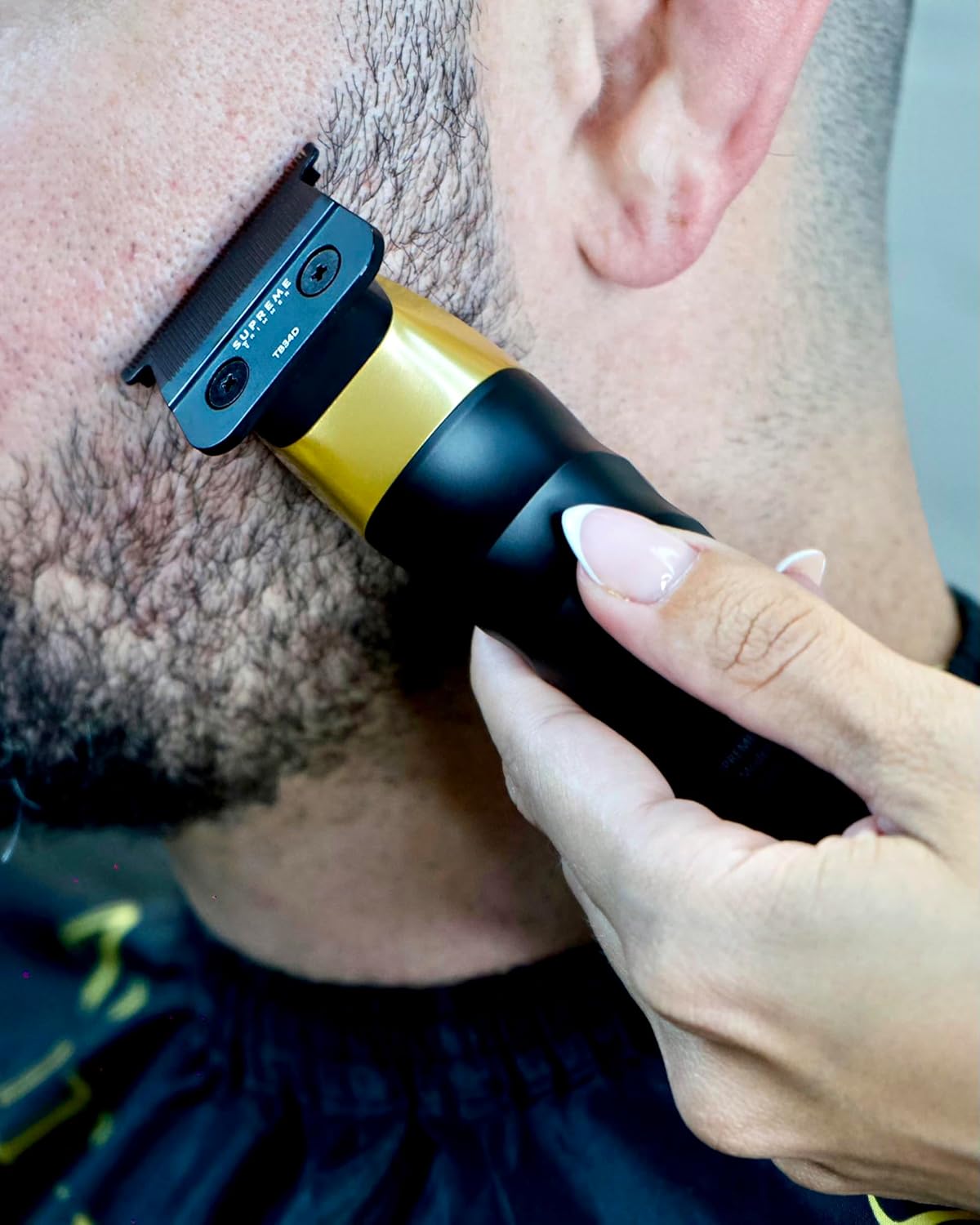
5.2. Using the 2Spee Trimmer
Activate the trimmer and select your preferred speed. The Steel Deep Tooth T-Blade is designed for precise lines and detailing. Hold the trimmer at an angle to create sharp edges and clean up necklines or beard lines.
5.3. Using the Crunch Foil Shaver
Turn on the shaver. For best results, use on dry skin. Gently glide the shaver across the skin in short, circular motions. The hypoallergenic foils provide a close, comfortable shave. The shaver can be used corded or cordless.

6. Maintenance
6.1. Cleaning
Regular cleaning ensures optimal performance and longevity. After each use, brush away loose hair from the blades and foils. For the 2Spee Clipper and Trimmer, detach the blades and clean thoroughly. The Crunch Foil Shaver is waterproof and can be rinsed under running water for easy cleaning.
6.2. Blade Oiling
For the 2Spee Clipper and Trimmer, apply a small drop of blade oil to the blades before or after each use to maintain sharpness and reduce friction. This is crucial for smooth operation and preventing blade wear.
6.3. Zero Gapping Trimmer Blades
To achieve the closest possible cut with your 2Spee Trimmer, you can zero gap the blades. This involves carefully adjusting the fixed blade closer to the moving blade. Refer to the video below for detailed instructions.
7. Troubleshooting
| Problem | Possible Cause | Solution |
|---|---|---|
| Device not turning on | Low battery; Power button not pressed correctly | Charge the device fully; Ensure power button is pressed firmly. |
| Poor cutting performance | Dull or dirty blades/foils; Insufficient oiling | Clean and oil blades/foils; Replace blades/foils if worn (CT29DS, TB34D, TB44D, SB63, SB64 available separately). |
| Device overheating | Prolonged use; Dirty blades | Allow device to cool down; Clean blades thoroughly. |
| Excessive noise/vibration | Loose blades; Lack of lubrication | Check blade attachment; Apply blade oil. |
8. Specifications
- Brand: Supreme Trimmer
- Model Number: STC922
- Power Source: Battery Operated; Corded/Cordless
- Item Weight: 1.92 Kilograms (total bundle)
- Package Dimensions: 12.76 x 10.55 x 5.83 inches
- Clipper Blade: Taper blade with Ceramic moving Blade
- Trimmer Blade: Steel Deep Tooth T-Blade
- Shaver Foils: Dual Hypoallergenic Foils
- Clipper/Trimmer RPM: 6000 RPM (Speed 1), 7000 RPM (Speed 2)
- Shaver RPM: 7500 RPM
- Clipper Battery Life: Up to 210 minutes
- Trimmer Battery Life: Up to 180 minutes
- Shaver Battery Life: Up to 150 minutes
9. Warranty and Support
This product is backed by Supreme Trimmer. For any questions or support, please contact our customer service team Monday to Friday, 8 AM to 3 PM PST. Information regarding protection plans is available separately.
Legal Disclaimer: Statements regarding dietary supplements have not been evaluated by the FDA and are not intended to diagnose, treat, cure, or prevent any disease or health condition.