
Devoko Wit (0457)
Devoko L-Shaped Gaming Desk User Manual
Model: Wit (0457) | Brand: Devoko
1. Introduction
Thank you for choosing the Devoko L-Shaped Gaming Desk. This manual provides essential information for the safe assembly, operation, and maintenance of your new desk. Please read it thoroughly before beginning assembly and keep it for future reference.
The Devoko L-Shaped Gaming Desk is designed to provide a spacious and ergonomic workspace for various activities, including gaming, studying, and office work. Its robust construction and thoughtful design ensure stability and durability.
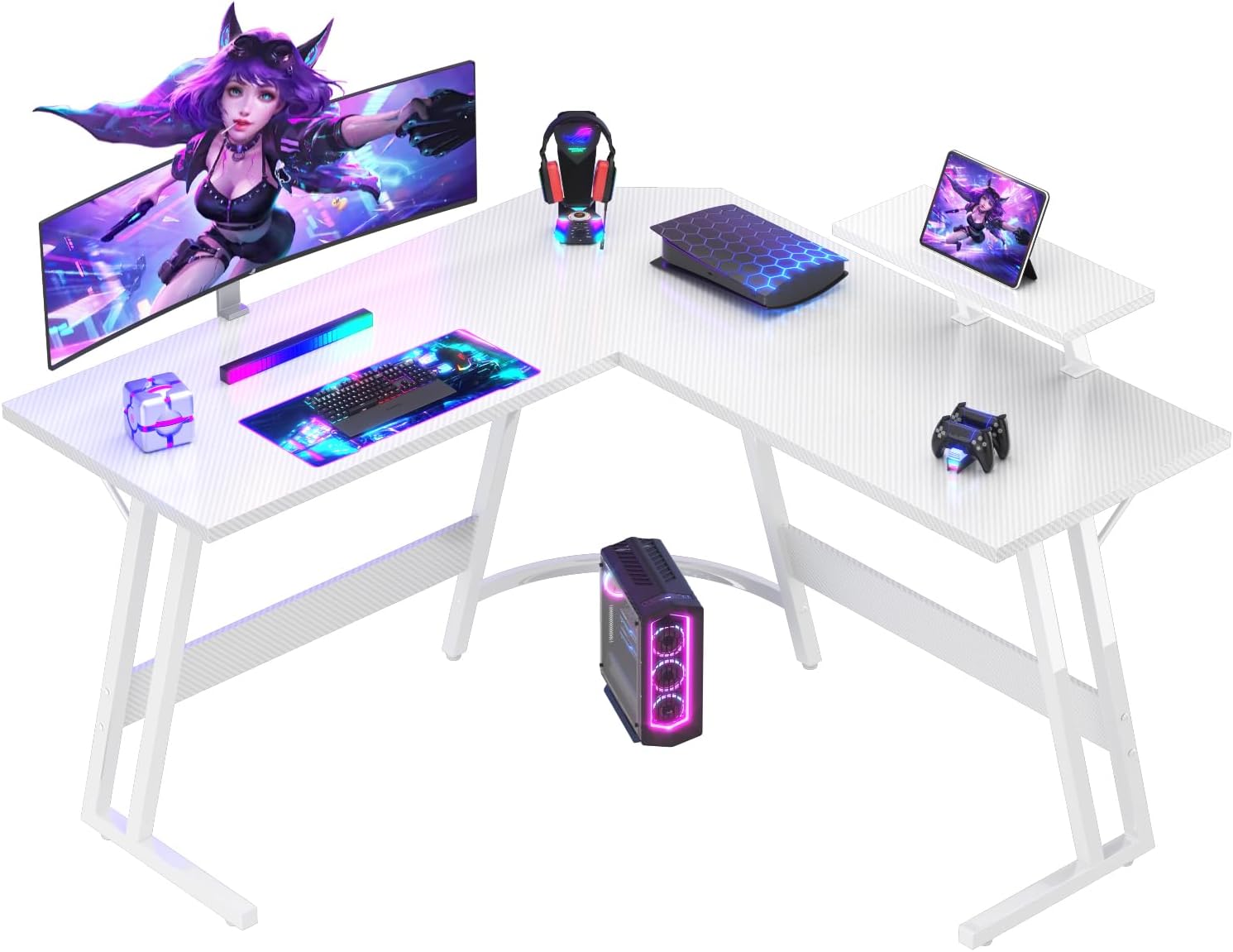
Image: The Devoko L-Shaped Gaming Desk in Carbon White, showcasing its spacious design and integrated monitor stand, set up with gaming peripherals.
2. Safety Information
Please observe the following safety guidelines to prevent injury or damage to the product:
- Do not exceed the maximum weight limit of 60 kg (132 lbs) on the desk surface.
- Ensure the desk is assembled on a flat, stable surface.
- Periodically check all screws and connections to ensure they remain tight.
- Keep small parts and packaging materials away from children to prevent choking hazards.
- Avoid placing hot items directly on the desk surface without protective padding.
- Do not stand or sit on the desk.
For enhanced stability, especially if the desk is heavily loaded or placed on uneven flooring, consider anchoring the desk to a wall to prevent tipping. Adjustable feet are provided to help level the desk on slightly uneven surfaces.
3. Package Contents
Before assembly, verify that all components are present and undamaged. If any parts are missing or damaged, please contact customer support.
- Desk panels (L-shaped main surface)
- Z-shaped metal frame legs
- Monitor stand
- Assembly hardware (screws, bolts, Allen wrench)
- Cable management compartment (possible inclusion)
- Keyboard drawer (possible inclusion)
- Integrated power outlet (possible inclusion)
- Instruction manual

Image: A diagram illustrating the dimensions of the L-shaped desk (120x120cm surface, 75cm height) and the monitor stand.
4. Setup and Assembly
The Devoko L-Shaped Gaming Desk is designed for quick and easy assembly, typically taking around 30-45 minutes with the provided tools.
- Unpack Components: Carefully remove all parts from the packaging. Lay them out on a clean, soft surface (e.g., a blanket or carpet) to prevent scratches.
- Identify Parts: All parts are clearly labeled. Refer to the included assembly diagram to identify each component.
- Assemble Frame: Begin by connecting the Z-shaped metal frame legs according to the instructions. Ensure all screws are finger-tight before fully tightening.
- Attach Desk Panels: Secure the L-shaped desk panels to the assembled frame. Pay attention to the orientation for the desired left or right L-configuration.
- Install Monitor Stand: Attach the monitor stand to the designated area on the desk surface. This stand helps protect your spine, improves posture, and optimizes space.
- Tighten All Connections: Once all major components are in place, systematically tighten all screws and bolts using the provided Allen wrench. Do not overtighten.
- Adjust Leveling Feet: If your floor is uneven, adjust the leveling feet at the bottom of the desk legs to ensure the desk is stable and does not wobble.

Image: A close-up view highlighting the stable Z-shaped leg design of the desk.
5. Operating Instructions
Your Devoko L-Shaped Gaming Desk is ready for use once assembled. Here are some tips for optimal use:
- Workspace Organization: Utilize the L-shape to create distinct zones for your computer, monitor, and other accessories. The generous surface allows for comfortable placement of multiple devices.
- Monitor Stand Usage: Place your monitor(s) on the elevated stand to achieve an ergonomic viewing height, reducing strain on your neck and eyes. This also frees up valuable desk space below.
- Cable Management: If your model includes a cable management compartment, route your cables through it to keep your workspace tidy and prevent tangles.
- Headphone Hook: Use the integrated headphone hook (if present) to keep your headphones easily accessible and off the desk surface.

Image: A visual comparison showing how the ergonomic monitor stand helps maintain proper posture compared to a desk without one.

Image: Two Devoko L-shaped desks arranged to form a larger workspace, demonstrating flexible configuration options for gaming or office environments.
6. Maintenance
To ensure the longevity and appearance of your Devoko L-Shaped Gaming Desk, follow these maintenance guidelines:
- Cleaning: The carbon fiber finish is scratch-resistant and easy to clean. Use a soft, damp cloth with mild soap and water to wipe down the surface. Avoid abrasive cleaners or harsh chemicals.
- Spills: Wipe up spills immediately to prevent staining or damage to the surface.
- Regular Checks: Periodically inspect all screws and connections to ensure they are secure. Tighten any loose fittings to maintain stability.
- Avoid Direct Sunlight: Prolonged exposure to direct sunlight may cause fading or material degradation over time.
- Weight Distribution: Distribute weight evenly across the desk surface to prevent undue stress on any single point.
7. Troubleshooting
If you encounter any issues with your Devoko L-Shaped Gaming Desk, refer to the following common troubleshooting tips:
| Problem | Possible Cause | Solution |
|---|---|---|
| Desk wobbles or is unstable | Uneven floor; Loose screws; Incorrect assembly | Adjust leveling feet; Tighten all screws; Re-check assembly steps. |
| Parts do not fit together | Incorrect orientation; Manufacturing defect | Refer to the assembly diagram for correct orientation; Contact customer support if parts are defective. |
| Screws are too long and pierce the surface | Incorrect screws used for specific holes (as reported by some users) | Ensure you are using the correct screw length for each designated hole as per the instructions. If damage occurs, contact customer support. |
If the problem persists after attempting these solutions, please contact Devoko customer support for further assistance.
8. Specifications
| Feature | Detail |
|---|---|
| Brand | Devoko |
| Model | Wit (0457) |
| Dimensions (L x W x H) | 120 cm x 120 cm x 75 cm (47.2 x 47.2 x 29.5 inches) |
| Color | Carbon White |
| Material | Carbon Fiber (surface), Metal (base/legs) |
| Weight Capacity | Over 60 kg (132 lbs) |
| Assembly Time | Approx. 30-45 minutes |
| Special Features | L-shaped design, Monitor stand, Z-shaped stability frame, Adjustable feet, Scratch-resistant surface |
9. Warranty and Support
Devoko is committed to providing high-quality products and professional services. Your satisfaction is our priority.
For any questions, concerns, or warranty claims regarding your Devoko L-Shaped Gaming Desk, please contact our friendly customer service team. Please have your purchase details and model number ready when contacting support.
You can visit the official Devoko store on Amazon for more information and contact options: Devoko Amazon Store
Related documentsWit (0457)

Ask a question about this manual
Ask about setup, troubleshooting, compatibility, parts, safety, or missing instructions. Manuals+ will review the question and use this page’s manual context to help answer it.