
Introduction
Thank you for choosing the HBUDS Robot Dog Toy R28. This intelligent robot pet is designed to provide interactive fun with features such as remote control, voice commands, touch interaction, recording, singing, and dancing. Please read this manual carefully to ensure proper setup, operation, and maintenance of your new robot dog.
Safety Information
Choking Hazard - Small Parts. Not for children under 3 years.
Always supervise children during play. Keep the toy away from water and extreme temperatures. Do not attempt to disassemble or modify the toy, as this may cause damage or injury.
What's in the Box
- Robot Dog Toy (1)
- Remote Control (1)
- Type-C Charging Cable (1)
- Instruction Manual (1)
Setup
1. Charging the Robot Dog
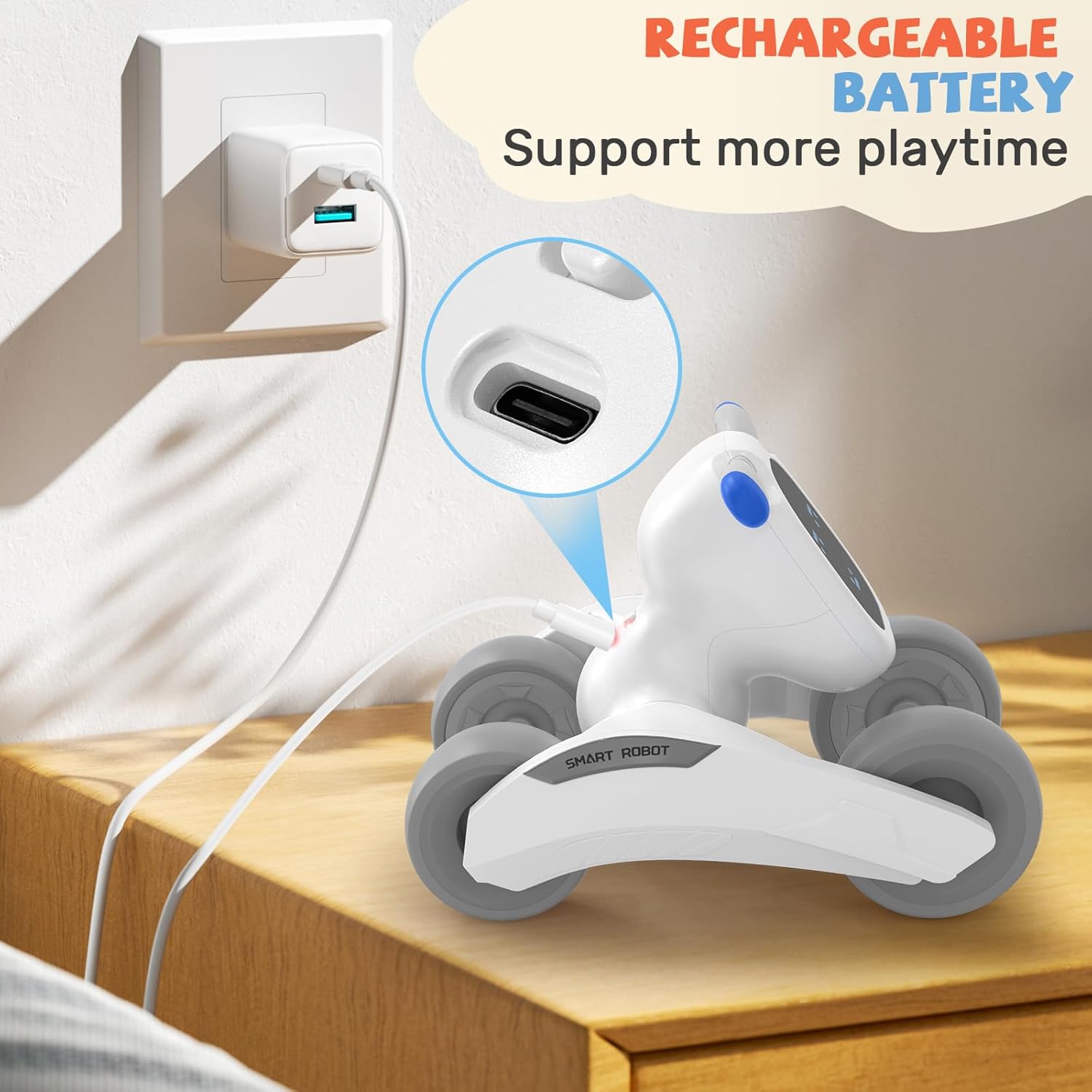
The robot dog is equipped with a rechargeable Lithium Ion battery. Before first use, fully charge the robot dog.
- Locate the Type-C charging port on the robot dog (usually on the underside or back).
- Connect the provided Type-C charging cable to the robot dog and a USB power source (e.g., computer USB port, power bank, or USB adapter).
- The LED indicator on the robot dog will show charging status (e.g., red for charging, off when fully charged).
- A full charge provides up to 50 minutes of continuous interactive playtime.
2. Installing Batteries in the Remote Control
The remote control requires 2 'AAA' batteries (not included). Ensure correct polarity when inserting batteries.
- Open the battery compartment on the back of the remote control.
- Insert 2 'AAA' batteries, matching the positive (+) and negative (-) terminals.
- Close the battery compartment securely.
Operating Instructions
1. Power On/Off
Locate the power switch on the robot dog (usually on the underside or back). Slide the switch to 'ON' to power on and 'OFF' to power off.
2. Remote Control Operation
Use the remote control to guide your robot dog. The remote allows for forward, backward, left, and right movements, providing an engaging play experience.

3. Voice Control
The robot dog responds to 11 English voice commands. Speak clearly for optimal recognition.
- Example: Say "Hey puppy, Happy Birthday" to hear the Happy Birthday tune.
- Example: Say "Hey puppy, Merry Christmas" for festive songs.

4. Touch-Responsive Interaction
The robot dog reacts to gentle pats on its head with different sounds, mimicking a real pet.

5. Record & Playback
Record voice messages up to 60 seconds long and play them back.
- Press the record button on the remote control to start recording.
- Speak into the robot dog's microphone.
- Press the record button again to stop recording.
- Press the playback button to listen to your recorded message.

6. Sing & Dance
The robot dog can perform 14 different dance routines to cheerful music.

7. Intelligent Programming
Program a sequence of movements for the robot dog using the remote control.
- Press the 'Program' button on the remote control to enter programming mode.
- Input your desired sequence of movements (e.g., forward, backward, turn left, turn right).
- Press the 'Program' button again to execute the programmed sequence.
8. Volume Adjustment
The robot dog features two volume levels and a mute option. Adjust the volume using the switch on the robot dog's body.
Maintenance
Cleaning
Wipe the robot dog and remote control with a soft, dry cloth. Do not use harsh chemicals or abrasive cleaners. Avoid getting water into any openings.
Storage
When not in use for an extended period, turn off the robot dog and remove batteries from the remote control. Store in a cool, dry place away from direct sunlight.
Troubleshooting
Robot Dog Not Responding
- Ensure the robot dog is powered on.
- Check if the robot dog's battery is charged.
- Verify that the remote control batteries are correctly installed and not depleted.
- Ensure there are no obstructions between the remote control and the robot dog.
Voice Commands Not Recognized
- Speak clearly and at a normal volume.
- Ensure you are using the correct English commands.
- Reduce background noise.
Short Playtime After Charging
- Ensure the robot dog is fully charged before use.
- Battery performance may decrease over time with repeated charging cycles.
Specifications
| Feature | Detail |
|---|---|
| Product Dimensions | 5.7 x 7.7 x 5.6 inches |
| Item Weight | 1.3 pounds |
| Item Model Number | R28 |
| Manufacturer Recommended Age | 8 years and up |
| Robot Batteries | 1 Lithium Ion battery (included) |
| Remote Control Batteries | 2 'AAA' batteries (not included) |
| Manufacturer | HBUDS |
Warranty and Support
HBUDS provides a standard manufacturer's warranty for this product. For warranty claims, technical support, or any questions regarding your robot dog, please contact our customer service team.
Customer Service: [Insert Customer Service Contact Information Here, e.g., email, phone number, website]
Please retain your proof of purchase for warranty purposes.