
1. Product Overview
The Beyamis Mini WiFi Camera is a compact, portable security camera designed for remote monitoring. It features 1080P resolution, night vision, motion detection, and supports both local TF card storage and optional cloud storage. Its flexible design allows for various placement options.

Figure 1: The Beyamis Mini WiFi Camera, showcasing its flexible design and remote viewing capability on a smartphone. The camera connects via USB and offers a discreet monitoring solution.
2. Package Contents
- 1x Beyamis Mini WiFi Camera (USB Camera)
- 1x User Manual (this document)
3. Setup Guide
Follow these steps to set up your Beyamis Mini WiFi Camera:
- Powering the Camera: Connect the camera's USB plug to a 5V/1A-2A USB power source such as a wall charger, power bank, or power socket. The camera is designed for continuous operation when powered.
- App Installation: Download and install the V380 Pro application on your mobile device (Android or iOS). Search for "V380 Pro" in your device's app store.
- Initial Connection (Camera Hotspot):
- Once powered, the camera will broadcast its own Wi-Fi hotspot.
- On your mobile device, go to Wi-Fi settings and connect to the camera's hotspot (usually named "MVxxxx" or similar).
- Open the V380 Pro app. The camera should automatically be detected and added.
- Connecting to Your Home Wi-Fi Network:
- In the V380 Pro app, navigate to the camera settings.
- Select "Network Settings" or "Wi-Fi Settings."
- Choose your 2.4 GHz Wi-Fi network from the list and enter the password. Note: The camera only supports 2.4 GHz Wi-Fi networks; 5 GHz networks are not supported.
- The camera will restart and connect to your home Wi-Fi. Once connected, you can access the camera remotely from anywhere with an internet connection.

Figure 2: The camera can be powered by various USB sources, including power banks for extended recording, standard power sockets (AC 100-250V), or a 5V/1A-2A wall charger.

Figure 3: The setup process involves connecting to the camera's hotspot, then configuring it to join your home 2.4 GHz Wi-Fi network for remote access.
4. Operating Instructions
4.1 Remote Viewing
Once connected to your home Wi-Fi, you can view the camera's live feed from anywhere using the V380 Pro app on your smartphone or tablet. This allows for monitoring of children, pets, offices, or homes in real-time.
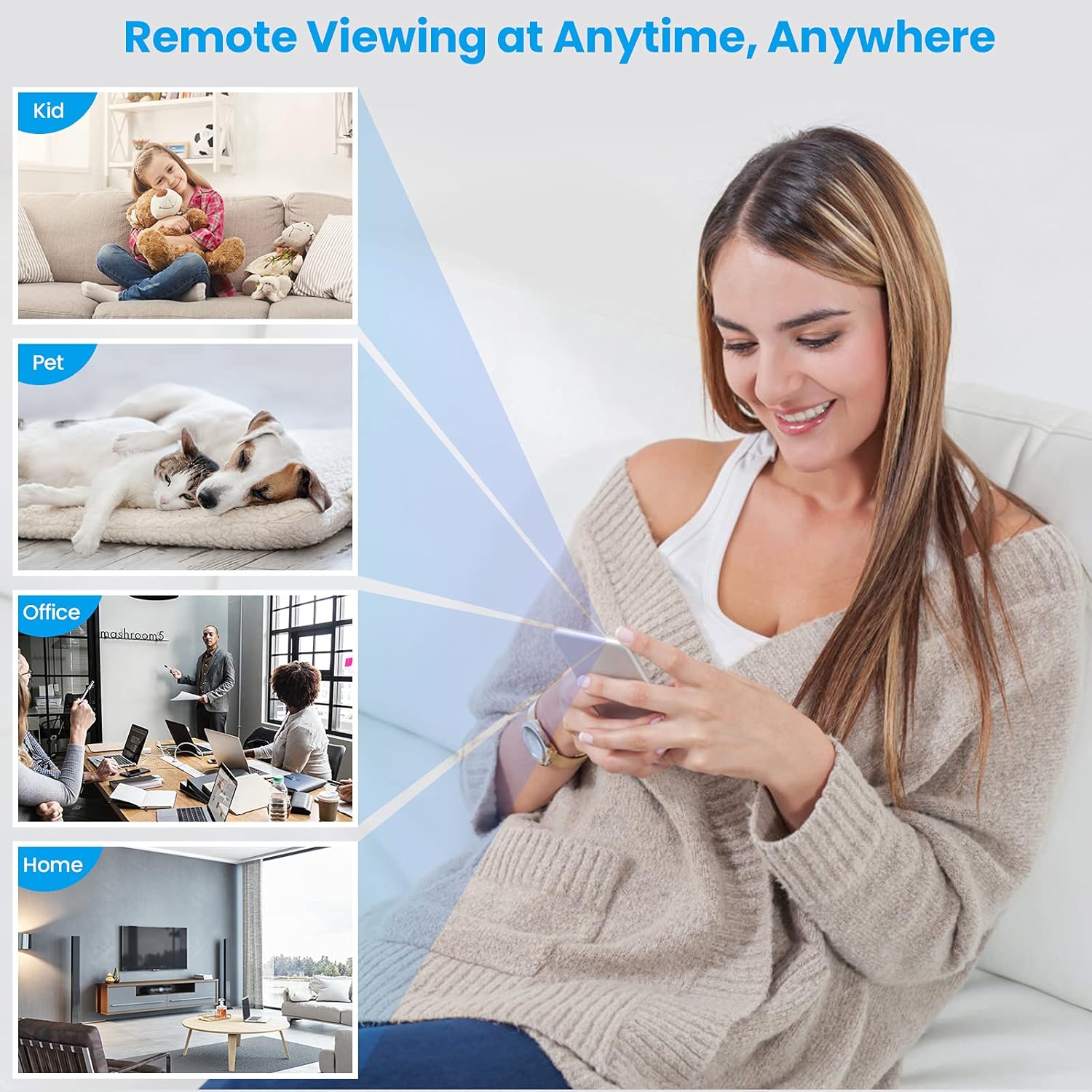
Figure 4: Remote viewing allows you to monitor various environments such as children, pets, offices, or your home from any location with internet access.
4.2 Motion and Sound Detection Alerts
The camera features motion and sound detection capabilities. When activity is detected, the camera can send real-time alerts to your V380 Pro app. You can customize alarm areas and times within the app settings.

Figure 5: The camera provides motion and sound detection alerts, notifying you of suspicious activity directly on your mobile device.
4.3 AI Human Shape Recognition (Optional Service)
For enhanced accuracy, the camera supports AI human shape recognition. This feature helps reduce false alarms caused by pets or environmental factors. This is a paid service provided by a third party (Alibaba Cloud) and can be activated within the V380 Pro app if desired.
4.4 Night Vision
The camera is equipped with IR-CUT technology, enabling automatic activation and deactivation of night vision based on ambient light conditions. This ensures clear imaging even in low-light or dark environments, with an infrared night vision range of 5-8 meters.
4.5 Storage Options
- TF Card Storage: The camera supports a maximum of 128GB TF (MicroSD) card (not included). Recording duration estimates:
- 8GB: Approximately 2 days
- 16GB: Approximately 4 days
- 32GB: Approximately 8 days
- 64GB: Approximately 16 days
- 128GB: Approximately 32 days
- Cloud Storage (Optional Service): For added security against camera theft or TF card damage, you can subscribe to a paid cloud storage service (provided and charged by a third party, Alibaba Cloud). Alarm recordings will be uploaded to the cloud.
4.6 Flexible Angle Adjustment
The camera features a built-in flexible metal hose, allowing you to easily adjust the lens angle to suit your monitoring needs.
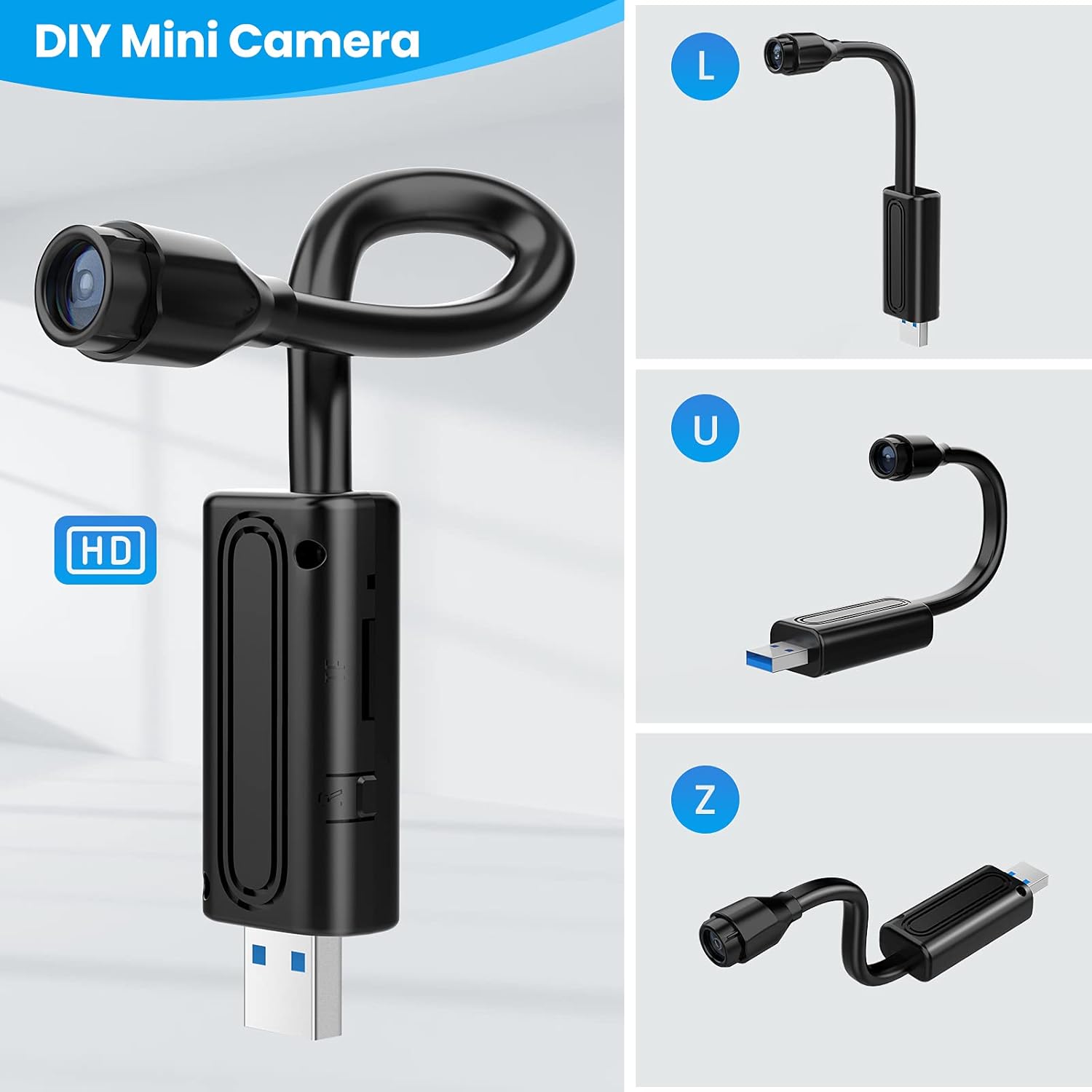
Figure 6: The camera's flexible design allows it to be bent into various shapes (L, U, Z) for optimal positioning and discreet operation.
4.7 Covert Operation
The camera is designed for discreet operation, producing no sound or light during recording, making it suitable for covert monitoring.

Figure 7: The camera operates without sound or light, allowing for discreet placement and monitoring in various environments.
5. Maintenance
To ensure optimal performance and longevity of your camera:
- Keep the camera clean and free from dust. Use a soft, dry cloth for cleaning.
- Avoid exposing the camera to extreme temperatures or humidity.
- Do not attempt to disassemble or repair the camera yourself, as this will void any warranty.
- Regularly check for firmware updates through the V380 Pro app to ensure the best performance and security.
6. Troubleshooting
- Camera not connecting to Wi-Fi: Ensure your Wi-Fi network is 2.4 GHz. The camera does not support 5 GHz networks. Verify the Wi-Fi password is correct.
- No remote viewing: Check if the camera is properly connected to your home Wi-Fi network. Ensure your mobile device has an active internet connection.
- False motion alerts: If you experience frequent false alarms, consider activating the optional AI human shape recognition service (if available in your region) or adjust the motion detection sensitivity settings in the V380 Pro app.
- TF card not recording: Ensure the TF card is inserted correctly and is not full. Format the TF card through the app if issues persist.
- App not detecting camera hotspot: Power cycle the camera by unplugging and re-plugging it. Wait a few minutes for the hotspot to become active.
7. Specifications

Figure 8: The physical dimensions of the camera, highlighting its compact and flexible design.
| Feature | Specification |
|---|---|
| Model | YYM-240812-149 |
| Color | Black |
| Material | Metal, PVC |
| Video Capture Resolution | 1080P |
| Frame Rate | 25 frames per second |
| App Name | V380 Pro |
| Lens Angle | 90° |
| Power Mode | USB (Wired Electric) |
| Wireless Communication Technology | Wi-Fi (2.4 GHz only) |
| Storage | Max 128GB TF Card (not included) |
| Minimum Illumination | 1 LUX |
| Compressed Format | H.264 |
| Recording Range | 5 square meters |
| Infrared Night Vision Range | 5-8 meters |
| Storage Temperature | -20°C to 80°C |
| Working Temperature | -10°C to 60°C |
| Humidity | 15-85% RH |
| Mobile Operating System | Android / iOS |
8. Warranty and Support
For warranty information and technical support, please refer to the documentation provided at the point of purchase or contact your retailer. Keep your purchase receipt as proof of purchase.
For app-related issues or advanced features, please consult the V380 Pro app's help section or their official support channels.