
Kircuit HK-2, HK-3+, HK-D1, HK-D2, HK-D3, HKD1, HK3+, HKD2, HKD3 (Compatible Models)
Kircuit 12V AC/DC Adapter User Manual
For Hawk-Matic Electric Cigarette Rolling Injectors and Compatible Devices
Introduction
Thank you for choosing the Kircuit 12V AC/DC Adapter. This adapter is designed to provide reliable and efficient power to your compatible devices, including various Hawk-Matic Electric Cigarette Rolling Injectors. It converts standard AC power from electrical outlets into the DC power required by your device, enabling operation and battery charging.
Kircuit adapters are rigorously tested to ensure they meet the power needs of your equipment, offering a portable and dependable power source for use at home, in the office, or on the go.
Important Safety Information
Please read and understand all safety instructions before using this product. Failure to follow these instructions may result in electric shock, fire, or serious injury.
- Indoor Use Only: This adapter is designed for indoor use in dry locations. Do not expose to rain, moisture, or extreme temperatures.
- Proper Voltage: Ensure the wall outlet voltage matches the input voltage range specified on the adapter (100-240VAC).
- Avoid Overloading: Do not overload the power outlet or extension cords.
- Handle with Care: Do not drop, disassemble, or attempt to repair the adapter. Refer all servicing to qualified personnel.
- Cable Integrity: Do not use the adapter if the cord is damaged. Avoid placing heavy objects on the cord.
- Unplug When Not in Use: Disconnect the adapter from the power outlet when not in use for extended periods.
- Ventilation: Ensure adequate ventilation around the adapter during use. Do not cover it with cloth or other materials.
Setup
Follow these steps to set up your Kircuit AC/DC Adapter:
- Unpack: Carefully remove the AC/DC adapter from its packaging.
- Inspect: Check the adapter and its cable for any visible damage. Do not use if damaged.
- Connect to Device: Locate the power input port on your compatible device (e.g., Hawk-Matic Electric Cigarette Rolling Injector). Insert the barrel connector of the Kircuit adapter firmly into this port.
- Connect to Power Outlet: Plug the AC prongs of the adapter into a standard electrical wall outlet (100-240VAC, 50/60Hz).
- Verify Connection: Ensure both connections are secure. Your device should now receive power or begin charging.

Image: The Kircuit 12V AC/DC Adapter showing the main unit and its coiled power cord with a barrel connector.
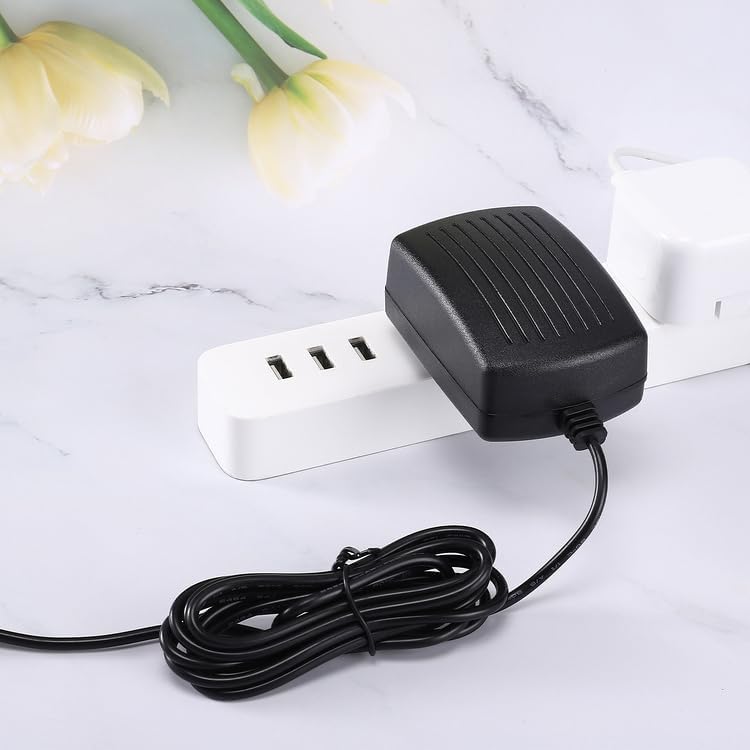
Image: The Kircuit 12V AC/DC Adapter plugged into a white power strip, demonstrating typical usage.
Operating Instructions
The Kircuit 12V AC/DC Adapter is designed for simple plug-and-play operation. Once connected to a power source and your device, it will automatically supply the necessary power.
- Power Conversion: The adapter converts the incoming AC (Alternating Current) from your wall outlet to the required 12V DC (Direct Current) for your device.
- Protection Features: This adapter includes built-in safety features such as OVP (Over Voltage output Protection), OCP (Over Current output Protection), and SCP (Short Circuit output Protection) to protect both the adapter and your connected device from electrical anomalies.
- Compatibility: This adapter is specifically compatible with Hawk-Matic Plus 1 HK-2, HK-3+, HK-D1, HK-D2, HK-D3 Electric Cigarette Rolling Injectors, and other devices requiring a 12V DC power supply with a compatible barrel connector.

Image: The Kircuit 12V AC/DC Adapter with its power cord extended, indicating a cord length of approximately 6.5 feet.
Maintenance
Proper care and maintenance will extend the life of your Kircuit AC/DC Adapter.
- Cleaning: Disconnect the adapter from the power outlet and your device before cleaning. Use a soft, dry cloth to wipe the surface. Do not use liquid cleaners or aerosols.
- Storage: When not in use, store the adapter in a cool, dry place away from direct sunlight and extreme temperatures. Avoid tightly coiling the cable to prevent damage.
- Cable Care: Do not bend, twist, or pinch the power cord excessively. Always grasp the plug, not the cord, when disconnecting from an outlet.
Troubleshooting
If you encounter issues with your Kircuit AC/DC Adapter, refer to the following common problems and solutions:
| Problem | Possible Cause | Solution |
|---|---|---|
| Adapter not providing power. | No power from outlet; loose connection; damaged adapter/cable; incompatible device. | Check wall outlet with another device. Ensure all connections are secure. Inspect adapter and cable for damage. Verify device compatibility. |
| Device not charging/operating correctly. | Incorrect voltage/current; device issue; adapter fault. | Confirm device requires 12V DC. Test adapter with another compatible device if possible. If issue persists, adapter may be faulty. |
| Adapter feels hot during use. | Normal operation (slight warmth); poor ventilation; overloading. | A slight warmth is normal. Ensure adapter has adequate ventilation. Disconnect if excessively hot and allow to cool. Do not use if it remains excessively hot. |
If troubleshooting steps do not resolve the issue, please contact customer support.
Specifications
| Feature | Detail |
|---|---|
| Brand | Kircuit |
| Input Voltage | 100-240VAC, 50/60Hz |
| Output Voltage | 12V DC |
| Protection Features | OVP (Over Voltage output Protection), OCP (Over Current output Protection), SCP (Short Circuit output Protection) |
| Connector Type | BARREL |
| Compatible Devices | Hawk-Matic Plus 1 HK-2, HK-3+, HK-D1, HK-D2, HK-D3 Electric Cigarette Rolling Injectors (and other 12V devices) |
| Package Dimensions | 4 x 3 x 2.2 inches |
| Item Weight | 6.2 ounces |
| Included Components | 1 x AC Adapter |
| Color | Black |
| Mounting Type | Wall Mount |
Warranty and Support
Kircuit products are designed for reliability and performance. For specific warranty information, please refer to the product packaging or the retailer's policy where the item was purchased.
For technical support or inquiries, please contact your retailer or the Kircuit customer service department. Please have your product model number and purchase details ready when contacting support.
Manufacturer: Shenzhen Waweis Technology Co., Ltd
Ask a question about this manual
Ask about setup, troubleshooting, compatibility, parts, safety, or missing instructions. Manuals+ will review the question and use this page’s manual context to help answer it.