
Introduction
Thank you for choosing the FOCHEW 50800mAh Portable Charger Power Bank. This high-capacity power bank is designed to provide reliable and fast charging for your mobile devices, ensuring you stay connected wherever you go. Please read this manual carefully before using the product to ensure safe and optimal performance.
This power bank features a massive 50800mAh capacity, 25W PD QC 4.0 USB-C fast charging, three output ports, and an LCD display for real-time battery status. It is compatible with a wide range of devices, including iPhones, Samsung phones, Android devices, tablets, and more.
Package Contents
Please check the package for the following items:
- 1 x FOCHEW 50800mAh Portable Charger Power Bank
- 1 x USB-C Charging Cable
- 1 x Dust-proof Portable Pouch
- 1 x User Manual (this document)
Product Overview
Familiarize yourself with the components of your FOCHEW Portable Charger Power Bank.

Figure 1: Product Dimensions and Port Layout. The power bank measures 6.02 inches in length, 2.87 inches in width, and 1.61 inches in thickness, weighing approximately 1.38 lbs. It features an LCD display, one USB-C input/output port, and two USB-A output ports.

Figure 2: Front view of the power bank, highlighting the LCD digital display that shows the accurate remaining power percentage.
Setup
Initial Charging of the Power Bank
Before first use, it is recommended to fully charge your power bank. This ensures optimal battery performance and longevity.
- Connect the provided USB-C charging cable to the USB-C input/output port on the power bank.
- Connect the other end of the USB-C cable to a compatible USB wall adapter (not included) or a computer's USB port. For fastest charging, use a 25W PD (Power Delivery) compatible adapter.
- The LCD display will show the charging progress. The power bank is fully charged when the display shows 100%.
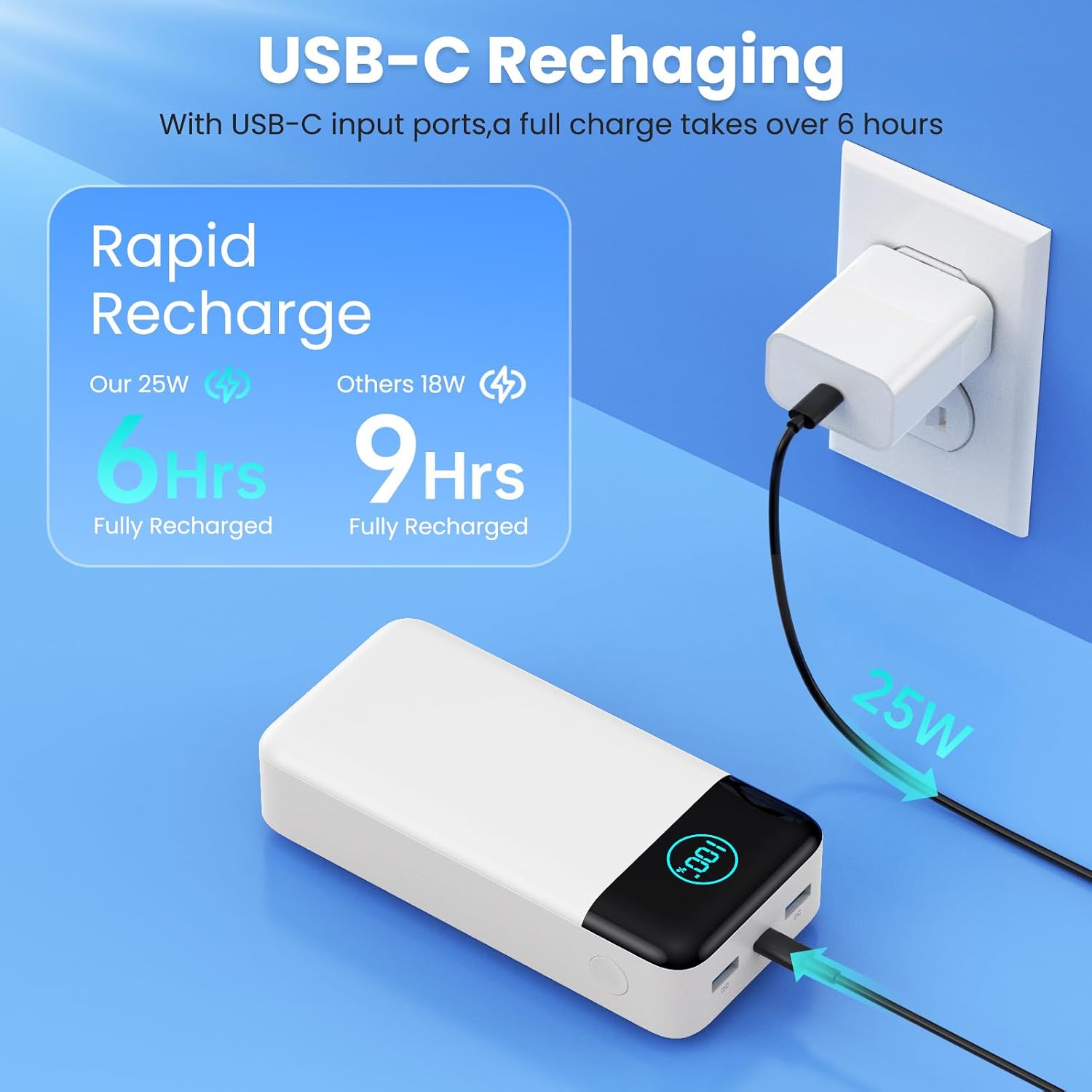
Figure 3: USB-C Recharging. A full charge takes approximately 6 hours with a 25W charger, significantly faster than 9 hours with an 18W charger.
Note: A full charge may take over 6 hours depending on the power adapter used.
Operating Instructions
Charging Your Devices
The power bank is equipped with two USB-A output ports and one USB-C input/output port, allowing you to charge up to three devices simultaneously.
- Connect your device's charging cable to one of the available output ports (USB-A or USB-C) on the power bank.
- Connect the other end of the cable to your device.
- The power bank will automatically begin charging your device. The LCD display will show the remaining battery percentage.

Figure 4: Fast Charging Capability. The 25W PD output can charge an iPhone 15 from 20% to 60% in just 20 minutes, which is 3 times faster than many standard power banks.

Figure 5: Universal Compatibility. The power bank is compatible with a wide range of devices, including iPhone series (16/15/14/13/12), Samsung series (S24/S23/S22), Google Pixel, LG, Moto, iPads, other tablets, smartwatches, Bluetooth headsets, and speakers.
Checking Battery Level
The LCD digital display provides an accurate percentage of the remaining power, eliminating guesswork.
- Briefly press the power button on the side of the power bank to activate the LCD display.
- The screen will illuminate and show the current battery percentage.
Maintenance
- Storage: Store the power bank in a cool, dry place away from direct sunlight and extreme temperatures.
- Cleaning: Use a soft, dry cloth to clean the surface of the power bank. Do not use harsh chemicals or abrasive materials.
- Battery Longevity: To prolong battery life, fully charge the power bank at least once every three months if not in regular use.
- Handling: Avoid dropping or subjecting the power bank to strong impacts.
Safety Precautions
Your FOCHEW power bank is built with multiple safety protections. However, please observe the following precautions to ensure safe operation:
- Do not disassemble, modify, or repair the device yourself.
- Keep away from fire, water, and corrosive liquids.
- Do not expose to extreme temperatures (above 60°C/140°F or below 0°C/32°F).
- Do not short-circuit the output ports.
- Keep out of reach of children.
- Do not use if the power bank is damaged or swollen.
- Note: Due to its large capacity, this 50800mAh power bank may not be allowed on airplanes. Please confirm with your airline before travel.

Figure 6: Comprehensive Multi-Protect Safety System. The power bank incorporates multiple layers of protection to ensure safe charging for both the device and connected electronics.
Troubleshooting
- Power bank not charging:
- - Ensure the charging cable is securely connected to both the power bank and the power source.
- - Try a different USB-C cable or wall adapter.
- - Verify the power source is active.
- Device not charging from power bank:
- - Ensure the power bank has sufficient charge (check LCD display).
- - Try a different charging cable for your device.
- - Try a different output port on the power bank.
- - Ensure your device is compatible with the power bank's output specifications.
- Slow charging:
- - Ensure you are using a fast-charging compatible cable and your device supports fast charging.
- - If charging multiple devices, the output current may be distributed, leading to slower charging for individual devices.
Specifications
| Feature | Detail |
|---|---|
| Model Number | HX300N6 |
| Battery Capacity | 50800mAh |
| USB-C Input/Output | 25W PD QC 4.0 |
| USB-A Output | 2 ports |
| Dimensions | 6.02 x 2.87 x 1.61 inches |
| Weight | 1.52 pounds |
| Display | LCD Digital Display |
Warranty and Support
FOCHEW provides the following warranty and support for this product:
- Maintenance: 2-year maintenance service.
- Replacement: 1-year replacement warranty.
If you have any questions, concerns, or require assistance with your FOCHEW Portable Charger Power Bank, please do not hesitate to contact our customer service. We are committed to providing satisfactory customer service.
Contact information is typically found on the product packaging or the seller's official website.

