
Introduction
This manual provides instructions for the LiNKFOR 2-Port 3.5mm Audio Switcher, Model ULK070. This device features a standard 3.5mm interface, offering versatile 2-input 1-output or 1-input 2-output functionality for managing multiple audio sources and outputs without requiring external power.
Product Overview
The LiNKFOR ULK070 Audio Switcher is a compact device designed to simplify your audio connections. It allows you to switch between two audio input sources to one output device, or one audio input source to two output devices.
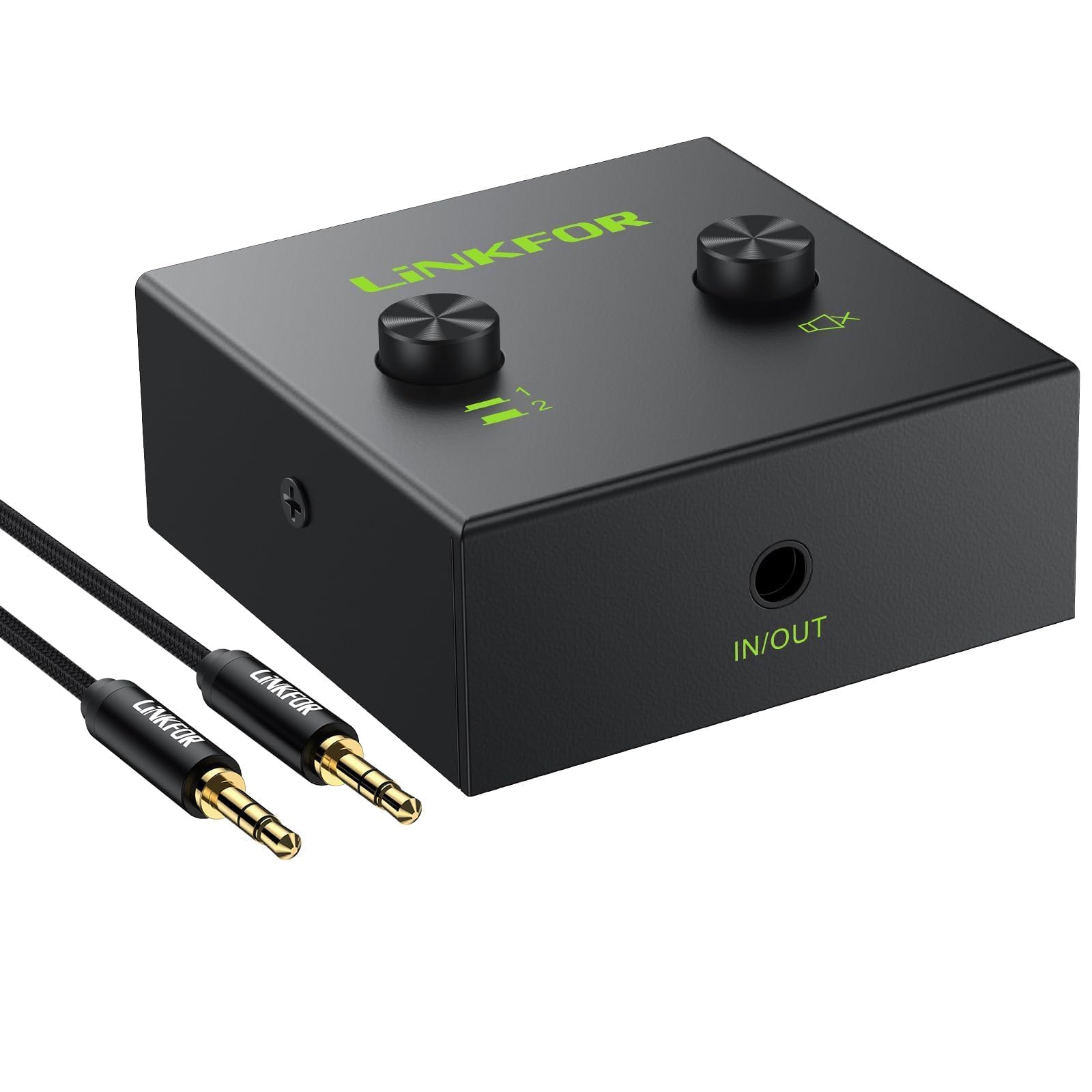
Figure 1: Front view of the LiNKFOR 2-Port 3.5mm Audio Switcher.
Components and Controls

Figure 2: Detailed view of the audio switcher's ports and controls.
- 3.5mm (IN/OUT) 1 Port: Connects to an audio source or output device.
- 3.5mm (IN/OUT) 2 Port: Connects to an audio source or output device.
- 3.5mm IN/OUT Port: The main audio input/output port.
- Selector Button (Left): Press to select (IN/OUT) 1. Press again (button pops up) to select (IN/OUT) 2.
- One Key Mute Button (Right): Press to mute the audio output. Press again to unmute.
Dimensions

Figure 3: Physical dimensions of the audio switcher.
What's in the Box

Figure 4: Package contents, including the audio switcher, user manual, and a 3.5mm audio cable.
Setup Instructions
The LiNKFOR Audio Switcher is a passive device and does not require external power. Ensure all audio devices are turned off before making connections.
Connection Modes

Figure 5: Illustration of 2-IN-1-OUT and 1-IN-2-OUT connection configurations.
Mode 1: 2-Input, 1-Output (Switching Audio Sources)
- Connect two audio sources (e.g., two computers, a computer and a smartphone) to the 3.5mm (IN/OUT) 1 and 3.5mm (IN/OUT) 2 ports on the switcher.
- Connect one audio output device (e.g., speakers, headphones) to the 3.5mm IN/OUT port on the switcher.
- Use the selector button to choose which audio source is routed to the output device.

Figure 6: Example setup for connecting two computers to a single speaker system.
Mode 2: 1-Input, 2-Output (Switching Audio Outputs)
- Connect one audio source (e.g., a computer, TV) to the 3.5mm IN/OUT port on the switcher.
- Connect two audio output devices (e.g., speakers and headphones) to the 3.5mm (IN/OUT) 1 and 3.5mm (IN/OUT) 2 ports on the switcher.
- Use the selector button to choose which output device receives the audio signal.

Figure 7: Example setup for connecting a computer to both speakers and headphones.
Headphone Compatibility

Figure 8: The switcher supports only three-segment 3.5mm headphone jacks. Four-segment jacks (with microphone support) are not compatible.
Operating Instructions
Using the LiNKFOR Audio Switcher is straightforward:
- Power On Devices: After all connections are made, power on your audio sources and output devices.
- Select Input/Output: Press the left selector button to toggle between the two connected devices on ports 1 and 2.
- Press down to select (IN/OUT) 1.
- Press down again (button pops up) to select (IN/OUT) 2.
- Mute Function: Press the right "One Key Mute" button to instantly mute the audio output. Press it again to unmute.
- Volume Control: Adjust the volume directly on your connected audio source or output device. This switcher does not have built-in volume control.
Maintenance
To ensure the longevity and optimal performance of your LiNKFOR Audio Switcher:
- Keep the device clean by wiping it with a soft, dry cloth.
- Avoid exposing the device to moisture, extreme temperatures, or direct sunlight.
- Do not attempt to disassemble or repair the device yourself. This may void the warranty.
- Store the device in a cool, dry place when not in use.
Troubleshooting
If you encounter issues with your audio switcher, refer to the following common problems and solutions:
| Problem | Possible Cause / Solution |
|---|---|
| No audio output. |
|
| Audio is distorted or has static. |
|
| Cannot switch between inputs/outputs. |
|
Specifications
| Feature | Detail |
|---|---|
| Brand | LiNKFOR |
| Model Number | ULK070 |
| Connector Type | 3.5mm Jack |
| Functionality | 2-Input 1-Output / 1-Input 2-Output Audio Switcher |
| Compatible Devices | Speakers, TV, Laptop, PC, Blu-ray Player |
| Color | Black |
| Batteries Required | No |
| Product Dimensions (L x W x H) | 4.9 x 4.8 x 2.0 cm (1.93 x 1.89 x 0.78 inches) |
| Item Weight | 120 g (0.26 lbs) |
| Cable Type | AUX |
| Headphone Compatibility | Supports three-segment 3.5mm headphones only. Four-segment headphones are not supported. |
Warranty and Support
LiNKFOR products are designed for reliability and performance. This product comes with an 18-month factory warranty, as mentioned in customer reviews.
- Warranty Period: 18 months from the date of purchase.
- Coverage: Covers defects in materials and workmanship under normal use.
- Exclusions: Does not cover damage caused by misuse, accident, unauthorized modification, or improper installation.
For technical support, warranty claims, or further assistance, please contact LiNKFOR customer service through the retailer where the product was purchased or visit the official LiNKFOR website for contact information.