
Introduction
The Retevis NR30S is a professional-grade Analog GMRS two-way radio designed for reliable long-range communication in various environments. It features IP67 waterproofing and dustproofing, noise-canceling technology for clear audio, NOAA weather radio capabilities, and a robust 2800mAh battery. This manual provides essential information for setting up, operating, and maintaining your NR30S radio.
Package Contents
Upon unboxing your Retevis NR30S, please ensure all items listed below are present:
- NR30S Walkie Talkie (x2)
- Battery (x2)
- Type-C Charging Cable (x2)
- Charging Base (x2)
- Adapter (x2)
- Belt Clip (x2)
- Hand Strap (x2)
- User Manual (x2)

Setup
1. Battery Installation and Charging
The NR30S radio is powered by a 2800mAh Li-ion battery. Before first use, fully charge the battery.
- Align the battery with the back of the radio and slide it into place until it clicks securely.
- To charge, place the radio in the charging base or connect the Type-C charging cable directly to the radio.
- The charging indicator on the radio or base will show charging status. A full charge typically takes 6.5 hours.

2. Antenna Attachment
Carefully screw the antenna clockwise onto the connector at the top of the radio until it is finger-tight. Do not overtighten.
3. Belt Clip and Hand Strap
Attach the belt clip to the back of the radio using the provided screws. The hand strap can be threaded through the loop at the top of the radio for secure carrying.
Operating Instructions
1. Radio Overview and Basic Controls
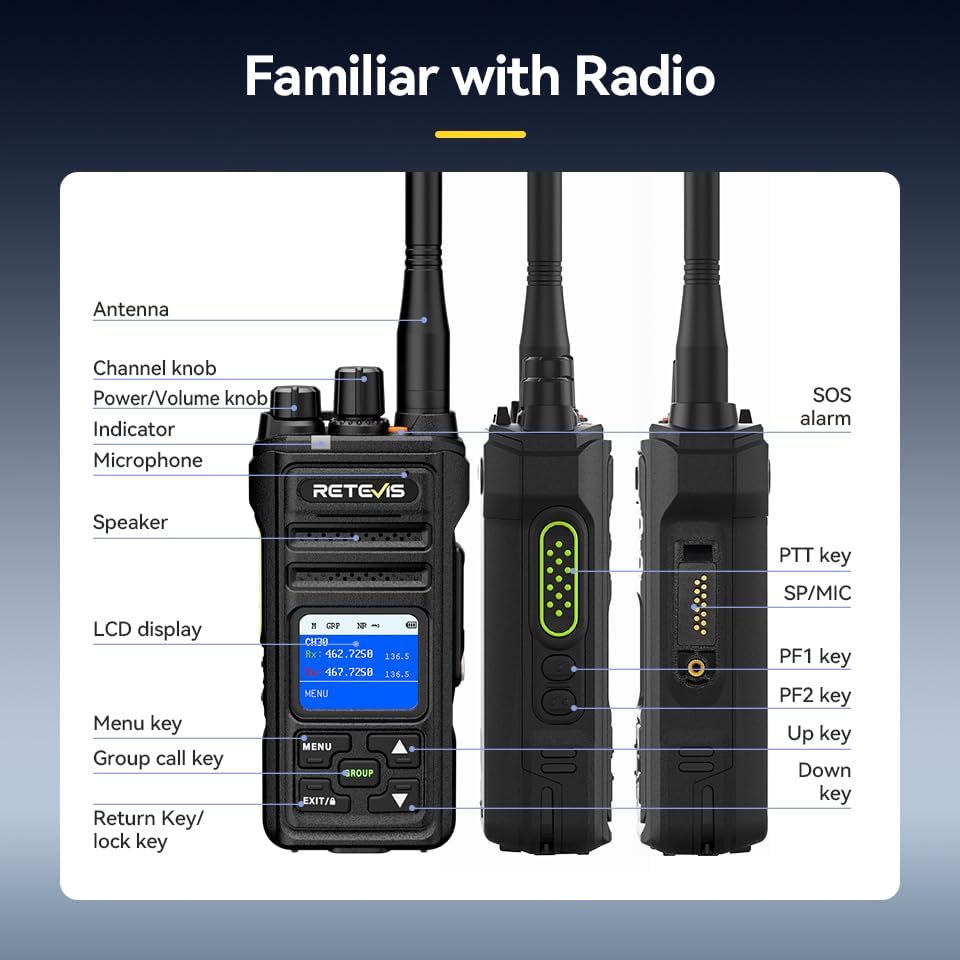
- Power On/Off: Rotate the Power/Volume knob clockwise to turn on the radio. Rotate counter-clockwise until a click is heard to turn off.
- Volume Adjustment: Rotate the Power/Volume knob to adjust the listening volume.
- Channel Selection: Use the Channel knob to select desired communication channels. The LCD screen will display the current channel.
- Push-to-Talk (PTT) Key: Press and hold the PTT key on the side of the radio to transmit your voice. Release to listen.
2. Group Call Function
The Group Call function allows you to communicate with multiple team members simultaneously, even if they are on different channels.
- Press the GROUP button to initiate a group call.
- All radios configured for the same group will receive the transmission.

3. Noise Reduction Function
The built-in two-way noise reduction chip helps filter out background noise for clearer communication.
- Access the menu via the MENU button.
- Navigate to the Noise Reduction (NR) setting.
- Select ON to activate noise reduction.

4. NOAA Weather Channels
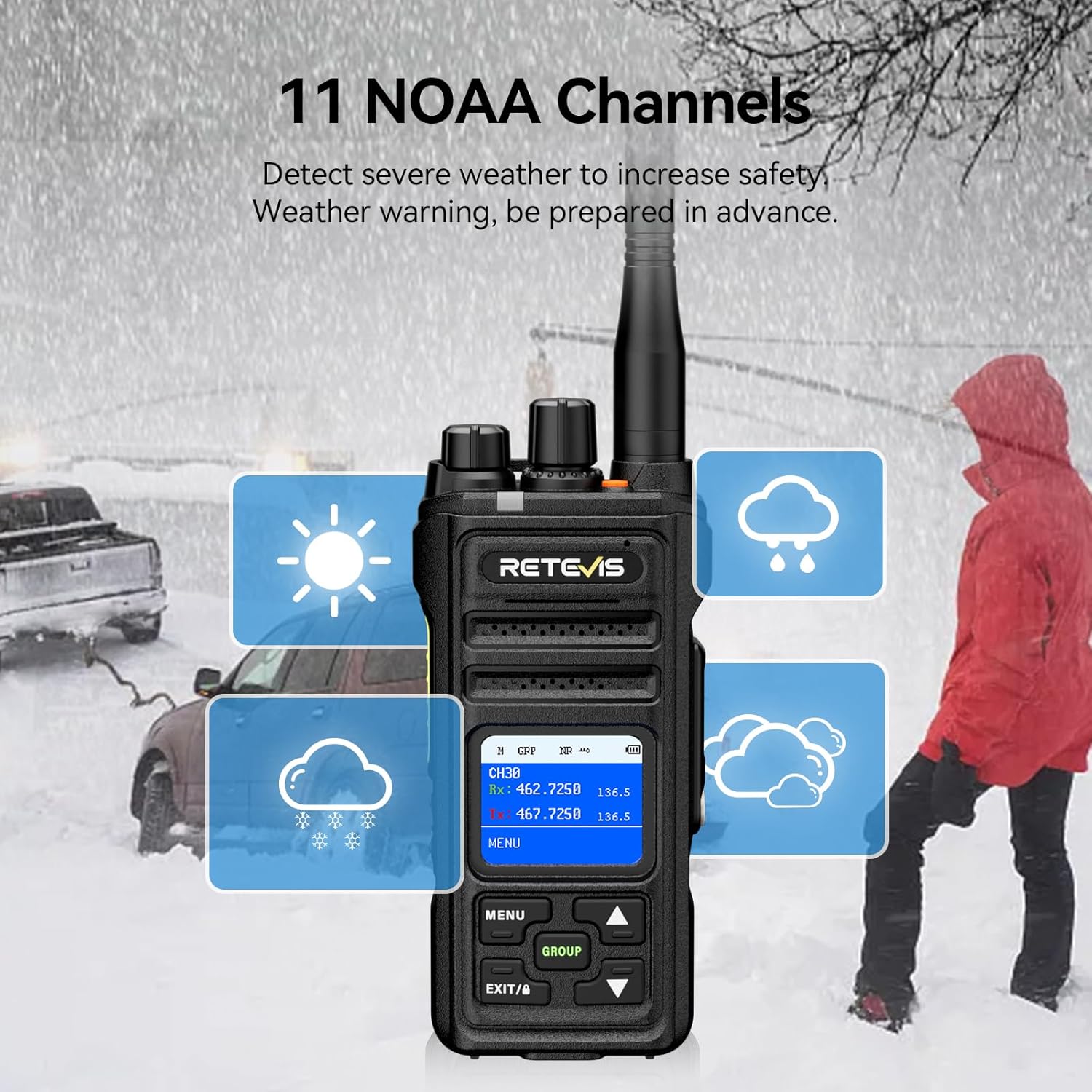
The NR30S can receive 11 NOAA weather channels, providing timely weather warnings to enhance safety.
- Access the menu and navigate to the NOAA Weather Channel option.
- Select the desired NOAA channel to monitor weather broadcasts.
5. Emergency Alarm
In emergency situations, activate the SOS alarm to alert others.
- Press the dedicated SOS alarm button (typically an orange button on top) to activate the alarm.
6. Keyboard Lock
To prevent accidental key presses, you can lock the keyboard.
- Press and hold the EXIT/A key to activate the keyboard lock function. Repeat to unlock.
7. Monitoring Function
The monitoring function allows you to listen to weak signals on the current channel.
- Short press side button 1 to activate the monitoring function.
8. Scanning Function
The scanning function allows the radio to automatically search for active channels.
- Briefly press side button 2 to activate the scanning function.
9. CTCSS/DCS Tones
CTCSS (Continuous Tone-Coded Squelch System) and DCS (Digitally Coded Squelch) tones help filter out unwanted transmissions and allow for private group communication.
- Refer to the radio's menu settings to configure CTCSS/DCS tones for specific channels.
Maintenance
- Cleaning: Use a soft, damp cloth to clean the radio's exterior. Do not use harsh chemicals or abrasive cleaners.
- Battery Care: To prolong battery life, avoid overcharging and fully discharging the battery. Store the radio and battery in a cool, dry place when not in use.
- Waterproof/Dustproof Care: Although IP67 rated, ensure all ports and covers are securely closed before exposing the radio to water or dust. Rinse with fresh water after exposure to saltwater.

Troubleshooting
| Problem | Possible Cause | Solution |
|---|---|---|
| No Power | Battery depleted or improperly installed. | Charge the battery or re-install it correctly. |
| Cannot Transmit/Receive | Incorrect channel, low battery, or out of range. | Verify channel, charge battery, or move closer to other radios. |
| Poor Audio Quality | Weak signal, high background noise, or antenna issue. | Move to a clearer area, activate noise reduction, or check antenna connection. |
| Keyboard Locked | Keyboard lock function is active. | Press and hold the EXIT/A key to unlock. |
Specifications
| Feature | Detail |
|---|---|
| Brand | Retevis |
| Model Number | NR30S |
| Color | Black |
| Number of Channels | 30 |
| Frequency Range | GMRS |
| Talking Range Maximum | 5 Miles |
| Water Resistance Level | IP67 Waterproof |
| Battery Capacity | 2800mAh Li-ion |
| Battery Average Life | 17 Hours (Work), 120 Hours (Standby) |
| Charging Time | 6.5 Hours |
| Product Dimensions | 1.51"D x 2.63"W x 5.7"H |
| Item Weight | 570 Grams |
| Special Features | IP67 Waterproof and dustproof, Intelligent two-way noise reduction, LCD screen with menu, Keyboard lock, One-key group call, NOAA, Alarm, Strong penetration long-range 2-way radio. |
Warranty and Support
Retevis provides a 3-year warranty for the radio body and a 1-year warranty for accessories. Additionally, a 30-day no-reason return policy is offered. For any inquiries or support, please contact Retevis customer service on Amazon. They aim to reply within 12 hours.
Visit the official Retevis Store for more products and information.


