
SGNICS K55
SGNICS K55 Military Smart Watch User Manual
Model: K55
Introduction
The SGNICS K55 Military Smart Watch is a rugged and versatile device designed for demanding environments and active lifestyles. Constructed from a special aluminum alloy, it has undergone military-grade testing for extreme temperatures, low pressure, and dust resistance, ensuring durability in harsh conditions.
This smartwatch offers comprehensive functionality, including communication features, extensive sports tracking, and health monitoring capabilities. Please read this manual thoroughly to understand the full potential of your new device and ensure its proper use and maintenance.

Figure 1: Front view of the SGNICS K55 Military Smart Watch displaying heart rate information.
Package Contents
Upon unboxing your SGNICS K55 Military Smart Watch, please verify that all the following items are included:
- 1 x SGNICS K55 Smart Watch
- 1 x Watch Band
- 1 x Charging Cable
- 1 x User Manual (this document)
Setup Guide
1. Charging the Smart Watch
Before initial use, fully charge your smartwatch. Connect the magnetic charging cable to the charging points on the back of the watch and plug the USB end into a standard USB power adapter (not included) or a computer's USB port. A full charge typically takes approximately 2 hours.

Figure 2: Rear view of the SGNICS K55 Smart Watch, highlighting the charging contacts and PPG sensor.
2. App Installation and Pairing
To unlock the full functionality of your SGNICS K55 Smart Watch, you need to install the companion application on your smartphone. The app is compatible with both Android and iOS devices.
- Download the App: Scan the QR code provided in the watch's initial setup screen or search for the official app name (usually mentioned in the watch's display or quick start guide) in your phone's app store (Google Play Store for Android, Apple App Store for iOS).
- Create an Account: Open the app and follow the on-screen instructions to create a new user account or log in if you already have one.
- Pair the Watch:
- Ensure Bluetooth is enabled on your smartphone.
- Open the app and navigate to the "Device" or "Add Device" section.
- The app will search for nearby devices. Select "K55" or the corresponding device name when it appears.
- Confirm the pairing request on both your phone and the watch if prompted.
- Connect Audio Bluetooth (for calls/music): After the initial pairing, you may need to connect a separate Bluetooth audio profile for calls and music playback. Go to your phone's Bluetooth settings, find "K55_Audio" or a similar entry, and connect to it. This step is crucial for using the watch's speaker and microphone.
Note: For optimal performance, ensure your smartphone's operating system is up to date and the companion app is granted necessary permissions (e.g., location, notifications, contacts).
Operating Instructions
Basic Navigation
- Touch Screen: Swipe left/right, up/down to navigate through menus and features. Tap to select.
- Side Buttons: The watch typically features one or more physical buttons. Refer to the on-screen prompts or quick start guide for specific button functions (e.g., power on/off, back, shortcut to sports modes).
Communication Features
Once the audio Bluetooth is connected, your K55 Smart Watch allows you to manage calls directly from your wrist.
- Making Calls: Access the dial pad or contact list on the watch to initiate calls.
- Receiving Calls: When a call comes in, you can answer or reject it directly from the watch. The watch utilizes its built-in speaker and microphone for hands-free communication.
- Notifications: Receive notifications for calls, SMS messages, and various app alerts directly on your watch screen. Ensure notification permissions are enabled in the companion app and your phone's settings.

Figure 3: The SGNICS K55 Smart Watch showing an incoming call notification.
Fitness and Sports Tracking
The K55 Smart Watch supports over 20 sports modes to help you track your physical activity. Data from your workouts will be synchronized with the companion app.
- Supported Modes: Walking, running, basketball, football, cycling, rope skipping, mountain climbing, and more.
- Tracking: Select your desired sport mode on the watch to begin tracking metrics such as steps, distance, calories burned, and duration.
- Data Sync: Ensure the watch is connected to the app to upload your exercise data and review your progress.

Figure 4: Overview of SGNICS K55 Smart Watch features, including multiple sport modes and display size.
Health Monitoring
The watch provides various health monitoring functions to help you keep track of your well-being. Please note: This device is not a medical instrument and should not be used for medical diagnosis or treatment. The data provided is for reference only.
- 24-Hour Heart Rate Monitoring: The watch continuously monitors your heart rate throughout the day. You can view real-time data on the watch or in the app. It can also provide warnings for abnormally high or low heart rates and recognize irregular heartbeats.
- Sleep Tracking: Automatically detects and records your sleep patterns, including total sleep duration, deep sleep, light sleep, and awake times. A sleep score is provided in the app to assess sleep quality.
- Blood Oxygen Monitoring: Measures your blood oxygen saturation (SpO2) levels.

Figure 5: Displays of blood oxygen, heart rate, and sleep monitoring on the SGNICS K55 Smart Watch.
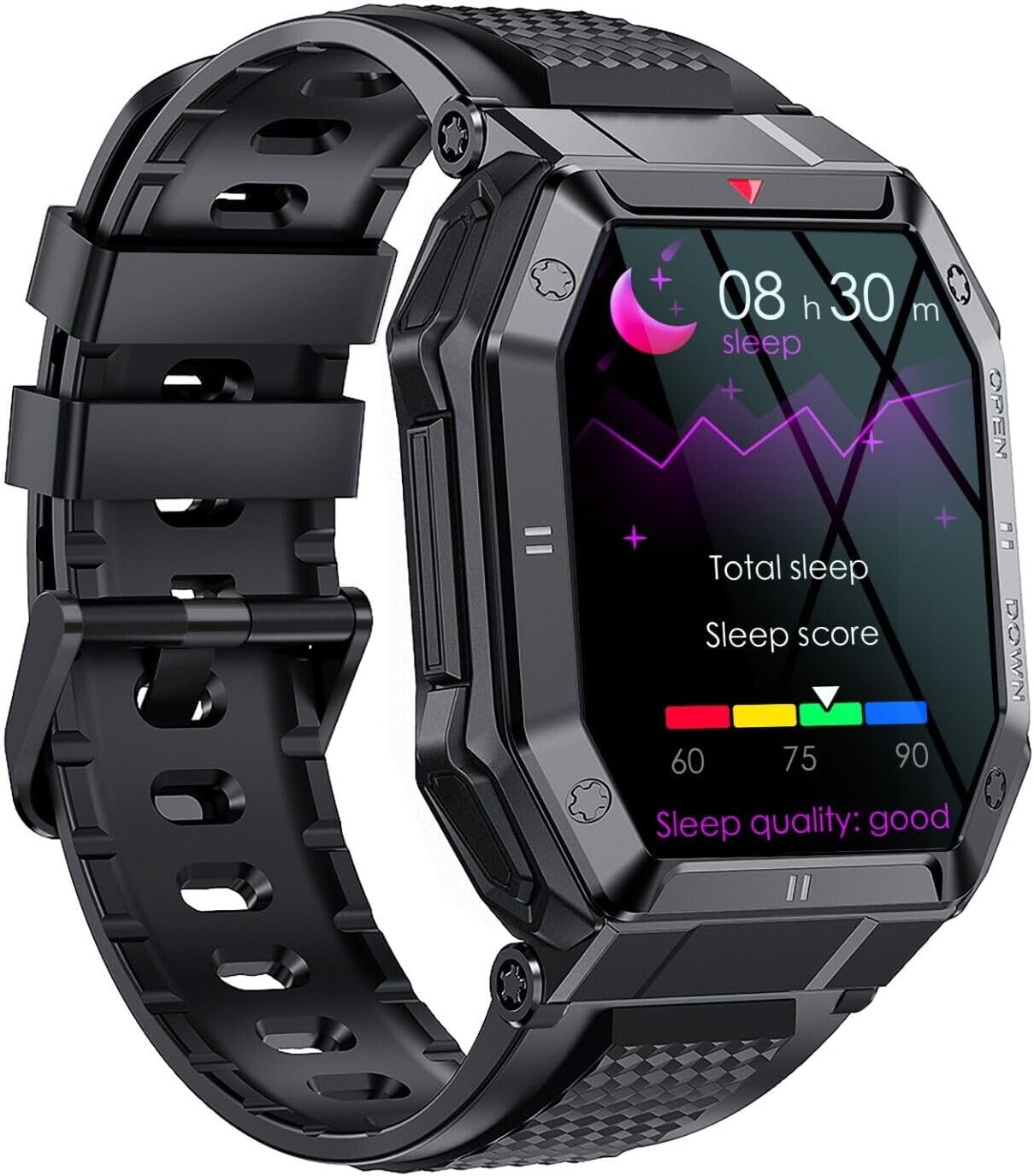
Figure 6: Close-up of the SGNICS K55 Smart Watch screen showing detailed sleep tracking data.

Figure 7: Close-up of the SGNICS K55 Smart Watch screen showing detailed heart rate monitoring data.
Other Useful Functions
The SGNICS K55 Smart Watch includes several additional features to enhance your daily convenience:
- Weather Forecasts: Get real-time weather updates directly on your wrist.
- Alarm Clocks: Set multiple alarms to help you stay on schedule.
- Camera Controller: Remotely control your smartphone's camera for easier photo taking.
- Music Control: Play, pause, skip tracks, and adjust volume for music playing on your connected smartphone.
- Sedentary Reminder: Receive alerts when you've been inactive for too long, encouraging you to move.
- Find Phone: Use your watch to make your phone ring, helping you locate it.
- Stopwatch & Timer: Built-in tools for timing activities.

Figure 8: The SGNICS K55 Smart Watch interface showing icons for various convenience features.
Maintenance
Cleaning Your Smart Watch
To maintain the appearance and functionality of your watch, clean it regularly:
- Wipe the screen and body with a soft, lint-free cloth.
- For stubborn stains, dampen the cloth slightly with water. Avoid using harsh chemicals or abrasive materials.
- Ensure the charging contacts on the back of the watch are clean and dry before charging.
Water Resistance
The SGNICS K55 Smart Watch is designed to be waterproof for daily activities such as washing hands and jogging in the rain. However, it is not suitable for:
- Swimming
- Diving
- Showering or bathing (especially with hot water or steam)
- Sauna or steam rooms
Important: Water damage due to improper use may void your warranty.
Battery Care
- Avoid exposing the watch to extreme temperatures (very hot or very cold), as this can degrade battery life.
- Charge the watch regularly, ideally before the battery is completely depleted.
- If storing the watch for an extended period, charge it to about 50% to prevent deep discharge.
Troubleshooting
| Problem | Possible Cause | Solution |
|---|---|---|
| Watch does not turn on or charge. | Low battery; charging cable not properly connected; faulty charger. | Ensure the charging cable is securely connected to both the watch and a working USB power source. Try a different USB port or adapter. Allow it to charge for at least 10-15 minutes before attempting to power on. |
| Cannot pair with smartphone. | Bluetooth off; watch not in pairing mode; app issue; interference. | Ensure Bluetooth is enabled on your phone. Restart both the watch and phone. Make sure the watch is discoverable. Clear the app's cache or reinstall it. Try pairing in a different location to avoid interference. |
| Call/music audio not working. | Audio Bluetooth not connected; volume too low. | Go to your phone's Bluetooth settings and ensure "K55_Audio" (or similar) is connected. Increase the volume on both the watch and phone. |
| Notifications not received. | Notification permissions not granted; app not running in background. | Check notification permissions for the companion app in your phone's settings. Ensure the app is running in the background and not being closed by battery optimization settings. |
| Inaccurate health data. | Watch fit too loose; sensor dirty; not a medical device. | Ensure the watch is worn snugly on your wrist, about one finger's width above the wrist bone. Clean the sensor on the back of the watch. Remember, this is not a medical device; consult a healthcare professional for medical concerns. |
Specifications
| Model Name | K55 |
| Brand | SGNICS |
| Material | Aluminum Alloy |
| Display | 1.85 inch HD IPS Screen |
| Battery Capacity | 350mAh |
| Charging Time | Approx. 2 hours |
| Usage Time | 5-7 days (typical use) |
| Standby Time | Approx. 15 days |
| Water Resistance | Daily waterproof (not for swimming/diving/showering) |
| Compatible Devices | Android/iOS Smartphones |
| Included Components | Smart Watch, Band, Charging Cable, User Manual |
Warranty and Support
Warranty Information
Your SGNICS K55 Smart Watch comes with a 60-day warranty from the date of purchase. This warranty covers manufacturing defects under normal use. It does not cover damage caused by misuse, accidents, unauthorized modifications, or failure to follow the instructions in this manual, particularly regarding water resistance limitations.
Please retain your proof of purchase for warranty claims.
Customer Support
If you encounter any issues or have questions regarding your SGNICS K55 Smart Watch that are not addressed in this manual, please contact SGNICS customer support. Refer to the packaging or the official SGNICS website for the most current contact information.
When contacting support, please be prepared to provide your product model (K55) and a detailed description of the issue.
Ask a question about this manual
Ask about setup, troubleshooting, compatibility, parts, safety, or missing instructions. Manuals+ will review the question and use this page’s manual context to help answer it.