
1. Product Overview
The SGNICS K55 Smart Watch is a rugged, tactical smartwatch designed for active lifestyles. It features a 1.85-inch HD display, supports Bluetooth calls, and offers comprehensive fitness and health tracking capabilities. Constructed from a special aluminum alloy, it is built to withstand harsh environmental conditions.

Image: The SGNICS K55 Smart Watch, showcasing its 1.85-inch IPS HD screen, support for over 20 sport modes, and a 350mAh battery for extended use.
2. Setup Guide
2.1 Package Contents
Please verify that all items are present in the package:
- 1 x SGNICS K55 Smart Watch
- 1 x Watch Band
- 1 x Charging Cable
- 1 x User Manual
2.2 Charging the Smart Watch
Before first use, fully charge the smart watch. Connect the magnetic charging cable to the charging contacts on the back of the watch and plug the USB end into a standard USB power adapter (not included). A full charge typically takes approximately 2 hours. The watch has a built-in 350mAh battery, providing up to 5-7 days of use and about 15 days of standby time.
2.3 App Installation and Pairing
To unlock the full functionality of your K55 Smart Watch, you need to install the companion application on your smartphone (Android or iOS). Refer to the QR code in the included quick start guide or search for the app name in your phone's app store.
- Download and install the official companion app on your smartphone.
- Ensure Bluetooth is enabled on your smartphone.
- Open the app and follow the on-screen instructions to search for and pair with your K55 Smart Watch.
- Confirm the pairing request on both your phone and the watch.
- For call functionality and music playback, ensure you connect the watch's audio Bluetooth separately through your phone's Bluetooth settings once the initial pairing is complete.
3. Operating Instructions
3.1 Basic Navigation
The K55 Smart Watch features a responsive touchscreen and physical buttons for navigation. Swipe left/right, up/down on the screen to access different functions and menus. The side buttons typically control power, screen on/off, and menu navigation.
3.2 Making and Receiving Calls
Once the watch's audio Bluetooth is successfully connected to your phone, you can make and receive calls directly from your wrist using the watch's high-quality speakers and microphone.

Image: The SGNICS K55 Smart Watch displaying a call interface, demonstrating its capability to make and receive calls.
3.3 Notifications
Receive notifications for calls, text messages, and various app alerts directly on your watch. Ensure notification permissions are granted in the companion app on your smartphone.
3.4 Sports Modes and Fitness Tracking
The watch supports over 20 sports modes, including:
- Walking
- Running
- Basketball
- Football
- Cycling
- Rope Skipping
- Mountain Climbing
- And many more.
The watch tracks steps, distance, and calories burned. Exercise data is uploaded to the companion app for detailed analysis and goal setting.
3.5 Health Monitoring
The K55 Smart Watch provides continuous health monitoring features:
- 24-Hour Heart Rate Monitoring: Tracks your heart rate throughout the day and can provide warnings for abnormal heart rates.
- Sleep Tracking: Automatically detects and records your sleep quality, including light sleep, deep sleep, and awake times.
- Blood Oxygen Monitoring: Provides blood oxygen saturation (SpO2) reference data.
Note: The health monitoring functions of this device are for reference purposes only and should not be used for medical diagnosis or treatment. It is not a medical device.

Image: Displays of the SGNICS K55 Smart Watch showing blood oxygen levels, 24-hour heart rate monitoring, and sleep tracking data.

Image: The SGNICS K55 Smart Watch screen showing a detailed heart rate graph and interval information.
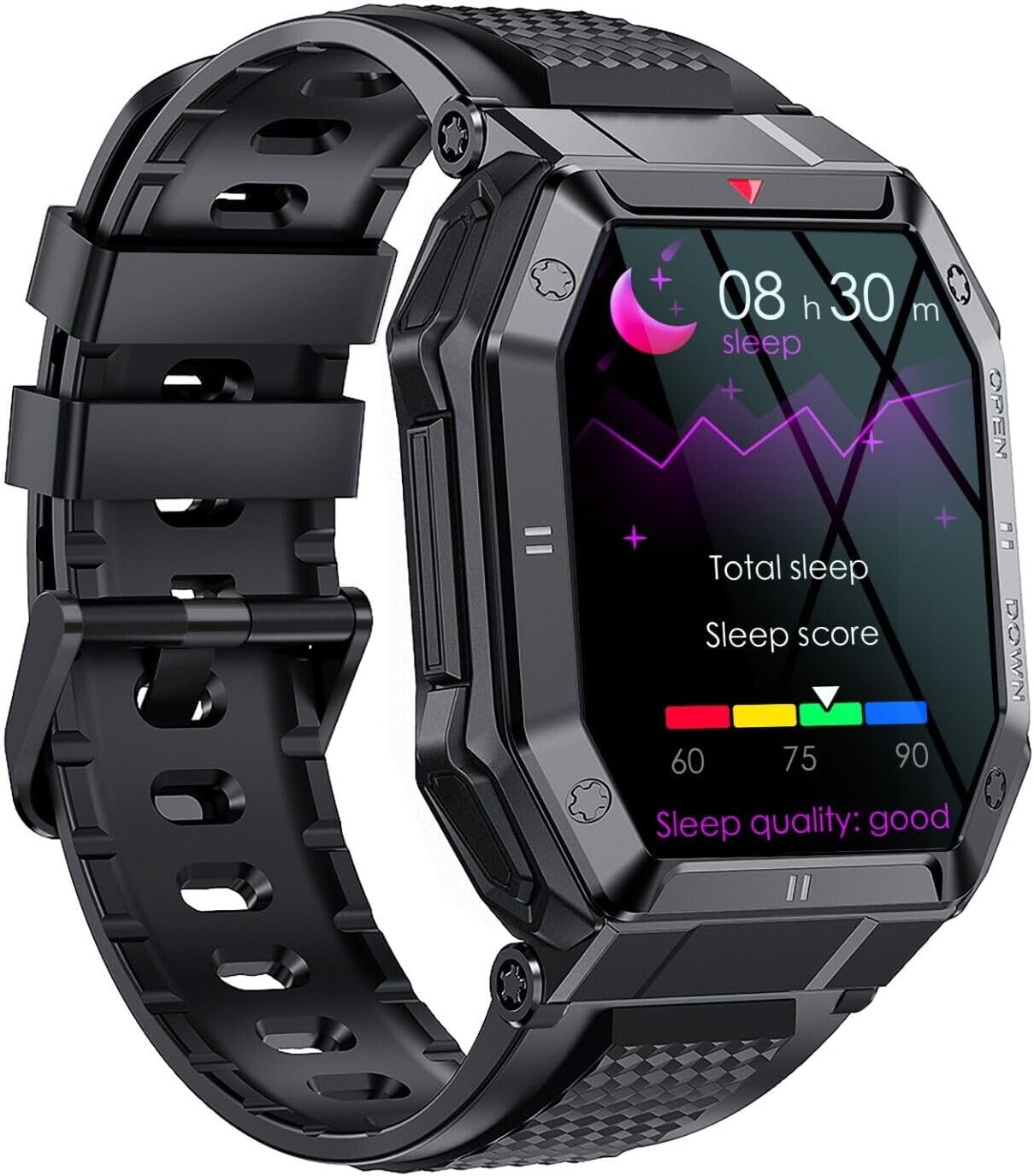
Image: The SGNICS K55 Smart Watch screen showing sleep tracking data, including total sleep and sleep score.
3.6 Other Functions
The K55 Smart Watch offers additional convenient features:
- Weather Forecasts
- Alarm Clocks
- Camera Controller (remote shutter)
- Music Control (play/pause, skip tracks)
- Sedentary Reminder
- Find Phone
- Stopwatch

Image: The SGNICS K55 Smart Watch displaying a variety of app icons, illustrating its multi-functional capabilities.
4. Maintenance
4.1 Cleaning
Wipe the watch and band regularly with a soft, damp cloth. Avoid using harsh chemicals or abrasive materials that could damage the finish or sensors.
4.2 Water Resistance
The SGNICS K55 Smart Watch is designed to be waterproof for daily activities such as washing hands and jogging in the rain. However, it is not suitable for swimming, diving, showering, or sauna use. Exposure to hot water or steam may damage the device.
4.3 Battery Care
To prolong battery life, avoid fully discharging the watch frequently. Charge it regularly and store it in a cool, dry place when not in use for extended periods.
5. Troubleshooting
5.1 Watch Not Turning On
- Ensure the watch is fully charged. Connect it to the charging cable and a power source for at least 30 minutes.
- Press and hold the power button for several seconds.
5.2 Unable to Pair with Phone
- Make sure Bluetooth is enabled on your phone and the watch.
- Ensure the watch is within the Bluetooth range of your phone.
- Restart both your phone and the watch.
- Clear the Bluetooth cache on your phone (if applicable) and try pairing again.
- Ensure the correct companion app is installed and updated.
5.3 Inaccurate Health Data
- Ensure the watch is worn snugly on your wrist, not too loose or too tight.
- Clean the sensor on the back of the watch regularly.
- Avoid excessive movement during measurements.
- Remember that the data is for reference only and not for medical purposes.

Image: The rear view of the SGNICS K55 Smart Watch, highlighting the PPG biotrack sensor used for health monitoring.
6. Specifications
| Feature | Detail |
|---|---|
| Model Name | K55 |
| Brand | SGNICS |
| Color | Black |
| Material | Alloy |
| Display | 1.85-inch HD IPS Screen |
| Battery Capacity | 350mAh |
| Charging Time | Approx. 2 hours |
| Battery Life | 5-7 days (typical use), 15 days (standby) |
| Connectivity | Bluetooth |
| Special Features | Heart Rate Monitor, Call Function, Fitness Tracker, Sleep Tracker |
| Water Resistance | Daily waterproof (not for swimming/diving/shower/sauna) |
| Compatible Devices | Smartphones (Android/iOS) |
| GTIN | 05735411733272 |
7. Warranty Information
The SGNICS K55 Smart Watch comes with a 60-day warranty from the date of purchase. This warranty covers manufacturing defects. It does not cover damage caused by misuse, accidents, unauthorized modifications, or failure to follow the instructions in this manual. Please retain your proof of purchase for warranty claims.
8. Support
For further assistance, technical support, or warranty inquiries, please contact SGNICS customer service through the contact information provided on the product packaging or the official SGNICS website. Please have your model number (K55) and purchase details ready when contacting support.