
1. Introduction
This manual provides comprehensive instructions for the setup, operation, maintenance, and troubleshooting of your SGNICS K55 Military Smart Watch. Please read this manual carefully before using your device to ensure proper functionality and longevity.
The SGNICS K55 is a rugged, tactical smartwatch designed for durability and multi-functional use. It features a 1.85-inch HD display and is constructed from a special aluminum alloy material, having passed military-grade tests for extreme temperatures, low pressure, and dust resistance. This watch is suitable for use in various challenging environmental conditions.
Key features include:
- Communication: Ability to make and receive calls, and play music via Bluetooth connection.
- Fitness Tracking: Over 20 sports modes, step counter, and activity tracking.
- Health Monitoring: 24-hour heart rate monitoring, blood oxygen reference, and sleep tracking.
- Durability: Military-grade tested, water-resistant for daily use (not for swimming or diving).
- Battery Life: Up to 5-7 days of use, with a standby time of approximately 15 days.
2. Package Contents
Upon opening the package, please verify that all components are present:
- 1 x SGNICS K55 Smart Watch
- 1 x Watch Band
- 1 x Charging Cable
- 1 x User Manual (this document)
3. Setup Guide
3.1 Charging the Device
Before initial use, fully charge your SGNICS K55 Smart Watch. Connect the provided charging cable to the charging port on the back of the watch and to a standard USB power adapter (not included). The watch has a built-in 350mAh battery, which typically takes approximately 2 hours to fully charge. A full charge provides up to 5-7 days of active use or about 15 days of standby time.
3.2 Installing the App and Pairing
To unlock the full functionality of your SGNICS K55 Smart Watch, you need to download and install the companion application on your smartphone (Android or iOS). Refer to the watch screen or the quick start guide for the specific app name or QR code.
- Download the App: Scan the QR code displayed on the watch or in the quick start guide, or search for the designated app in your phone's app store (Google Play Store for Android, Apple App Store for iOS).
- Enable Bluetooth: Ensure Bluetooth is enabled on your smartphone.
- Open the App: Launch the installed app and follow the on-screen instructions to create an account or log in.
- Add Device: Within the app, navigate to the "Add Device" or "Pair Device" section. The app will search for available Bluetooth devices.
- Select Your Watch: Select "K55" or the corresponding device name from the list. Confirm the pairing request on both your phone and the watch if prompted.
- Connect Audio Bluetooth (for calls/music): For call and music playback features, you may need to connect a separate Bluetooth profile. After pairing the watch with the app, go to your phone's Bluetooth settings and look for another "K55_Audio" or similar entry. Connect to this profile to enable audio functions.
 Image: The SGNICS K55 Smart Watch showing an incoming call screen, demonstrating its call functionality.
4. Operating Instructions
4.1 Basic Navigation
The SGNICS K55 Smart Watch features a touch-sensitive display and physical buttons for navigation. Swipe left, right, up, or down on the screen to access different menus and features. The side buttons, labeled "OPEN" and "DOWN" (or similar icons), typically serve as power/back and shortcut/scroll functions, respectively.
4.2 Making and Receiving Calls
Once the audio Bluetooth is successfully connected, you can make and receive calls directly from your watch. When a call comes in, the watch will display the caller ID. You can answer or reject calls using the on-screen prompts. To make a call, access the dialer or contact list on your watch.
4.3 Sports Modes and Fitness Tracking
The watch supports over 20 sports modes, including walking, running, basketball, football, cycling, rope skipping, and mountain climbing. To start a workout:
- Swipe to the sports mode menu on your watch.
- Select your desired activity.
- Tap to start the tracking.
The watch will record data such as steps, distance, calories burned, and heart rate during your activity. This data will be uploaded to the companion app for detailed analysis and goal setting.
 Image: Multiple SGNICS K55 Smart Watches showcasing the 1.85-inch HD screen, various sport modes, and long battery life.
4.4 Health Monitoring
The SGNICS K55 provides 24-hour real-time activity tracking and health monitoring features:
- Heart Rate Monitoring: The watch continuously monitors your heart rate. You can view your current heart rate and historical data in the app. Note: This device is not a medical instrument and should not be used for medical diagnosis or treatment.
- Blood Oxygen Reference: The watch can provide a reference for your blood oxygen levels. Note: This feature is for reference only and not for medical use.
- Sleep Tracking: The watch automatically detects and tracks your sleep patterns, including total sleep duration, sleep score, and different sleep stages (light, deep, awake).
 Image: Watch displays showing blood oxygen, heart rate, and sleep monitoring data.
 Image: The SGNICS K55 Smart Watch displaying real-time heart rate data.
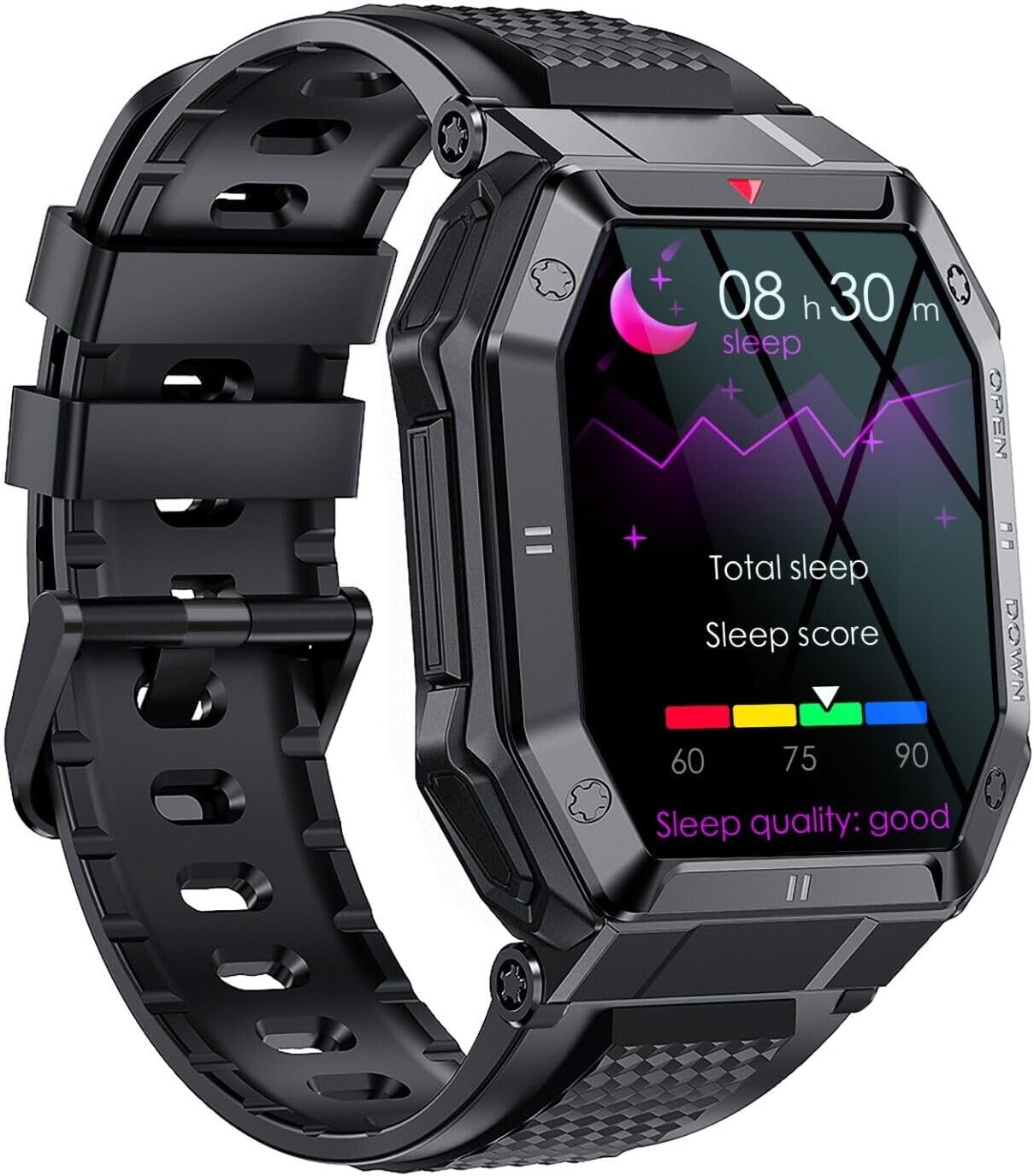 Image: The SGNICS K55 Smart Watch displaying sleep tracking data.
4.5 Other Functions
The SGNICS K55 Smart Watch offers additional useful features:
- Weather forecasts
- Alarm clocks
- Camera controller (remote shutter for your phone's camera)
- Music control (play, pause, skip tracks on your phone)
- Sedentary reminder
- App message reminders
- SMS reminders
- Find phone function
- Stopwatch
 Image: The SGNICS K55 Smart Watch displaying a grid of icons representing various smart functions.
5. Maintenance
5.1 Water Resistance
The SGNICS K55 Smart Watch is designed to be water-resistant for daily activities such as washing hands or jogging in the rain. However, it is not suitable for swimming, diving, showering, or sauna use. Exposure to hot water, steam, or high-pressure water jets may damage the device.
5.2 Cleaning
To clean your watch, gently wipe the screen and body with a soft, lint-free cloth. If necessary, slightly dampen the cloth with water. Avoid using harsh chemicals, abrasive materials, or strong detergents, as these can damage the watch's finish and seals. Ensure the charging contacts on the back of the watch are kept clean and dry for optimal charging performance.
5.3 Storage
When not in use for extended periods, store the watch in a cool, dry place away from direct sunlight and extreme temperatures. It is recommended to charge the watch periodically (e.g., once every few months) to maintain battery health.
6. Troubleshooting
If you encounter issues with your SGNICS K55 Smart Watch, please refer to the following common solutions:
- Watch not turning on: Ensure the watch is fully charged. Connect it to the charging cable and allow it to charge for at least 30 minutes before attempting to power it on again.
- Cannot pair with phone:
- Ensure Bluetooth is enabled on your phone and the watch.
- Make sure the watch is within Bluetooth range of your phone.
- Restart both your phone and the watch.
- Try unpairing and re-pairing the device through the app and your phone's Bluetooth settings.
- Ensure the companion app is up to date.
- Call/Music audio not working: Verify that the separate audio Bluetooth profile (e.g., "K55_Audio") is connected in your phone's Bluetooth settings.
- Inaccurate health data: Ensure the watch is worn snugly on your wrist, about one finger's width above the wrist bone. Keep the sensor on the back of the watch clean. Remember that the watch is not a medical device.
- Short battery life: Reduce screen brightness, disable unnecessary notifications, and limit continuous heart rate monitoring if not needed. Ensure the watch is fully charged.
If the issue persists, please contact customer support for further assistance.
7. Specifications
| Brand | SGNICS |
| Model Name | K55 |
| Display | 1.85 inch HD IPS Screen |
| Material | Aluminum Alloy |
| Color | Black |
| Battery Capacity | 350 mAh Lithium Ion |
| Charging Time | Approx. 2 hours |
| Battery Life | 5-7 days (typical use), 15 days (standby) |
| Connectivity | Bluetooth |
| Operating System | Wear OS (as per product data, though this might be a generic OS for smartwatches) |
| Special Features | Heart Rate Monitor, Call Function, Multi-Sport Modes, Sleep Tracker |
| Water Resistance | Daily use (washing hands, rain); Not for swimming/diving/hot water. |
| Included Components | Smart Watch, Band, Charging Cable, User Manual |
8. Warranty and Support
Your SGNICS K55 Smart Watch comes with a 60-day warranty from the date of purchase. This warranty covers manufacturing defects under normal use. It does not cover damage caused by misuse, accidents, unauthorized modifications, or failure to follow the instructions in this manual.
For warranty claims, technical support, or any questions regarding your product, please contact the seller or manufacturer through the platform where you purchased the device. Please have your purchase details and model number (K55) ready when contacting support.