
1. Introduction
This manual provides detailed instructions for the installation, operation, and maintenance of your EVERSECU 2K Outdoor Solar Security Camera (Model BS16-4). Please read this manual carefully before using the product to ensure proper setup and functionality. Keep this manual for future reference.
The EVERSECU 2K Outdoor Solar Security Camera is a wireless, solar-powered surveillance solution designed for both indoor and outdoor use. It features 2K 3MP video resolution, Pan-Tilt-Zoom (PTZ) functionality for 360° viewing, smart siren, spotlights, color night vision, AI human detection, and two-way audio communication. It is compatible with Alexa and offers flexible storage options via cloud or SD card.

Figure 1: EVERSECU 2K Outdoor Solar Security Camera with key features highlighted.
2. Setup
2.1 Package Contents
Before installation, verify that all components are present:
- Camera Body
- Solar Panel
- USB Cable
- Mounting Screws and Anchors
- User Manual (this document)
2.2 Initial Charging
It is recommended to fully charge the camera's built-in 7500mAh battery using the provided USB cable before initial installation. Connect the USB cable to the camera's charging port and a 5V/2A power adapter (not included).
2.3 App Installation and Account Creation
- Download the O-KAM app from the App Store (iOS) or Google Play Store (Android).
- Open the app and create a new account, or log in if you already have one.
2.4 Camera Pairing with App
- Power on the camera using the switch.
- In the O-KAM app, tap the "+" icon to add a new device.
- Follow the on-screen instructions to connect the camera to your 2.4GHz Wi-Fi network. Note that 5GHz Wi-Fi is not supported.
- Ensure your phone is connected to the same 2.4GHz Wi-Fi network during the pairing process.
2.5 Mounting the Camera and Solar Panel
Choose a mounting location that provides a clear view of the area you wish to monitor and receives ample direct sunlight for the solar panel. The camera is IP65 waterproof, suitable for outdoor conditions.
- Camera Mounting: Securely attach the camera bracket to a wall or ceiling using the provided screws and anchors. Ensure the camera is positioned to cover the desired area.
- Solar Panel Mounting: Mount the solar panel in a location that receives maximum direct sunlight throughout the day. Connect the solar panel cable to the camera's charging port.

Figure 2: Detailed view of camera components and dimensions for mounting reference.

Figure 3: Camera mounted, illustrating 355° pan and 90° tilt capabilities.
3. Operating Instructions
3.1 Live View and Playback
Access the O-KAM app to view live footage from your camera. You can also review recorded events stored on the SD card or cloud storage.
3.2 Pan-Tilt-Zoom (PTZ) Control
Use the directional controls within the O-KAM app to remotely adjust the camera's viewing angle. The camera supports 355° horizontal pan and 120° vertical tilt, allowing comprehensive coverage.
3.3 Two-Way Audio
The built-in microphone and speaker enable two-way communication. Tap the microphone icon in the app to speak through the camera, and listen to audio from the camera's location.
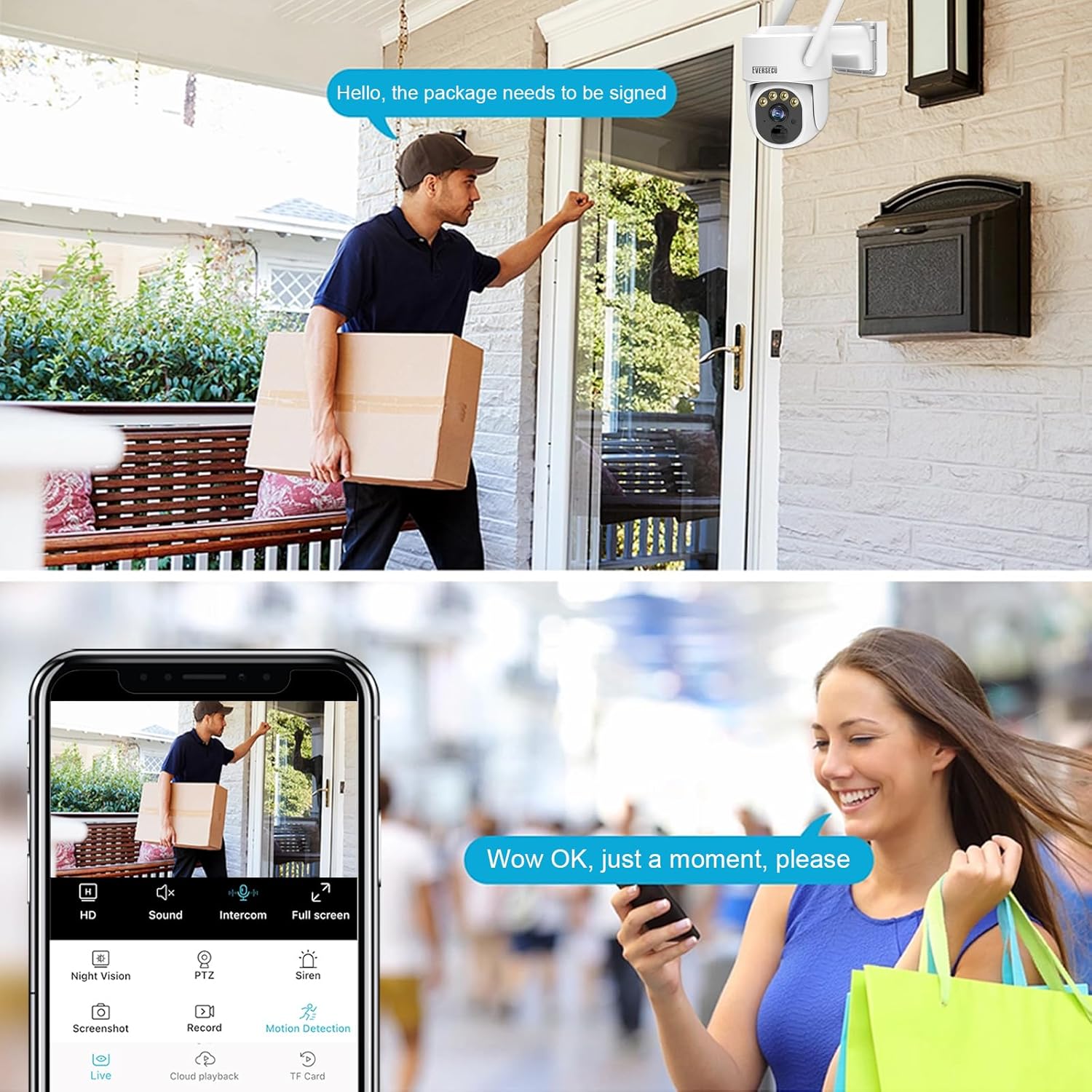
Figure 4: Example of using two-way audio to communicate with a visitor.
3.4 Motion Detection and Alerts
The camera features PIR (Passive Infrared) motion detection and AI human detection to minimize false alarms. When motion is detected, you will receive instant alerts on your phone.
- Custom Alarm Area: Configure specific activity zones within the app to only receive notifications from selected areas, reducing unnecessary interruptions.
- Smart Siren and Spotlights: The camera can activate a smart siren and spotlights upon detection to deter intruders. Customizable alarm modes are available in the app.

Figure 5: PIR human body induction in action, detecting a person and triggering an alert.

Figure 6: Custom alarm area configuration within the O-KAM app.
3.5 Night Vision
The camera provides clear surveillance even in low-light conditions with dual-source lighting. It offers both infrared (IR) night vision and color night vision, with a night vision distance of up to 30 meters.

Figure 7: Ultra HD Night Vision capturing clear images in darkness.
3.6 Storage Options
Recordings can be stored in two ways:
- Cloud Storage: Subscribe to the O-KAM cloud service for secure, remote storage of your video footage.
- SD Card Storage: Insert a microSD card (up to 128GB, not included) into the camera's SD card slot for local storage.
4. Maintenance
4.1 Solar Panel Care
Regularly clean the surface of the solar panel to ensure maximum sunlight absorption. Dust, dirt, or debris can reduce charging efficiency. Use a soft, damp cloth to wipe the panel.
4.2 Camera Cleaning
Wipe the camera lens and body with a soft, dry cloth to remove any dirt or smudges. Avoid using harsh chemicals or abrasive materials that could damage the camera's finish or lens.
4.3 Weather Resistance
The camera is rated IP65 waterproof, meaning it is protected against dust and low-pressure water jets. While designed for outdoor use, avoid submerging the camera in water or exposing it to extreme weather conditions beyond its operating temperature range (-13°F to 140°F / -25°C to 60°C).
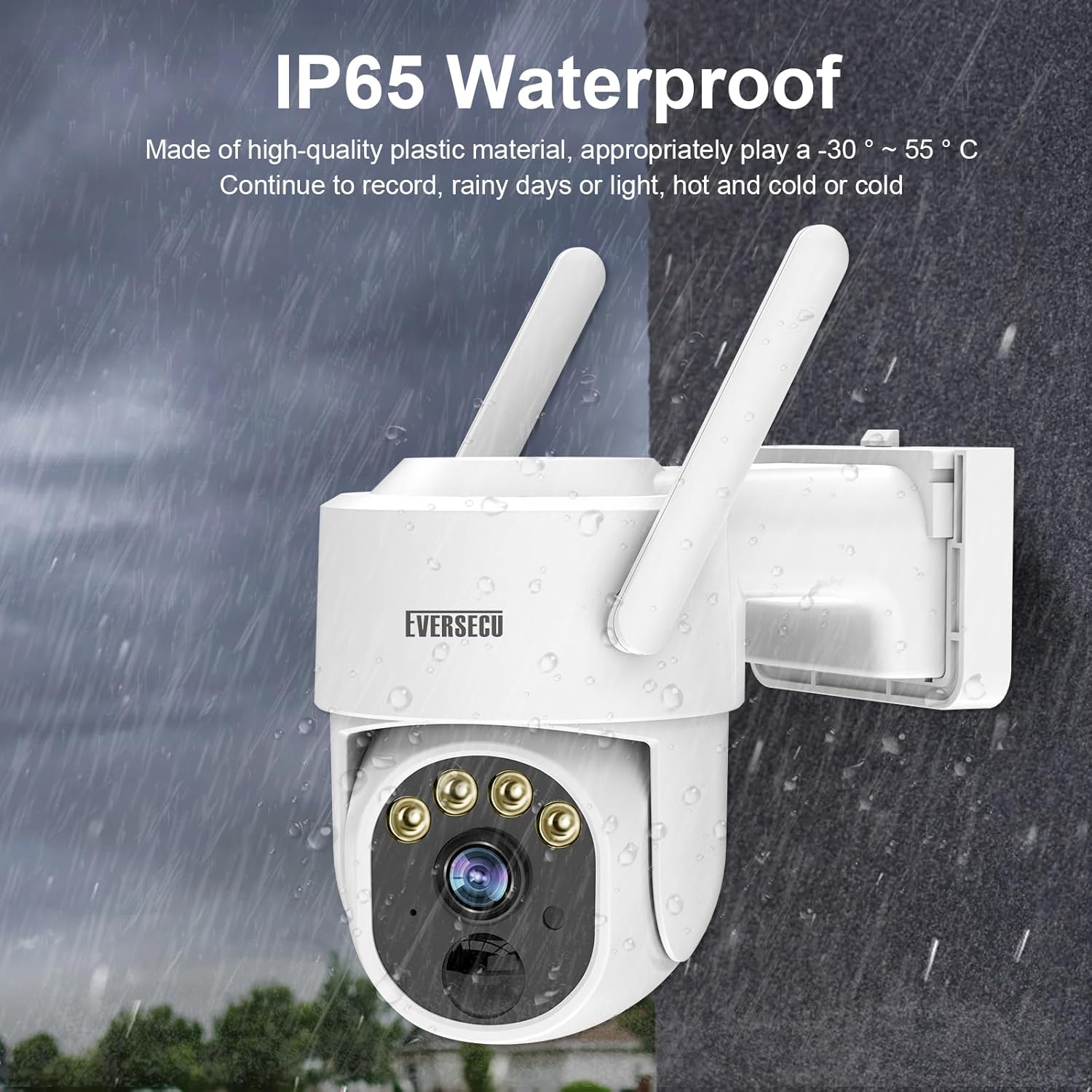
Figure 8: The camera's IP65 waterproof design ensures functionality in various weather conditions.
5. Troubleshooting
5.1 Camera Not Powering On
- Ensure the power switch is in the "ON" position.
- Check the battery level. If low, charge the camera using the USB cable.
- Verify the solar panel is connected correctly and receiving sufficient sunlight.
5.2 Unable to Connect to Wi-Fi
- Confirm your Wi-Fi network is 2.4GHz. The camera does not support 5GHz Wi-Fi.
- Ensure the camera is within range of your Wi-Fi router.
- Check your Wi-Fi password for accuracy.
- Restart your router and the camera, then attempt pairing again.
5.3 Motion Detection Not Working or Too Sensitive
- Adjust the motion detection sensitivity settings in the O-KAM app.
- Define custom alarm areas to exclude irrelevant zones (e.g., public roads, swaying trees).
- Ensure there are no obstructions blocking the camera's PIR sensor.
5.4 Poor Video Quality
- Check your Wi-Fi signal strength. A weak signal can affect video streaming quality.
- Ensure the camera lens is clean and free from dirt or condensation.
- Verify the camera is set to 2K resolution in the app settings.

Figure 9: Visual comparison of 3MP high-definition versus 2MP image quality.
6. Specifications
| Feature | Detail |
|---|---|
| Model Name | BS16-4 |
| Video Capture Resolution | 1296p (2K 3MP) |
| Indoor/Outdoor Usage | Indoor, Outdoor |
| Power Source | Solar Powered (7500mAh Battery) |
| Connectivity Technology | Wireless (2.4GHz Wi-Fi) |
| Connectivity Protocol | Wi-Fi |
| Controller Type | Amazon Alexa |
| Compatible Devices | IOS/Android |
| Mounting Type | Ceiling Mount |
| IP Rating | IP65 Waterproof |
| Pan/Tilt Range | 355° Pan, 120° Tilt |
| Night Vision | Color Night Vision, Infrared (30m distance) |
| AI Features | AI Human Detection |
| Audio | 2-Way Talk |
| Storage Options | Cloud/SD Card (up to 128GB) |
| Operating Temperature | -13°F to 140°F (-25°C to 60°C) |
| Product Dimensions | 7.13 x 5.79 x 11 inches |
| Item Weight | 7.7 pounds (3.5 Kilograms) |
7. Warranty and Support
7.1 Warranty Information
EVERSECU products typically come with a limited warranty. Please refer to the warranty card included with your purchase or visit the official EVERSECU website for specific warranty terms and conditions. Keep your proof of purchase for warranty claims.
7.2 Customer Support
If you encounter any issues or have questions regarding your EVERSECU 2K Outdoor Solar Security Camera, please contact EVERSECU customer support through the following channels:
- O-KAM App: Access the 'Help' or 'Support' section within the O-KAM application.
- Manufacturer Website: Visit the official EVERSECU website for FAQs, troubleshooting guides, and contact information.