
ROMOSS PPB10-401
ROMOSS PPB10 10,000mAh Portable Charger User Manual
Model: PPB10-401
1. Introduction
Thank you for choosing the ROMOSS PPB10 10,000mAh Portable Charger. This manual provides essential information for the safe and efficient use of your device. Please read it thoroughly before operation and retain it for future reference.
2. Product Overview
2.1 Package Contents
- 1 x ROMOSS PPB10 10,000mAh Portable Charger
- 1 x User Manual
- (Note: A USB-C cable may be included in a hidden compartment within the packaging. Please check thoroughly.)

Figure 2.1: Contents of the product package, including the power bank and user manual.
2.2 Device Features
- 10,000mAh Capacity: Provides multiple charges for smartphones and other devices.
- Dual Output & Input: Features one USB-C port (input/output) and one USB-A port (output) for versatile charging.
- Slim and Portable Design: Compact dimensions (5.59 x 2.6 x 0.63 inches) and lightweight (8 ounces) for easy transport.
- Low Current Mode: Optimized charging for small devices like wireless earbuds and sports bracelets.
- LED Indicator Lights: Displays remaining battery level.
- Safety Protections: Built-in safeguards against overcharge, over-discharge, overcurrent, and short circuits.
- Aviation Safety Standards: Designed to meet travel regulations.
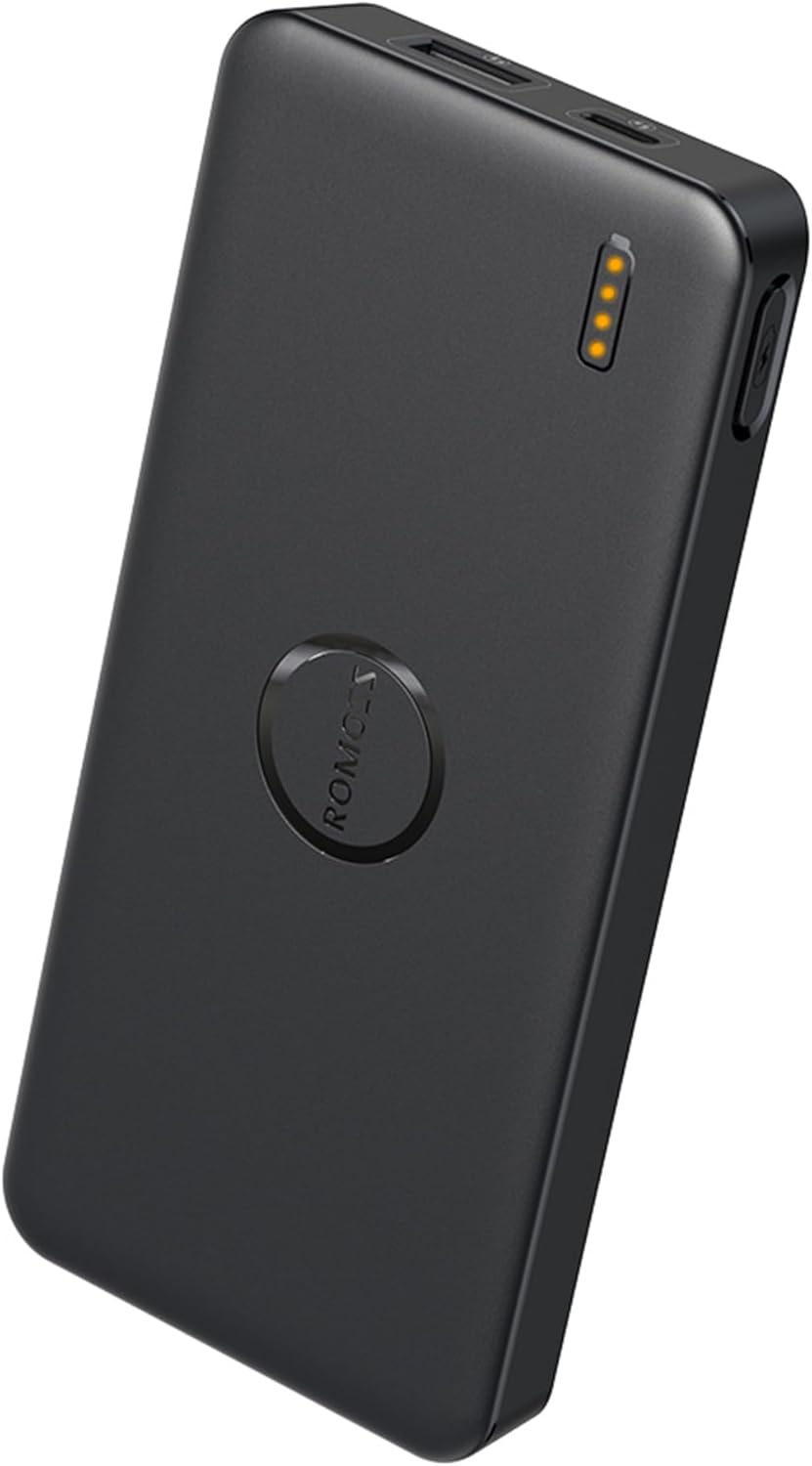
Figure 2.2: The ROMOSS PPB10 Portable Charger, showcasing its compact design and LED indicators.
2.3 Compatibility
The ROMOSS PPB10 portable charger is widely compatible with various electronic devices:
- For Phones: Compatible with iPhone (e.g., iPhone 16, 15, 14, 13, 12, 11 series), Samsung Galaxy (e.g., S24, S23, S22 series), Google Pixel, and other Android smartphones.
- For Tablets: Compatible with Apple iPad, Amazon Fire tablets, Samsung Galaxy Tab, and other tablets.
- For Others: Supports charging for Nintendo Switch, wireless earbuds, sports bracelets, electric toothbrushes, electric shavers, portable fans, and other small electronic devices.

Figure 2.3: Examples of devices compatible with the ROMOSS PPB10 portable charger.
3. Setup
3.1 Initial Charge
Before first use, fully charge your ROMOSS PPB10 portable charger. Connect the power bank to a USB wall adapter (not included) using a USB-C cable. The LED indicator lights will illuminate to show the charging progress.
- Charging Input: USB Type-C
- Input Voltage/Current: 5V/2.1A (Max)

Figure 3.1: The USB-C port (Input/Output) and USB-A port (Output) on the power bank, indicating their functions.
4. Operating Instructions
4.1 Checking Battery Level
Press the power button once lightly to check the remaining battery level. The LED indicators will light up:
- ● ● ● ●: 100%
- ● ● ● ○: 75%
- ● ● ○ ○: 50%
- ● ○ ○ ○: 25%

Figure 4.1: LED indicators displaying battery charge levels and button functions.
4.2 Charging Devices
Connect your device to the portable charger using a compatible USB cable. The power bank will automatically begin charging. You can charge two devices simultaneously using both the USB-A and USB-C output ports.
- Output Ports: USB Type-A, USB Type-C
- Output Voltage/Current: 5V/2.1A (Max)

Figure 4.2: Charging two devices concurrently with the power bank.
4.3 Low Current Mode
For charging low-power devices such as wireless earbuds, smartwatches, or sports bracelets, activate the low current mode.
- Double-click the power button to enter low current mode.
- Connect your low-power device.
- Double-click the power button again to exit low current mode.

Figure 4.3: The power bank in low current mode, suitable for small electronic devices.
5. Maintenance
- Keep the power bank away from extreme temperatures, direct sunlight, and moisture.
- Avoid dropping or subjecting the device to strong impacts.
- Clean the exterior with a soft, dry cloth. Do not use harsh chemicals or abrasive materials.
- For optimal battery life, fully charge the power bank at least once every three months if not in regular use.
6. Troubleshooting
| Problem | Possible Cause | Solution |
|---|---|---|
| Power bank not charging | Cable issue, adapter issue, power bank depleted. | Ensure the charging cable and wall adapter are functional. Try a different cable or adapter. Allow sufficient time for charging. |
| Device not charging from power bank | Cable issue, power bank depleted, device incompatibility. | Check the connection cable. Ensure the power bank has sufficient charge. Verify device compatibility. Try a different port. |
| Low current mode not activating/deactivating | Incorrect button press. | Ensure you are double-clicking the power button quickly and precisely. |
| LED indicators not working | Power bank fault. | Contact customer support if the device is otherwise unresponsive. |
7. Specifications
| Feature | Detail |
|---|---|
| Model Number | PPB10-401 |
| Battery Capacity | 10,000 mAh |
| Input (USB-C) | 5V/2.1A (Max) |
| Output (USB-C) | 5V/2.1A (Max) |
| Output (USB-A) | 5V/2.1A (Max) |
| Product Dimensions | 5.59 x 2.6 x 0.63 inches |
| Item Weight | 8 ounces |
| Special Features | LED Indicator Lights, Lightweight, Slim, Low Current Mode |
| Color | Black |
8. Safety Information
The ROMOSS PPB10 portable charger is equipped with 10 built-in safety protections. To ensure safe operation and prolong the lifespan of your device, please adhere to the following:
- Do not disassemble, modify, or repair the device yourself.
- Avoid exposure to fire, water, or extreme temperatures (above 60°C/140°F or below 0°C/32°F).
- Do not use damaged cables or adapters.
- Keep out of reach of children.
- Dispose of the product responsibly according to local regulations.
- This device meets aviation safety standards for travel.
9. Warranty and Support
ROMOSS products typically come with a standard warranty. For specific warranty details, technical support, or service inquiries, please refer to the official ROMOSS website or contact their customer service directly. Please have your model number (PPB10-401) and purchase information ready when contacting support.
You can visit the ROMOSS store on Amazon for more information: ROMOSS Official Store
Related documentsPPB10-401


Ask a question about this manual
Ask about setup, troubleshooting, compatibility, parts, safety, or missing instructions. Manuals+ will review the question and use this page’s manual context to help answer it.