
Introduction
This manual provides comprehensive instructions for the safe and efficient operation and maintenance of your Bulelink Max 5 Cordless Stick Vacuum Cleaner. Please read this manual thoroughly before first use and retain it for future reference.
Important Safety Instructions
- Read all instructions before using the appliance.
- Do not use outdoors or on wet surfaces.
- Do not allow to be used as a toy. Close attention is necessary when used by or near children.
- Use only as described in this manual. Use only manufacturer's recommended attachments.
- Do not use with damaged cord or plug. If appliance is not working as it should, has been dropped, damaged, left outdoors, or dropped into water, return it to a service center.
- Do not pull or carry by cord, use cord as a handle, close a door on cord, or pull cord around sharp edges or corners. Do not run appliance over cord. Keep cord away from heated surfaces.
- Do not unplug by pulling on cord. To unplug, grasp the plug, not the cord.
- Do not handle plug or appliance with wet hands.
- Do not put any object into openings. Do not use with any opening blocked; keep free of dust, lint, hair, and anything that may reduce air flow.
- Keep hair, loose clothing, fingers, and all parts of body away from openings and moving parts.
- Do not pick up anything that is burning or smoking, such as cigarettes, matches, or hot ashes.
- Use extra care when cleaning on stairs.
- Do not use to pick up flammable or combustible liquids, such as gasoline, or use in areas where they may be present.
- Prevent unintentional starting. Ensure the switch is in the OFF position before connecting to battery pack, picking up or carrying the appliance.
- Disconnect the battery pack from the appliance before making any adjustments, changing accessories, or storing appliance.
- Recharge only with the charger specified by the manufacturer.
- Do not modify or attempt to repair the appliance or the battery pack.
Package Contents
Please check the box for the following items:
- Main Motor Unit
- Battery Pack
- Floor Brush
- Telescopic Tube
- Filter (Pre-installed)
- HEPA Filters (2 units)
- Dust Bin
- Power Adapter
- 2-in-1 Brush Tool
- Flat Nozzle Tool
- Gooseneck Cleaning Brush
- Aromatherapy Tablet
- Wall Mount Bracket
- Material Bag
- Quick Guide
- Instruction Manual (this document)

Image: All components included in the Bulelink Max 5 Cordless Stick Vacuum Cleaner package, showing the main unit, various attachments, and filters.
Product Overview
The Bulelink Max 5 is a versatile cordless stick vacuum cleaner designed for efficient cleaning across various surfaces.
Key Features:
- Powerful Suction: Equipped with a 550W brushless motor, providing up to 45kPa suction power.
- Extended Runtime: Features an 8-cell removable battery, offering up to 70 minutes of operation in Min mode.
- Intelligent OLED Display: Real-time monitoring of battery level, dustbin status, brush entanglement, and suction mode.
- Advanced Brush Roll: V-shaped brush roll with a combination of soft and hard bristles for deep cleaning and anti-tangle performance on floors and carpets.
- 8-Stage HEPA Filtration: High-density filtration system captures up to 99.99% of fine dust and particles, releasing clean air.
- Aromatherapy Function: Integrated aromatherapy tablets to freshen the air during cleaning.
- Wall-Mounted Charging: Convenient storage and charging solution.
- Large Dust Bin: 1.5L capacity dustbin with one-click emptying.
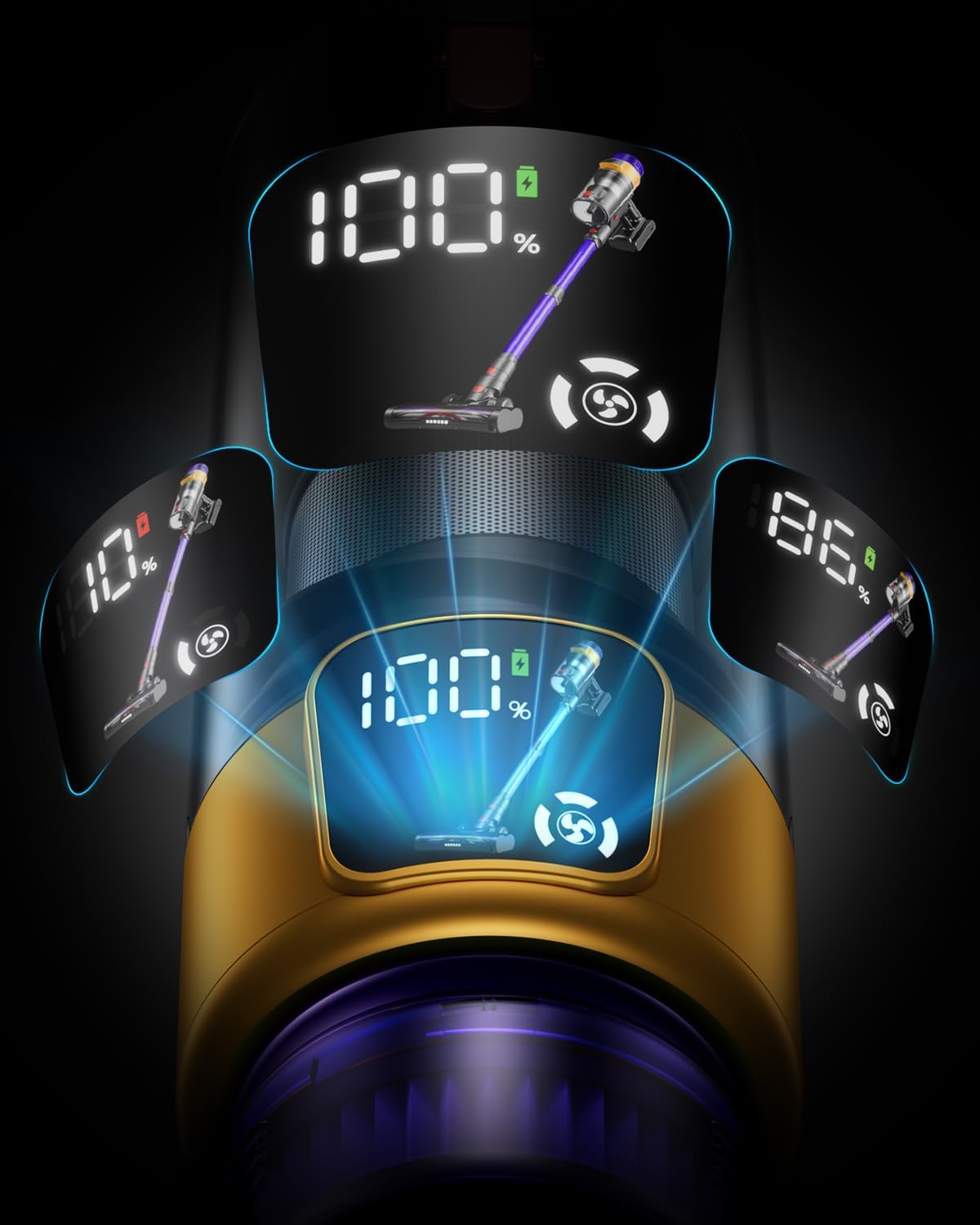
Image: The intelligent OLED display on the vacuum cleaner, showing battery percentage and current operating mode.

Image: Diagram illustrating the 8-stage filtration system, including HEPA filters and the aromatherapy tablet compartment.

Image: Close-up view of the V-shaped brush roll with soft and hard bristles, designed for effective cleaning and anti-tangle performance on various floor types.
Setup and Assembly
1. Assembling the Vacuum Cleaner:
- Insert the telescopic tube into the main motor unit until it clicks into place.
- Attach the floor brush to the other end of the telescopic tube, ensuring it locks securely.
- For handheld use, attach desired accessories (2-in-1 brush, flat nozzle) directly to the main motor unit.
2. Charging the Battery:
- The battery pack can be charged while attached to the main unit or separately.
- Connect the power adapter to the charging port on the battery or the wall mount.
- Plug the adapter into a power outlet. The OLED display will indicate charging status.
- A full charge takes approximately 4 hours.

Image: Illustration of the removable 8-cell battery pack and its charging mechanism, highlighting the 70-minute runtime capability.
3. Installing the Wall Mount:
- Choose a suitable location near a power outlet.
- Secure the wall mount bracket to the wall using the provided hardware.
- The vacuum cleaner can be stored and charged on the wall mount.
Operating Instructions
1. Powering On/Off:
Press the power button on the main motor unit to turn the vacuum cleaner on or off.
2. Selecting Suction Mode:
The vacuum offers 3 suction modes: Min, Mid, and Max. Press the mode selection button to cycle through these options. The current mode will be displayed on the OLED screen.
- Min Mode: For light cleaning and extended runtime (up to 70 minutes).
- Mid Mode: For general cleaning tasks.
- Max Mode: For deep cleaning and stubborn dirt (up to 20 minutes runtime).
3. Using Attachments:
- Floor Brush: Ideal for hard floors, carpets, and pet hair. The integrated LED light illuminates dark areas.
- 2-in-1 Brush Tool: Use the brush for dusting delicate surfaces or the nozzle for crevices.
- Flat Nozzle Tool: Suitable for narrow gaps and corners.
- Gooseneck Cleaning Brush: For reaching awkward angles and surfaces.

Image: The Bulelink Max 5 cordless vacuum cleaner actively cleaning a hard floor, demonstrating its suction capability.

Image: The main motor unit used in handheld mode with an anti-mite attachment, demonstrating its versatility for cleaning upholstery and mattresses.
Maintenance
Regular maintenance ensures optimal performance and extends the lifespan of your vacuum cleaner.
1. Emptying the Dust Bin:
- When the dust bin is full (indicated on the OLED display), press the release button to detach it from the main unit.
- Position the dust bin over a trash receptacle and press the bottom release button to empty its contents.
- Reattach the dust bin securely.
2. Cleaning Filters:
- The vacuum cleaner includes a pre-filter and two HEPA filters.
- Remove the filters from the dust bin assembly.
- Tap off loose dirt. Filters can be rinsed under cold running water. Ensure they are completely dry before reinstallation (allow 24-48 hours).
- Replace HEPA filters every 3-6 months, depending on usage.
3. Cleaning the Brush Roll:
- Periodically check the V-shaped brush roll for tangled hair or debris.
- To remove the brush roll, locate the release tab on the side of the floor brush and unlock it.
- Carefully remove any tangled hair or fibers using scissors or the gooseneck cleaning brush.
- Reinsert the brush roll and secure the release tab.

Image: Detailed view of the improved brush roll, highlighting its soft and hard bristles designed to prevent hair entanglement and enhance cleaning performance on carpets.
Troubleshooting
| Problem | Possible Cause | Solution |
|---|---|---|
| Vacuum does not turn on. | Battery is not charged or not properly installed. | Ensure battery is fully charged and securely clicked into place. |
| Low suction power. | Dust bin is full, filters are clogged, or brush roll is obstructed. | Empty dust bin. Clean or replace filters. Remove any obstructions from the brush roll. |
| Brush roll stops rotating. | Hair or debris tangled in the brush roll. | Turn off the vacuum, remove the brush roll, and clear any obstructions. |
| Vacuum stops during operation. | Battery is depleted or motor is overheating. | Recharge the battery. Allow the vacuum to cool down if it has been used continuously for a long period. |
| OLED display shows an error. | Specific error code or indicator. | Refer to the quick guide for specific error code meanings or contact customer support. |
Specifications
- Brand: Bulelink
- Model Number: Max 5
- Motor Power: 550W
- Suction Power: Up to 45kPa
- Battery: 8-cell, removable
- Runtime: Up to 70 minutes (Min mode), 20 minutes (Max mode)
- Charging Time: Approximately 4 hours
- Dust Bin Capacity: 1.5 Liters
- Filtration System: 8-stage HEPA filtration
- Number of Speeds: 3
- Product Dimensions (L x W x H): 25.5 x 29.8 x 126 cm
- Item Weight: 4.06 kg
- Recommended Surface: Tiled floors, wooden floors, marble floors, short-pile carpets, pet hair
Warranty and Customer Support
Bulelink provides a 2-year warranty for this product, covering return and exchange support. Lifetime customer service is also available.
If you encounter any issues or have questions regarding your Bulelink Max 5 Cordless Stick Vacuum Cleaner, please contact our customer support team for assistance.
Contact information can typically be found on the product packaging or the official Bulelink website.


